Gemini Prompts for Blog Writing
Creating high-quality blog content consistently can be challenging. Writers need to research topics, understand their audience, create engaging headlines, organize content, optimize articles for search engines, and keep readers interested. Google Gemini can help simplify many parts of the blogging process. With the right prompts, you can use Gemini to brainstorm blog ideas, create outlines, improve introductions, develop sections, optimize content, and generate ideas for future articles. However, AI should be used as a writing assistant rather than a complete replacement for human expertise. The best blog content combines AI efficiency with original ideas, accurate information, personal experience, and human editing. In this guide, you’ll discover the best Gemini prompts for blog writing and learn how to use them to create useful, engaging, and SEO-friendly content.
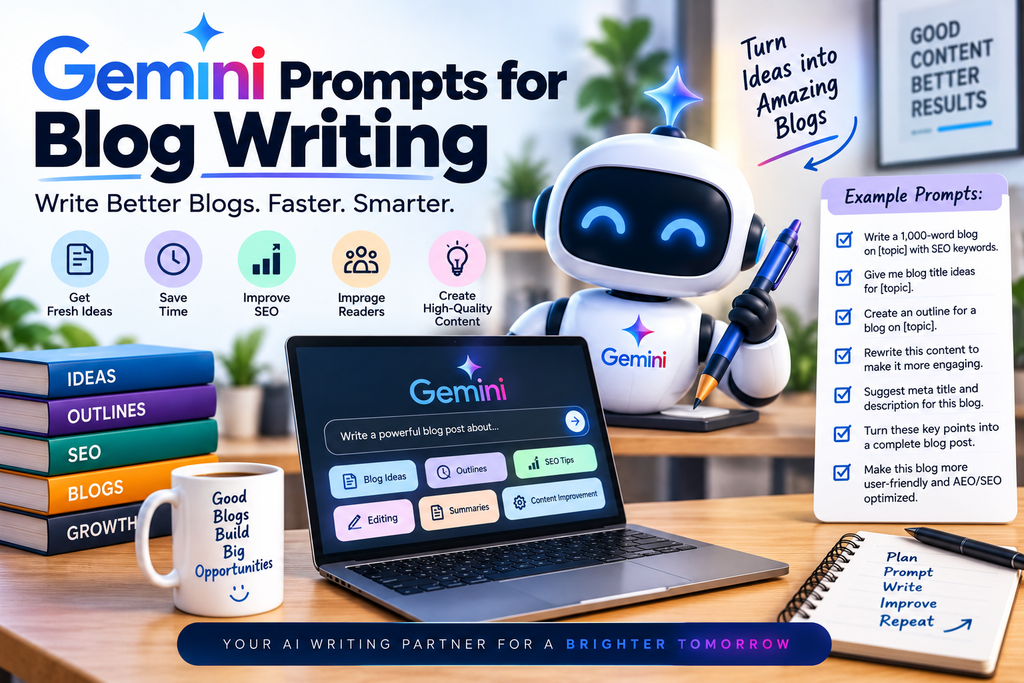
Gemini prompts help users get more accurate, creative, and useful results from Google Gemini for everyday and professional tasks. From content writing and marketing to coding, research, brainstorming, and image creation, the right prompts can improve productivity and save time. Well-structured Gemini prompts clearly define the goal, context, and desired output. When optimized for SEO, AEO, and GEO, helpful prompt-based content can answer user questions, target search intent, and improve visibility across search engines and AI-powered platforms.
What Is Gemini for Blog Writing?
Gemini is an AI assistant that can help with research, brainstorming, writing, editing, summarization, and content planning.
For bloggers and content creators, Gemini can assist with different stages of the writing process.
It can help you:
- Generate blog topics
- Create content outlines
- Write introductions
- Develop headings
- Expand ideas
- Improve readability
- Rewrite paragraphs
- Generate FAQs
- Create conclusions
- Develop SEO content ideas
- Create content calendars
The quality of the result depends heavily on the instructions and information provided in the prompt.
Why Use Gemini for Blog Writing?
Blogging requires consistent content creation. Even experienced writers can sometimes struggle with finding new ideas or organizing complex topics.
Gemini can help reduce the time spent on repetitive writing tasks.
Generate Blog Ideas Faster
Coming up with new blog topics can be difficult when you publish content regularly.
Gemini can generate topic ideas based on your niche, target audience, products, and content goals.
Create Organized Blog Outlines
A good outline gives your article a clear structure.
Gemini can help organize a topic into H2 and H3 sections, making it easier to write a complete article.
Improve Writing Efficiency
Instead of starting every article from a blank page, you can use Gemini to create an initial draft or expand your existing ideas.
You can then edit the content to match your own expertise and brand voice.
How to Write Better Gemini Prompts for Blogging
A detailed prompt generally provides better direction than a short request.
Define the Topic
Clearly tell Gemini what you want to write about.
For example:
Write a detailed blog post about AI productivity tools for small businesses.
Define Your Audience
Tell Gemini who will read the article.
For example:
- Beginners
- Students
- Bloggers
- Marketers
- Small business owners
- Developers
- Freelancers
This helps the content match the reader’s knowledge level and needs.
Specify the Tone
You can ask Gemini to use a specific writing style.
For example:
- Professional
- Friendly
- Conversational
- Educational
- Simple
- Persuasive
- Expert
Provide Content Requirements
Tell Gemini how you want the article structured.
You can specify:
- H1 title
- H2 sections
- H3 subsections
- Bullet points
- Short paragraphs
- FAQs
- Conclusion
- Call to action
Best Gemini Prompts for Blog Writing
Here are practical prompts you can customize for your own website.
1. Blog Topic Ideas Prompt
Act as an experienced content strategist. Generate 30 unique blog topic ideas about [TOPIC] for [TARGET AUDIENCE]. Include a mix of beginner guides, how-to articles, list posts, comparison topics, problem-solving articles, and advanced topics. Avoid repetitive ideas.
This prompt is useful when you need a steady supply of new content ideas.
2. SEO Blog Topic Prompt
Generate 25 SEO-friendly blog topic ideas around [MAIN TOPIC]. Focus on topics that address real user questions, problems, and search intent. Include informational, commercial, and comparison-style topics. Make each title clear, useful, and natural.
3. Blog Outline Prompt
Create a detailed blog outline for the topic “[BLOG TOPIC].” Use one H1, relevant H2 headings, and supporting H3 headings. Cover the topic comprehensively while keeping the structure easy to read. Include important questions readers may have and suggest where examples or bullet points could be useful.
4. Complete Blog Writing Prompt
Write a comprehensive, user-friendly blog post about “[TOPIC]” for [TARGET AUDIENCE]. Use one H1, relevant H2 headings, and H3 subheadings. Use short paragraphs, bullet points where useful, clear explanations, practical examples, and a helpful conclusion. Keep the writing natural and avoid unnecessary repetition or unsupported claims.
5. Introduction Prompt
Write an engaging introduction for a blog post about “[TOPIC].” Start by identifying the reader’s problem or question, explain why the topic matters, and briefly tell the reader what they will learn. Keep the introduction clear, natural, and concise.
A strong introduction should give readers a reason to continue reading.
6. Blog Section Prompt
Write the H2 section “[SECTION TITLE]” for a blog about “[MAIN TOPIC].” Explain the topic clearly for [TARGET AUDIENCE]. Include practical examples and relevant H3 subsections where appropriate. Avoid repeating information covered in other sections.
7. Beginner-Friendly Blog Prompt
Rewrite this topic for a complete beginner: “[TOPIC].” Use simple language, explain technical terms, provide practical examples, and organize the content with clear H2 and H3 headings. Do not assume the reader has prior knowledge.
This is useful for educational websites targeting beginners.
Gemini Prompts for SEO Blog Writing
Gemini can also help with different parts of an SEO content workflow.
Keyword Integration Prompt
Rewrite the following blog section to naturally include the primary keyword “[PRIMARY KEYWORD]” and related terms such as [SECONDARY KEYWORDS]. Maintain readability and avoid keyword stuffing. Prioritize usefulness and natural language.
Search Intent Prompt
Analyze the likely search intent behind the keyword “[KEYWORD].” Explain what the searcher is likely trying to find and recommend the best content format, structure, and information needed to satisfy that intent.
SEO Title Prompt
Generate 10 compelling SEO title options for a blog post about “[TOPIC].” Keep them clear, natural, and relevant to the target audience. Avoid clickbait and unnecessary keyword repetition.
Meta Description Prompt
Write 5 concise meta description options for an article about “[TOPIC].” Include the primary keyword naturally, communicate the main benefit of the article, and encourage users to click without making misleading claims.
Gemini Prompts for Blog Content Structure
A well-organized article is easier for readers to scan.
H2 and H3 Heading Prompt
Create a logical H2 and H3 heading structure for a comprehensive article about “[TOPIC].” Cover the most important subtopics in a logical order. Avoid overlapping sections and make each heading descriptive and useful.
FAQ Prompt
Generate 10 frequently asked questions about “[TOPIC]” that readers are likely to search for. Provide concise, accurate answers based only on reliable information. Avoid inventing facts.
Conclusion Prompt
Write a useful conclusion for a blog post about “[TOPIC].” Summarize the most important points, provide a practical takeaway, and encourage the reader to take an appropriate next step.
Gemini Prompts for Improving Existing Blog Content
You don’t always need to create an article from scratch.
Gemini can help improve content you have already written.
Improve Readability
Improve the readability of the following blog post without changing its meaning. Use shorter sentences, clearer paragraphs, descriptive headings, and simpler language where appropriate. Preserve important facts and do not add unsupported information.
Make Content More Engaging
Improve the following blog content to make it more engaging and useful for readers. Strengthen the introduction, improve transitions, add practical examples where appropriate, and remove unnecessary repetition. Maintain the original meaning and factual information.
Make Content More Conversational
Rewrite the following blog post in a natural, conversational style while keeping it professional and informative. Use clear language and avoid unnecessary jargon. Do not change factual information.
Gemini Prompts for Different Blog Types
Different blog formats require different approaches.
How-To Blog Prompt
Write a step-by-step guide explaining how to “[TASK].” Target audience: [AUDIENCE]. Use clear H2 and H3 headings, numbered steps, practical tips, common mistakes, and a conclusion. Make every step easy for a beginner to follow.
Listicle Prompt
Write a detailed list-style blog post about “[TOPIC].” Include [NUMBER] useful items. For each item, explain what it is, its main benefits, who it is best for, and any important limitations. Keep the information accurate and easy to scan.
Comparison Blog Prompt
Write a balanced comparison between “[OPTION A]” and “[OPTION B].” Compare their features, benefits, limitations, ease of use, ideal users, and important differences. Avoid biased claims and finish by explaining which option may be more suitable for different types of users.
Product Review Prompt
Write an informative review of “[PRODUCT/TOOL].” Cover its main features, benefits, use cases, ease of use, limitations, pricing information provided below, and ideal users. Keep the review balanced and do not invent features or claims.
Ultimate Guide Prompt
Create a comprehensive guide about “[TOPIC]” for [TARGET AUDIENCE]. Cover the topic from beginner to advanced level using H1, H2, and H3 headings. Include definitions, practical examples, best practices, common mistakes, FAQs, and a conclusion.
Gemini Prompts for Content Ideas
Blogging becomes easier when you have a long-term content strategy.
Cluster Prompt
Create a content cluster around “[MAIN TOPIC].” Identify one pillar topic and 15 supporting blog topics. Group the supporting topics into logical subtopics and explain how they can connect through internal links.
Calendar Prompt
Create a 30-day blog content calendar for a website about “[NICHE].” Include the article title, target keyword, search intent, content type, target audience, and suggested publishing day. Avoid duplicate topics.
Gap Prompt
Based on the following list of existing articles, identify potential content gaps and suggest new blog topics that cover useful questions or subtopics that are currently missing. Existing articles: [LIST].
How to Use Gemini for Blog Research
Good blog writing starts with good research.
Gemini can help you brainstorm questions, understand concepts, organize research notes, and identify areas that require further investigation.
Start With Topic Research
Ask Gemini to explain the topic and identify its major subtopics.
This can help you understand what your article should cover.
Find Questions Readers May Ask
Ask Gemini to generate common questions related to your topic.
These questions can become H2 or H3 sections, FAQs, or supporting articles.
Verify Important Information
AI-generated information should not automatically be considered accurate.
For statistics, current facts, product details, scientific claims, prices, and other important information, verify the information using reliable sources.
How to Create an SEO-Friendly Blog With Gemini
Gemini can support an SEO workflow, but ranking depends on many factors beyond AI-generated text.
Step 1: Choose a Topic
Select a topic that is relevant to your audience and website.
Step 2: Research Keywords
Identify the primary keyword and relevant secondary topics.
Step 3: Understand Search Intent
Determine what readers are actually looking for when they search for the topic.
Step 4: Create an Outline
Use Gemini to organize the article into H2 and H3 sections.
Step 5: Write the Draft
Give Gemini detailed instructions and accurate information.
Step 6: Add Original Value
Include your own expertise, examples, experience, analysis, or unique perspective.
Step 7: Edit and Fact-Check
Review the entire article before publishing.
Check facts, grammar, formatting, claims, and overall usefulness.
Step 8: Optimize the Final Article
Review the title, headings, internal links, images, metadata, readability, and keyword usage.
Common Mistakes When Using Gemini for Blog Writing
AI can speed up content creation, but poor use can result in low-quality articles.
Using Generic Prompts
A prompt such as “Write a blog about AI” provides very little direction.
Add your audience, topic, tone, structure, and content requirements.
Publishing AI Content Without Editing
AI-generated content should be reviewed before publication.
Human editing can improve accuracy, originality, tone, and usefulness.
Focusing Only on Keywords
A blog should not be written solely for search engines.
Focus on answering the reader’s questions and providing genuine value.
Repeating the Same Information
AI-generated articles can sometimes repeat similar ideas in different sections.
Review the article carefully and remove unnecessary repetition.
Adding Unsupported Information
Do not allow AI to invent statistics, product specifications, customer reviews, or other factual claims.
Verify important information before publishing.
Best Practices for Using Gemini Prompts
Follow these practices to get better results from Gemini.
Give Clear Instructions
Tell Gemini exactly what you want.
Include the topic, audience, tone, format, length, and purpose.
Provide Relevant Context
If you are writing for a specific website or brand, provide information about the business, audience, products, and writing style.
Use Step-by-Step Prompts
Instead of asking AI to create everything at once, consider using separate prompts for research, outlining, drafting, editing, and optimization.
Add Human Expertise
Your experience and knowledge can make AI-assisted content more valuable.
Use AI to accelerate the writing process while adding original insights yourself.
Final Thoughts
Gemini can be a powerful assistant for bloggers and content creators in 2026.
With effective prompts, you can use Gemini to generate blog ideas, create outlines, develop sections, improve readability, build content calendars, create FAQs, and support SEO content planning.
However, successful blogging is about more than producing large amounts of AI-generated text.
The best results come from combining Gemini with reliable research, human expertise, original ideas, careful editing, and a strong understanding of your audience.
Use Gemini to speed up your workflow, but make sure every article provides genuine value to readers. When used strategically, Gemini prompts can help you create better blog content faster while maintaining quality, accuracy, and a consistent brand voice.