Gemini for Customer Support
Customer support is one of the most important parts of any business. Customers expect fast, helpful, and accurate answers whenever they have a question or problem. As businesses handle more customer conversations across websites, email, social media, and messaging platforms, managing support manually can become difficult. Gemini for Customer Support can help businesses create faster responses, organize customer questions, summarize conversations, write support messages, and assist support teams with everyday tasks. In this guide, you will learn how to use Gemini for customer support, useful prompts, benefits, limitations, and best practices for creating a better customer experience.
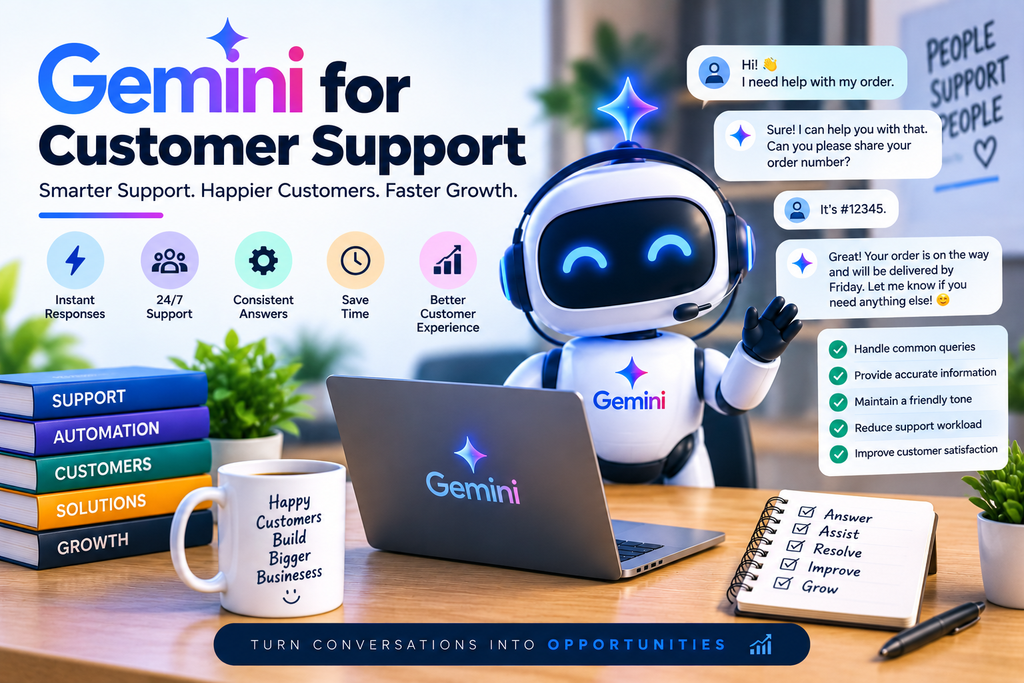
What Is Gemini for Customer Support?
Gemini can be used as an AI assistant for many customer support tasks. Support teams can provide Gemini with customer questions, product information, policies, or conversation context and ask it to generate an appropriate response.
It can help with tasks such as:
- Writing customer replies
- Answering common questions
- Creating FAQ content
- Summarizing support conversations
- Rewriting messages in a professional tone
- Translating customer communications
- Creating troubleshooting instructions
- Categorizing customer issues
- Drafting email responses
- Creating support templates
- Helping agents understand complex customer questions
Gemini should be treated as a support assistant rather than a complete replacement for human support agents.
Why Use Gemini for Customer Support?
AI can reduce the amount of repetitive writing and research that customer support teams need to perform.
Faster Customer Responses
Support agents can use Gemini to draft responses quickly instead of writing every message from scratch.
For example, an agent can provide the customer’s question and relevant company policy and ask Gemini to create a short, helpful response.
More Consistent Communication
Businesses can create response guidelines and use Gemini to help maintain a consistent tone across customer conversations.
This can be especially useful when multiple support agents communicate with customers.
Better Support Documentation
Gemini can help create:
- FAQs
- Help-center articles
- Troubleshooting guides
- Product instructions
- Customer onboarding documents
- Internal support documentation
Good documentation can also reduce repetitive questions.
Save Time on Repetitive Tasks
Customer support teams often answer similar questions repeatedly.
Gemini can help create reusable templates for common situations such as:
- Order questions
- Account problems
- Refund requests
- Product information
- Shipping questions
- Appointment changes
- Technical issues
How to Use Gemini for Customer Support
Using Gemini effectively starts with giving it enough context.
Step 1: Identify the Customer’s Question
First, understand what the customer is asking.
For example:
“My order hasn’t arrived yet. Can you tell me when I will receive it?”
The support agent needs to understand whether the customer needs shipping information, order tracking, or another type of assistance.
Step 2: Provide Relevant Information
Give Gemini the information it needs to create an accurate response.
This could include:
- Product details
- Company policies
- Shipping information
- Refund policy
- Customer question
- Support guidelines
- Desired response tone
Avoid providing unnecessary personal or confidential information.
Step 3: Ask Gemini to Draft a Response
You can ask Gemini to create a response based on the information provided.
For example:
“Write a short and professional response to this customer. Be helpful and empathetic. Do not make promises that are not supported by the information provided.”
Step 4: Review the Response
Always review AI-generated customer support messages before sending them, especially when the response involves refunds, payments, account access, legal matters, or other sensitive issues.
Step 5: Send or Edit the Response
If the response is accurate, an agent can use it directly or make small edits before sending it to the customer.
Best Gemini Prompts for Customer Support
Good prompts can make Gemini much more useful for customer service.
Writing a Customer Reply
You are a professional customer support assistant.

Write a helpful and friendly response to the following customer message.

Customer message:
[PASTE MESSAGE]

Use a professional tone and keep the response concise. Do not invent information.
Handling an Angry Customer
Rewrite this customer support response so it sounds calm, respectful, and empathetic.

Customer message:
[PASTE MESSAGE]

Acknowledge the customer's concern without admitting responsibility unless the provided information confirms it. Provide a helpful next step.
Technical Support
Act as a technical customer support assistant.

Customer problem:
[DESCRIBE PROBLEM]

Create a simple step-by-step troubleshooting response. Use clear language that a non-technical customer can understand.
Refund Requests
Create a professional response to this refund request.

Customer message:
[PASTE MESSAGE]

Company refund policy:
[PASTE POLICY]

Explain the relevant policy clearly and provide the next steps. Do not make promises outside the policy.
Customer Email
Write a professional customer support email based on the information below.

Customer issue:
[ISSUE]

Available solution:
[SOLUTION]

Keep the email friendly, clear, and concise.
FAQ Creation
Create a list of frequently asked questions and answers based on the following product information.

Product information:
[PASTE INFORMATION]

Make the answers simple, accurate, and easy for customers to understand.
Gemini for Customer Support Email Responses
Email support can involve a large amount of repetitive writing.
Gemini can help support teams draft emails for common situations.
Order Status Emails
You can use Gemini to create professional order-status responses using the available order information.
Complaint Responses
Gemini can help create empathetic responses that acknowledge the customer’s concern and explain the next steps.
Follow-Up Emails
Support agents can use Gemini to draft follow-up emails after an issue has been resolved.
Product Questions
Gemini can turn product information into easy-to-understand customer responses.
Gemini for Live Chat Support
Live chat requires short and quick responses.
Gemini can help agents create concise messages while they handle multiple conversations.
For example, instead of manually writing a long explanation, an agent can ask Gemini:
“Turn this explanation into a short live-chat response that is friendly and easy to understand.”
The resulting response can then be reviewed and adjusted before being sent.
Gemini for Customer Support FAQs
Frequently asked questions can reduce the workload of support teams.
Gemini can help businesses identify common questions and organize them into an FAQ structure.
Example FAQ Categories
A business might organize its FAQs into:
- Getting Started
- Products
- Orders
- Shipping
- Payments
- Returns
- Refunds
- Account Management
- Technical Support
- Contact Information
This structure makes information easier for customers to find.
Gemini for Troubleshooting
Technical support often requires explaining complicated steps in simple language.
Gemini can help convert technical information into customer-friendly instructions.
Example Troubleshooting Prompt
Create a simple troubleshooting guide for this problem:

Problem:
[DESCRIBE PROBLEM]

Known solutions:
[LIST SOLUTIONS]

Write the instructions for a beginner. Use numbered steps and explain what the customer should do if the problem continues.
This can help support teams create consistent troubleshooting responses.
Gemini for Customer Support Translation
Businesses serving international customers may need to communicate in multiple languages.
Gemini can help translate customer support messages while maintaining an appropriate tone.
For example:
Translate this customer support response into Spanish.

Keep the meaning unchanged and maintain a polite, professional, and friendly tone.

Response:
[PASTE RESPONSE]
The translated response should still be reviewed for accuracy, especially when dealing with important policies or sensitive information.
Gemini for Summarizing Customer Conversations
Long support conversations can take time to review.
Gemini can summarize conversations into key points.
Example Prompt
Summarize the following customer support conversation.

Include:

1. Customer's main problem
2. Important details
3. Actions already taken
4. Current status
5. Recommended next step

Conversation:
[PASTE CONVERSATION]
This can help another support agent quickly understand the situation.
Gemini for Creating Support Templates
Support teams can create reusable templates for frequently occurring situations.
Useful Support Templates
Templates can be created for:
- Welcome messages
- Order confirmations
- Shipping delays
- Refund requests
- Cancellation requests
- Password problems
- Technical issues
- Product questions
- Follow-ups
- Customer complaints
Templates save time while helping maintain consistent communication.
Benefits of Gemini for Customer Support
Using Gemini as part of a customer support workflow can provide several benefits.
1. Faster Responses
AI-generated drafts can help agents respond more quickly.
2. Better Productivity
Agents can spend less time writing repetitive messages and more time solving complex customer problems.
3. Consistent Tone
Businesses can establish communication guidelines and ask Gemini to follow them when drafting responses.
4. Easier Content Creation
Gemini can assist with FAQs, guides, templates, and help-center content.
5. Multilingual Assistance
Gemini can help support teams communicate with customers in different languages.
6. Easier Conversation Summaries
Long conversations can be condensed into important points for faster review.
Limitations of Gemini for Customer Support
Gemini can be useful, but businesses should understand its limitations.
AI Can Make Mistakes
AI-generated responses may contain incorrect or incomplete information. Support agents should verify important facts before sending responses.
It May Lack Business Context
Gemini does not automatically know every company’s internal policy, product detail, or customer-specific situation.
Providing relevant context improves the quality of the response.
Sensitive Information Requires Care
Businesses should follow their privacy and security policies when using customer information with AI tools.
Avoid unnecessarily sharing sensitive personal, financial, authentication, or confidential business information.
Human Support Is Still Important
Some situations require human judgment, empathy, authority, or decision-making.
AI should assist support teams rather than automatically handle every situation.
Best Practices for Using Gemini in Customer Support
Give Gemini Clear Instructions
Instead of asking:
“Reply to this customer.”
Try:
“Write a concise, professional, and empathetic response. Explain the available solution and do not make promises beyond the stated policy.”
Specific instructions usually produce more useful results.
Provide Reliable Information
Give Gemini accurate product information, policies, and support guidelines.
Set a Brand Voice
Tell Gemini how your business communicates.
For example:
- Friendly
- Professional
- Simple
- Helpful
- Concise
- Empathetic
Always Review Important Responses
Human review is especially important for:
- Refunds
- Payments
- Account issues
- Complaints
- Legal concerns
- Security problems
- Sensitive customer situations
Build a Prompt Library
Create a collection of tested prompts for common support situations.
This can help your team work faster and maintain consistent responses.
Gemini vs Traditional Customer Support
Traditional customer support depends heavily on human agents manually writing and researching responses.
Gemini can assist by generating drafts, summarizing conversations, creating documentation, and helping agents find better ways to explain information.
The most effective approach for many businesses is a human + AI support workflow.
AI handles repetitive assistance while human agents focus on decisions, complex issues, and customer relationships.
How Small Businesses Can Use Gemini for Customer Support
Small businesses may not have large customer service teams.
Gemini can help small teams manage support tasks more efficiently.
Common Use Cases
A small business can use Gemini to:
- Create customer email templates
- Write FAQ pages
- Respond to common questions
- Create troubleshooting instructions
- Summarize customer complaints
- Improve message tone
- Translate support messages
- Draft follow-up emails
This can help a small team maintain professional communication without spending excessive time writing every response manually.
How to Create a Gemini Customer Support Workflow
A simple workflow could look like this:
Step 1: Receive the Customer Question
Collect the customer’s message through your normal support channel.
Step 2: Identify the Issue
Determine whether it is a product question, technical issue, refund request, complaint, or another type of request.
Step 3: Provide Context to Gemini
Give Gemini the relevant company information and support guidelines.
Step 4: Generate a Draft
Ask Gemini to create a response appropriate for the situation.
Step 5: Human Review
Check the response for accuracy, tone, policy compliance, and missing information.
Step 6: Respond to the Customer
Send the reviewed response through your support channel.
Step 7: Improve the Process
Track recurring questions and create new templates or FAQs for them.
Common Mistakes to Avoid
Relying on AI Without Review
Never assume every AI-generated answer is correct.
Using Vague Prompts
Poor instructions can produce generic responses.
Giving Too Little Context
Gemini needs relevant information to produce a useful answer.
Sharing Unnecessary Sensitive Information
Only provide information necessary for the task and follow your organization’s privacy practices.
Making Every Response Sound Robotic
Customer support should still feel human. Review AI responses and adjust them to match your brand voice.
Frequently Asked Questions About Gemini for Customer Support
Can Gemini be used for customer support?
Yes. Gemini can assist with drafting customer responses, creating FAQs, summarizing conversations, translating messages, and preparing support documentation.
Can Gemini replace customer support agents?
Gemini can automate or assist with some repetitive tasks, but human agents remain important for complex issues, judgment, empathy, and situations requiring business-specific decisions.
What are the best Gemini prompts for customer support?
Useful prompts include prompts for customer replies, complaints, troubleshooting, refunds, FAQs, email responses, conversation summaries, and follow-ups.
Can Gemini write customer support emails?
Yes. You can provide the customer’s issue, relevant company information, and desired tone and ask Gemini to draft an email.
Is Gemini useful for small businesses?
Yes. Small businesses can use Gemini to create support templates, FAQs, email drafts, troubleshooting instructions, and other customer-service content.
Should AI-generated support responses be reviewed?
Yes. Human review is recommended, particularly for sensitive, complex, or policy-related customer requests.
Final Thoughts
Gemini for Customer Support can be a valuable AI assistant for businesses that want to improve support productivity and communication.
From writing customer emails and creating FAQs to summarizing conversations and developing troubleshooting guides, Gemini can help reduce repetitive work and give support teams more time to focus on customers.
The best results come from combining AI assistance with accurate business information, clear prompts, human review, and strong privacy practices.
Instead of viewing Gemini as a replacement for customer service teams, businesses can use it as a productivity tool that helps support agents work faster, more consistently, and more efficiently.