Beat Ai Tools to Automate Business Tasks
Businesses complete hundreds of tasks every week. Many of these tasks are repetitive, including copying data, sending notifications, managing leads, creating follow-ups, answering common questions, and organizing information. Fortunately, AI tools can automate many business tasks. They can connect different applications, process information, create workflows, and reduce the amount of manual work required. For example, a new customer can submit a form on a website. An automation tool can then send the information to a CRM, notify the sales team, and create a follow-up task. As a result, employees can spend less time on repetitive work and more time on customers, strategy, and important business decisions. So, which AI tools can automate business tasks? The best option depends on the type of work you want to automate. Some tools connect business apps, while others help with sales, marketing, customer support, writing, or internal workflows. This guide explains the best AI tools for automating business tasks and how to choose the right solution.
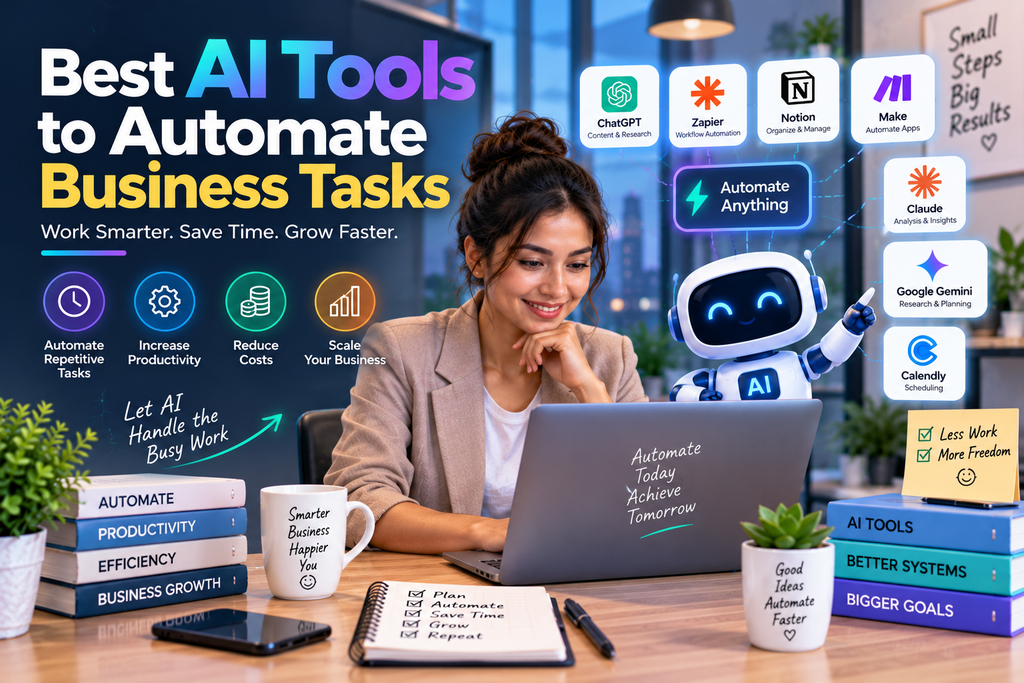
Business Automation AI helps businesses automate repetitive tasks, streamline workflows, reduce manual work, and improve operational efficiency. AI-powered automation can support activities such as customer service, lead management, marketing, sales follow-ups, data entry, invoice processing, reporting, scheduling, and document management. Unlike traditional rule-based automation, modern AI automation can understand data and context, generate content, identify patterns, and support more flexible business workflows.
For small businesses, startups, and growing companies, Business Automation AI can save valuable time while allowing employees to focus on customers, strategy, creativity, and higher-value tasks. Choosing the right AI automation tools depends on your business processes, existing software, budget, integrations, and automation goals. This guide explains what Business Automation AI is, how AI business automation works, its benefits, common use cases, and the best ways businesses can use AI to automate workflows and improve productivity.
Which AI Tools Can Automate Business Tasks?
Different AI and automation tools are designed for different types of business work.
| Business Task | Recommended Tool Type | Examples |
|---|---|---|
| Connect business apps | Workflow automation | Zapier, Make |
| Automate office workflows | Business automation | Microsoft Power Automate |
| Manage leads | CRM automation | HubSpot, Salesforce |
| Automate marketing tasks | Marketing automation | HubSpot |
| Automate repetitive writing | AI assistants | ChatGPT, Gemini, Claude |
| Manage customer requests | AI support tools | Zendesk, Intercom |
| Create internal workflows | Workflow platforms | Make, Power Automate |
Therefore, the best AI tool depends on the problem your business needs to solve.
What Does AI Business Automation Mean?
AI business automation combines artificial intelligence with automated workflows.
Traditional automation usually follows a set of predefined rules. For example, when a customer submits a form, the system sends an email.
AI can add another layer of support. It can help process text, summarize information, classify requests, and create useful responses.
For instance, an AI system can read a customer message and identify the topic. The workflow can then send the request to the correct department.
Consequently, businesses can automate both simple actions and some information-based tasks.
What Business Tasks Can AI Automate?
AI can help automate many routine tasks.
Common examples include:
- Moving data between applications
- Creating follow-up tasks
- Sending notifications
- Updating CRM records
- Organizing customer requests
- Creating first drafts
- Summarizing documents
- Managing leads
- Answering common questions
- Routing support tickets
- Preparing reports
- Organizing internal information
However, businesses should not automate every process.
Tasks involving important decisions, sensitive information, or complex human situations may require human review.
1. Zapier for Automating Business Tasks
Zapier helps businesses connect different applications and create automated workflows.
It can be useful when employees repeatedly move information between software tools.
What Tasks Can Zapier Automate?
Businesses can automate tasks such as:
- Sending form submissions to a CRM
- Creating tasks automatically
- Notifying team members
- Moving customer information
- Updating contact records
- Creating follow-up reminders
For example, a customer can complete a contact form.
The automation can then send the details to the sales system. Meanwhile, the appropriate team member can receive a notification.
As a result, employees do not need to complete each step manually.
Who Should Use Zapier?
Zapier can be useful for:
- Small businesses
- Agencies
- Marketing teams
- Sales teams
- Online businesses
It is particularly helpful for businesses that use multiple online applications.
2. Make for Advanced Business Workflows
Make is a platform for building automated workflows between applications.
Businesses can use it to create detailed processes with multiple steps.
How Can Make Automate Tasks?
Make can support workflows involving:
- Lead management
- Data processing
- Marketing automation
- Customer information
- Internal notifications
- Application connections
For example, a new lead can enter a workflow.
The system can then check the information, send it to the correct tools, and notify the right team.
Therefore, Make can be useful when a business needs more complex automation.
3. Microsoft Power Automate for Office Workflows
Microsoft Power Automate helps businesses automate workflows and routine processes.
It can be particularly useful for organizations that already use Microsoft products.
Common Business Tasks to Automate
Teams can automate:
- Approval requests
- Employee notifications
- File workflows
- Data movement
- Repetitive office tasks
- Internal business processes
For instance, an employee can submit a request.
The system can automatically send the request to a manager for approval.
After the decision is made, the workflow can notify the employee and continue with the next step.
This can reduce delays and unnecessary manual communication.
4. ChatGPT for Automating Text-Based Tasks
ChatGPT can help businesses automate and speed up tasks involving text and information.
Although it is not a traditional workflow automation platform by itself, it can reduce the time required for many routine tasks.
What Can ChatGPT Help Automate?
Businesses can use AI assistance for:
- Email drafts
- Customer response templates
- Document summaries
- Content outlines
- Internal reports
- Task descriptions
- Frequently asked questions
For example, an employee can use AI to summarize a long document.
The employee can then review the important points instead of reading the entire document first.
As a result, information processing can become faster.
5. Gemini for Everyday Business Tasks
Gemini can support businesses with writing, planning, research, and information-based work.
It can help reduce the time required to complete routine tasks.
Common Gemini Business Uses
Teams may use Gemini to:
- Create first drafts
- Summarize information
- Organize notes
- Generate ideas
- Prepare plans
- Support research
For instance, a business owner can ask AI to organize ideas into a simple action plan.
Afterward, the owner can review the plan and make changes.
Therefore, AI can make routine planning more efficient.
6. Claude for Document and Information Tasks
Claude can help businesses work with written information.
It can support tasks involving documents, summaries, analysis, and planning.
How Can Claude Save Time?
Teams can use AI to:
- Summarize long documents
- Organize information
- Review written material
- Create drafts
- Identify key points
For example, a business can review customer feedback and use AI to identify common topics.
The team can then examine the results and decide what action to take.
Consequently, employees may spend less time sorting through large amounts of text.
7. HubSpot for Sales and Marketing Automation
HubSpot provides tools for marketing, sales, and customer management.
Businesses can automate parts of the customer journey and internal workflows.
What Can HubSpot Automate?
Depending on the setup, businesses can automate:
- Lead management
- Follow-up activities
- Customer communication
- Marketing workflows
- Contact management
- Team notifications
For example, a new lead can automatically enter a predefined workflow.
The system can then create a task for the sales team or trigger relevant communication.
As a result, teams can manage routine activities more consistently.
8. Salesforce for Advanced Business Automation
Salesforce can support businesses with customer management and complex workflows.
Larger organizations often use automation to manage large amounts of customer information.
Who Can Benefit From Salesforce?
Salesforce may be useful for businesses with:
- Large sales teams
- Complex workflows
- Multiple departments
- Large customer databases
- Advanced reporting needs
However, smaller companies may not require such a large platform.
Therefore, businesses should consider their current needs before choosing a complex system.
9. Zendesk for Customer Support Automation
Zendesk helps businesses manage customer support requests.
AI and automation can support teams by organizing requests and helping agents find useful information.
Customer Service Tasks That Can Be Automated
Support teams may automate:
- Ticket categorization
- Request routing
- Common responses
- Customer information
- Conversation summaries
This can help support agents spend more time solving difficult customer problems.
10. Intercom for Automated Customer Communication
Intercom provides tools for managing customer communication.
Businesses can use AI features to help answer common questions and guide customers.
When Is Automated Customer Support Useful?
Automation works well for predictable questions.
For example, customers may ask about:
- Business hours
- Products or services
- Basic pricing information
- Common account questions
- Website navigation
Complex situations should still have a clear path to human support.
AI Tools for Automating Sales Tasks
Sales teams often complete repetitive tasks every day.
AI and automation can help organize this work.
Lead Management
A workflow can automatically collect new lead information and send it to the correct system.
Consequently, sales teams can reduce manual data entry.
Follow-Up Reminders
Automation can create reminders when a sales representative needs to contact a prospect.
This can help reduce missed opportunities.
Sales Email Drafts
AI can create a starting point for follow-up messages.
However, sales professionals should personalize each message before sending it.
AI Tools for Automating Marketing Tasks
Marketing teams also perform many repetitive activities.
AI can help speed up parts of content creation and campaign management.
Content Drafting
AI assistants can create outlines and first drafts.
The marketing team can then review the content and add original insights.
Lead Workflows
Automation tools can move lead information from forms to marketing systems.
As a result, teams can respond faster.
Campaign Organization
AI can also help organize ideas and marketing information.
However, human strategy remains important for successful campaigns.
AI Tools for Automating Customer Service Tasks
Customer service often includes repeated questions.
AI can help businesses handle simple requests more efficiently.
AI Chatbots
A chatbot can answer common questions and guide customers to useful information.
For example, it can provide basic details about services or products.
Support Ticket Routing
Automation can send customer requests to the appropriate department.
This can reduce the time spent manually sorting support tickets.
Conversation Summaries
AI can summarize long customer conversations.
As a result, another agent can understand the situation more quickly.
AI Tools for Automating Administrative Tasks
Administrative work can involve repetitive processes.
Automation can help teams reduce the time spent managing these activities.
Data Entry
Connected applications can automatically move information from one system to another.
Approval Workflows
Automated systems can send requests to managers for review.
Afterward, the workflow can continue based on the decision.
Internal Notifications
Teams can automatically receive updates when important events occur.
Therefore, employees may spend less time manually sending routine messages.
How to Choose the Right AI Automation Tool
The best tool depends on the business task.
Before selecting a platform, identify the process you want to improve.
Step 1: Identify Repetitive Work
Start by looking for tasks that happen frequently.
For example, employees may repeatedly copy the same information between applications.
These tasks are often suitable for automation.
Step 2: Map the Workflow
Write down each step.
Then identify which steps are repetitive and which require human judgment.
Step 3: Select a Suitable Tool
Choose a simple tool for simple workflows.
For example, Zapier may work well for connecting common applications.
Meanwhile, more complex processes may require Make or a larger automation platform.
Step 4: Test the Workflow
Begin with a small automation project.
Check that the workflow handles different situations correctly.
Then expand it after successful testing.
Step 5: Measure the Results
Track useful results such as:
- Time saved
- Manual tasks removed
- Workflow speed
- Error reduction
- Software costs
This information can show whether the automation is providing real value.
Benefits of AI Business Automation
AI automation can provide several benefits when used correctly.
Saves Time
Automation can reduce the amount of repetitive work employees complete.
Improves Workflow Speed
Information can move between applications without repeated manual steps.
Reduces Routine Work
Employees can focus more on important tasks.
Improves Consistency
Automated workflows can follow the same process each time.
Supports Business Growth
A growing business can manage more tasks without increasing manual work at the same rate.
Common Mistakes to Avoid
Automating an Inefficient Process
Automation does not automatically fix a poorly designed workflow.
First, simplify the process.
Then automate the steps that make sense.
Using Too Many Tools
A large number of AI subscriptions can increase costs and create confusion.
Instead, choose tools that provide clear value.
Forgetting Human Review
Some tasks require human judgment.
Therefore, important decisions should include appropriate human oversight.
Ignoring Automation Errors
Automated workflows should be checked regularly.
A broken process can create problems if nobody notices.
Best AI Automation Tools for Small Businesses
Small businesses usually need simple tools that solve immediate problems.
A useful starting setup may include:
Zapier for Connecting Apps
Zapier can help connect common business software.
ChatGPT for Text and Information Tasks
ChatGPT can help employees complete writing and summarization tasks faster.
HubSpot for Customer Workflows
Businesses that manage growing numbers of leads may benefit from connected marketing and sales automation.
However, it is better to start with one useful tool instead of building a complicated system immediately.
Frequently Asked Questions
Which AI tools can automate business tasks?
Tools such as Zapier, Make, Microsoft Power Automate, HubSpot, Salesforce, ChatGPT, Gemini, and Claude can support different types of business automation.
Can AI automate repetitive business tasks?
Yes. AI and automation tools can help with repetitive work such as moving data, creating reminders, managing leads, organizing information, and preparing drafts.
What is the best AI tool for workflow automation?
The best option depends on the workflow. Zapier is useful for connecting applications, while Make can support more detailed workflows. Microsoft Power Automate may be useful for businesses using Microsoft software.
Can small businesses automate tasks with AI?
Yes. Small businesses can begin with simple workflows such as lead notifications, follow-up reminders, data movement, and customer communication.
Does AI business automation replace employees?
AI can reduce repetitive work. However, employees are still important for strategy, customer relationships, creative thinking, and complex decisions.
Final Thoughts
Many AI tools can automate business tasks and reduce repetitive work.
For connecting applications and creating automated workflows, Zapier and Make are useful options.
For office and internal workflows, Microsoft Power Automate can help automate business processes.
AI assistants such as ChatGPT, Gemini, and Claude can also reduce the time required for writing, research, planning, and information tasks.
The best approach is to start with one repetitive task.
First, identify the process. Next, simplify unnecessary steps. Then choose an AI tool that fits the workflow.
When automation is implemented carefully, businesses can save time, improve efficiency, and allow employees to focus on work that requires human thinking.