
ChatGPT for Teachers
Teachers spend a significant amount of time preparing lessons, creating educational materials, writing instructions, developing activities, grading support materials, and communicating with students and parents.
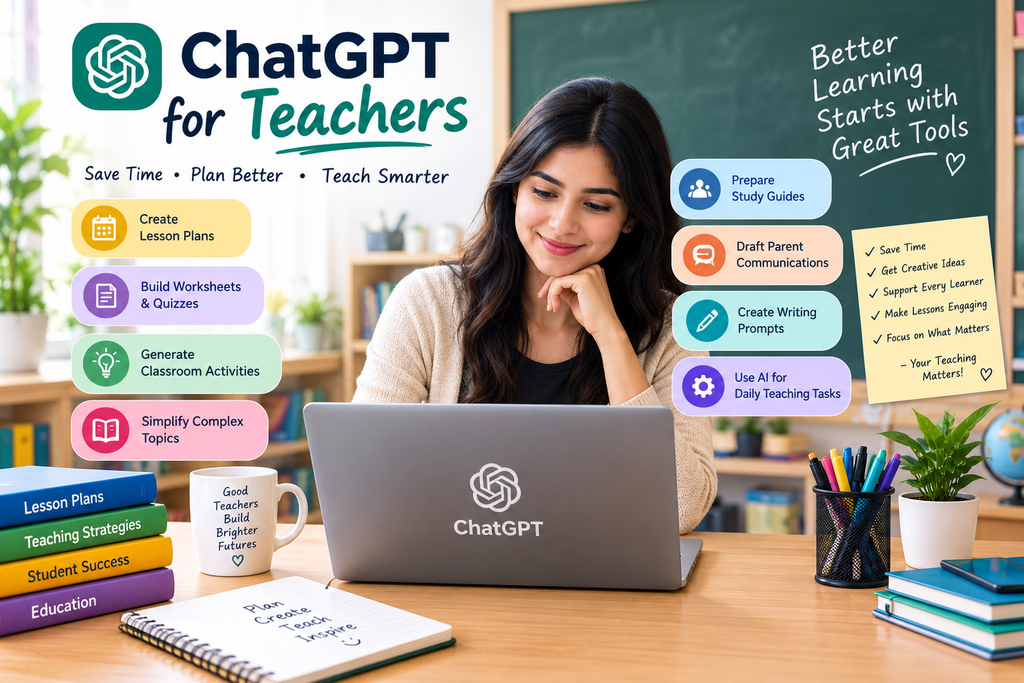
Teachers can use ChatGPT as an AI teaching assistant to brainstorm lesson ideas, create worksheets, simplify explanations, prepare quizzes, generate discussion questions, and organize classroom activities.
The goal is not to replace teachers. Instead, ChatGPT can help teachers save time so they can focus more on teaching, interacting with students, and making learning engaging.
How Can Teachers Use ChatGPT?
Teachers can use ChatGPT for:
- Lesson planning
- Worksheet creation
- Quiz generation
- Brainstorming activities
- Simplifying difficult topics
- Creating examples
- Writing classroom instructions
- Generating discussion questions
- Creating study guides
- Drafting parent communications
- Creating revision materials
- Differentiating learning activities
- Creating writing prompts
- Organizing teaching ideas
- Creating educational content
The output should always be reviewed by the teacher before being used with students.
1. Create Lesson Plans
Creating lesson plans can take considerable preparation time.
ChatGPT can help teachers create a starting structure based on the subject, grade level, topic, and lesson duration.
Prompt:
Create a 45-minute lesson plan for Class 8 students about photosynthesis. Include learning objectives, a simple explanation, classroom activity, discussion questions, and a short assessment.
Teachers can then modify the plan according to their curriculum and students’ needs.
2. Generate Worksheet Questions
Teachers can use ChatGPT to create practice questions based on a particular topic.
Prompt:
Create a worksheet for Class 7 students about fractions. Include 10 questions ranging from easy to challenging. Provide an answer key separately.
You can also request different question types, such as multiple-choice, short-answer, matching, or application-based questions.
3. Create Quizzes
ChatGPT can quickly generate quiz questions for revision.
For example:
Create a 15-question quiz about the Indian Constitution for Class 10 students. Include multiple-choice questions and provide the correct answers at the end.
Teachers should verify answers before using the quiz, particularly for factual or curriculum-specific content.
4. Explain Difficult Concepts
Some students need concepts explained using simpler language or different examples.
Teachers can ask ChatGPT to provide alternative explanations.
Prompt:
Explain Newton’s laws of motion to a beginner using simple language and everyday examples.
You can also ask for:
- A child-friendly explanation
- A real-world example
- An analogy
- A step-by-step explanation
- A visual description
This can help teachers prepare explanations for students with different learning needs.
5. Create Classroom Activities
ChatGPT can generate ideas for interactive classroom activities.
Prompt:
Give me 10 interactive classroom activities for teaching the water cycle to Class 6 students. Keep the activities simple and require minimal materials.
Activities can include discussions, role-play, group tasks, quizzes, debates, and problem-solving exercises.
6. Generate Discussion Questions
Good questions can encourage students to think beyond memorizing information.
Ask ChatGPT to generate questions based on the lesson.
Prompt:
Create 10 discussion questions about climate change for high-school students. Include factual, analytical, and opinion-based questions.
Teachers can select questions appropriate for their students’ age and learning level.
7. Create Study Guides
A study guide can help students organize important information before an exam.
Prompt:
Create a revision guide for Class 9 students studying the topic “Atoms and Molecules.” Include key concepts, important definitions, formulas, common mistakes, and practice questions.
The teacher can then review and customize the guide according to the syllabus.
8. Create Different Difficulty Levels
Students in the same classroom may have different levels of understanding.
ChatGPT can help create versions of an activity with different difficulty levels.
For example:
Create three versions of a worksheet about algebra: beginner, intermediate, and advanced. Keep the learning objective the same but adjust the complexity of the questions.
This can help teachers prepare differentiated practice materials.
9. Generate Writing Prompts
For language and creative-writing classes, ChatGPT can generate interesting writing topics.
Prompt:
Give me 20 creative writing prompts for Class 8 students. Make them imaginative, age-appropriate, and suitable for 300-word stories.
Teachers can also ask for prompts related to specific themes or learning objectives.
10. Create Vocabulary Exercises
Language teachers can use ChatGPT to create vocabulary activities.
For example:
Create a vocabulary exercise for intermediate English learners using these 15 words. Include fill-in-the-blank questions, synonyms, antonyms, and sentence-writing exercises.
This can turn a vocabulary list into a complete practice activity.
11. Prepare Exam Revision Material
ChatGPT can help organize revision topics into structured materials.
A teacher could ask:
Create a one-week revision plan for students preparing for a science exam. Divide the topics across seven days and include daily practice questions.
Teachers can adjust the plan based on their actual syllabus and exam schedule.
12. Draft Parent Communications
Teachers often need to write messages or emails to parents.
ChatGPT can help create a clear first draft.
Prompt:
Write a polite message to parents explaining that students should complete their science project before Friday. Keep the message friendly, clear, and concise.
Teachers should review the message and make any necessary changes before sending it.
13. Create Feedback Templates
Providing consistent feedback can take time.
Teachers can use ChatGPT to create feedback templates for common situations.
For example:
Create five constructive feedback examples for a student who understands the topic but needs to improve organization and presentation.
The teacher should personalize feedback rather than sending generic AI-generated comments.
14. Brainstorm Teaching Strategies
When a topic is difficult to teach, ChatGPT can provide alternative approaches.
Prompt:
Give me five different ways to teach percentages to Class 7 students. Include one visual approach, one activity-based approach, one real-life example, one group activity, and one practice-based approach.
This can help teachers explore new ways to present the same concept.
15. Create Educational Content
Teachers can use ChatGPT to create supporting educational materials such as:
- Short explanations
- Revision notes
- Flashcard content
- Practice questions
- Lesson summaries
- Classroom instructions
- Discussion topics
- Educational scripts
For example:
Create a simple one-page revision sheet about the human digestive system for Class 8 students. Use short explanations and clear headings.
The teacher can then verify and adapt the content before giving it to students.
Best ChatGPT Prompt Formula for Teachers
A useful prompt should clearly explain what you need.
Use this formula:
Subject + Grade Level + Topic + Task + Requirements + Format
For example:
Create a 40-minute Class 7 mathematics lesson about percentages. Include three learning objectives, a simple explanation, two real-life examples, a classroom activity, five practice questions, and an exit ticket.
This is more effective than simply asking:
Make a lesson about percentages.
ChatGPT Prompts Teachers Can Copy
Lesson Plan Prompt
Create a [duration]-minute lesson plan for [grade] students about [topic]. Include learning objectives, teaching steps, examples, an activity, assessment questions, and homework.
Quiz Prompt
Create a [number]-question quiz about [topic] for [grade]. Include multiple-choice and short-answer questions. Provide an answer key separately.
Explanation Prompt
Explain [topic] to [grade] students using simple language. Include two everyday examples and explain the concept step by step.
Worksheet Prompt
Create a printable worksheet about [topic] for [grade]. Include [number] questions with different difficulty levels and provide an answer key.
Activity Prompt
Suggest five classroom activities for teaching [topic] to [grade] students. Keep them engaging, age-appropriate, and easy to organize.
Revision Prompt
Create a revision guide for [topic]. Include key concepts, definitions, important points, common mistakes, and practice questions.
How Teachers Can Get Better Results From ChatGPT
Give ChatGPT the grade level
A lesson for a Class 5 student should not be written the same way as one for a Class 12 student.
Mention the learning objective
Tell ChatGPT what students should understand or accomplish.
Provide curriculum details
If your school follows a specific syllabus, provide the relevant topics or material instead of asking AI to guess what should be included.
Specify the format
Ask for worksheets, lesson plans, quizzes, tables, checklists, or other formats depending on your needs.
Review everything
Teachers remain responsible for the educational content they use. Check facts, calculations, examples, answer keys, and age appropriateness.
Can ChatGPT Replace Teachers?
No. ChatGPT should be viewed as a support tool rather than a replacement for teachers.
Teachers provide things AI cannot fully replace, including personal relationships with students, classroom management, professional judgment, emotional support, understanding of individual students, and real-time teaching decisions.
The most useful approach is to combine AI assistance with teacher expertise.
Important Privacy Considerations for Teachers
Teachers should be careful about the information they enter into AI tools.
Avoid sharing unnecessary:
- Student personal information
- Passwords
- Private records
- Confidential school documents
- Sensitive student information
Use appropriate school-approved tools and follow your institution’s technology and privacy policies.
Common Mistakes Teachers Should Avoid
Using AI output without checking it
AI can sometimes produce incorrect information or inappropriate examples.
Making lessons too generic
A lesson should match the actual students, curriculum, and classroom environment.
Depending on AI for every activity
Teachers should continue using their own creativity and professional experience.
Sharing confidential student information
Protect student privacy and follow applicable school policies.
Treating AI output as the final answer
Use ChatGPT to create a starting point, then review, adapt, and improve it.
Frequently Asked Questions
How can teachers use ChatGPT?
Teachers can use ChatGPT for lesson plans, worksheets, quizzes, explanations, classroom activities, study guides, writing prompts, revision material, and communication drafts.
Can ChatGPT create lesson plans for teachers?
Yes. Teachers can provide the grade level, subject, topic, lesson duration, learning objectives, and requirements to generate a lesson-plan draft.
Can ChatGPT create worksheets?
Yes. ChatGPT can generate worksheets with different question types and difficulty levels, along with answer keys.
Can teachers use ChatGPT to create quizzes?
Yes. Teachers can ask ChatGPT to create multiple-choice, short-answer, true-or-false, or other types of questions.
Is ChatGPT safe for teachers?
ChatGPT can be useful, but teachers should follow their school’s AI and privacy policies and avoid sharing unnecessary confidential or sensitive student information.
Should teachers let students use ChatGPT?
This depends on the school’s policies and the teacher’s learning objectives. When student AI use is permitted, teachers can establish clear rules around appropriate use, attribution, verification, and original work.
Final Thoughts
ChatGPT can become a useful assistant for teachers when it is used thoughtfully.
From lesson planning and worksheet creation to quizzes, explanations, classroom activities, and revision materials, it can reduce repetitive preparation work and help teachers explore new teaching ideas.
The best approach is simple: use ChatGPT to save preparation time, but keep the teacher in control of the learning experience.
With clear prompts, careful fact-checking, student-appropriate content, and teacher expertise, ChatGPT can become a practical tool for modern education.
