
Best AI Tools
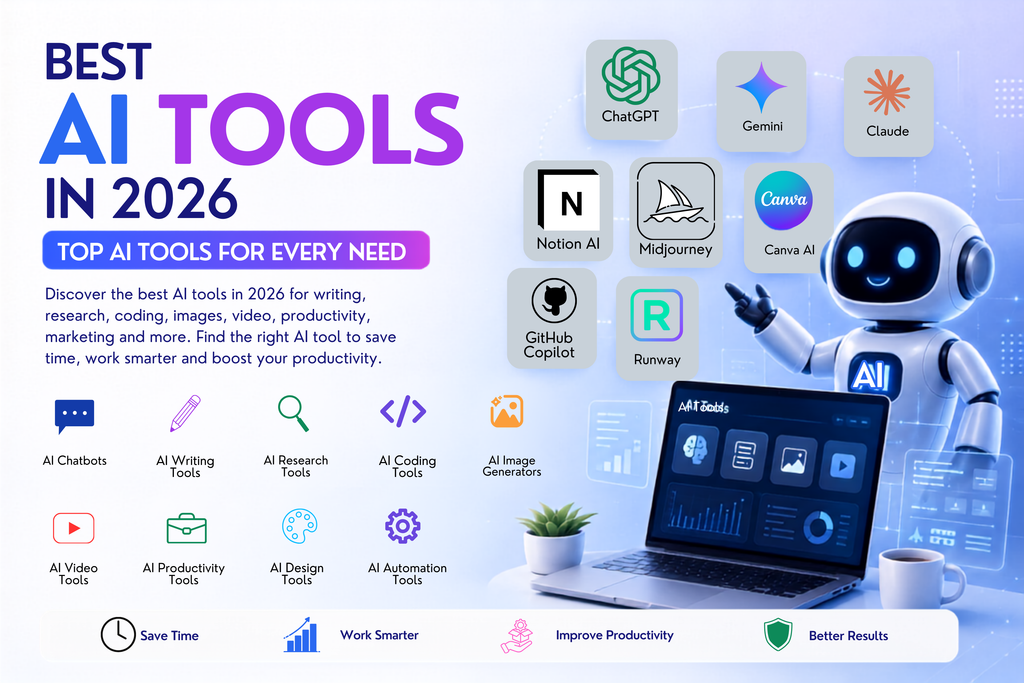
Artificial intelligence is no longer just a future technology. In 2026, AI tools can help you write content, research topics, generate images and videos, analyze information, build websites, write code, automate repetitive tasks, and improve productivity.
But with hundreds of platforms available, choosing the right one can be difficult.
This guide to the best AI tools in 2026 makes that easier.
We’ve organized the top AI tools by category and use case, so you can quickly understand what each type of tool does and which AI solution may be right for you. Whether you’re a student, creator, marketer, developer, business owner, or simply curious about artificial intelligence, this page will help you explore the AI tools landscape.
What Are the Best AI Tools in 2026?
The best AI tool depends on what you want to do.
Some AI tools are designed for general conversations and problem-solving. Others specialize in writing, coding, research, image generation, video creation, productivity, or automation.
Popular AI Tool Categories
- AI Chatbots — Ask questions, brainstorm, write, summarize, and analyze.
- AI Writing Tools — Create articles, emails, social posts, and marketing content.
- AI Research Tools — Find information and organize research faster.
- AI Coding Tools — Generate, explain, review, and improve code.
- AI Image Generators — Create visuals from text prompts.
- AI Video Tools — Generate and edit videos with AI.
- AI Productivity Tools — Automate notes, meetings, documents, and workflows.
- AI Design Tools — Create graphics, presentations, and marketing assets.
- AI Automation Tools — Connect apps and automate repetitive tasks.
The best approach is not to use one AI tool for everything. Choose tools based on your specific workflow, budget, privacy requirements, and the quality of results you need.
What Are AI Tools?
AI tools are software applications that use artificial intelligence to perform tasks that normally require some level of human thinking, analysis, language understanding, pattern recognition, or content creation.
For example, an AI tool may help you:
- Write a first draft
- Summarize a long document
- Explain a difficult topic
- Generate code
- Create an image from a description
- Turn text into a video
- Analyze data
- Transcribe audio
- Generate presentation ideas
- Organize research
- Automate repetitive work
Most modern AI tools use technologies such as large language models, machine learning, computer vision, speech recognition, or generative AI.
AI Is a Tool, Not a Replacement for Human Judgment
AI can save time and improve productivity, but its output should still be reviewed.
AI may make mistakes, misunderstand context, provide outdated information, or generate inaccurate details. For important decisions, research, education, business, financial, legal, or other high-impact work, always verify important information using reliable sources.
How We Recommend Choosing the Best AI Tools
Before choosing from the many AI tools available in 2026, consider these factors:
1. Your Main Use Case
Ask yourself:
What problem do I actually want AI to solve?
For example:
- Need help writing? Choose an AI writing or chatbot tool.
- Need programming assistance? Look for AI coding tools.
- Need better research workflows? Choose AI research tools.
- Need visual content? Explore AI image or design tools.
- Need video content? Compare AI video tools.
- Need to save time at work? Look at AI productivity and automation tools.
A tool can be excellent for one task and poor for another.
2. Output Quality
Test the AI using a real task from your workflow.
Don’t choose a tool only because it has many features. Check whether the results are accurate, useful, easy to edit, and consistent.
3. Free vs Paid Features
Many platforms offer free AI tools or free plans, but limits may apply to:
- Number of requests
- Advanced models
- File uploads
- Image or video generation
- Export quality
- Team features
- Commercial usage
Always compare the free plan with your actual requirements before paying.
4. Ease of Use
The best tool is often the one you can use consistently.
A powerful AI platform with a difficult workflow may be less useful than a simpler tool that fits naturally into your daily work.
5. Privacy and Data Controls
Before uploading personal, confidential, or business-sensitive information, review the platform’s privacy settings and data policies.
6. Integrations
Consider whether the AI tool works with the software you already use, such as your browser, documents, coding environment, design workflow, or business applications.
Best AI Tools by Category
1. Best AI Chatbots and AI Assistants
AI assistants are among the most versatile AI tools available today.
They can help with:
- Questions and answers
- Writing
- Brainstorming
- Summarization
- Learning
- Planning
- Translation
- Analysis
- Coding assistance
What to Look For
When comparing AI chatbots, consider:
- Response quality
- Reasoning and problem-solving ability
- File analysis
- Image understanding
- Web-connected information
- Voice features
- Coding capabilities
- Customization options
- Free plan limits
Best for: Students, professionals, creators, researchers, marketers, and everyday productivity.
Related Guides
- Best AI Chatbots
- ChatGPT Guide
- Claude AI Guide
- Google Gemini Guide
- Best AI Prompts
2. Best AI Writing Tools
AI writing tools can help create and improve written content.
Common use cases include:
- Blog posts
- Article outlines
- Product descriptions
- Email drafts
- Social media captions
- Ad copy
- Video scripts
- SEO content briefs
- Content rewrites
How to Get Better Results
AI writing quality depends heavily on your instructions.
Instead of asking:
Write an article about AI.
Try providing context:
Write a beginner-friendly article about AI tools for small business owners. Explain the benefits, limitations, pricing considerations, and practical examples. Use clear headings and simple language.
The more useful context you provide, the easier it is for AI to produce a relevant first draft.
Best for: Bloggers, marketers, businesses, students, and content creators.
3. Best AI Research Tools
Research can involve searching, reading, comparing, organizing, and verifying large amounts of information.
AI research tools can help speed up parts of this process by:
- Summarizing information
- Explaining complex topics
- Organizing notes
- Comparing sources
- Generating research questions
- Extracting key points from documents
A Better AI Research Workflow
- Define your question.
- Find reliable primary or authoritative sources.
- Use AI to summarize and organize information.
- Open and review the original sources.
- Verify important facts.
- Add your own analysis and conclusions.
Best for: Researchers, students, journalists, analysts, and knowledge workers.
Key takeaway: AI can make research faster, but it should not replace source verification.
4. Best AI Coding Tools
AI coding tools are changing how developers and beginners approach programming.
They can help with:
- Explaining code
- Generating code examples
- Finding bugs
- Writing tests
- Refactoring code
- Understanding error messages
- Creating documentation
- Learning programming concepts
AI Coding for Beginners
If you’re new to coding, use AI as a learning assistant rather than simply copying code.
Ask questions such as:
- What does this code do?
- Explain this line by line.
- Why am I getting this error?
- Give me a simpler example.
- Help me understand the logic before giving me the solution.
This approach can help you build real understanding.
Best for: Developers, students, engineers, and beginners learning to code.
5. Best AI Image Generation Tools
AI image generators create visuals from text descriptions.
They can be used for:
- Concept art
- Social media graphics
- Marketing visuals
- Product concepts
- Illustrations
- Backgrounds
- Creative experiments
Example Prompt Structure
A useful image prompt often includes:
Subject + Environment + Style + Composition + Lighting + Important Details
For example:
A futuristic workspace with an AI-powered computer assistant, modern clean design, cinematic composition, realistic lighting, highly detailed.
The exact prompt format depends on the AI image tool.
Best for: Designers, marketers, creators, businesses, and artists.
6. Best AI Video Tools
AI video tools can assist with creating and editing video content.
Depending on the platform, features may include:
- Text-to-video generation
- AI avatars
- Script assistance
- Voice generation
- Automatic subtitles
- Background editing
- Video enhancement
- Short-form content creation
Questions to Ask Before Choosing an AI Video Tool
- Does it support the video style I need?
- What output quality is available?
- How long can generated videos be?
- Are there generation limits?
- Can I edit the output?
- Does the free plan include useful features?
- Are commercial-use rights appropriate for my project?
Best for: YouTubers, social media creators, marketers, educators, and businesses.
7. Best AI Design Tools
AI design tools can make creative workflows faster by helping with:
- Graphic design
- Social media posts
- Presentations
- Marketing assets
- Background generation
- Image editing
- Layout ideas
AI works best here as a creative assistant.
A strong workflow is:
AI idea → Human review → Design refinement → Final brand check
This helps ensure that the final work matches your brand and audience.
Best for: Graphic designers, small businesses, marketers, and social media creators.
8. Best AI Productivity Tools
AI productivity tools focus on reducing repetitive work and helping users manage information.
They may help with:
- Meeting notes
- Task organization
- Document summaries
- Email drafting
- Knowledge management
- Planning
- Workflow assistance
Who Benefits Most?
AI productivity tools can be particularly useful if you regularly spend time:
- Rewriting similar content
- Taking notes
- Summarizing documents
- Organizing information
- Searching through knowledge
- Preparing routine drafts
Best for: Teams, professionals, businesses, students, and remote workers.
9. Best AI Automation Tools
Automation tools help connect different applications and workflows.
For example, an automation workflow might:
- Receive information from one application.
- Send it to an AI model for processing.
- Create a summary.
- Send the result to another application.
Before building automations, clearly define the workflow and test it with sample data.
Best for: Businesses, marketers, operations teams, and advanced productivity users.
Top AI Tools for Different Types of Users
Best AI Tools for Students
Students may benefit from AI tools for:
- Understanding difficult concepts
- Creating study plans
- Practicing questions
- Summarizing notes
- Brainstorming project ideas
- Learning programming
Always follow your school’s rules regarding AI use and use AI to support learning rather than replace your own work.
Best AI Tools for Content Creators
Useful categories include:
- AI writing
- Image generation
- Video generation
- Voice tools
- Editing tools
- Research assistants
A practical creator workflow might be:
Research → Script → Visuals → Video → Editing → Review
Best AI Tools for Marketers
Marketers may use AI for:
- Content ideas
- Ad copy
- SEO briefs
- Social media planning
- Image concepts
- Customer research
- Reporting assistance
AI can speed up production, but strategy and audience understanding should still come from human decision-making.
Best AI Tools for Small Businesses
Small businesses can explore AI for:
- Customer communication drafts
- Marketing content
- Website content
- Social media
- Document organization
- Workflow automation
Start with one clear problem instead of subscribing to multiple tools immediately.
Best AI Tools for Developers
Developers may benefit from:
- AI coding assistants
- Debugging tools
- Documentation tools
- Code review assistance
- AI APIs
- Agent and automation platforms
Always review AI-generated code before using it in important projects.
Best Free AI Tools: What Can You Get Without Paying?
There are many free AI tools and free tiers available.
Free plans can be useful for:
- Learning AI
- Testing different platforms
- Personal projects
- Basic writing
- Brainstorming
- Trying AI images
- Exploring coding assistance
However, free plans often have limits.
Before choosing a free tool, check:
- Daily or monthly usage limits
- Available models
- File upload limits
- Generation speed
- Export restrictions
- Watermarks
- Commercial usage rules
Should You Start With Free AI Tools?
For most beginners, yes.
Start with free versions, test them using real tasks, and upgrade only when a tool saves enough time or provides enough value to justify the cost.
How to Choose the Right AI Tool for Your Needs
Use this simple decision process.
Step 1: Define the Problem
Don’t start by searching for “the most powerful AI.”
Start with a specific task.
For example:
- I need help writing SEO content.
- I need to generate social media visuals.
- I need help understanding code.
- I need to summarize research.
- I need to speed up video production.
Step 2: Choose the AI Category
Match the problem to the category:
| Your Goal | AI Tool Category |
|---|---|
| Ask questions and brainstorm | AI Assistant |
| Write content | AI Writing Tool |
| Find and organize information | AI Research Tool |
| Build or understand code | AI Coding Tool |
| Create visuals | AI Image Tool |
| Create videos | AI Video Tool |
| Improve workflows | AI Productivity Tool |
| Connect automated workflows | AI Automation Tool |
Step 3: Test Real Tasks
Use the same task to compare multiple AI tools.
This gives you a much better comparison than judging a platform only by its marketing page.
Step 4: Compare the Results
Consider:
- Quality
- Accuracy
- Speed
- Ease of use
- Features
- Price
- Privacy
- Integrations
Step 5: Keep Only What You Use
Avoid paying for several tools that perform the same job.
A smaller, well-chosen AI toolkit is often more useful than dozens of unused subscriptions.
AI Tools FAQ
What are the best AI tools in 2026?
The best AI tools depend on the task. Different tools specialize in chat, writing, coding, research, image generation, video, design, productivity, and automation. Choose based on your specific use case rather than looking for one tool that does everything.
What is the best free AI tool?
There is no single best free AI tool for everyone. The right choice depends on whether you need help with writing, research, coding, images, video, or productivity. Compare the available free features and test tools using your actual workflow.
Are AI tools free?
Some AI tools are completely free, while many use free plans with limits and paid subscriptions with additional features.
Which AI tools are best for students?
Students may find AI assistants, research tools, note summarizers, and coding assistants useful. AI should support understanding and learning, and important information should be verified.
Which AI tools are best for business?
Businesses often use AI for content creation, customer communication, research, productivity, data analysis, and workflow automation. The best choice depends on business size, budget, privacy requirements, and existing software.
Can AI tools replace humans?
AI can automate and assist with many tasks, but human judgment remains important for strategy, creativity, context, verification, and accountability.
How do I choose an AI tool?
Start with the task you want to improve, select the relevant category, test several options using a real example, compare results, and consider pricing, privacy, ease of use, and integrations.
Build Your AI Toolkit for 2026
The number of AI tools continues to grow, but more options do not always mean you need more software.
The best AI toolkit is one that helps you complete real work faster and better.
Start with your biggest challenge. Choose one or two relevant tools. Test them on real tasks. Measure whether they save time or improve quality. Then expand your toolkit only when there is a clear need.
At KeyArtificial, you can explore AI coverage across tools, prompts, model guides, reviews, and an AI tools directory. The site is positioned around AI models, labs, tools, reviews, prompts, and related resources, making this pillar a strong hub for linking into more specific category pages.
Explore More AI Resources
- AI Tools Directory — Browse AI tools by category and use case.
- Best AI Writing Tools — Find tools for blogs, marketing, and content creation.
- Best AI Research Tools — Discover tools for research and information workflows.
- Best AI Coding Tools — Explore AI tools for developers and learners.
- Best AI Image Generators — Compare tools for AI-generated visuals.
- Best AI Video Tools — Explore AI-powered video creation platforms.
- ChatGPT Guide — Learn features, prompts, tools, and practical use cases.
- AI Prompts Library — Find prompts for writing, coding, marketing, and more.
- AI Tool Reviews — Read detailed reviews before choosing a platform.
Final Thoughts
The best AI tools in 2026 are not necessarily the ones with the longest feature lists. The right AI tool is the one that solves a real problem in your workflow.
Whether you’re looking for free AI tools, powerful AI tools for business, creative AI platforms, coding assistants, or research tools, begin with your goal and compare tools based on real-world results.
Explore the categories, test the tools, verify important outputs, and build an AI toolkit that works for you.