AI Video Generators
AI video generators are changing how creators, marketers, businesses and filmmakers produce video. Instead of filming every scene manually, you can now describe a visual, upload an image, provide a script or create an avatar and let AI generate part—or sometimes most—of the video workflow. But not every AI video generator is designed for the same job. Some tools focus on cinematic text-to-video generation. Others are better for image-to-video, advertising, social media, AI avatars, training videos or business presentations.
AI coding tools are transforming the way developers write, test, debug, and improve software. These tools use artificial intelligence to generate code, explain complex programming concepts, find errors, and suggest faster solutions. Developers can use AI coding tools for languages such as Python, JavaScript, Java, C++, and more. They can also improve productivity by automating repetitive coding tasks and supporting faster development. Whether you are a beginner or an experienced programmer, the right AI coding tools can save time, reduce errors, and make software development more efficient.
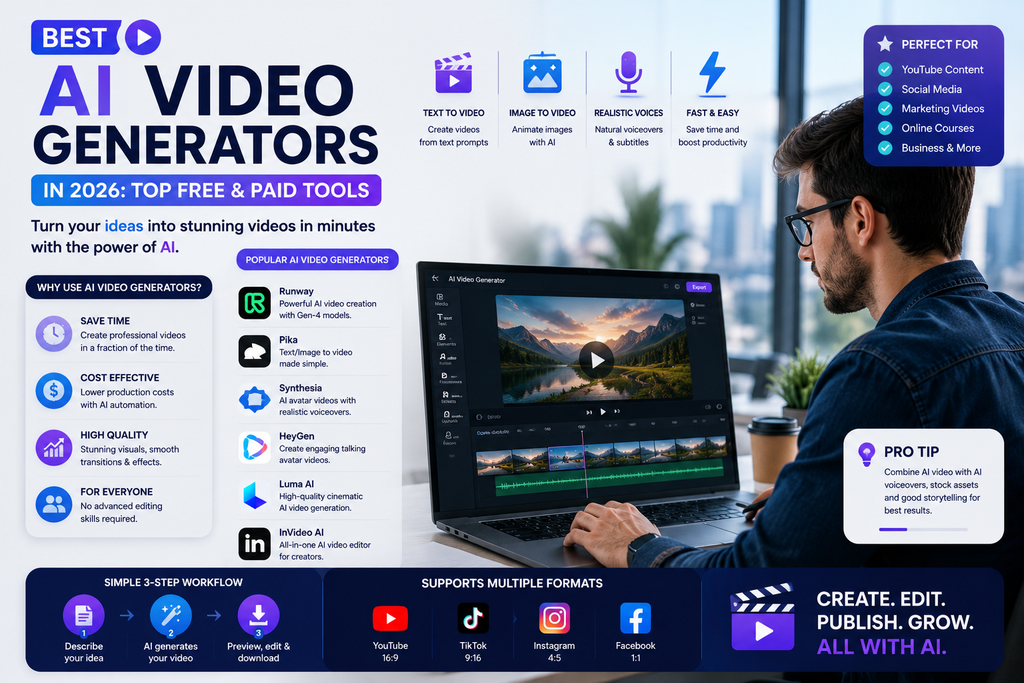
This guide compares the best AI video generators in 2026 so you can choose the right tool based on the kind of video you actually want to create.
The best AI video generator depends on your use case. Runway and Google Veo are strong choices for cinematic generative video, Sora is designed for prompt-based creative video with sound, Adobe Firefly fits professional creative workflows, and HeyGen is better suited to AI avatar and presenter-style videos.
Best AI Video Generators at a Glance
| AI Video Generator | Best For | Main Strength | Ideal User |
|---|---|---|---|
| Runway | Cinematic AI video | Creative control | Creators and filmmakers |
| Google Veo | High-quality generative video | Video + native audio | Filmmakers and creators |
| Sora | Creative text-to-video | Video with sound | General creators |
| Adobe Firefly | Professional creative workflows | Adobe ecosystem | Designers and teams |
| HeyGen | AI avatar videos | Digital presenters | Businesses and educators |
| Synthesia | Training and business video | Presenter workflows | Companies and L&D teams |
| Kling AI | Generative video | Motion and cinematic clips | Creators |
| Pika | Fast creative video | Simple generation | Social creators |
Features, plans, limits and availability change quickly. Always check the official product page before purchasing a plan.
What Is an AI Video Generator?
An AI video generator is a tool that uses artificial intelligence to create or modify video from inputs such as:
- Text prompts
- Images
- Scripts
- Existing video
- Audio
- AI avatars
For example, you might type:
Create a cinematic shot of a futuristic city at night, with slow camera movement, rain reflections and neon signs.
The AI then generates a video based on those instructions.
Other tools work differently.
An avatar-based AI video platform may let you type a script and automatically create a presenter who speaks it.
That means the phrase AI video generator now covers several different types of tools.
Main Types of AI Video Generators
Before choosing a tool, understand the category you need.
Text-to-Video
You describe a scene with text and AI creates it.
Useful for:
- Cinematic clips
- Advertising
- Concept videos
- Social media
- Storytelling
Image-to-Video
You upload a still image and AI animates it.
Useful for:
- Product visuals
- Character animation
- Social clips
- Creative photography
AI Avatar Video
You provide a script and an AI presenter delivers it.
Useful for:
- Training
- Explainer videos
- Sales
- Education
- Corporate communication
AI Video Editing
AI modifies an existing video.
Useful for:
- Changing backgrounds
- Adding visual effects
- Restyling scenes
- Removing elements
- Generating extra footage
Choosing the right category is more important than simply choosing the most popular tool.
1. Runway — Best Overall for Creative AI Video
Runway is one of the most established platforms focused on generative video and AI-powered creative production.
Its current Gen-4.5 model supports both text-to-video and image-to-video generation and is designed around motion quality, prompt adherence and visual fidelity.
Best for
- Cinematic video
- Text-to-video
- Image-to-video
- Advertising concepts
- Storytelling
- Visual effects
- Creative workflows
Why consider Runway?
Runway is useful when you want more creative control than simply typing a short prompt and accepting the first result.
You can specify things such as:
- Camera motion
- Scene composition
- Timing
- Atmosphere
- Character movement
Runway’s current product also combines video generation with broader creative tools and access to multiple models.
Example prompt
A wide cinematic shot of a futuristic electric car driving through a rainy city at night. Slow tracking camera, realistic reflections, neon lights, dramatic atmosphere.
Pros
- Strong generative video focus
- Text-to-video and image-to-video
- Good creative control
- Useful for professional workflows
- Strong option for filmmakers and creators
Limitations
- More advanced workflows can require practice
- Credits can be consumed quickly
- Short generated clips often need editing into a larger video
Verdict
Choose Runway if you want a serious creative AI video platform with strong control over generated scenes.
2. Google Veo — Best for Cinematic Video with Audio
Google’s latest Veo generation focuses on high-quality video creation with stronger consistency, creative controls and native audio.
Google currently presents Veo 3.1 as its latest model, with support for text-to-video, image-to-video and video generation that can include audio.
Best for
- Cinematic video
- Storytelling
- Audio + video
- Realistic scenes
- Film concepts
- Creative production
Why consider Veo?
Video is not only about visuals.
Dialogue, sound effects and ambient audio are important parts of the final experience.
That makes native audio generation especially useful for creators who want to produce more complete clips rather than silent footage that requires additional sound work later.
Veo also supports reference imagery to help guide objects, characters and visual style.
Pros
- Strong video quality
- Native audio capabilities
- Useful reference-image controls
- Cinematic focus
- Fits Google’s creative AI ecosystem
Limitations
- Access and limits may vary
- High-quality generation may still require multiple attempts
- Final editing is often necessary
Verdict
Consider Google Veo if cinematic quality, visual consistency and integrated audio are priorities.
3. Sora — Best for Creative Prompt-Based Video
OpenAI’s current Sora experience is centered around Sora 2, which can generate videos from prompts or uploaded images and includes sound such as music, dialogue and effects.
Best for
- Creative video
- Text-to-video
- Image-to-video
- Story concepts
- Social video
- Experimental visuals
Why consider Sora?
Sora is designed around turning ideas into moving scenes.
You can begin with a written prompt or image and create:
- Cinematic scenes
- Animated visuals
- Photorealistic clips
- Surreal concepts
Its current experience also emphasizes remixing and creative transformation.
Example prompt
A tiny robot chef cooking pasta inside a miniature Italian kitchen, warm lighting, cinematic camera movement, realistic steam and playful background music.
Pros
- Easy natural-language concept generation
- Supports creative visual styles
- Video and sound generation
- Useful for experimentation
Limitations
- Availability can vary
- Generative video still requires iteration
- Detailed commercial production may require external editing
Verdict
Choose Sora if you want to turn creative prompts into visually rich video concepts with integrated sound.
4. Adobe Firefly — Best for Professional Creative Workflows
Adobe Firefly is particularly useful for designers, marketers and creative professionals already using Adobe products.
Adobe’s video-generation workspace can currently use both its own Firefly model and multiple partner models, including Runway Gen-4.5 and Veo 3.1.
Best for
- Professional design teams
- Marketing
- B-roll
- Product videos
- Advertising
- Adobe workflows
Why consider Adobe Firefly?
The advantage is not simply generating a clip.
Professional teams need to move from:
Concept → Generation → Editing → Branding → Final production
Firefly fits more naturally into that larger creative process.
Adobe also positions its own Firefly-generated video around commercial creative workflows.
Pros
- Strong Adobe integration
- Multiple video models in one environment
- Useful for marketing teams
- Good for B-roll and concept work
- Professional creative workflow
Limitations
- More than casual users may need
- Credits and plan limits matter
- Final production may still require Premiere Pro or another editor
Verdict
Choose Adobe Firefly if AI video is part of a larger professional design or marketing workflow.
5. HeyGen — Best AI Video Generator for Avatars
HeyGen is different from cinematic video generators.
Its main strength is generating realistic AI presenters and digital avatars from scripts and user-created identities.
HeyGen currently focuses heavily on avatar consistency, lip-sync and presenter-style video production.
Best for
- AI presenters
- Training videos
- Marketing
- Education
- Sales videos
- Localization
- Corporate communication
Why consider HeyGen?
Imagine you need to produce 30 training videos.
Traditional production might require:
- Camera
- Lighting
- Presenter
- Studio
- Editing
- Retakes
With an avatar-based workflow, you can write or update the script and generate a new version without filming everything again.
HeyGen also supports personal digital-twin-style avatars created from recorded footage.
Pros
- Strong avatar workflows
- Useful for business
- Good for multilingual content
- Can reduce repeated filming
- Suitable for education and training
Limitations
- Not primarily a cinematic text-to-video platform
- Avatar-based video is not suitable for every content style
- Human presenters may still be better when authenticity is critical
Verdict
Choose HeyGen if you need presenter-style videos, AI avatars or scalable training and marketing content.
6. Synthesia — Best for Corporate Training Videos
Synthesia is another major platform focused on AI avatar and presenter-led video.
It is particularly relevant to companies creating:
- Employee training
- Tutorials
- Internal communications
- Product explainers
- Learning content
Best for
- Corporate training
- Learning and development
- Explainer videos
- Internal communications
- Business presentations
Why consider Synthesia?
Companies often need to update training content regularly.
AI presenter workflows can make it easier to change a script without recording a presenter again from scratch.
Pros
- Designed for business use
- Strong training use cases
- Useful for scalable video production
- Reduces filming requirements
Limitations
- Not designed primarily for cinematic generative video
- Avatar video can feel less personal than real presenters
- Pricing may make more sense for organizations than casual creators
Verdict
Choose Synthesia if your main goal is business training and presenter-led educational video.
7. Kling AI — Strong Option for Generative Video
Kling has become an important player in generative video and is now available inside some multi-model creative platforms.
For example, Adobe currently lists multiple Kling models among the partner video models available through Firefly.
Best for
- Cinematic clips
- Image animation
- Creative videos
- Social media
- Visual experimentation
Why consider Kling?
Creators increasingly compare several models rather than depending on a single AI video generator.
Different models may interpret the same prompt differently.
Kling can be worth testing alongside:
- Runway
- Veo
- Sora
Pros
- Strong generative-video option
- Useful for creative experimentation
- Available through multi-model workflows
Limitations
- Quality can vary by scene
- Plans and access should be checked before subscribing
- Generative clips still need human editing
Verdict
Consider Kling if you want another strong cinematic model to compare against Runway, Veo and Sora.
8. Pika — Best for Quick Creative Experiments
Pika is aimed more toward quick and accessible video creation.
It can be useful for creators who want to experiment with animated visuals and shorter social content.
Best for
- Short videos
- Social media
- Creative experiments
- Visual effects
- Beginners
Why consider Pika?
Not every user needs a complex filmmaking workflow.
If your goal is generating short, fun or highly shareable visual clips, a simpler tool can be more convenient.
Pros
- Beginner-friendly
- Good for short-form creativity
- Useful for experimentation
Limitations
- Advanced filmmakers may want greater control
- Output still needs selection and editing
- Check current features and limits before subscribing
Verdict
Consider Pika if you want quick AI video creation for short-form and social content.
Best Free AI Video Generators
AI video generation is computationally expensive, so completely unlimited free tools are uncommon.
However, many platforms offer:
- Free credits
- Trial generations
- Limited free plans
- Lower-resolution previews
The best approach is to test several tools before paying.
Start with free access to compare:
- Ease of prompting
- Video quality
- Motion
- Prompt accuracy
- Generation speed
- Watermarks
- Export limits
Do not buy an annual subscription before you know the tool works for your type of content.
Best AI Video Generator by Use Case
Best overall for creative video
Runway
Best for cinematic video with audio
Google Veo
Best for creative prompt-to-video
Sora
Best for Adobe professionals
Adobe Firefly
Best for AI avatars
HeyGen
Best for corporate training
Synthesia
Best alternative generative model
Kling AI
Best for simple creative experiments
Pika
Best AI Video Generators for YouTube
AI video generators can support YouTube creators in several ways.
You can generate:
- B-roll
- Story scenes
- Intro visuals
- Concept animations
- Background clips
- Shorts
- Thumbnail concepts
A useful workflow might be:
Topic → Script → Voice → AI B-roll → Editing → Final video
AI should support your video rather than replace the entire creative process.
For a strong YouTube channel, your:
- Personality
- Research
- Storytelling
- Editing
- Opinions
still matter.
Best AI Video Generators for Social Media
Short-form content is one of the most practical uses for AI video.
Creators can use AI for:
- Instagram Reels
- TikTok concepts
- YouTube Shorts
- Promotional clips
- Product teasers
For social media, request vertical output where supported.
For example:
Create a 9:16 cinematic shot of a futuristic smartphone floating above a black table, slow camera rotation, dramatic studio lighting, premium technology advertisement.
Best AI Video Generators for Marketing
Marketing teams can use AI video to create:
- Ad concepts
- Product videos
- Campaign visuals
- B-roll
- Social ads
- Explainer videos
- Presenters
Different tools fit different marketing needs.
Cinematic advertisement
Try Runway, Veo, Sora or Kling.
Presenter-led marketing
Try HeyGen or Synthesia.
Adobe production workflow
Try Firefly.
Best AI Video Generators for Small Businesses
Small businesses may not have the budget for frequent professional video shoots.
AI video can help with:
- Product explainers
- Social content
- Promotional videos
- Simple training
- Customer education
But do not automatically replace real people with avatars.
For customer-facing content, authentic human video may build more trust.
Use AI where it genuinely saves time.
How to Write Better AI Video Prompts
A strong AI video prompt should describe more than the subject.
Use this structure:
Subject + Environment + Action + Camera + Lighting + Style + Audio + Format
Instead of:
Make a video of a car.
Try:
A silver electric sports car driving slowly through a futuristic city at night. Low tracking camera beside the vehicle, rain on the road, neon reflections, cinematic lighting, realistic motion, subtle city ambience, widescreen composition.
That gives the model far more useful direction.
Example AI Video Prompt Formula
Subject
What appears in the scene?
Action
What should happen?
Environment
Where does the scene take place?
Camera
Should it be:
- Close-up?
- Wide shot?
- Tracking shot?
- Drone shot?
- Static camera?
Lighting
Examples:
- Golden hour
- Studio light
- Neon
- Soft daylight
- Dramatic cinematic lighting
Style
Examples:
- Photorealistic
- Documentary
- Cinematic
- Animation
- Vintage film
Audio
Where supported, describe:
- Dialogue
- Music
- Sound effects
- Environment
Text-to-Video vs Image-to-Video
Both workflows are useful, but they solve different problems.
Text-to-Video
Start with nothing except an idea.
Best for:
- Concept generation
- New scenes
- Creative experimentation
Image-to-Video
Start with an image and add motion.
Best for:
- Product shots
- Character consistency
- Existing artwork
- Advertising
For branded content, image-to-video can sometimes provide more control because you begin from an approved visual.
AI Video Generators vs Traditional Video Production
It video does not make traditional production obsolete.
AI video is useful for
- Concept testing
- B-roll
- Short creative scenes
- Visual effects
- Previsualization
- Low-budget experiments
Traditional filming is better for
- Real interviews
- Events
- Authentic customer stories
- Product demonstrations requiring accuracy
- Documentary work
The best workflow may combine both.
Real footage + AI-generated supporting visuals + human editing
Can AI Video Generators Replace Video Editors?
Not completely.
AI can generate footage, but editors still make decisions about:
- Timing
- Storytelling
- Transitions
- Audio
- Pacing
- Color
- Narrative
Generating a good clip is only one part of making a good video.
Are AI Video Generators Good for SEO?
AI video can improve content when the video genuinely helps visitors.
For example, you could add:
- Product demonstrations
- Tutorials
- Visual explanations
- Original comparisons
But simply generating random videos will not improve SEO.
If you publish video on your website:
- Use descriptive titles
- Add useful captions
- Include surrounding text
- Optimize file sizes
- Use relevant thumbnails
- Consider video structured data where appropriate
How This Article Supports AEO
AEO means Answer Engine Optimization.
This page answers common questions directly.
What is the best AI video generator?
The best AI video generator depends on the task. Runway is strong for generative creative workflows, Google Veo emphasizes cinematic generation with audio, Sora focuses on creative prompt-to-video, Adobe Firefly fits professional creative teams, and HeyGen is particularly useful for AI avatar videos.
What is the best free AI video generator?
Many AI video tools provide free trials, credits or limited free access rather than unlimited generation. Compare the current free options from several platforms before choosing a paid tool.
Which AI video generator is best for YouTube?
Runway, Veo and Sora can help create B-roll and creative scenes, while HeyGen and Synthesia are useful when you want presenter-led videos.
Which AI video generator is best for marketing?
The best choice depends on the campaign. Firefly is useful for Adobe-based creative teams, Runway and Veo are strong for generative visuals, and HeyGen is useful for presenter-style marketing.
How This Article Supports GEO
GEO means Generative Engine Optimization.
To make KeyArtificial easier for AI answer engines to understand and reference:
- Define each tool clearly
- Use direct answers
- Include structured comparison tables
- Link to original vendor sources
- Separate facts from opinions
- Add an author
- Add update dates
- Include original testing
- Explain how rankings were determined
- Keep model names and capabilities updated
AI video changes extremely quickly, so freshness is especially important for this category.
How KeyArtificial Should Test AI Video Generators
To make this article more authoritative, Gurudeep Singh should test major tools using the same prompts.
Test 1 — Cinematic scene
Generate the same night-city shot.
Test 2 — Image-to-video
Animate the same still image.
Test 3 — Human movement
Create a person walking through a scene.
Test 4 — Camera movement
Request the same tracking-camera motion.
Test 5 — Prompt adherence
Use a prompt containing multiple precise actions.
Test 6 — Audio
Where supported, request dialogue, ambience and sound effects.
Score every tool for:
- Video quality
- Motion quality
- Prompt accuracy
- Character consistency
- Camera control
- Audio quality
- Ease of use
- Generation speed
- Value
Then publish your own results.
For example:
Tested by Gurudeep Singh — August 2026
That original dataset can make the KeyArtificial article much more useful than a generic list of tools.
Frequently Asked Questions
What are the best AI video generators in 2026?
Some of the major AI video platforms include Runway, Google Veo, Sora, Adobe Firefly, HeyGen, Synthesia, Kling AI and Pika. The best platform depends on whether you need cinematic video, avatars, marketing content or short social clips.
Can AI generate a complete video from text?
Yes. Modern text-to-video models can generate clips from natural-language prompts. Some tools can also generate audio, animate images or edit existing footage.
Which AI video generator has audio?
Google Veo’s latest generation supports native audio, and OpenAI’s current Sora experience also includes generated sound such as dialogue, music and effects.
What is the best AI video generator for realistic video?
Runway, Veo, Sora and Kling are all worth testing for realistic generative video. Results vary significantly by prompt and scene, so compare them using the same test.
What is the best AI avatar generator?
HeyGen is a strong choice for personal avatars and presenter-led content, while Synthesia is particularly relevant to business training and corporate video.
Are AI video generators free?
Many platforms offer limited free access or trial credits, but full-quality or high-volume generation usually requires payment.
Can I use AI videos commercially?
Commercial rights depend on the platform, model and subscription. Check the current terms before using generated video in client work, paid advertisements or commercial products.
Can AI video generators replace filming?
They can replace filming for some visual concepts, B-roll and synthetic scenes, but real footage remains better for interviews, real events, customer stories and situations where authenticity is important.
Final Verdict: Which AI Video Generator Should You Choose?
Choose the tool based on the type of video you need.
Runway: Best overall for creative generative video workflows.
Google Veo: Best for cinematic generation with integrated audio.
Sora: Strong choice for creative prompt-based video and sound.
Adobe Firefly: Best for professional Adobe creative workflows.
HeyGen: Best for AI avatar and presenter videos.
Synthesia: Best for corporate learning and training.
Kling AI: Strong alternative for generative video.
Pika: Good for quick creative and social experiments.
You do not need every AI video generator.
Pick two or three tools that match your workflow, generate the same scene in each and compare the results.
The best AI video generator in 2026 is the one that gives you the right balance of video quality, prompt control, consistency, speed and cost for your actual project.
For more AI categories, continue to KeyArtificial’s Best AI Tools in 2026 pillar guide.
About the Author
Gurudeep Singh writes about AI tools, artificial intelligence and practical AI workflows at KeyArtificial.
His goal is to help readers understand fast-changing AI products through clear guides, comparisons and practical testing.