ChatGPT for LinkedIn Post
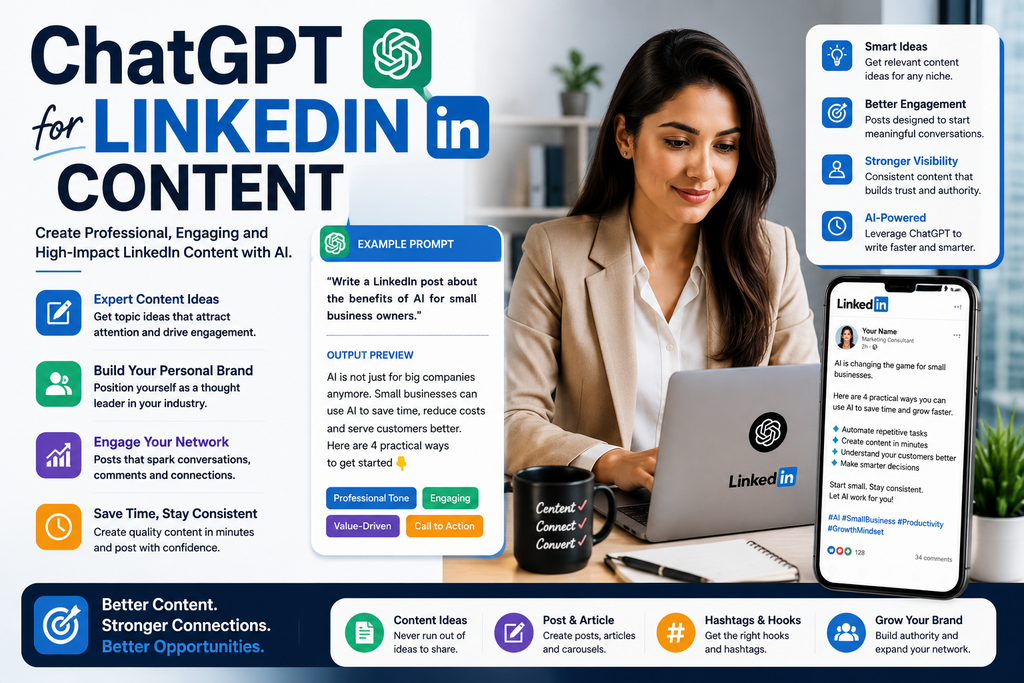
Creating consistent LinkedIn content can be difficult. You may know your industry well, but turning your knowledge into useful posts every week is another challenge.
You may ask yourself:
“What should I post on LinkedIn today?”
This is where ChatGPT can help.
ChatGPT can be used to brainstorm LinkedIn post ideas, improve hooks, turn expertise into educational posts, repurpose long-form content, create content calendars, and draft different types of professional posts.
In this guide, you’ll learn how to use ChatGPT for LinkedIn content in a practical way, with ready-to-use prompts, examples, workflows, and tips for creating content that sounds more human and useful.
How Can You Use ChatGPT for LinkedIn Content?
You can use ChatGPT for LinkedIn content by giving it context about your industry, audience, goals, expertise, tone, and preferred post format.
For example:
Act as a LinkedIn content strategist. I work in [INDUSTRY] and create content for [AUDIENCE]. My goal is to build authority and share useful insights. Generate 15 LinkedIn post ideas based on common problems, mistakes, trends, questions, and lessons in my field. For each idea, provide a hook, key message, post structure, and CTA.
The more context you provide, the more relevant the output can become.
Can ChatGPT Create LinkedIn Content?
Yes.
ChatGPT can help with many parts of your LinkedIn content workflow, including:
- Post ideas
- Hooks
- Educational posts
- Storytelling posts
- Thought-leadership drafts
- Personal-brand content
- Career-related posts
- Industry insights
- Lists and frameworks
- LinkedIn carousels
- Poll ideas
- Comment prompts
- Content repurposing
- Weekly content calendars
- Editing and rewriting
It is best used as a content assistant, not as a replacement for your experience and judgment.
The strongest LinkedIn posts usually combine AI assistance with your own examples, opinions, lessons, results, and industry knowledge.
Why Use ChatGPT for LinkedIn Content?
One of the biggest challenges on LinkedIn is consistency.
Many professionals have valuable knowledge but struggle to turn that knowledge into regular content.
ChatGPT can help you move faster by turning one idea into multiple post angles.
For example, if your main topic is:
AI for small businesses
ChatGPT could help you develop posts around:
- Common AI mistakes small businesses make
- AI tools that save time
- AI myths
- AI workflows
- AI for customer service
- AI for marketing
- AI for research
- AI limitations
- AI productivity lessons
- AI implementation challenges
One broad topic can become an entire content series.
How to Write Better ChatGPT Prompts for LinkedIn
A useful LinkedIn prompt usually contains six elements:
Role + Topic + Audience + Goal + Tone + Output
A simple formula is:
Act as a LinkedIn content strategist. I create content about [TOPIC] for [AUDIENCE]. My goal is [GOAL]. Use a [TONE] tone. Create [NUMBER] LinkedIn posts and include [OUTPUT].
For example:
Act as a LinkedIn content strategist. I create beginner-friendly AI content for freelancers and small business owners. My goal is to educate and build trust. Use a clear, practical, conversational tone. Generate 10 LinkedIn post ideas with a hook, core lesson, example, and CTA.
This is much better than asking:
Write me a LinkedIn post.
30+ Ways to Use ChatGPT for LinkedIn Content
1. Generate LinkedIn Post Ideas
Use this when you are unsure what to publish.
Generate 20 LinkedIn post ideas for someone working in [INDUSTRY]. My target audience is [AUDIENCE]. Focus on useful lessons, mistakes, practical advice, trends, questions, frameworks, and experiences. For each idea, provide a hook and key takeaway.
2. Create Educational LinkedIn Posts
Educational content can help demonstrate expertise.
Write a LinkedIn post that teaches [TOPIC] to [AUDIENCE]. Start with a clear hook, explain the concept simply, include one practical example, and finish with a useful takeaway.
3. Create LinkedIn Hooks
The first lines of a LinkedIn post matter because they influence whether someone continues reading.
Use:
Generate 20 LinkedIn hooks about [TOPIC]. Keep them concise, specific, professional, and curiosity-driven without using exaggerated claims or fake urgency.
4. Write a Storytelling Post
Stories can make professional content more memorable.
Write a LinkedIn storytelling post about [EXPERIENCE]. Structure it as situation, challenge, turning point, lesson, and takeaway. Keep it professional and conversational.
5. Share a Professional Lesson
Turn this lesson into a LinkedIn post: [LESSON]. Explain what happened, what I learned, why it matters, and how someone else can apply the lesson.
6. Turn a Mistake Into a Post
Mistakes can create relatable and useful content.
Write a LinkedIn post about a mistake I made with [TOPIC]. Start with the mistake, explain why it happened, what I learned, and what I would do differently now.
7. Create a Contrarian Post
Generate 10 thoughtful contrarian LinkedIn post ideas about [TOPIC]. Each idea should challenge a common assumption without being provocative for the sake of attention. Include the common belief and the alternative perspective.
8. Create a Framework Post
Frameworks are useful because they make complex ideas easier to understand.
Turn [TOPIC] into a simple 3-step, 4-step, or 5-step framework for LinkedIn. Explain each step briefly and include one practical example.
9. Create a List-Style LinkedIn Post
Write a LinkedIn post about [TOPIC] using a concise list format. Include 5 useful points, explain each one briefly, and finish with one practical takeaway.
10. Create a “Lessons Learned” Post
Write a LinkedIn post titled around “What I learned from [EXPERIENCE].” Include five lessons, explain each one briefly, and keep the tone practical rather than motivational.
11. Create a Beginner-Friendly Post
Explain [TOPIC] in a LinkedIn post for beginners. Avoid jargon. Use simple language, one example, and a short summary.
12. Create an Expert-Level Post
Write a LinkedIn post about [TOPIC] for experienced professionals. Focus on deeper strategic considerations, trade-offs, common assumptions, and practical implications.
13. Turn a Question Into a Post
Turn this question into a useful LinkedIn post: [QUESTION]. Start with a direct answer, explain the reasoning, provide an example, and finish with a practical takeaway.
14. Create a FAQ Series
Generate 20 frequently asked questions about [TOPIC] that professionals in [AUDIENCE] may have. Turn each question into a potential LinkedIn post idea.
15. Create a LinkedIn Post From a Blog
Turn the following blog content into three standalone LinkedIn posts. Each post should focus on one distinct takeaway, use a different hook, and add a natural CTA: [PASTE BLOG CONTENT].
16. Repurpose a YouTube Video
Turn this YouTube transcript into five LinkedIn posts. Extract the strongest lessons, examples, questions, and practical insights. Make each post work independently: [PASTE TRANSCRIPT].
17. Repurpose a Podcast
Turn this podcast transcript into 10 LinkedIn post ideas. Focus on insights, quotes, lessons, frameworks, and practical examples without copying long sections word for word.
18. Create a LinkedIn Content Series
Create a 10-part LinkedIn content series around [TOPIC]. Each post should focus on a different question, mistake, lesson, framework, or practical use case.
19. Create a Weekly LinkedIn Plan
Create a five-day LinkedIn content plan for [NICHE]. Use a different content type each day: education, story, framework, opinion, and practical tip. Include the topic, hook, goal, and CTA.
20. Create a 30-Day LinkedIn Calendar
Create a 30-day LinkedIn content calendar for [NICHE] targeting [AUDIENCE]. Mix educational posts, stories, frameworks, mistakes, FAQs, opinions, case studies, and practical tips. Include a topic and hook for each day.
21. Create Personal Brand Content
I want to build a personal brand around [EXPERTISE]. Generate 20 LinkedIn content ideas that demonstrate expertise, share useful lessons, show personality, and build trust without making every post self-promotional.
22. Create Founder Content
Generate 20 LinkedIn post ideas for a founder of a [TYPE OF COMPANY]. Cover lessons, customer insights, business challenges, hiring, strategy, mistakes, product development, and industry observations.
23. Create Freelancer Content
Generate 20 LinkedIn content ideas for a freelancer specializing in [SERVICE]. Focus on client problems, lessons, project insights, mistakes, processes, expertise, and useful advice.
24. Create B2B LinkedIn Content
Generate 20 B2B LinkedIn post ideas for a company offering [PRODUCT/SERVICE]. Focus on customer problems, practical education, industry insights, common mistakes, case studies, and decision-making factors.
25. Create Career Content
Generate 20 LinkedIn post ideas about career growth for [AUDIENCE]. Cover skills, job search, networking, interviews, workplace lessons, productivity, and professional development.
26. Create LinkedIn Case Study Posts
Turn this case study into a LinkedIn post: [DETAILS]. Structure it as challenge, approach, result, lesson, and takeaway. Avoid exaggerating results.
27. Create a “Before and After” Post
Write a LinkedIn post showing the difference between how I handled [TASK] before and how I handle it now. Explain what changed, why it changed, and what others can learn from it.
28. Create a Comparison Post
Write a LinkedIn post comparing [OPTION A] and [OPTION B]. Explain when each option makes sense, strengths, limitations, and who should consider each one.
29. Create a LinkedIn Poll Idea
Generate 10 useful LinkedIn poll ideas about [TOPIC]. Each poll should ask a meaningful professional question and include four clear answer choices.
30. Create Discussion-Based Posts
Generate 10 LinkedIn post ideas about [TOPIC] that naturally invite thoughtful professional discussion. Include one relevant question at the end of each post.
31. Create CTA Options
Generate 20 professional LinkedIn calls to action for educational posts. Include options for comments, saves, shares, follows, profile visits, and conversations. Avoid engagement bait.
32. Improve an Existing LinkedIn Post
Improve the following LinkedIn post for clarity, flow, readability, and professionalism. Keep my original meaning and voice. Remove filler, clichés, repetition, and exaggerated claims: [PASTE POST].
Best ChatGPT Prompt for LinkedIn Content
You can save this reusable prompt:
Act as an experienced LinkedIn content strategist.
My industry: [INDUSTRY]
My expertise: [EXPERTISE]
Target audience: [AUDIENCE]
Goal: [BUILD AUTHORITY / EDUCATE / GENERATE LEADS / NETWORK]
Tone: [PROFESSIONAL / CONVERSATIONAL / EDUCATIONAL]
Create 10 LinkedIn post ideas.
For each idea provide:
- Post topic
- Hook
- Audience problem
- Core insight
- Suggested example
- CTA
Keep the ideas practical, specific, original, and useful. Avoid generic motivation, fake statistics, exaggerated claims, and engagement bait.
How to Make ChatGPT LinkedIn Content Sound More Human
AI-generated LinkedIn content can sometimes sound generic.
Common phrases include:
- “Here’s the thing…”
- “Let that sink in.”
- “Game changer.”
- “Unlock your potential.”
- “I was today years old.”
- “The future is here.”
- “Here’s what nobody tells you.”
These phrases are not always wrong, but overusing them can make content sound repetitive.
You can improve the draft with this prompt:
Rewrite this LinkedIn post so it sounds like an experienced professional sharing a useful insight with peers. Use simple language, natural transitions, specific examples, and varied sentence lengths. Remove clichés, hype, filler, repetitive formatting, and unnecessary dramatic language.
Then read the post yourself before publishing.
Add Your Own Experience
This is one of the most important steps.
ChatGPT can help organize ideas, but it cannot replace your real experience.
Try adding:
- A project you worked on
- A mistake you made
- A lesson you learned
- A customer question
- A real workflow
- An experiment
- A result you can verify
- A screenshot
- A personal observation
- A professional opinion
For example, instead of writing:
“Clear prompts improve AI output.”
You could write:
“I tested the same LinkedIn topic with a one-line prompt and a detailed prompt. The detailed version produced better structure because I specified the audience, tone, and post goal.”
That makes your content more credible and useful.
How to Turn One Topic Into Multiple LinkedIn Posts
Suppose your main topic is:
ChatGPT for Marketing
You can turn it into:
- How I Use ChatGPT for Content Ideas
- ChatGPT Mistakes Marketers Make
- ChatGPT for Content Repurposing
- ChatGPT for Email Marketing
- ChatGPT for LinkedIn Posts
- ChatGPT for Video Ideas
- ChatGPT for Research
- ChatGPT for Content Calendars
- ChatGPT Prompting Tips
- ChatGPT Limitations Marketers Should Know
This approach helps you build topical depth rather than publishing unrelated posts.
LinkedIn Content Pillars You Can Create With ChatGPT
A strong LinkedIn strategy can be organized into content pillars.
For example:
Educational Content
Teach something practical.
Examples:
- How-to posts
- Tips
- Frameworks
- Tutorials
- Checklists
Experience Content
Share lessons from your own work.
Examples:
- Mistakes
- Wins
- Challenges
- Lessons learned
- Behind-the-scenes stories
Opinion Content
Share a thoughtful perspective.
Examples:
- Industry observations
- Contrarian views
- Predictions
- Trade-offs
- Common misconceptions
Proof Content
Demonstrate expertise.
Examples:
- Case studies
- Results
- Experiments
- Before-and-after examples
- Process breakdowns
Conversation Content
Encourage thoughtful discussion.
Examples:
- Questions
- Polls
- Industry debates
- Experience-based prompts
You can ask ChatGPT to create a balanced calendar around these pillars.
Example: Creating a LinkedIn Post With ChatGPT
Suppose your topic is:
Why vague AI prompts produce weak output.
You could use:
Write a LinkedIn post for small business owners explaining why vague AI prompts often produce generic answers. Start with a strong but accurate hook, show a bad prompt, show an improved prompt, explain the difference, and finish with one practical lesson.
A possible structure would be:
Hook
If your AI output feels generic, the problem may start with your prompt.
Example
Bad prompt:
Write a marketing post.
Better prompt:
Write a LinkedIn post for local business owners explaining three practical ways AI can reduce repetitive marketing work. Use simple language and include one real-world example.
Lesson
The second prompt gives the AI more context about:
- Platform
- Audience
- Topic
- Goal
- Format
Takeaway
Before blaming the AI tool, improve the instructions you give it.
That is a much stronger post than a generic “5 ChatGPT tips” draft.
ChatGPT for LinkedIn Thought Leadership
Thought leadership is more than sharing generic advice.
Strong thought-leadership content often includes:
- A clear point of view
- Experience
- Evidence
- Practical implications
- Nuance
- Original interpretation
You can use ChatGPT to help structure your thoughts.
Try:
I believe [OPINION]. Help me turn this into a thoughtful LinkedIn post. Ask what evidence or experience supports the idea, identify possible counterarguments, and structure the post so it presents a balanced but clear point of view.
Then add your own expertise.
Do not ask ChatGPT to invent professional experiences or results for you.
ChatGPT for LinkedIn Lead Generation
LinkedIn content can also support lead generation, but constantly selling can reduce trust.
A better approach is:
Teach first. Sell second.
Use this prompt:
Generate 10 educational LinkedIn post ideas for [AUDIENCE] who may eventually need [PRODUCT/SERVICE]. Focus on solving real problems, explaining decision factors, and demonstrating expertise. Suggest a subtle CTA only where it fits naturally.
This can help create content that supports commercial goals without making every post an advertisement.
How to Repurpose Content for LinkedIn With ChatGPT
You can use existing content as source material.
For example:
Blog → LinkedIn posts
Podcast → LinkedIn insights
YouTube video → LinkedIn lessons
Webinar → LinkedIn series
Case study → LinkedIn story
Newsletter → LinkedIn summary
Use:
Analyze the following content and identify 10 standalone ideas that could become useful LinkedIn posts. Each post should focus on one main insight and not simply summarize the original content: [PASTE CONTENT].
Repurposing can save time while keeping your ideas consistent across platforms.
Common Mistakes When Using ChatGPT for LinkedIn Content
1. Copying the First Draft
The first draft should usually be treated as a starting point.
Review it, fact-check it, and make it sound like you.
2. Publishing Generic Advice
Posts such as:
“Work hard.”
“Be consistent.”
“Never give up.”
may not provide much practical value without examples or context.
Be specific.
3. Inventing Personal Stories
Never ask ChatGPT to create fake professional experiences and present them as your own.
If you share a story, it should be real.
4. Overusing Dramatic Hooks
Not every post needs:
“This changed everything.”
Use hooks that accurately represent the content.
5. Using Fake Statistics
Do not publish a statistic simply because ChatGPT generated it.
Verify important data before posting.
6. Writing for Everyone
A post for founders will likely differ from a post for students or recruiters.
Define your audience.
7. Over-Automating Your Personal Brand
If every post is generated without your perspective, your content may become generic.
Use AI to support your thinking, not replace it.
Frequently Asked Questions
Can ChatGPT write LinkedIn posts?
Yes. ChatGPT can help draft LinkedIn posts if you provide a topic, target audience, goal, tone, and preferred format. Review and customize the draft before publishing.
How do I use ChatGPT for LinkedIn content?
Start by telling ChatGPT who your audience is, what topic you want to cover, your goal, and the kind of post you want. You can then ask it to generate ideas, hooks, outlines, drafts, or variations.
Can ChatGPT generate LinkedIn post ideas?
Yes. It can generate topic ideas based on your industry, audience, common problems, questions, lessons, and content pillars.
Can ChatGPT help build a LinkedIn personal brand?
Yes. ChatGPT can help brainstorm content around your expertise, experiences, opinions, lessons, and case studies. Your personal experience and perspective should remain central.
Can ChatGPT create LinkedIn hooks?
Yes. You can ask for multiple hook variations around the same topic and choose one that best matches your message.
Can ChatGPT create a LinkedIn content calendar?
Yes. Give it your niche, target audience, content pillars, goals, and publishing frequency, and ask it to create a weekly or monthly calendar.
Is AI-generated LinkedIn content good for personal branding?
It can be useful when you edit the output and add your own experience, ideas, examples, and voice. Fully generic AI-generated content is less likely to differentiate your personal brand.
Should I copy ChatGPT LinkedIn posts word for word?
Usually, no. Treat the output as a draft. Edit for accuracy, tone, originality, and personal relevance before publishing.
Best All-in-One ChatGPT Prompt for LinkedIn Content
Save this prompt:
Act as my LinkedIn content strategist.
My name/brand: [NAME]
My expertise: [EXPERTISE]
Industry: [INDUSTRY]
Target audience: [AUDIENCE]
Content goal: [GOAL]
Tone: Professional, conversational, clear, and practical.
Topic: [TOPIC]
Create a LinkedIn post and provide:
- Five hook options
- Recommended post angle
- Complete post draft
- One practical example
- Three CTA options
- Three follow-up post ideas
Keep the content specific and useful. Avoid exaggerated claims, fake statistics, generic motivational language, engagement bait, invented experiences, and unnecessary jargon. Clearly identify anything that should be fact-checked.
Final Thoughts
ChatGPT can make LinkedIn content creation faster, but better LinkedIn content still depends on human insight.
Use ChatGPT to help you:
brainstorm → organize → draft → refine → repurpose
Then add your:
experience → examples → opinions → evidence → personality
That combination is much stronger than simply asking AI to write a post and publishing the first result.
The goal is not to make ChatGPT your LinkedIn voice.
The goal is to use ChatGPT to help communicate your own knowledge and ideas more effectively.
About the Author
Gurudeep Singh writes about artificial intelligence, ChatGPT, AI prompts, content creation, and practical AI workflows at KeyArtificial.