10 Easy and Best AI Tools for Beginners
Artificial intelligence is no longer limited to developers and technology experts. Today, anyone can use AI to write content, research topics, create designs, improve productivity, summarize documents, and learn new skills. However, choosing your first AI tool can feel confusing. There are hundreds of platforms available, and beginners often do not know where to start. The good news is that you do not need to learn dozens of AI tools.
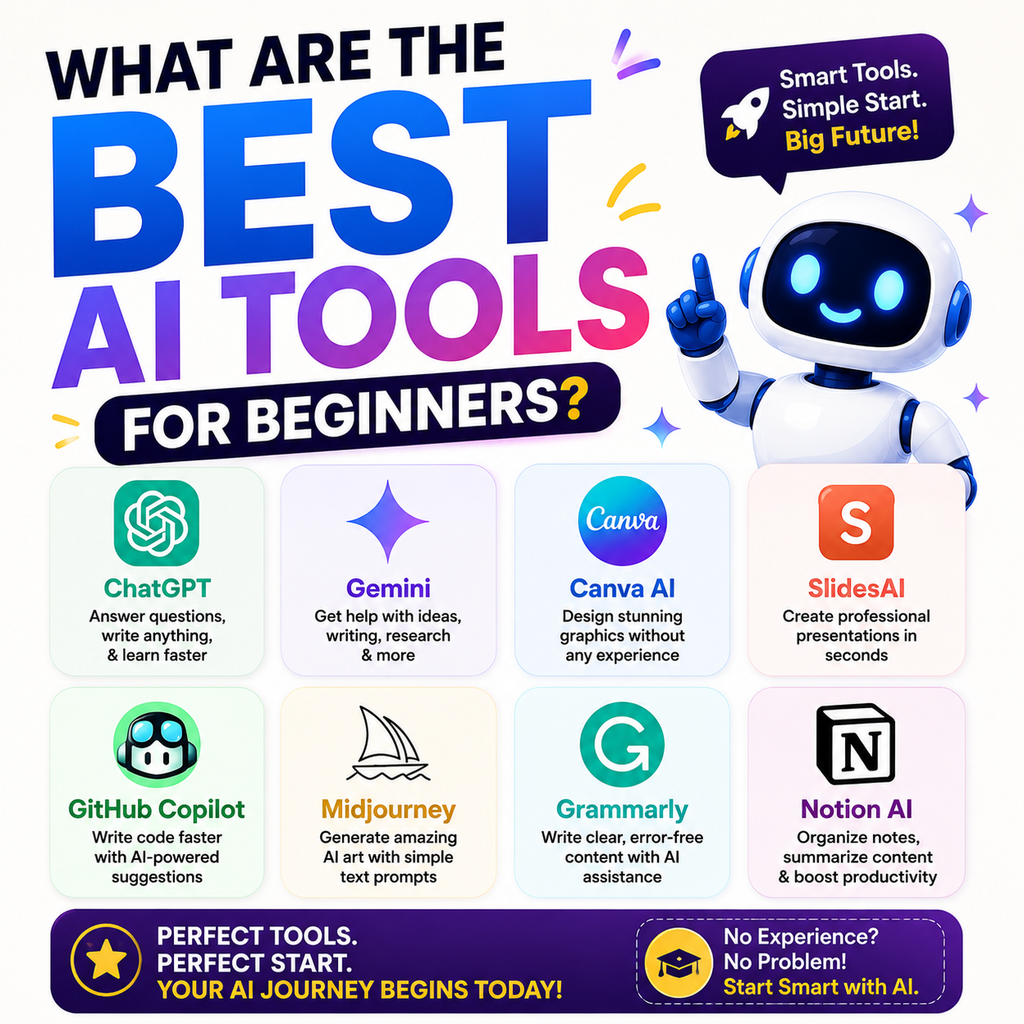
This guide covers the best AI tools for beginners and explains what each tool does, who should use it, and how to get started. Whether you are a student, freelancer, content creator, marketer, or business owner, these beginner-friendly AI tools can help you work smarter.
What Are the Best AI Tools for Beginners?
For most beginners, the best approach is to start with one general AI assistant and then add specialized tools when needed.
Some of the most useful AI tools for beginners include:
- ChatGPT for everyday tasks and writing
- Google Gemini for Google ecosystem users
- Claude for writing and document analysis
- Perplexity for research
- Canva AI for design
- Microsoft Copilot for productivity
- NotebookLM for working with documents and notes
- Grammarly for improving writing
- CapCut AI for video creation
- Notion AI for organizing work
The right tool depends on what you want to achieve.
1. ChatGPT: Best Overall AI Tool for Beginners
ChatGPT is one of the easiest AI tools for beginners because it can help with many different tasks from a simple chat interface.
You can ask questions in everyday language and receive help with writing, brainstorming, planning, learning, summarizing, and problem-solving.
What Can Beginners Do with ChatGPT?
Beginners can use ChatGPT to:
- Write emails and messages
- Generate blog ideas
- Create social media captions
- Summarize long content
- Learn difficult topics
- Brainstorm business ideas
- Create content outlines
- Improve existing writing
- Plan daily tasks
The biggest advantage is flexibility. Instead of learning multiple complicated features, you can start by simply explaining what you need.
Best ChatGPT Prompt for Beginners
Try a simple prompt like:
“Explain digital marketing to me like I am a complete beginner. Use simple examples.”
Clear instructions usually produce more useful answers than short or vague prompts.
2. Google Gemini: Best for Google Users
Google Gemini is a useful AI assistant for beginners who already use Google services for work, study, and everyday tasks.
It can help with writing, brainstorming, research, planning, and understanding information.
Why Is Gemini Beginner-Friendly?
Gemini is particularly useful for people who are already comfortable with Google’s ecosystem.
You can use it for:
- Generating ideas
- Writing drafts
- Summarizing information
- Planning projects
- Learning new topics
- Getting help with everyday questions
If you regularly work with Google tools, Gemini can be a natural AI tool to explore.
3. Claude: Best AI Tool for Writing and Long Content
Claude is a popular AI assistant for users who want help with writing, editing, analysis, and working with detailed information.
It can be especially helpful when you need structured responses or want to improve the clarity and tone of your writing.
What Can Beginners Use Claude For?
Claude can help beginners:
- Rewrite content
- Improve grammar and readability
- Create blog outlines
- Edit long articles
- Summarize documents
- Analyze written information
- Brainstorm ideas
For beginners who frequently work with written content, Claude can become a valuable part of their workflow.
4. Perplexity: Best AI Tool for Research
Perplexity is useful for beginners who want to research topics and explore information from sources.
Instead of using AI only for generating answers, beginners can use research-focused tools to investigate a topic and review supporting information.
How Should Beginners Use Perplexity?
You can ask questions such as:
“What are the latest trends in AI for digital marketing?”
Then review the information and check the sources before using important facts in your work.
This is especially useful for:
- Students
- Bloggers
- Researchers
- Journalists
- Digital marketers
- Business owners
AI-generated information should always be reviewed before publishing or making important decisions.
5. Canva AI: Best AI Tool for Design Beginners
Canva AI is one of the easiest ways for beginners to start using AI for visual content.
You do not need advanced graphic design skills to create social media posts, presentations, posters, and other visual content.
Canva combines templates, editing tools, and AI-powered features in one platform.
What Can You Create with Canva AI?
Beginners can create:
- Instagram posts
- Facebook graphics
- Presentations
- Flyers
- YouTube thumbnails
- Resumes
- Business designs
- Marketing materials
For content creators and small businesses, Canva AI can make visual content creation much easier.
6. Microsoft Copilot: Best for Everyday Productivity
Microsoft Copilot is useful for beginners who spend a lot of time working with productivity tools and office tasks.
It can help users write, summarize, brainstorm, and organize information.
Who Should Try Microsoft Copilot?
Copilot can be useful for:
- Office professionals
- Students
- Business users
- Teams
- People who work with documents and presentations
If your daily workflow already includes Microsoft tools, exploring Copilot may help improve productivity.
7. NotebookLM: Best for Learning from Your Own Documents
NotebookLM is different from a general AI chatbot because it is designed to help users work with their own sources and documents.
This can be useful when you have notes, PDFs, study materials, or research documents.
How Can Beginners Use NotebookLM?
You can use it to:
- Understand study notes
- Summarize documents
- Ask questions about uploaded material
- Organize research
- Review long reports
This makes it particularly useful for students, researchers, and professionals.
8. Grammarly: Best AI Tool for Better Writing
Grammarly is a beginner-friendly tool for improving written communication.
It can help identify grammar issues and suggest improvements to clarity and tone.
Who Should Use Grammarly?
Grammarly can be useful for:
- Students
- Bloggers
- Job seekers
- Freelancers
- Business professionals
- Content writers
It is especially helpful for people who regularly write emails, articles, assignments, or professional messages.
9. CapCut AI: Best for Beginner Video Creators
Video content has become an important part of digital marketing and social media. CapCut provides beginner-friendly tools that can simplify parts of the video creation process.
What Can Beginners Create?
You can use AI-assisted features while creating:
- Short videos
- Social media reels
- Promotional videos
- Educational clips
- YouTube content
Beginners should focus on learning basic video editing first and then explore AI features to speed up repetitive tasks.
10. Notion AI: Best for Organizing Work and Ideas
Notion AI can help users organize information, write content, summarize notes, and manage projects.
It can be useful for people who want to keep their ideas and work in one organized workspace.
Who Should Use Notion AI?
Notion AI can be helpful for:
- Freelancers
- Students
- Content creators
- Small business owners
- Project managers
It is a useful option if you regularly manage notes, content calendars, tasks, or project information.
Best AI Tools for Beginners at a Glance
Here is a simple way to choose your first AI tool:
Best Overall AI Tool
ChatGPT is a strong starting point for general tasks, learning, writing, brainstorming, and planning.
Best AI Tool for Writing
Claude is useful for rewriting, editing, and working with longer written content.
Best AI Tool for Google Users
Google Gemini can be a convenient choice for people who already use Google’s ecosystem.
Best AI Tool for Research
Perplexity is useful for exploring information and reviewing sources.
Best AI Tool for Design
Canva AI is a beginner-friendly option for creating visual content.
Best AI Tool for Documents
NotebookLM can help users work with notes, PDFs, and other source materials.
How Should a Complete Beginner Start Using AI?
The biggest mistake beginners make is trying to learn too many AI tools at once.
A better approach is to start with one tool and use it for real tasks.
Step 1: Choose One AI Assistant
Start with a general AI assistant such as ChatGPT, Claude, or Gemini.
Use it for everyday tasks such as writing, brainstorming, and learning.
Step 2: Learn How to Write Better Prompts
You do not need complicated prompts.
A good beginner prompt usually includes:
- What you want
- Important context
- The desired format
- The tone or audience
For example:
“Create a beginner-friendly blog outline about digital marketing. Use simple English and include practical examples.”
Step 3: Add a Specialized AI Tool
Once you understand the basics, add another tool based on your needs.
For example:
- Need graphics? Try Canva AI.
- Need research? Try Perplexity.
- Need document analysis? Try NotebookLM.
- Need video content? Explore CapCut AI.
Step 4: Always Review AI Output
AI can make mistakes.
Before publishing content or using important information, check:
- Facts
- Sources
- Grammar
- Dates
- Names
- Statistics
Use AI as an assistant, not as a replacement for human judgment.
Common Mistakes Beginners Make When Using AI Tools
Beginners can get better results by avoiding a few common mistakes.
Using Very Short Prompts
A prompt like “Write about AI” is too broad.
Provide context and explain what you need.
Trusting Every AI Answer
AI tools can provide incorrect or outdated information.
Always verify important claims.
Using Too Many AI Tools
You do not need ten AI subscriptions.
Start with one or two useful tools and expand only when necessary.
Copying AI Content Without Editing
AI-generated content should be reviewed and improved before publishing.
Add your own experience, examples, opinions, and expertise.
Which AI Tool Should Beginners Start With?
If you are completely new to artificial intelligence, start with ChatGPT for general learning and everyday tasks.
Then choose a second tool based on your main goal:
- Claude for writing and editing
- Gemini for Google-related workflows
- Perplexity for research
- Canva AI for design
- NotebookLM for documents and learning
- CapCut AI for video creation
You do not need to master every platform.
The most effective strategy is to learn one tool, practice using it regularly, and gradually add new tools to your workflow.
Frequently Asked Questions About AI Tools for Beginners
What is the best AI tool for beginners?
ChatGPT is a popular starting point because it can help with many everyday tasks, including writing, brainstorming, learning, planning, and summarizing.
Are AI tools free for beginners?
Many AI platforms offer free versions or limited free access. Features, usage limits, and pricing can change, so check the official website before choosing a plan.
Which AI tool is easiest to use?
ChatGPT and Canva AI are often easy for beginners because they use simple interfaces and can handle common tasks without requiring technical knowledge.
Which AI tool is best for students?
Students can use general AI assistants for learning and explanations, Perplexity for research, and NotebookLM for working with study materials and documents.
Do I need technical skills to use AI tools?
No. Most beginner-friendly AI tools are designed to work through simple instructions written in everyday language.
Should I pay for AI tools as a beginner?
Not immediately. Start with free plans where available, understand how the tool fits your workflow, and consider paid features only when you have a clear need.
Final Thoughts
The best AI tools for beginners are not necessarily the most advanced or expensive ones. The right tool is the one that solves a real problem and is easy for you to use consistently.
Start with one general AI assistant such as ChatGPT, Gemini, or Claude. After that, add specialized tools for research, design, documents, video, or productivity. Artificial intelligence becomes easier to understand when you use it regularly. Do not worry about learning every new AI tool. Focus on practical tasks, write clear prompts, verify important information, and gradually build your AI skills.