Top Tools You Should Try
Artificial intelligence has become part of everyday work. Whether you are a student, content creator, digital marketer, business owner, developer, or freelancer, the right AI tool can help you work faster and improve productivity. However, choosing the most useful AI tools can be confusing. Hundreds of new AI platforms appear every year, and not every tool is worth your time
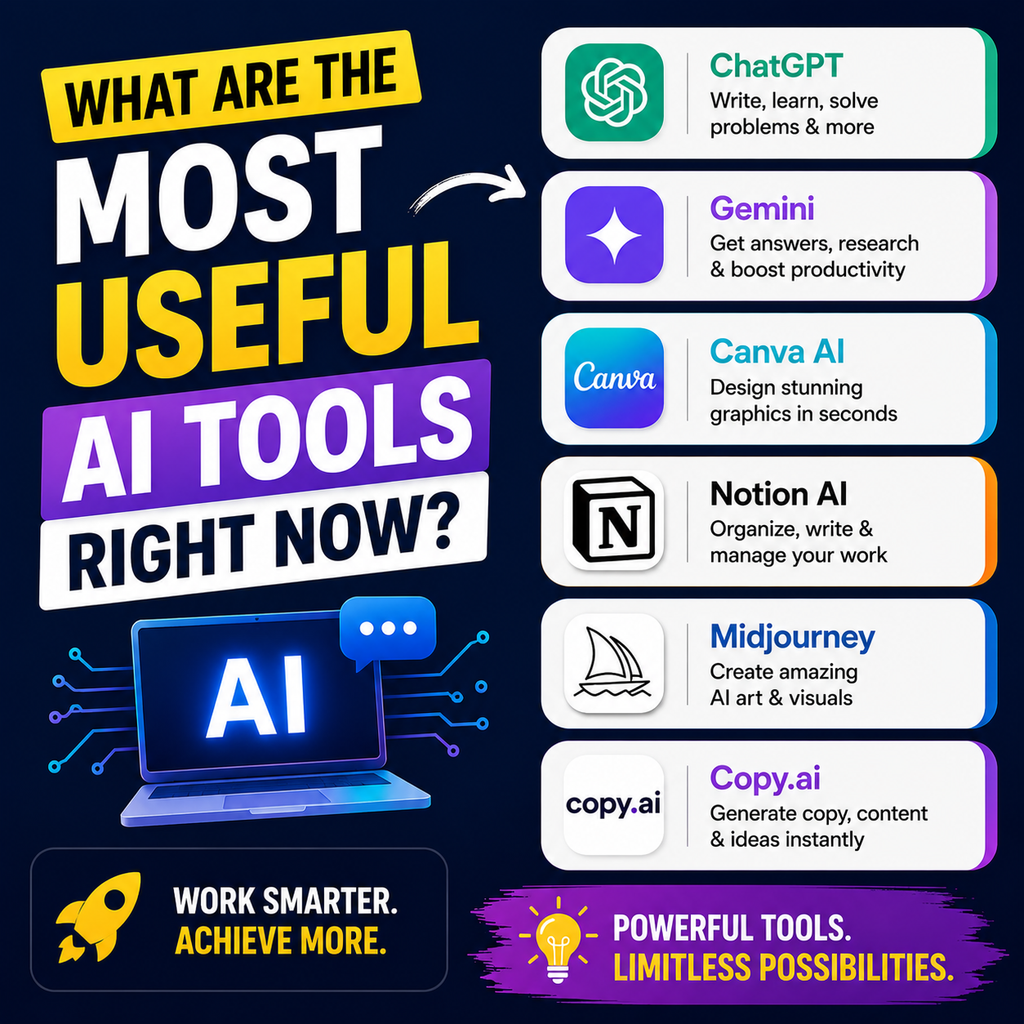
The best approach is to choose AI tools based on what you actually need. Some tools are better for writing, while others are designed for research, coding, visual design, productivity, or automation. This guide covers some of the most useful AI tools right now and explains what each one is best used for.
What Are the Most Useful AI Tools?
The most useful AI tools for many users include:
- ChatGPT for general productivity, writing, brainstorming, and problem-solving
- Claude for long-form writing, document analysis, and coding
- Google Gemini for Google Workspace and multimodal tasks
- Perplexity for research and source-based answers
- Microsoft Copilot for Microsoft 365 productivity
- Canva AI for graphic design and visual content
- GitHub Copilot for AI-assisted coding
- NotebookLM for working with your own documents and research materials
The right choice depends on your workflow. You do not need to use every AI tool.
Why AI Tools Have Become So Useful
AI is no longer limited to answering simple questions. Modern AI tools can help users create content, analyze documents, generate images, research topics, write code, organize information, and automate repetitive tasks.
Save Time on Repetitive Work
AI can assist with tasks such as:
- Writing first drafts
- Summarizing long content
- Creating social media ideas
- Researching topics
- Organizing information
- Generating presentation ideas
- Writing and debugging code
This allows users to spend more time reviewing, improving, and making decisions.
Improve Everyday Productivity
A useful AI tool should fit naturally into your existing workflow.
For example, Google users may benefit from Gemini’s ecosystem integration, while Microsoft-focused teams may find Copilot more useful. Developers often prefer dedicated coding assistants instead of relying only on a general chatbot.
The Most Useful AI Tools Right Now
ChatGPT: Best AI Tool for General Use
ChatGPT is one of the most versatile AI tools for everyday users.
It can help with writing, brainstorming, learning, planning, coding, summarizing, and creative tasks.
Best Uses for ChatGPT
- Blog writing
- Content ideas
- Email drafting
- Social media planning
- Learning new topics
- Coding assistance
- Brainstorming
- Productivity tasks
ChatGPT is a strong starting point for people who want one flexible AI assistant for different types of work.
Claude: Best for Writing and Long Documents
Claude is widely used for thoughtful writing, long-form content, document analysis, and coding-oriented tasks.
It can be particularly useful when you need to work with detailed instructions or large amounts of text.
Best Uses for Claude
- Long-form articles
- Content editing
- Document analysis
- Detailed explanations
- Coding support
- Business writing
- Structured research workflows
Claude is a useful option for writers, researchers, and professionals who regularly work with long documents.
Google Gemini: Best for Google Users
Google Gemini is especially useful for people who already use Google’s ecosystem.
Its value increases when your work involves Google services and productivity tools.
Best Uses for Google Gemini
- Google Workspace tasks
- Content drafting
- Research assistance
- Image and multimodal tasks
- Everyday productivity
- Working across Google’s ecosystem
Gemini can be a practical choice if Gmail, Google Docs, Sheets, and other Google services are already central to your workflow.
Perplexity: Best AI Tool for Research
Perplexity is designed for users who want to research information and review supporting sources.
Instead of relying only on a conversational response, users can explore citations and verify information.
Best Uses for Perplexity
- Topic research
- Market research
- Competitor research
- Finding sources
- Current information
- Fact-checking starting points
Always review important sources yourself before using information for business, financial, legal, or other high-stakes decisions.
Microsoft Copilot: Best for Microsoft 365 Users
Microsoft Copilot is useful for people whose work is centered around Microsoft’s productivity ecosystem.
It can support workflows involving documents, spreadsheets, presentations, email, and other Microsoft tools.
Best Uses for Microsoft Copilot
- Business productivity
- Microsoft Office workflows
- Email assistance
- Document creation
- Spreadsheet tasks
- Presentation support
If most of your daily work happens in Microsoft 365, Copilot may be more useful than switching constantly between separate AI platforms.
Canva AI: Best for Design and Social Media Content
Canva offers AI-powered features that can help users create visual content more quickly.
It is particularly useful for marketers, small businesses, students, and content creators who need editable designs.
Best Uses for Canva AI
- Social media graphics
- Presentations
- Marketing visuals
- Thumbnails
- Posters
- Basic video content
- Brand content
Canva AI is a practical choice when you need visual content that can be edited and adapted for different platforms.
GitHub Copilot: Best for Developers
GitHub Copilot is designed specifically for software development workflows.
It can assist developers directly inside supported coding environments.
Best Uses for GitHub Copilot
- Code suggestions
- Writing functions
- Debugging
- Understanding unfamiliar code
- Improving developer productivity
For serious programming work, a dedicated coding assistant can be more convenient than copying code repeatedly into a general AI chatbot.
NotebookLM: Best for Learning From Your Own Sources
NotebookLM is useful for users who want to work with their own documents, notes, and research materials.
Instead of researching the entire web, you can focus the AI workflow on selected sources.
Best Uses for NotebookLM
- Research notes
- Study materials
- PDFs
- Reports
- Document summaries
- Knowledge organization
This can be particularly useful for students, researchers, and professionals managing large collections of information.
How to Choose the Best AI Tool for Your Needs
The best AI tool depends on your primary task.
Choose ChatGPT for Versatility
Choose ChatGPT if you need help with many different tasks, including writing, brainstorming, learning, planning, and general productivity.
Claude for Deep Writing and Analysis
Claude can be a strong choice when long documents, careful writing, structured analysis, and coding are important.
Choose Gemini for Google’s Ecosystem
Gemini may be the most convenient option when you regularly work with Google tools and services.
Choose Perplexity for Research
Perplexity is useful when source discovery and cited answers are important to your research process.
Choose Canva AI for Visual Content
Canva AI is a practical option for marketers and creators who regularly produce editable graphics and presentations.
Choose GitHub Copilot for Coding
Developers who spend most of their day inside a code editor may benefit from a dedicated coding assistant.
Comparison of the Most Useful AI Tools
| AI Tool | Best For | Ideal Users |
|---|---|---|
| ChatGPT | General productivity | Almost everyone |
| Claude | Writing and analysis | Writers and professionals |
| Gemini | Google ecosystem | Google Workspace users |
| Perplexity | Research | Researchers and marketers |
| Microsoft Copilot | Microsoft productivity | Office and business users |
| Canva AI | Visual content | Designers and marketers |
| GitHub Copilot | Coding | Developers |
| NotebookLM | Document-based learning | Students and researchers |
There is no single AI tool that is perfect for every task. Workflow fit is usually more important than choosing the most popular platform.
How AI Tools Can Help Digital Marketers
AI tools can be especially valuable for digital marketing.
Content Creation
AI can help marketers generate:
- Blog outlines
- Content ideas
- Meta descriptions
- Social media captions
- Email drafts
- Ad copy variations
The final content should still be reviewed for accuracy, originality, brand voice, and search intent.
SEO Research
AI can assist with:
- Keyword ideas
- Content clustering
- Search intent analysis
- FAQ generation
- Content outlines
- Competitor research
For the best results, combine AI assistance with reliable SEO data and manual analysis.
Social Media Marketing
AI can speed up the creation of:
- Post ideas
- Captions
- Content calendars
- Visual concepts
- Video scripts
- Audience-focused content
Should You Pay for AI Tools?
Not always.
Many popular AI platforms offer free access with limitations. Before paying for multiple subscriptions, test the tools that best match your workflow.
Start With One or Two Tools
A practical setup could be:
- One general AI assistant for writing and productivity
- One specialized tool for your main requirement
For example, a digital marketer might use ChatGPT for content tasks and Perplexity for research.
A designer may combine a general AI assistant with Canva AI.
A developer might use a general AI assistant alongside GitHub Copilot.
Common Mistakes to Avoid When Using AI
Using AI Without Checking the Output
AI can make mistakes or provide outdated information.
Always review important content before publishing or making decisions.
Paying for Too Many AI Subscriptions
More AI tools do not automatically mean better productivity.
Start with tools that solve a specific problem in your workflow.
Using AI-Generated Content Without Editing
Raw AI content may sound generic or repetitive.
Add your experience, expertise, examples, opinions, and original insights to create more useful content.
Ignoring Data Privacy
Avoid uploading confidential business, client, or personal information unless you understand the platform’s privacy and data-handling settings.
What Is the Best AI Tool Overall?
For most users, there is no universal winner.
ChatGPT is a strong all-round choice for general productivity. Claude is useful for detailed writing and long-form analysis. Gemini can be highly convenient for Google users. Perplexity is valuable for research, while Canva AI is useful for visual content.
The best strategy is to choose AI based on the work you do most often rather than following hype alone.
Frequently Asked Questions About the Most Useful AI Tools
What are the most useful AI tools right now?
Some of the most useful AI tools include ChatGPT, Claude, Google Gemini, Perplexity, Microsoft Copilot, Canva AI, GitHub Copilot, and NotebookLM. The best option depends on your specific task.
Which AI tool is best for beginners?
ChatGPT is often a good starting point because it can help with many everyday tasks, including writing, learning, brainstorming, and planning.
Which AI tool is best for research?
Perplexity is useful for research because it focuses on web-based answers and source references. However, users should still verify important information.
Which AI tool is best for content creation?
ChatGPT and Claude are both useful for content creation, while Canva AI can help create visual content.
Which AI tool is best for digital marketing?
Digital marketers may benefit from using a combination of AI tools. A general assistant can help with content and planning, while research and design tools can support other parts of the workflow.
Are free AI tools worth using?
Yes. Many AI tools offer free versions that are sufficient for basic writing, research, learning, and productivity tasks. Test the free version before deciding whether a paid plan is necessary.
Final Thoughts
The most useful AI tools are the ones that genuinely improve your workflow. You do not need ten different AI subscriptions to become more productive. Start by identifying your biggest challenge.
If you need general assistance, try ChatGPT. For detailed writing and analysis, consider Claude. If research is your priority, explore Perplexity. Google users may find Gemini especially convenient, while Canva AI can simplify visual content creation.
The smartest approach is simple: choose fewer tools, learn how to use them properly, and build an AI workflow around real tasks.
As AI continues to evolve, focus on usefulness rather than hype. The right AI tool should save time, improve the quality of your work, and help you achieve better results.