17 Essential Tools for Growth & Productivity
Artificial intelligence has moved from being an experimental technology to becoming a practical business tool. In 2026, businesses are using AI to automate repetitive work, analyze information, create content, support customers, manage leads, improve productivity, and build more efficient workflows. Recent business research also shows that AI adoption is increasingly moving from individual productivity use toward broader enterprise workflows and AI agents.
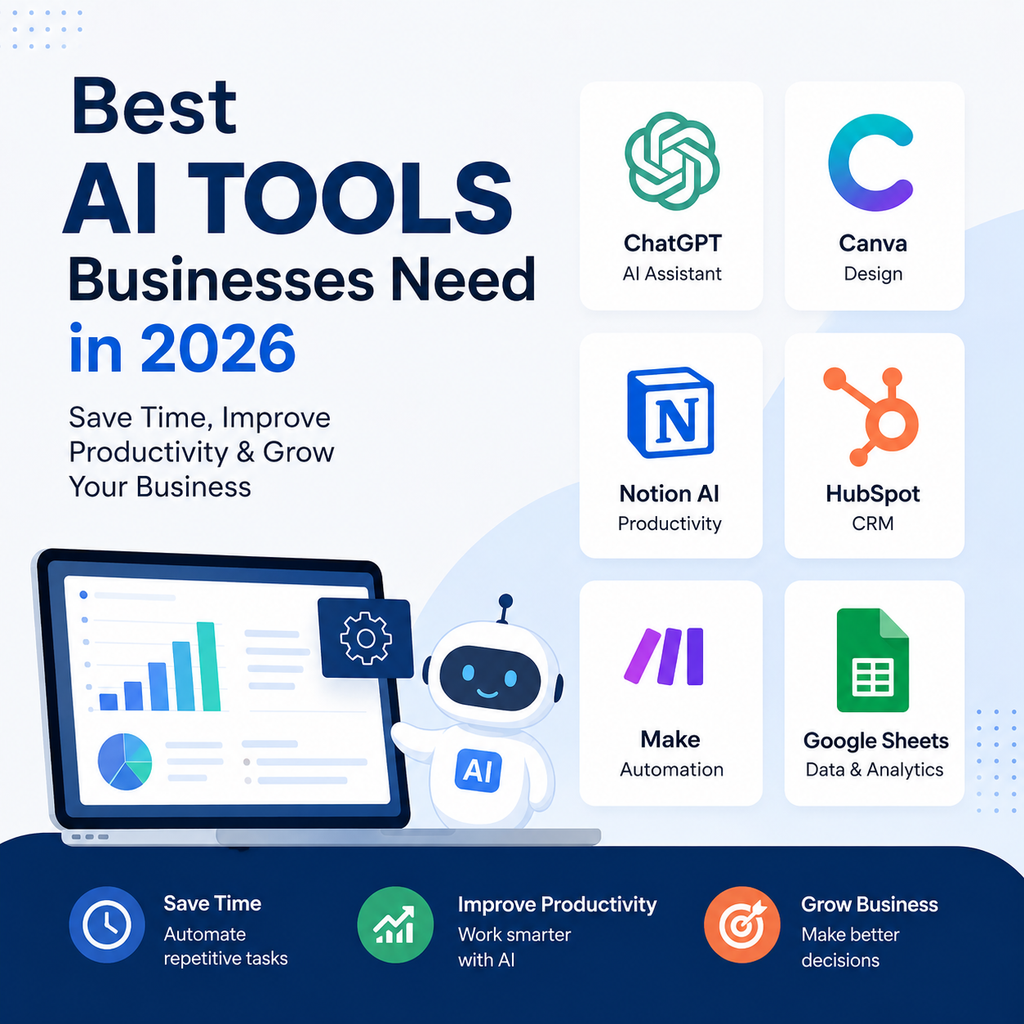
But there is a problem.There are thousands of AI tools available, and choosing the right ones can be overwhelming. Should your business use ChatGPT, Gemini, Claude, Microsoft Copilot, HubSpot, Zapier, Canva, Semrush, Salesforce, or an AI customer-service platform?
The answer depends on what your business needs to accomplish.
This guide explains what AI tools businesses should consider using in 2026, which tools are best for different departments, and how to build an AI stack without wasting money on unnecessary software.
What AI Tools Should Businesses Use in 2026?
Most businesses do not need dozens of AI subscriptions.
A practical AI stack can include:
| Business Need | AI Tool to Consider | Best Use |
|---|---|---|
| General AI assistant | ChatGPT | Writing, research, analysis & business tasks |
| Alternative AI assistant | Claude | Writing, reasoning & document work |
| Google productivity | Gemini | Gmail, Docs, Sheets & research |
| Microsoft productivity | Copilot | Word, Excel, Outlook & Teams |
| Sales & CRM | HubSpot | Leads, CRM & marketing |
| Enterprise CRM | Salesforce | Sales, service & AI agents |
| Workflow automation | Zapier | Connecting business applications |
| Advanced automation | Make | Complex visual workflows |
| Design | Canva AI | Marketing graphics & presentations |
| SEO | Semrush | Keywords, competitors & SEO |
| Business research | Perplexity | Research & information discovery |
| Project management | ClickUp AI | Tasks, projects & documentation |
| Knowledge management | Notion AI | Notes, documents & company knowledge |
| Meetings | Otter.ai | Transcription & summaries |
| Marketing content | Jasper | Brand and marketing content |
| Customer service | Intercom Fin | AI-powered support |
| Ecommerce support | Gorgias AI | Customer service & ecommerce workflows |
You do not need every tool on this list.
Start with the tools that solve your biggest business problems.
Why Should Businesses Use AI Tools in 2026?
AI can provide value across almost every part of a modern business.
Productivity
AI can help employees write, summarize, research, analyze, and organize information faster.
Automation
AI-powered workflows can reduce repetitive manual processes.
Sales
AI can help sales teams research prospects, summarize customer information, and prepare follow-ups.
Marketing
AI can assist with content, SEO, advertising, email marketing, and customer research.
Customer Service
AI can answer routine questions and help human agents handle support requests more efficiently.
Business Research
AI research tools can help teams explore markets, competitors, industries, and customer trends.
Decision Support
AI can analyze information and present possible insights, scenarios, and recommendations.
The key is to use AI where it creates measurable business value rather than adopting tools simply because they are popular.
17 AI Tools Businesses Should Consider Using in 2026
1. ChatGPT — Best Overall AI Tool for Business
ChatGPT is one of the most flexible AI tools for business use.
It can help with everyday business activities as well as more specialized workflows.
What Can Businesses Use ChatGPT For?
- Business research
- Content creation
- Email drafting
- Data analysis
- Brainstorming
- Business planning
- Customer communication
- Report summaries
- Sales preparation
- Marketing ideas
For sales teams, AI can also work with connected business tools and customer information. OpenAI describes business workflows that connect ChatGPT with systems such as Salesforce, HubSpot, Gmail, Outlook, Google Drive, Slack, and other workplace tools.
Who Should Use ChatGPT?
It is useful for:
- Small businesses
- Entrepreneurs
- Startups
- Marketing teams
- Sales teams
- Consultants
- Large organizations
Why Choose ChatGPT?
Its biggest advantage is versatility.
A business can use one AI assistant across many different departments instead of purchasing a separate AI tool for every simple task.
2. Claude — Best for Writing and Complex Document Work
Claude is another powerful general-purpose AI assistant that businesses can use for writing, analysis, brainstorming, and working with large amounts of information.
Best Uses
- Long-form writing
- Document analysis
- Business research
- Brainstorming
- Summarization
- Strategic thinking
- Coding and technical work
Best For
Businesses that frequently work with lengthy documents, detailed instructions, or complex written material may find Claude particularly useful.
3. Google Gemini — Best for Google Workspace Businesses
Businesses that rely heavily on Google Workspace can consider Gemini for AI-assisted productivity.
Common Uses
- Gmail assistance
- Google Docs
- Google Sheets
- Research
- Brainstorming
- Content creation
- Data analysis
Best For
- Small businesses
- Startups
- Marketing teams
- Google Workspace users
Google is also expanding enterprise AI capabilities, including specialized AI agents and business-focused workflows.
Why Choose Gemini?
If your team already works inside Google’s ecosystem, an AI assistant integrated into that environment can reduce context switching.
4. Microsoft Copilot — Best for Microsoft-Based Businesses
Microsoft Copilot is a natural option for companies using Microsoft 365.
Common Uses
- Word documents
- Excel analysis
- Outlook emails
- Teams meetings
- Presentations
- Business research
- Productivity assistance
Best For
- Microsoft 365 businesses
- Corporate teams
- Enterprise organizations
Why Choose Copilot?
Businesses already using Microsoft applications can introduce AI without completely changing their existing software environment.
5. HubSpot — Best for Sales and Marketing
HubSpot is useful for businesses that want to combine CRM, marketing, sales, and customer information.
What Can Businesses Use HubSpot For?
- Lead management
- CRM
- Marketing automation
- Sales pipelines
- Customer communication
- Campaign analysis
- Customer service
HubSpot now also allows connected AI tools such as ChatGPT, Claude, Gemini, and Copilot to work with HubSpot customer context, including CRM records and certain actions.
Best For
- Small businesses
- Startups
- Agencies
- Growing companies
6. Salesforce — Best for Enterprise AI and CRM
Salesforce is a strong choice for larger organizations that require sophisticated CRM and AI capabilities.
Common Uses
- Sales
- Customer service
- Marketing
- CRM management
- AI agents
- Customer data analysis
Salesforce’s AI business is increasingly centered around Agentforce and Data 360, with the company reporting strong growth in its AI-related recurring revenue in 2026.
Best For
- Enterprise businesses
- Large sales teams
- Complex customer operations
7. Zapier — Best for Business Automation
Zapier helps businesses connect different applications and automate repetitive workflows.
Example
New website lead → CRM → email notification → sales task
Another example:
New customer → CRM → email → spreadsheet → follow-up reminder
Best For
- Small businesses
- Entrepreneurs
- Marketing teams
- Sales teams
- Operations
Why Choose Zapier?
It can reduce repetitive data movement between applications without requiring a business to build custom software.
8. Make — Best for Complex Workflows
Make is another automation platform that provides more visual control over workflows.
Example Workflow
Website form → AI analysis → lead scoring → CRM → personalized email → team notification
Best For
- Agencies
- Operations teams
- Growing companies
- Advanced automation users
Why Choose Make?
It is useful when your business requires multi-step workflows, conditional logic, and more detailed automation control.
9. Canva AI — Best for Business Design
Not every business can afford a full-time designer.
Canva AI can help businesses create marketing visuals quickly.
Common Uses
- Social media posts
- Advertisements
- Presentations
- Posters
- Flyers
- Marketing banners
- Brand content
- Visual concepts
Best For
- Small businesses
- Ecommerce
- Agencies
- Content creators
- Marketing teams
Why Choose Canva?
It allows non-designers to create professional-looking marketing materials more efficiently.
10. Semrush — Best for SEO and Digital Marketing
Businesses that depend on Google and organic search traffic should consider an SEO platform.
Semrush can help businesses research:
- Keywords
- Competitors
- Search visibility
- Website performance
- Content opportunities
- SEO issues
Best For
- Website owners
- Agencies
- Ecommerce businesses
- Digital marketing teams
Why Choose Semrush?
SEO decisions should be based on data rather than guesswork.
11. Perplexity — Best for Business Research
Business owners and employees often spend hours researching markets, competitors, products, and industries.
Perplexity can help accelerate research and information discovery.
Common Uses
- Market research
- Competitor research
- Industry research
- Product research
- Research summaries
Best For
- Entrepreneurs
- Researchers
- Marketing teams
- Business strategists
Important Tip
For important decisions, verify AI-generated information against authoritative or primary sources.
12. ClickUp AI — Best for Project Management
ClickUp combines project management with AI capabilities.
Common Uses
- Task creation
- Project summaries
- Meeting notes
- Documentation
- Status updates
- Workflow organization
Best For
- Agencies
- Startups
- Remote teams
- Project-based businesses
Why Choose ClickUp AI?
It can reduce administrative project-management work while keeping tasks and information in one workspace.
13. Notion AI — Best for Knowledge Management
Notion is useful for companies that want a central place for documents, notes, databases, projects, and company information.
Common Uses
- Meeting notes
- Company documentation
- Content planning
- Knowledge bases
- Project information
- Internal research
Best For
- Startups
- Small teams
- Remote companies
- Agencies
Why Choose Notion AI?
It can make internal information easier to organize, summarize, and retrieve.
14. Otter.ai — Best for Meetings
Meetings produce a lot of information, but manually documenting them can take time.
AI meeting tools can help create:
- Transcripts
- Summaries
- Action items
- Searchable meeting records
Best For
- Sales teams
- Managers
- Remote teams
- Consultants
- Business meetings
Example
Meeting → AI transcript → summary → action items → task assignment
This can make follow-up easier and reduce the amount of manual note-taking.
15. Jasper — Best for Marketing Content
Jasper is designed around marketing and content workflows.
Common Uses
- Blog content
- Marketing campaigns
- Social media
- Advertising copy
- Product descriptions
- Brand messaging
Best For
- Marketing teams
- Agencies
- Ecommerce
- Content departments
Why Choose Jasper?
Businesses producing large amounts of marketing content may benefit from tools specifically designed around brand and marketing workflows.
16. Intercom Fin — Best for Customer Service
Customer service is one of the areas where AI can have a direct productivity impact.
Intercom Fin can help businesses automate certain customer conversations using company knowledge and support information.
Common Uses
- FAQs
- Product questions
- Troubleshooting
- Customer support
- Knowledge-base responses
- Human escalation
Best For
- SaaS companies
- Technology businesses
- Digital businesses
- Customer service teams
AI + Human Support
A practical model is:
AI handles routine questions → human handles complex cases
This can improve response speed without removing human support completely.
17. Gorgias AI — Best for Ecommerce Customer Service
Ecommerce businesses receive many repetitive questions about orders, shipping, returns, and products.
Gorgias AI is designed around ecommerce customer support workflows.
Common Uses
- Order questions
- Shipping questions
- Returns
- Product information
- Customer support
Best For
- Ecommerce stores
- Online retailers
- Shopify businesses
- Direct-to-consumer brands
Best AI Tools for Businesses by Department
Different departments need different AI capabilities.
Best AI Tools for Sales
Recommended Tools
ChatGPT: Research and sales assistance
HubSpot: CRM and marketing automation
Salesforce: Enterprise sales and CRM
Gemini: Research and productivity
Sales Tasks AI Can Support
- Lead research
- Prospect qualification
- Email drafting
- Meeting preparation
- CRM updates
- Sales summaries
- Follow-ups
Best AI Tools for Marketing
Recommended Tools
ChatGPT: Content and brainstorming
Canva AI: Visual content
Semrush: SEO
Jasper: Marketing content
HubSpot: Marketing automation
Marketing Tasks AI Can Support
- Content creation
- SEO research
- Social media
- Advertising
- Email marketing
- Competitor research
- Content repurposing
Best AI Tools for Customer Service
Recommended Tools
Intercom Fin: AI customer support
Gorgias AI: Ecommerce support
HubSpot: CRM and customer service
ChatGPT: Customer communication assistance
Customer Service Tasks AI Can Support
- FAQs
- Ticket classification
- Customer summaries
- Suggested responses
- Knowledge retrieval
- Support routing
Best AI Tools for Business Automation
Recommended Tools
Zapier: General automation
Make: Advanced workflows
Microsoft Power Automate: Microsoft ecosystem
n8n: Custom technical workflows
Automation Examples
Lead capture → AI qualification → CRM → sales notification
Invoice → data extraction → accounting → approval
Customer message → AI classification → support response
Best AI Tools for Small Businesses
Small businesses should focus on tools that offer multiple useful capabilities rather than buying many specialized subscriptions.
Recommended Starter Stack
General AI: ChatGPT
CRM: HubSpot
Design: Canva
Automation: Zapier
SEO: Semrush
Organization: Notion
This gives a small business coverage across many important areas without requiring a huge technology stack.
Best AI Tools for Ecommerce Businesses
Ecommerce businesses can benefit from AI across the entire customer journey.
Recommended Stack
Product content: ChatGPT or Jasper
Design: Canva AI
SEO: Semrush
Email: Mailchimp or HubSpot
Customer service: Gorgias AI
Automation: Zapier
Ecommerce AI Workflows
AI can assist with:
- Product descriptions
- Customer questions
- Email campaigns
- Product research
- Social media
- SEO
- Review responses
- Customer segmentation
Best AI Tools for Startups
Startups typically need flexibility and affordability.
Recommended Startup AI Stack
AI assistant: ChatGPT or Claude
Productivity: Notion AI
CRM: HubSpot
Automation: Zapier
Design: Canva
Research: Perplexity
Why This Approach Works
Startups can use AI to reduce administrative work while allowing small teams to operate more efficiently.
Best AI Tools for Large Enterprises
Large organizations have different requirements.
They may need:
- Enterprise security
- Access controls
- Data governance
- Integrations
- Scalability
- Compliance
- AI agents
- Centralized management
Enterprise Options
Salesforce: CRM and AI agents
Microsoft Copilot: Workplace productivity
Google Gemini: Enterprise productivity
UiPath: Business process automation
Enterprise AI platforms: Custom AI workflows and agents
Large businesses should evaluate security, governance, integration, and total cost before deploying AI at scale.
How Should Businesses Choose AI Tools in 2026?
The best AI tool is not necessarily the most popular one.
It is the tool that produces the best result for your particular workflow.
1. Start With the Business Problem
Ask:
What takes too much time?
What work is repetitive?
Where are customers experiencing delays?
Where are employees spending time on low-value activities?
2. Choose the Right AI Category
If the problem is:
Writing → AI assistant
CRM → Sales and marketing AI
Automation → Workflow automation
Design → AI design
Customer support → AI customer service
SEO → SEO platform
3. Check Integrations
Your AI tools should work with the software you already use.
4. Evaluate Security
Before connecting sensitive business information, understand how the provider handles data, access, retention, and security.
5. Calculate ROI
Consider:
AI cost vs time saved + revenue impact + operational savings
6. Start Small
Do not automate your entire company immediately.
Choose one workflow.
Measure the results.
Then expand.
What Should Businesses Automate With AI?
The best candidates are usually tasks that are:
Repetitive
Performed frequently.
Time-Consuming
Take significant employee time.
Rule-Based
Follow predictable steps.
High-Volume
Involve large numbers of customers, documents, emails, or transactions.
Measurable
Have clear performance metrics.
For example:
Customer FAQ → AI
Complex complaint → Human
This is generally more practical than attempting to automate every customer interaction.
AI Tools Businesses Should Not Use Without Human Oversight
AI can be powerful, but businesses should avoid giving unrestricted authority to AI systems.
Financial Decisions
AI can support analysis, but important financial decisions require human review.
Legal Decisions
Legal matters may require qualified professional advice.
Employment Decisions
High-impact hiring, termination, compensation, or disciplinary decisions should receive appropriate human oversight.
Sensitive Customer Cases
Complex complaints, disputes, or emotionally sensitive situations may require human communication.
Strategic Decisions
AI can provide analysis and options, but business leadership should remain accountable for final decisions.
AI Agents vs Traditional AI Tools
One of the biggest changes in 2026 is the move from AI assistants toward AI agents.
Traditional AI tools often wait for a user to provide a prompt.
AI agents can potentially:
Understand a goal → plan steps → use connected tools → complete tasks → report results
For example, a sales agent might:
Find prospects → research accounts → prioritize leads → update CRM → prepare outreach
However, businesses should not assume agents are automatically reliable. Recent reporting highlights both the productivity potential and governance risks of autonomous AI systems, making permissions, monitoring, human oversight, and clear limits increasingly important.
Common Mistakes Businesses Make When Choosing AI Tools
Buying Too Many Tools
More AI subscriptions do not automatically mean greater productivity.
Choosing Tools Without a Goal
Start with a business problem rather than a technology trend.
Ignoring Existing Software
Before purchasing another tool, check whether your existing CRM, productivity platform, or automation system already provides the required AI functionality.
Automating Bad Processes
AI cannot fix a fundamentally broken workflow.
Improve the process first.
Ignoring Data Security
Do not connect sensitive information without understanding the platform’s security and data policies.
Removing Human Oversight
AI should support people, especially when mistakes could create significant business, financial, legal, or customer consequences.
How to Build an AI Stack for Your Business
You do not need to implement 17 tools.
A simple approach is better.
Stage 1: Start With One AI Assistant
Choose ChatGPT, Claude, Gemini, or Copilot.
Use it for:
- Writing
- Research
- Brainstorming
- Summaries
- Analysis
Stage 2: Add Business Automation
Use Zapier or Make to connect your applications.
Stage 3: Add Department-Specific Tools
Choose specialized software for:
- CRM
- Marketing
- SEO
- Customer service
- Project management
Stage 4: Introduce AI Agents Carefully
Once your processes and data are organized, consider AI agents for suitable workflows.
Stage 5: Measure Everything
Track:
- Time saved
- Cost reduction
- Revenue
- Productivity
- Customer satisfaction
- Error rates
Frequently Asked Questions About AI Tools for Businesses
What AI tools should businesses use in 2026?
Businesses should consider AI tools based on their specific needs. Common categories include AI assistants such as ChatGPT and Claude, productivity tools such as Gemini and Copilot, CRM platforms such as HubSpot and Salesforce, automation tools such as Zapier and Make, and specialized tools for SEO, customer service, design, and project management.
What is the best AI tool for business?
There is no single best AI tool for every business. ChatGPT is a strong general-purpose option, while specialized platforms such as HubSpot, Salesforce, Zapier, Semrush, Canva, and Intercom can be better for specific business functions.
What AI tools should small businesses use?
A practical small-business stack can include ChatGPT for general AI assistance, HubSpot for CRM, Canva for design, Zapier for automation, Semrush for SEO, and Notion for organization.
How many AI tools does a business actually need?
Most businesses do not need dozens of AI tools. Start with one or two tools that solve important problems and add more only when there is a clear business case.
Can AI tools automate an entire business?
AI can automate many individual workflows, but completely automating an entire business is neither practical nor advisable for most organizations. Human judgment, leadership, creativity, accountability, and relationships remain important.
Are AI tools worth the cost for businesses?
They can be, especially when they reduce repetitive work, increase productivity, improve customer service, generate leads, or save operational costs. Businesses should measure ROI rather than assuming every AI tool will provide value.
What is the best AI tool for business automation?
Zapier and Make are strong choices for general workflow automation. Microsoft Power Automate is useful for Microsoft environments, while n8n can be attractive for technical teams requiring customized workflows.
Should businesses use AI agents in 2026?
Businesses can consider AI agents for well-defined workflows where the benefits outweigh the risks. Start with limited permissions, clear objectives, monitoring, and human escalation rather than giving an AI agent unrestricted access to critical systems.
Final Thought
Businesses should not ask:
“What is the most powerful AI tool?”
They should ask:
“Which AI tool can solve our biggest business problem?”
Choose AI Tools Based on Your Business Needs
ChatGPT stands out as a versatile AI assistant for general business tasks, including writing, research, analysis, and brainstorming.
For businesses looking for another powerful AI assistant, Claude is a strong option for writing, reasoning, and document analysis.
Teams working extensively with Google Workspace can turn to Gemini for AI assistance across Gmail, Docs, Sheets, and other Google services.
If your organization relies on Microsoft 365, Copilot can improve productivity across Word, Excel, Outlook, Teams, and more.
AI Tools for Sales, Marketing, and Automation
Sales and marketing teams can benefit from HubSpot, which combines CRM, marketing automation, sales tools, and AI features.
For large organizations that require a powerful CRM platform, Salesforce offers enterprise sales, service, data, and AI capabilities.
When you need to connect different applications and automate repetitive tasks, Zapier is a popular workflow automation solution.
Businesses with more complex automation requirements may prefer Make, which provides flexible visual workflows and advanced automation options.
Creating professional marketing visuals becomes easier with Canva AI, making it useful for social media posts, presentations, advertisements, and other designs.
For search engine optimization, Semrush provides tools for keyword research, competitor analysis, SEO monitoring, and content planning.
AI Tools for Research, Productivity, and Customer Support
When business research and information discovery are the priority, Perplexity can help users explore and summarize information efficiently.
Project teams can use ClickUp AI to streamline task management, documentation, project summaries, and team workflows.
For organizing company knowledge, documents, notes, and internal information, Notion AI provides an AI-powered workspace.
Meeting-heavy teams can use Otter.ai to generate transcripts, summaries, and action items from conversations.
Businesses focused on content marketing may find Jasper useful for creating marketing copy, campaigns, and brand-focused content.
For AI-powered customer support, Intercom Fin can handle many routine customer conversations and help support teams respond faster.
Ecommerce businesses can use Gorgias AI to assist with common questions about orders, shipping, returns, and products.
Start Small and Scale What Works
The smartest strategy is to start small, solve a measurable problem, integrate AI into existing workflows, protect business data, and scale what works.
The best AI tool is not necessarily the one with the most features. It is the tool that delivers the greatest practical value for your specific business needs.