
A resume review prompt for ChatGPT can help job seekers identify important skills, keywords, experience, and achievements that recruiters and ATS systems look for. Ask ChatGPT to review the resume for grammar, clarity, ATS optimization, formatting, and relevant keywords, while keeping the information truthful. The prompt should also request a professional and easy-to-read resume. Only important words and keywords should be slightly bold, not the entire paragraph.
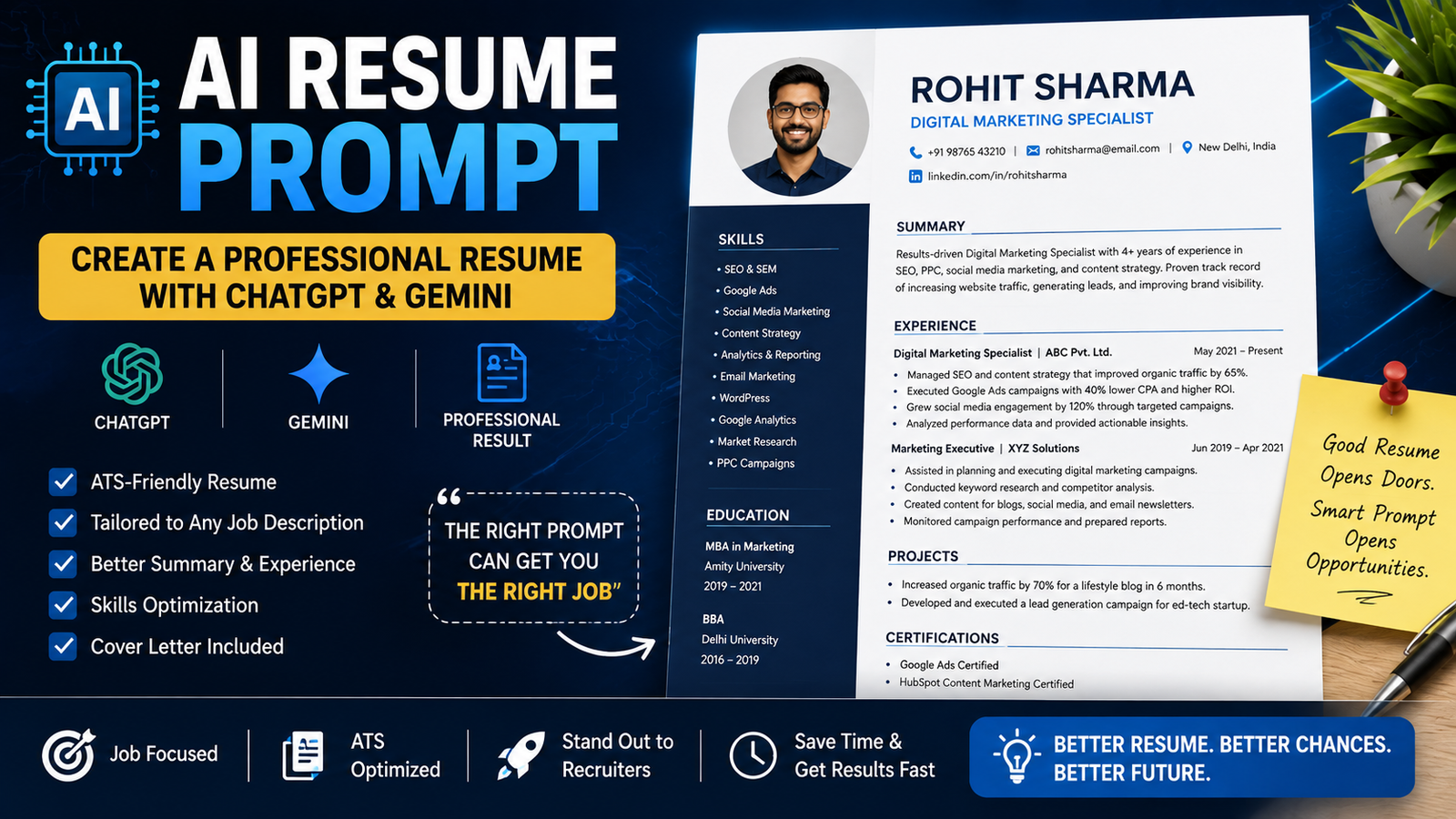
An AI resume prompt can help you organize your experience, improve weak bullet points, tailor your resume to a specific job, and prepare a stronger application. ChatGPT can now help users create and tailor resumes, while OpenAI Academy also recommends using AI to connect a person’s real experience with the requirements of a job.
But there is one rule you should never ignore: AI should improve your resume, not invent your career.
A polished sentence is useful. A completely fictional achievement is not.
In this guide, you’ll find practical AI resume prompts, including prompts for ChatGPT, Gemini, ATS-friendly resumes, freshers, experienced professionals, resume summaries, work experience, skills, and cover letters.
What Is an AI Resume Prompt?
An AI resume prompt is an instruction that tells an AI tool what you want it to do with your resume or career information.
For example, instead of asking:
Make my resume better.
You can give the AI more useful context:
I am applying for a Digital Marketing Executive position. Review my existing resume and rewrite my experience bullets to highlight SEO, Google Ads, content marketing, and analytics. Use only the information I provide. Do not invent achievements or numbers. Keep each bullet concise and professional.
The second prompt gives the AI:
- A task
- Relevant context
- A target job
- Writing requirements
- A clear limitation
OpenAI Academy uses a similar Task + Context + Output framework for career-related prompting and recommends keeping a human involved in the final application.
Can AI Really Help With a Resume?
Yes, but think of AI as a writing and organizing assistant rather than your personal career historian.
AI can help you:
- Rewrite unclear sentences
- Turn notes into resume bullets
- Identify relevant skills
- Compare your experience with a job description
- Improve your professional summary
- Tailor your resume to a specific role
- Prepare interview questions
- Draft networking messages
- Create a cover letter
OpenAI’s current career resources specifically describe using ChatGPT to turn experience into truthful resume bullets, compare a job posting with a candidate’s background, and prepare for interviews.
The final facts should always come from you.
Best AI Resume Prompt Copy and Paste
Here is a general-purpose prompt you can use:
Act as a professional resume writer. I will provide my current resume and the job description I am applying for. Analyze both and identify the most relevant skills, experience, responsibilities, and keywords from the job description that genuinely match my background. Rewrite my resume to make it clear, concise, professional, and tailored to this specific role. Use strong action verbs and measurable results only when they are supported by the information I provide. Do not invent experience, qualifications, responsibilities, employers, dates, achievements, or statistics. Keep the language natural and human. After rewriting the resume, list the major changes you made and explain why they improve the application.
This is much safer than asking AI to simply “make my resume impressive.”
ChatGPT Resume Prompt
You can use the following ChatGPT resume prompt:
Review my resume as an experienced recruiter. Identify unclear statements, weak bullet points, unnecessary information, repetitive wording, missing details, and areas that could be stronger. Then rewrite the relevant sections using concise professional language. Keep every fact accurate and based only on my original resume. Do not invent metrics, job responsibilities, qualifications, or achievements. Finally, give me a prioritized list of improvements I should make before applying.
ChatGPT can also help tailor an existing resume to a specific job opportunity. OpenAI’s current product information says users can upload or create resumes in ChatGPT and tailor them to specific roles.
Gemini Resume Prompt
For Gemini, try:
Act as a professional career and resume editor. I will provide my resume and a job description. Compare them and identify the skills and experience from my resume that are most relevant to the position. Rewrite my resume so it is concise, professional, easy to scan, and tailored to the job. Use only information from my resume and the job description. Never invent achievements, qualifications, job titles, responsibilities, companies, dates, or statistics. Highlight any information that is missing and ask me for it instead of guessing.
The same prompt can be adapted for different job roles.
AI Resume Prompt for an ATS-Friendly Resume
Many companies use applicant tracking systems, commonly called ATS, to process resumes.
Indeed’s current guidance says ATS software can scan resumes for job-specific keywords and recommends using relevant keywords while maintaining an ATS-friendly structure.
Try this prompt:
Review my resume and the job description for ATS compatibility. Identify important skills, qualifications, tools, technologies, certifications, and job-specific terms that genuinely match my experience. Suggest where these terms can naturally appear in my resume. Keep the writing clear and human. Do not add keywords that I cannot honestly support. Recommend a simple structure with standard section headings and easy-to-read formatting. Do not use keyword stuffing.
Important: Don’t Turn Your Resume Into a Keyword Salad
If a job description says:
SEO, Google Ads, content marketing, analytics, WordPress
and you actually have those skills, use them naturally.
Don’t write:
SEO Google Ads SEO content SEO WordPress Google Ads SEO analytics SEO.
That’s not optimization.
That’s a cry for help.
AI Prompt to Tailor a Resume to a Job Description
This may be one of the most useful prompts in the entire article:
Compare my resume with the following job description. Create a table with four columns: job requirement, evidence from my resume, strength of match, and improvement needed. Separate skills I clearly have from skills that I do not currently demonstrate. Then suggest specific resume changes based only on my actual experience. Do not invent qualifications or achievements.
This approach helps you understand whether you’re actually a strong match before rewriting everything.
Resume Summary Prompt
Your professional summary should quickly explain who you are and what you bring to the role.
Use:
Write three professional resume summary options based only on the career information I provide. Each summary should be concise, specific, and suitable for the target job. Mention my relevant experience, strongest skills, and career focus. Avoid generic phrases such as “hardworking,” “passionate,” or “results-driven” unless the information clearly supports them. Do not invent achievements.
You can then choose the version that sounds most like you.
Resume Experience Prompt
Weak:
Responsible for social media.
Stronger:
Managed social media content and scheduling for multiple platforms.
But don’t let AI turn that into:
Increased social media revenue by 300%.
unless you actually did it.
Use:
Rewrite my work experience into concise resume bullets. Start each bullet with a strong action verb and explain what I actually did. Where I provide a measurable result, include it naturally. If no measurable result is available, do not create one. Keep each bullet focused on responsibility, skill, or genuine outcome.
OpenAI Academy similarly recommends turning real experience into short resume bullets and using specific tasks and results rather than vague buzzwords.
Resume Skills Prompt
Try:
Review my work history, education, projects, and certifications. Create a resume skills section containing only skills that are supported by the information I provide. Divide the skills into relevant categories such as technical skills, software/tools, professional skills, and industry knowledge where appropriate. Prioritize skills relevant to my target job and remove generic or unsupported skills.
This prevents the classic AI mistake of giving you 47 skills because apparently you are simultaneously a marketer, developer, accountant, designer, lawyer, and astronaut.
Fresh Graduate Resume Prompt
If you have little professional experience:
Create a professional entry-level resume based on my education, projects, internships, certifications, technical skills, volunteer work, and other experience. Highlight transferable skills and relevant projects without exaggerating my experience. Do not invent internships, achievements, responsibilities, grades, certifications, or work experience. Structure the resume for the entry-level job described below.
Fresh graduates often have more relevant experience than they think.
College projects, internships, freelance work, certifications and volunteer activities can all provide useful evidence when presented honestly.
Experienced Professional Resume Prompt
For someone with several years of experience:
Rewrite my resume for a senior-level position using only the information I provide. Prioritize leadership, business impact, relevant responsibilities, strategic work, measurable results, and specialized expertise. Reduce repetitive descriptions of routine tasks. Do not invent metrics or achievements. Keep the language professional, concise, and appropriate for a senior candidate.
For experienced professionals, removing unnecessary information can be just as important as adding new information.
Career Change Resume Prompt
Changing industries?
Try:
I am changing careers from [CURRENT FIELD] to [TARGET FIELD]. Analyze my experience and identify transferable skills, projects, responsibilities, and achievements that are relevant to the target role. Rewrite my resume to emphasize those transferable skills without pretending that I have experience I do not have. Clearly identify genuine gaps that I should address through training, projects, or additional experience.
This helps you reposition your experience without rewriting your history.
Resume Improvement Prompt
Already have a resume but don’t know what’s wrong with it?
Use:
Audit my resume as if you were reviewing it for a real job application. Identify the five most important weaknesses that could reduce its effectiveness. Check clarity, relevance, structure, repetition, vague language, unsupported claims, formatting, and alignment with the target job. For each problem, provide a specific improvement and an example rewrite based only on my existing information.
This is better than asking AI to rewrite everything immediately.
Sometimes your resume doesn’t need a complete makeover.
It just needs fewer sentences that say absolutely nothing.
Cover Letter Prompt
Your resume isn’t the only document AI can help with.
Try:
Write a concise cover letter for the job described below using my resume as the source of truth. Explain why my actual experience is relevant to the position and highlight two or three genuine strengths that match the role. Avoid generic statements and exaggerated enthusiasm. Do not invent experience, achievements, qualifications, or knowledge about the company. Keep the tone professional and natural.
You can ask the AI to create a shorter version afterward.
Job Application Prompt
You can also create a complete application workflow:
I am applying for the following job. First, summarize the employer’s key requirements. Second, compare those requirements with my resume. Third, identify my strongest matches and genuine gaps. Fourth, suggest improvements to my resume. Fifth, draft a concise cover letter using only verified information. Finally, create five interview questions I should prepare for.
This gives you a repeatable process rather than one giant “write everything” command.
How to Use AI Without Lying on Your Resume
This is the most important section.
Never ask AI to:
- Create fake achievements
- Invent employment
- Add qualifications you don’t have
- Manufacture statistics
- Create fake certifications
- Change employment dates
- Claim experience with software you haven’t used
- Invent projects
OpenAI Academy explicitly advises job seekers not to use ChatGPT to invent experience, credentials, duties, or results.
If you don’t know a number, don’t guess.
Instead of:
Increased sales by 40%.
write:
Supported sales activities and customer follow-up.
if that accurately reflects your work.
A truthful resume with simple language is much better than an impressive-looking fictional one.
How to Protect Your Personal Information
Your resume can contain sensitive personal information.
Before putting your resume into an AI tool, consider removing unnecessary details such as:
- Government identification numbers
- Bank information
- Passwords
- Private account details
- Sensitive personal information
- Full home address when it isn’t required
OpenAI Academy’s current career guidance specifically recommends protecting sensitive information and using redacted documents where possible.
For example, you can replace:
123 Example Street, New Delhi, 110001
with:
New Delhi, India
unless a specific application requires more detail.
How to Check an AI-Written Resume
Never publish the first AI-generated version without reading it.
Use this checklist:
Check the Facts
Are your job titles, dates, employers and qualifications correct?
Check the Numbers
Does every percentage, revenue figure and achievement actually come from your experience?
Check the Language
Does it sound like a real person?
Check the Job Match
Does it actually address the requirements of the position?
Check the Keywords
Are relevant job terms included naturally?
Check the Formatting
Are headings, dates and bullet points consistent?
Google’s careers documentation notes that resume parsing can sometimes fail to capture information completely or accurately, which is another reason to check how your resume appears after uploading it to an application system.
How to Make an ATS-Friendly Resume
An ATS-friendly resume doesn’t need to be ugly.
It simply needs to be easy for software and humans to process.
Indeed’s current guidance recommends relevant keywords, standard section labels, ATS-friendly fonts, avoiding excessive graphics and using straightforward formatting.
Good Practices
Use standard headings such as:
- Summary
- Work Experience
- Education
- Skills
- Certifications
- Projects
Keep formatting consistent.
Use bullet points for experience.
Use job-specific terminology when it genuinely matches your skills.
Avoid Unnecessary Complexity
Be careful with:
- Heavy graphics
- Complex tables
- Multiple text columns
- Decorative fonts
- Excessive icons
- Information hidden inside images
The goal is simple:
Make your resume easy to understand.
Can AI Guarantee an Interview?
No.
No legitimate AI resume tool can guarantee that a company will interview or hire you.
AI can help improve the presentation of your experience, but hiring decisions depend on many factors, including your qualifications, competition, employer requirements and the specific role.
OpenAI’s career-readiness guidance also makes clear that AI can help with preparation and drafting but cannot guarantee an interview or employment outcome.
So don’t believe anyone selling a “100% interview guarantee” because they added the word AI to a resume template.
Final Thoughts
An AI resume prompt can save time and make the resume-writing process much easier.
The best use of AI is not to make you sound like a corporate robot. It is to help you explain your real experience more clearly.
Use AI to:
- Understand a job description
- Find relevant parts of your experience
- Rewrite weak bullet points
- Improve your summary
- Organize your skills
- Tailor your resume
- Prepare a cover letter
- Practice interviews
But keep yourself in control of the final application.
The strongest workflow is simple:
Your experience → AI assistance → Human review → Final resume
That approach gives you the speed of AI without sacrificing accuracy.
And remember: AI can polish your resume. It cannot manufacture the career behind it.
Author: Akshay Saini
FAQs
What is the best AI resume prompt?
A strong AI resume prompt should include the target job, your actual experience, the desired output, and clear instructions not to invent information. Giving the AI specific context usually produces better results than simply asking it to “write a good resume.”
Can ChatGPT create a resume?
Yes. ChatGPT can help create, edit, format and tailor resumes. OpenAI’s current features also allow users to upload or create a resume and tailor it for a specific role.
Can Gemini create a resume?
Gemini can be used to draft, rewrite and organize resume content when you provide the relevant career information and instructions. As with any AI tool, review the final output for accuracy.
Can AI make my resume ATS-friendly?
AI can help identify relevant job-specific keywords and suggest simpler resume formatting. However, you should review the final document yourself. ATS systems can parse information imperfectly, and different employers may use different systems.
Should I put AI-generated achievements on my resume?
No. Never add an achievement, metric, qualification or responsibility simply because AI generated it. Only include information that is genuinely true and that you can support.
Can AI write my cover letter?
Yes. AI can draft a cover letter based on your real experience and the job description. You should edit it afterward so that it accurately represents you and doesn’t contain unsupported claims.
Is it safe to upload my resume to AI?
Be careful about the information you share. Remove unnecessary sensitive information such as government IDs, financial information and other private details. OpenAI Academy specifically recommends protecting sensitive information when using AI for career tasks.

Akshay Saini is an AI and technology writer at KeyArtificial, covering ChatGPT, Google Gemini, AI prompts, AI tools, AI image generation, photo editing trends, and emerging AI developments.