Essential AI Tools Should Every Business Use
Artificial intelligence is no longer limited to large technology companies. Businesses of all sizes are using AI to create content, analyze information, communicate with customers, generate leads, automate repetitive work, and make faster decisions. The challenge is not finding an AI tool. The real challenge is choosing the right AI tools for business without creating an expensive and complicated software stack. A typical business does not need 30 different AI subscriptions. A better approach is to select tools based on important workflows such as productivity, marketing, sales, customer service, research, design, and automation.
AI business tools help companies improve productivity, automate repetitive tasks, manage workflows, and make better business decisions. From customer support and sales automation to marketing, data analysis, project management, and content creation, these tools can support businesses across different industries. AI business tools can also help teams save time, reduce manual work, and improve customer experiences by providing faster and more efficient solutions. For SEO, GEO, and AEO, businesses can use AI tools to research relevant topics, create useful content, answer customer questions, and improve online visibility. By choosing the right AI business tools based on company goals, budget, and workflow needs, organizations can streamline daily operations, support business growth, and stay competitive in a rapidly changing digital environment.
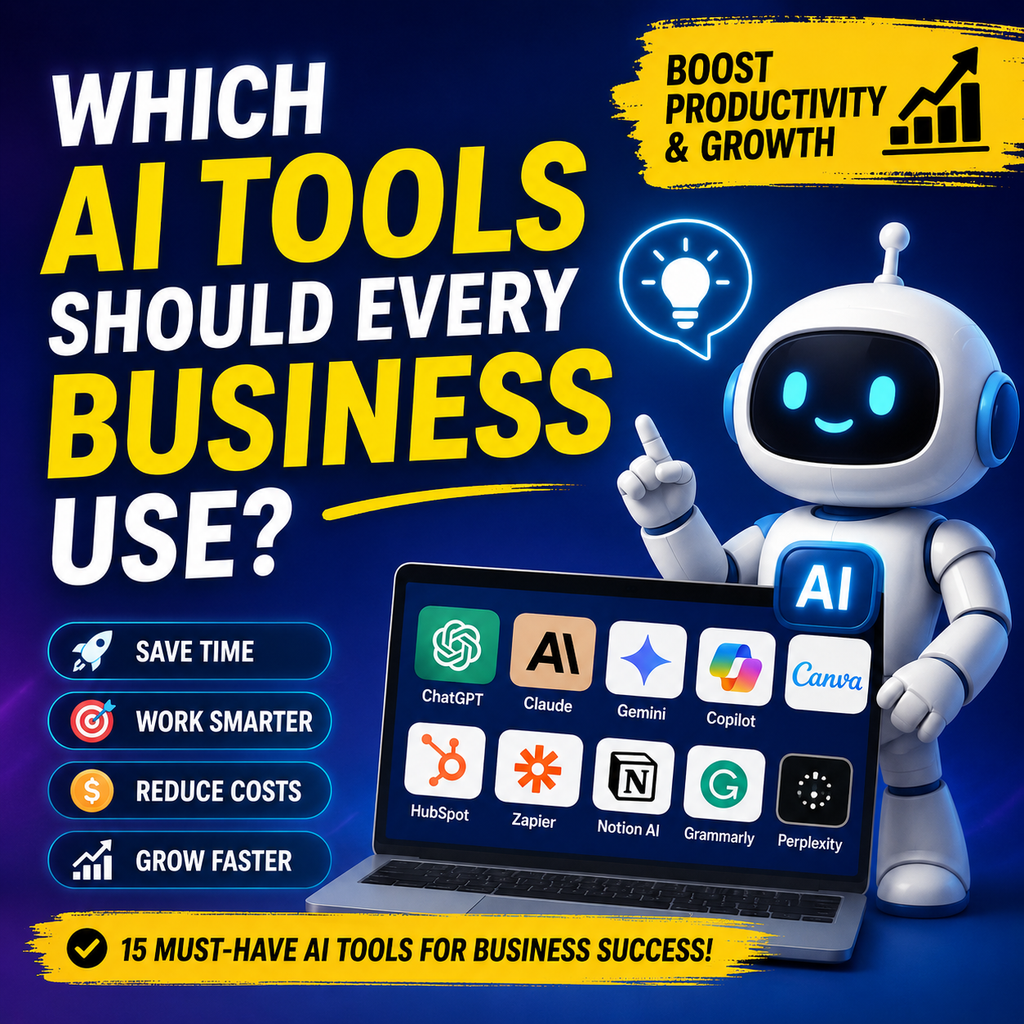
Current business-focused research also points toward smaller AI stacks built around a general-purpose assistant plus specialized tools for specific workflows.
Here are 15 AI tools worth considering in 2026.
1. ChatGPT for General Business Work
Best for: Writing, brainstorming, analysis, research, and everyday productivity
ChatGPT is one of the most versatile AI tools for business because it can support many departments from a single interface.
Teams can use it to draft emails, summarize documents, brainstorm campaigns, analyze information, create reports, write code, prepare presentations, and develop business ideas.
It can also act as a general-purpose AI assistant for employees who need quick help with everyday tasks.
Best business uses:
- Writing and editing
- Brainstorming
- Data analysis
- Research assistance
- Customer communication
- Business planning
- Coding
- Document summarization
For companies looking for one AI platform to introduce employees to generative AI, ChatGPT is a logical starting point.
2. Claude for Deep Analysis and Long Documents
Best for: Complex reasoning, documents, writing, and coding
Claude is particularly useful when employees need to work with large amounts of information or produce detailed written output.
Businesses can use it to review documents, summarize lengthy material, analyze business information, develop strategies, and assist with software development.
It can complement a general AI assistant rather than replacing every other business application.
Best business uses:
- Long-document analysis
- Business research
- Strategy development
- Coding
- Technical writing
- Content editing
- Knowledge work
For teams handling lengthy reports, contracts, specifications, or internal documents, Claude can be a valuable addition.
3. Google Gemini for Google Workspace Teams
Best for: Businesses using Gmail, Docs, Sheets, and other Google services
Google Gemini becomes especially useful when a company already relies heavily on Google Workspace.
Instead of moving information between multiple applications, employees can use AI capabilities within familiar productivity workflows.
This can help teams draft content, summarize information, organize documents, analyze spreadsheet data, and accelerate routine office work.
Best business uses:
- Email assistance
- Document creation
- Spreadsheet analysis
- Research
- Meeting preparation
- Content generation
- Workspace productivity
For Google-centric organizations, Gemini may make more sense than adding another disconnected AI platform.
4. Microsoft 365 Copilot for Office-Based Teams
Best for: Microsoft 365 productivity
Businesses already using Microsoft 365 should consider Microsoft Copilot as part of their AI strategy.
It can assist with tasks involving applications such as Word, Excel, PowerPoint, Outlook, and Teams, making it particularly relevant for organizations that already operate inside Microsoft’s ecosystem.
Best business uses:
- Email drafting
- Document creation
- Presentation development
- Spreadsheet assistance
- Meeting summaries
- Workplace productivity
- Information retrieval
The key advantage is integration. Businesses generally get more value when AI works inside the tools employees already use.
5. HubSpot AI for Sales and Marketing
Best for: CRM, lead management, sales, and marketing
AI becomes significantly more valuable when it has access to relevant customer and business context.
HubSpot’s AI ecosystem connects AI capabilities with CRM information, allowing teams to work with customer data while performing tasks such as analysis and CRM updates.
Best business uses:
- Lead management
- CRM assistance
- Sales activities
- Marketing content
- Customer insights
- Campaign analysis
- Sales automation
For businesses where lead generation and customer relationships are major priorities, an AI-enabled CRM can deliver more practical value than a standalone chatbot.
6. Canva for AI-Powered Design
Best for: Marketing graphics, social media, presentations, and visual content
Not every company can afford a full-time designer.
Canva helps businesses create professional-looking marketing materials without requiring advanced graphic-design skills.
Its AI-powered features can accelerate the creation of social media graphics, presentations, advertisements, documents, and other visual assets.
Best business uses:
- Social media posts
- Presentations
- Advertisements
- Marketing graphics
- Brand materials
- Blog visuals
- Promotional content
This makes Canva particularly useful for startups, small businesses, marketers, and lean teams.
7. Zapier for AI Workflow Automation
Best for: Connecting apps and eliminating repetitive tasks
Automation is where AI can move from simple content generation to actual workflow improvement.
Zapier connects different business applications so that actions can happen automatically instead of requiring employees to move information manually between platforms.
Its AI capabilities can also help businesses build more intelligent workflows.
For example, a business could create a workflow that captures a new lead, adds the contact to a CRM, notifies the sales team, and starts a follow-up process.
Best business uses:
- Lead automation
- Data transfer
- Notifications
- Marketing workflows
- Customer onboarding
- Administrative tasks
- Multi-app automation
The biggest benefit is not simply saving clicks. It is reducing repetitive work across an entire process.
8. Perplexity for Business Research
Best for: Research and information discovery
Employees often spend hours searching for information before making decisions.
AI research platforms can shorten that process by helping users identify relevant information and sources more quickly.
Perplexity is particularly useful for research-heavy tasks where employees need to investigate competitors, industries, products, trends, or business questions.
Best business uses:
- Market research
- Competitor research
- Industry research
- Product research
- Fact-finding
- Research summaries
Businesses should still verify important information before using AI-generated research in financial, legal, or strategic decisions.
9. Notion AI for Knowledge Management
Best for: Internal documentation, notes, and team knowledge
Businesses generate huge amounts of information every day.
Meeting notes, project documentation, procedures, ideas, research, and company information can quickly become difficult to manage.
Notion AI can help teams organize and work with this information inside their existing workspace.
Best business uses:
- Meeting notes
- Internal documentation
- Project management
- Knowledge bases
- Content planning
- Summaries
- Team collaboration
It is particularly useful for teams that want their business knowledge stored in one accessible environment.
10. Grammarly for Business Communication
Best for: Editing, grammar, tone, and professional communication
Poor communication can make even a strong business appear unprofessional.
Grammarly helps employees improve emails, documents, marketing copy, proposals, and other written communication.
AI-powered writing assistance can also help adjust tone and improve clarity.
Best business uses:
- Email editing
- Grammar checking
- Professional writing
- Marketing copy
- Tone improvement
- Content proofreading
For companies producing a large amount of written communication, this can be a simple productivity upgrade.
11. Otter.ai for Meeting Transcription
Best for: Meeting notes and transcripts
Meetings generate valuable information, but employees often lose time taking notes or trying to remember what was discussed.
AI meeting assistants can transcribe conversations and create summaries, making it easier to turn meetings into actionable information.
Best business uses:
- Meeting transcription
- Automatic summaries
- Action items
- Interview notes
- Sales conversations
- Team discussions
The real value comes from reducing the administrative work surrounding meetings.
12. Asana Intelligence for Project Management
Best for: Project planning and team productivity
Project managers often spend significant time tracking tasks, identifying blockers, and communicating updates.
AI features inside project-management platforms can help teams summarize project information, identify priorities, and organize work.
Asana Intelligence is worth considering for businesses already using Asana for project management.
Best business uses:
- Project planning
- Task management
- Progress summaries
- Workflow organization
- Team coordination
- Project insights
AI works best here as an assistant to project managers rather than as a replacement for human decision-making.
13. Jasper for Marketing Content
Best for: Marketing teams and content production
Marketing teams frequently need to create blog content, advertisements, social media copy, landing-page messaging, and campaign assets.
Jasper is designed around marketing workflows and can help teams accelerate content production.
Best business uses:
- Marketing copy
- Blog content
- Advertising copy
- Social media
- Campaign ideas
- Brand messaging
However, businesses should avoid publishing generic AI-generated content without editorial review. Original insights, expert input, fact-checking, and brand expertise still matter.
14. Zendesk AI for Customer Support
Best for: Customer service and support automation
Customer support is another area where AI can deliver measurable operational benefits.
AI can help businesses handle common questions, summarize customer interactions, route requests, and assist support agents.
Zendesk AI is designed for customer-service workflows and can help companies improve support operations.
Best business uses:
- Customer questions
- Support automation
- Ticket management
- Agent assistance
- Conversation summaries
- Customer-service workflows
Businesses should keep human support available for complex, sensitive, or unusual customer situations.
15. QuickBooks AI for Financial Administration
Best for: Bookkeeping and financial workflows
Finance is an important area where automation can reduce repetitive administrative work.
AI-assisted accounting tools can help businesses organize financial information, identify patterns, and simplify bookkeeping workflows.
QuickBooks with Intuit’s AI capabilities is one option businesses can consider.
Best business uses:
- Bookkeeping
- Expense management
- Financial organization
- Invoice workflows
- Business reporting
- Financial insights
AI should support financial professionals rather than replace appropriate human review, especially when decisions involve taxes, compliance, or significant financial consequences.
What AI Tools Does a Small Business Actually Need?
Start with your biggest bottleneck
A small business does not need every tool on this list.
Start by identifying where employees spend the most unnecessary time.
When writing and research take up too much of your team’s day, a general AI assistant can help speed up everyday work.
For inconsistent sales follow-ups, an AI-powered CRM can help your team organize leads and stay on top of opportunities.
Repetitive administrative work is another strong candidate for AI automation, especially when employees spend valuable time on routine tasks.
Marketing teams struggling with slow content production can use AI-powered writing and design tools to create campaigns more efficiently.
Customer support teams dealing with the same questions repeatedly can benefit from AI solutions that automate routine requests while allowing staff to focus on more complex issues.
This approach prevents businesses from accumulating subscriptions without creating meaningful value.
Best AI Tool Stack for a Small Business
A simple five-tool setup
For many small businesses, a practical starting stack could include:
General AI: ChatGPT or Claude
Productivity: Google Gemini or Microsoft Copilot
Marketing and design: Canva
CRM and sales: HubSpot
Automation: Zapier
This is more practical than purchasing dozens of overlapping AI applications.
The right combination depends on the company’s existing software, team size, budget, and primary workflow problems.
Best AI Tools for Different Business Departments
For marketing teams
Consider Canva, Jasper, ChatGPT, and HubSpot.
These tools can support content creation, visual production, campaign development, customer insights, and marketing workflows.
For sales teams
HubSpot, ChatGPT, and automation platforms such as Zapier can help sales teams manage leads and reduce repetitive follow-up work.
For customer support
Zendesk AI and AI-enabled CRM platforms can help support teams handle routine customer requests while allowing employees to focus on complicated cases.
For finance teams
QuickBooks and AI-assisted spreadsheet or analysis tools can reduce repetitive administrative work while keeping humans involved in financial decisions.
For operations teams
Zapier, Notion AI, Microsoft Copilot, and Google Gemini can help streamline documentation, communication, and recurring workflows.
For leadership teams
General-purpose AI assistants, research tools, analytics platforms, and AI-enabled CRM systems can help executives analyze information and make better-informed decisions.
How to Choose the Right AI Tools for Your Business
1. Identify the problem first
Do not start with an AI tool.
Start with a business problem.
Ask:
- What takes employees too long?
- Which tasks happen repeatedly?
- Where are leads being lost?
- What information is difficult to find?
- Which customer questions appear repeatedly?
- Where does content production slow down?
The answer should determine the tool.
2. Check whether the tool integrates with your existing software
An impressive AI tool can become a poor investment if employees have to constantly move information between applications.
Prioritize tools that integrate with your existing CRM, email, documents, project-management software, and communication systems.
3. Calculate the actual return on investment
Do not judge an AI tool simply because it produces impressive outputs.
Measure business results.
For example:
ROI = Value Created − AI Cost
Track metrics such as hours saved, leads generated, customer response time, content output, conversion rates, or administrative costs.
4. Consider data security and privacy
Businesses should understand how an AI platform handles company information before employees start uploading sensitive documents.
Review data policies, access controls, retention practices, permissions, and compliance requirements.
AI adoption is increasingly becoming a governance issue as companies deploy AI across multiple departments.
5. Keep humans involved
AI can accelerate work, but speed does not guarantee accuracy.
Employees should review important AI-generated content, customer communications, financial information, research, and business decisions.
The strongest approach is usually AI-assisted work rather than completely unsupervised automation.
Should Every Business Use AI?
Yes, but not every business needs the same tools
The idea that every company needs dozens of AI subscriptions is misleading.
A better strategy is to build an AI stack around the company’s actual operations.
For most businesses, the starting point should be one general AI assistant followed by specialized tools for the biggest operational bottlenecks.
Current business-AI research similarly recommends focusing on practical use cases rather than collecting large numbers of tools.
Frequently Asked Questions About AI Tools for Business
What are the best AI tools for business?
Some of the most useful AI tools for businesses in 2026 include ChatGPT, Claude, Google Gemini, Microsoft Copilot, HubSpot, Canva, Zapier, Perplexity, Notion AI, Grammarly, Otter.ai, Asana Intelligence, Jasper, Zendesk AI, and QuickBooks with AI capabilities.
The best option depends on the business function, existing software, budget, and workflow.
What AI tool should a business use first?
Most businesses should start with a general-purpose AI assistant such as ChatGPT, Claude, Gemini, or Copilot.
After that, choose a specialized tool based on the company’s biggest bottleneck.
Which AI tools are best for small businesses?
Small businesses can benefit from ChatGPT or Claude for general work, Canva for marketing design, HubSpot for CRM and sales, and Zapier for workflow automation.
A smaller stack is often easier to manage and provides better value than purchasing many overlapping applications.
Can AI reduce business costs?
Yes. AI can reduce costs by automating repetitive tasks, accelerating content production, improving customer support workflows, and reducing time spent on administrative work.
However, savings depend on implementation. Simply subscribing to AI software does not automatically reduce expenses.
Is AI safe for business use?
AI can be used safely when businesses establish appropriate policies around data, access, privacy, human review, and acceptable use.
Companies should avoid putting confidential information into AI platforms without first understanding how that information is handled.
Final Verdict: Which AI Tools Should Every Business Use?
There is no universal AI stack that works perfectly for every company.
However, most businesses can build a strong foundation around a few categories:
General AI: ChatGPT or Claude
Workplace productivity: Gemini or Microsoft Copilot
Sales and CRM: HubSpot
Design and marketing: Canva
Automation: Zapier
Research: Perplexity
Knowledge management: Notion AI
From there, businesses can add specialized tools for customer service, accounting, meetings, project management, or marketing.
The goal should not be to use more AI tools.
The goal should be to use fewer, better-connected AI tools that solve expensive business problems.
As AI moves from experimentation into everyday business operations, companies that focus on practical workflows, measurable ROI, and responsible implementation are better positioned to turn AI from a novelty into a genuine competitive advantage.