Tips For Beginner
ChatGPT can be extremely useful for writing, learning, brainstorming, planning, research, coding, marketing, and everyday problem-solving. But many beginners make the same mistake. They type a very short question, get an average answer, and assume ChatGPT cannot do much more. In reality, the quality of the response often depends on the quality of your instructions. With a few simple techniques, you can make ChatGPT much more useful.
The best prompt for ChatGPT tips for beginners helps new users get clear, useful, and accurate answers from AI. A good prompt should explain the task, provide relevant context, and clearly describe the desired output. Beginners can use simple instructions for learning, writing, research, content creation, and everyday tasks. With well-structured prompts, ChatGPT can provide more relevant and helpful results.
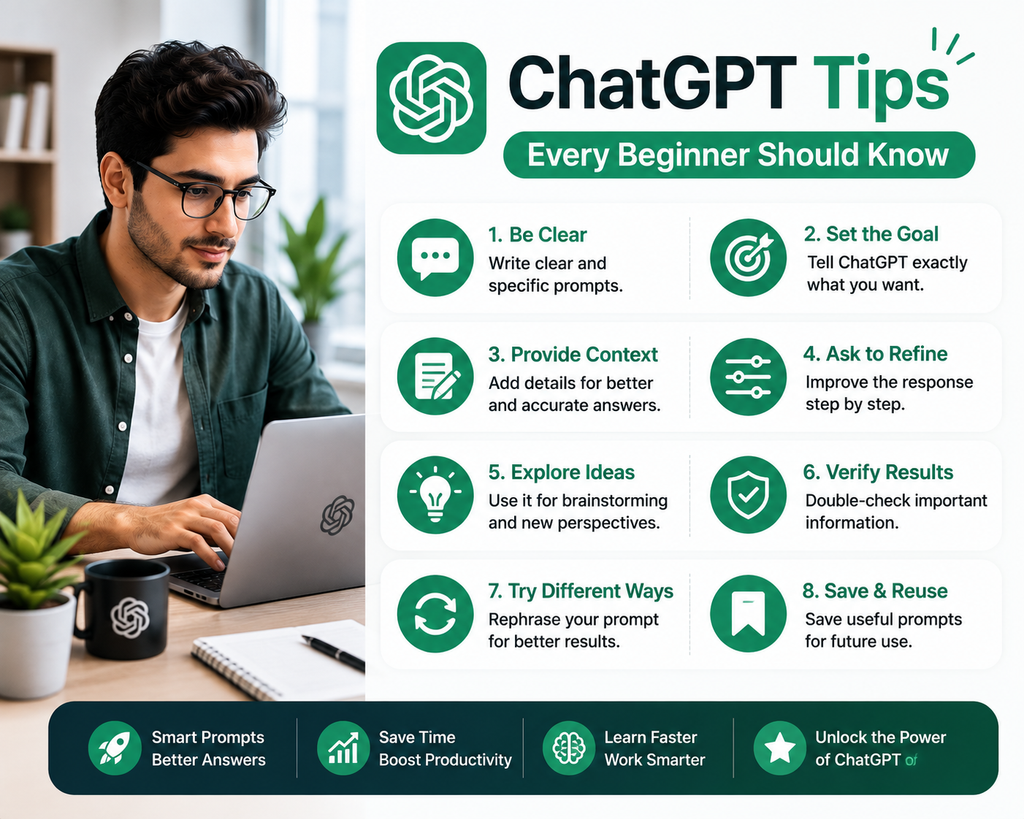
Hi, I’m Gurudeep Singh, and in this beginner-friendly guide, I’ll share practical ChatGPT tips every beginner should know so you can get clearer, more relevant, and more accurate responses. You do not need to become a prompt engineer. You simply need to learn how to communicate your goal clearly.
What Are the Best ChatGPT Tips for Beginners?
The most important ChatGPT tips for beginners are to be specific, provide context, define the desired output, ask follow-up questions, break complex tasks into steps, request examples, verify important facts, and refine the response instead of accepting the first answer.
For example, instead of asking:
“Help me write an email.”
Try:
“Write a friendly follow-up email to a potential client who asked about my digital marketing service last week. Keep it under 150 words, professional but conversational, and include one clear call to action.”
The second prompt gives ChatGPT far more useful direction.
What Is ChatGPT?
ChatGPT is an AI assistant that can respond to questions and instructions in natural language.
You can use it for tasks such as:
- Writing
- Summarizing
- Brainstorming
- Learning
- Planning
- Research support
- Marketing ideas
- Coding assistance
- Data analysis
- Email drafting
- Content creation
- Problem-solving
The key thing beginners should understand is that ChatGPT works best when you clearly explain what you want.
25+ ChatGPT Tips Every Beginner Should Know
1. Be Clear About What You Want
One of the easiest ways to improve ChatGPT responses is to make your request specific.
Avoid:
“Write something about SEO.”
Try:
“Write a 300-word beginner-friendly explanation of SEO for small business owners. Include what SEO is, why it matters, and three simple ways to get started.”
The clearer your goal, the easier it is for ChatGPT to respond appropriately.
2. Give ChatGPT Context
Context helps ChatGPT understand your situation.
For example:
Instead of:
“Create a marketing plan.”
Try:
“Create a 30-day marketing plan for a local bakery targeting working professionals within 5 km of the store. Our main goal is to increase weekday orders.”
Relevant context may include:
- Your business
- Audience
- Goal
- Experience level
- Budget
- Location
- Limitations
- Preferred tone
3. Tell ChatGPT Who the Audience Is
The same explanation can sound very different depending on the reader.
For example:
“Explain SEO to a 12-year-old.”
“Describe SEO in a way that makes sense to a small business owner.”
“Break down SEO for an experienced digital marketer.”
Adding the audience helps ChatGPT choose the right language, depth, and examples.
4. Specify the Output Format
You can tell ChatGPT exactly how you want the answer organized.
For example:
“Explain this in a table.”
“Give me a step-by-step guide.”
“Create a checklist.”
“Give me 10 bullet points.”
“Write a short summary followed by a detailed explanation.”
“Compare these options using pros and cons.”
This can save a lot of editing time.
5. Define the Tone
If you’re using ChatGPT for writing, tell it how the content should sound.
Examples include:
- Friendly
- Professional
- Conversational
- Formal
- Simple
- Persuasive
- Educational
- Confident
- Warm
Example:
“Rewrite this email in a friendly but professional tone.”
6. Tell ChatGPT What to Avoid
Sometimes explaining what you do not want is just as useful as explaining what you want.
For example:
“Write a product description for this software. Keep it simple and professional. Avoid exaggerated claims, buzzwords, and unnecessary technical language.”
You can also say:
- Do not invent statistics
- Avoid jargon
- Do not repeat points
- Avoid clickbait
- Do not use complicated language
- Do not change the meaning
7. Use Follow-Up Questions
You do not have to start a new conversation every time you want to improve an answer.
You can continue the conversation with instructions such as:
“Make this shorter.”
“Give me another version.”
“Explain point 3 in more detail.”
“Make this easier for beginners.”
“Give me a practical example.”
“Turn this into a checklist.”
Follow-up prompts are one of the easiest ways to improve an initial response.
8. Don’t Expect the First Answer to Be Perfect
Think of ChatGPT as a collaborative assistant.
Your first prompt creates a first draft.
Then you refine it.
For example:
First prompt:
“Create 10 blog topic ideas about email marketing.”
Follow-up:
“Make them more suitable for beginners.”
Follow-up:
“Now focus only on topics with commercial intent.”
Follow-up:
“Turn the best five into SEO-friendly article titles.”
This iterative process often creates better results than trying to write one perfect prompt.
9. Break Complex Tasks Into Smaller Steps
If the task is complicated, asking ChatGPT to do everything at once can lead to weaker results.
For example, instead of asking:
“Create my entire digital marketing strategy.”
You might break it into:
- Define target audience
- Identify customer problems
- Develop content strategy
- Build social media plan
- Create email strategy
- Define KPIs
Smaller tasks can be easier to review and improve.
10. Ask ChatGPT to Explain Its Answer Simply
If a response feels too complicated, ask:
“Explain this in simple language.”
Or:
“Explain this as if I am a complete beginner.”
You can also request:
“Use a real-life example.”
This is especially useful for technical, financial, marketing, coding, or academic topics.
11. Ask for Examples
Examples can make complex ideas much easier to understand.
Instead of:
“Explain a marketing funnel.”
Try:
“Explain a marketing funnel for a beginner and give me a simple example using an online clothing store.”
12. Ask for Multiple Options
ChatGPT can quickly generate several approaches.
For example:
“Give me 10 headline options.”
“Show me 3 different ways to write this email.”
“Suggest 5 business ideas based on these skills.”
“Give me both a professional and casual version.”
This is useful because you do not have to accept the first idea.
13. Give ChatGPT Source Material
If you want ChatGPT to work with specific information, provide it.
For example:
“Summarize this text for a beginner: [paste text].”
“Rewrite this product description while keeping all facts unchanged: [paste content].”
“Analyze this email and suggest improvements: [paste email].”
Using provided material can help reduce unnecessary assumptions.
14. Ask ChatGPT to Separate Facts From Assumptions
This is especially useful for business, research, and strategy tasks.
Try:
“Separate what is known from what you are assuming.”
Or:
“Clearly label any assumptions that require verification.”
This can make the answer easier to evaluate.
15. Verify Important Information
ChatGPT can make mistakes.
It may occasionally provide incorrect facts, dates, statistics, citations, or other details.
Always verify important information such as:
- Medical information
- Legal information
- Financial information
- Statistics
- Quotes
- Research
- Product specifications
- Current prices
- Current laws
- Current platform policies
- Technical requirements
Use ChatGPT as a helpful assistant, not an unquestionable source.
16. Ask for Sources When Accuracy Matters
When the topic involves current or important information, ask ChatGPT to provide or search for reliable sources if that capability is available.
For example:
“Explain the latest Google Search changes and cite official Google sources.”
Then review the sources rather than relying only on the summary.
17. Be Careful With Current Information
Information such as:
- Prices
- News
- Product features
- Laws
- Platform policies
- Software versions
- Company leadership
- Market data
can change over time.
If current information matters, ask for up-to-date sources.
18. Don’t Share Sensitive Information Unnecessarily
Avoid pasting confidential or highly sensitive information when it is not needed.
Examples may include:
- Passwords
- Private financial information
- Authentication codes
- Confidential client information
- Personal identification details
Before sharing information with any AI tool, ask whether the task can be completed without exposing sensitive data.
19. Use ChatGPT for Brainstorming
ChatGPT is particularly good at generating ideas quickly.
You can use prompts such as:
“Give me 20 YouTube video ideas about AI for beginners.”
“Suggest 15 low-cost business ideas based on digital marketing skills.”
“Generate 30 blog topics for a personal finance website.”
Then evaluate the ideas yourself.
20. Use ChatGPT to Improve Your Writing
You can ask ChatGPT to:
- Correct grammar
- Improve clarity
- Simplify text
- Change tone
- Shorten paragraphs
- Remove repetition
- Improve structure
- Generate alternatives
Example:
“Rewrite this paragraph to make it clearer and easier for beginners while keeping the original meaning: [text].”
21. Use ChatGPT for Learning
ChatGPT can help explain concepts at your level.
Try:
“Teach me keyword research as if I have never done SEO before.”
Then continue with:
“Give me a simple exercise.”
“Quiz me with five questions.”
“Explain the answers I get wrong.”
This can make learning more interactive.
22. Ask ChatGPT to Create a Step-by-Step Plan
If you know your goal but do not know how to begin, ask for a plan.
Example:
“I want to start learning digital marketing from zero. Create a 30-day beginner study plan with one main task each day.”
A clear plan can make a complicated goal feel more manageable.
23. Ask ChatGPT to Compare Options
ChatGPT can help organize a decision.
For example:
“Compare blogging, YouTube, and Instagram for a beginner who wants to build an audience around AI tools. Compare startup cost, difficulty, content effort, monetization, and long-term potential.”
You should still make the final decision based on your own situation.
24. Ask ChatGPT to Critique Your Work
Instead of only asking ChatGPT to create something new, ask it to review what you already have.
For example:
“Review this landing page from the perspective of a first-time visitor. Identify unclear messaging, weak sections, unanswered questions, and CTA problems.”
This can reveal issues you may have missed.
25. Assign a Useful Role
You can give ChatGPT a perspective relevant to your task.
Examples:
“Act as an SEO strategist.”
“Take the role of an email copywriter.”
“Teach the topic as a beginner-friendly tutor.”
“Approach the task from a hiring manager’s perspective.”
The role helps define the perspective, but it should be combined with context and a clear task.
26. Set Constraints
Constraints can make the output more useful.
For example:
“Write this in under 150 words.”
“Use only simple English.”
“Give me exactly 10 ideas.”
“Do not use technical jargon.”
“Use only the information I provide.”
Constraints make it easier to control the response.
27. Tell ChatGPT Your Experience Level
If you are a beginner, say so.
Example:
“I am completely new to Google Ads. Explain campaign structure without assuming I know advertising terminology.”
This can make the answer easier to understand.
28. Ask ChatGPT to Ask Useful Questions
When your task requires more context, you can say:
“Before creating the plan, ask me the most important questions you need answered.”
This can help you think through details you may have forgotten.
29. Request a Checklist Before Finalizing
For important work, you can ask ChatGPT to review its own output against specific criteria.
Example:
“Before giving me the final version, check that the email is under 200 words, includes one CTA, avoids exaggerated claims, and uses a friendly tone.”
30. Save Useful Prompt Templates
If you find a prompt structure that works well, reuse it.
For example:
“Act as [role].
My goal is [goal].
Context: [context].
Audience: [audience].
Constraints: [constraints].
Create [output].
Use a [tone] tone.
Avoid [things to avoid].”
You can adapt this template for dozens of tasks.
Best ChatGPT Prompt Formula for Beginners
A simple formula is:
Goal + Context + Audience + Instructions + Format + Constraints
Here is an example:
“Help me create a blog post about email marketing.
My audience is small business owners who are new to email marketing.
The goal is to teach them how to create their first campaign.
Use simple English and practical examples.
Structure the article with an introduction, step-by-step sections, common mistakes, FAQs, and conclusion.
Keep the tone friendly and educational.
Do not invent statistics.”
This formula works because it answers the questions ChatGPT needs:
What do you want?
Who is it for?
Why are you creating it?
How should it be written?
What should be avoided?
10 Useful ChatGPT Prompts for Beginners
Prompt 1: Explain Anything Simply
“Explain [topic] to me as if I am a complete beginner. Use simple language, a practical example, and avoid unnecessary jargon.”
Prompt 2: Learn a New Skill
“I want to learn [skill] from zero. Create a 30-day beginner learning plan with daily tasks, recommended practice, and weekly milestones.”
Prompt 3: Improve Writing
“Rewrite the following text to improve clarity, grammar, flow, and readability while keeping the original meaning: [text].”
Prompt 4: Summarize Information
“Summarize the following text for a beginner. Give me the key points first, then a short explanation of each: [text].”
Prompt 5: Brainstorm Ideas
“Generate 20 ideas about [topic] for [audience]. Group them into beginner, intermediate, and advanced ideas.”
Prompt 6: Create a Plan
“My goal is [goal]. My current situation is [context]. Create a practical step-by-step plan to help me get started.”
Prompt 7: Compare Options
“Compare [option 1], [option 2], and [option 3] based on cost, difficulty, benefits, disadvantages, and who each option is best for.”
Prompt 8: Review Your Work
“Review the following content for clarity, accuracy, structure, repetition, and usefulness. Identify problems first, then suggest improvements: [content].”
Prompt 9: Generate Multiple Versions
“Create 5 different versions of [content]. Make each version meaningfully different in tone, structure, or approach.”
Prompt 10: Verify Assumptions
“Review your previous answer and list the claims or assumptions that I should independently verify before using the information.”
ChatGPT Beginner Example: Weak Prompt vs Better Prompt
Imagine you want to create a LinkedIn post.
A weak prompt would be:
“Write LinkedIn content.”
This gives ChatGPT almost no useful direction.
A better prompt would be:
“Write a LinkedIn post for small business owners about three simple ways AI can save time in marketing.
Keep it under 250 words.
Start with a relatable problem.
Use simple English.
Include one practical example for each tip.
Use a conversational, professional tone.
Finish with a question that encourages discussion.
Avoid exaggerated claims.”
This prompt gives ChatGPT:
- Audience
- Topic
- Length
- Structure
- Tone
- Goal
- Constraints
That usually leads to a much more useful first draft.
Common ChatGPT Mistakes Beginners Make
1. Using One-Line Prompts
Short prompts are not always bad, but vague prompts often lead to generic responses.
Add relevant context.
2. Accepting the First Answer
The first response is often only a starting point.
Ask for revisions.
3. Trusting Every Fact
ChatGPT can make mistakes.
Verify important information.
4. Asking Too Many Unrelated Things at Once
A prompt containing many unrelated tasks can become confusing.
Break them into logical steps where needed.
5. Giving Too Much Irrelevant Information
More context is useful only when the context helps the task.
Focus on what matters.
6. Forgetting the Audience
Always consider who will read or use the output.
7. Forgetting the Goal
“Write a blog post” is less useful than:
“Write a blog post that teaches beginners how to create their first email campaign.”
8. Not Setting Constraints
If you care about word count, tone, formatting, or specific rules, say so.
9. Using AI Output Without Editing
AI-generated content still needs human review.
10. Assuming ChatGPT Understands Your Business Automatically
Provide the information necessary for the task.
How Beginners Can Use ChatGPT Every Day
ChatGPT can support many everyday tasks.
For Writing
Use it to:
- Draft emails
- Rewrite messages
- Correct grammar
- Improve clarity
- Create outlines
- Summarize notes
For Learning
Use it to:
- Explain difficult concepts
- Generate quizzes
- Create study plans
- Practice questions
- Simplify technical topics
For Work
Use it to:
- Brainstorm ideas
- Prepare meeting notes
- Create checklists
- Draft reports
- Organize information
- Review documents
For Marketing
Use it for:
- Content ideas
- Social media posts
- Blog outlines
- Email drafts
- Ad ideas
- SEO brainstorming
For Personal Productivity
Use it to:
- Create schedules
- Plan projects
- Organize goals
- Build checklists
- Compare options
Can ChatGPT Be Wrong?
Yes.
ChatGPT can sometimes provide an answer that sounds confident but is incorrect.
Possible problems include:
- Incorrect facts
- Outdated information
- Made-up citations
- Incorrect calculations
- Misunderstood context
- Unsupported assumptions
For important decisions, verify the information using reliable sources.
Is ChatGPT Easy for Beginners?
Yes.
You do not need technical knowledge to start using ChatGPT.
You can write instructions in normal language.
The simplest approach is:
- Explain what you want
- Add relevant context
- Specify the output
- Review the answer
- Ask follow-up questions
- Verify important information
Do You Need to Learn Prompt Engineering?
Not necessarily.
Beginners do not need complicated prompt formulas to use ChatGPT effectively.
Clear communication is more important.
A simple instruction such as:
“Explain this for a beginner, give me three examples, and finish with a checklist”
can already improve the output significantly.
Frequently Asked Questions
What should a beginner know about ChatGPT?
Beginners should know that ChatGPT works best with clear instructions, relevant context, a defined audience, and a specific output format. Important facts should also be verified.
How do beginners use ChatGPT effectively?
Start by describing your goal clearly. Add context, specify what kind of answer you want, review the response, and use follow-up prompts to refine it.
What is the best way to prompt ChatGPT?
A strong prompt usually includes your goal, relevant context, audience, instructions, desired format, tone, and constraints.
Can beginners use ChatGPT without prompt engineering?
Yes. You can use ChatGPT effectively with normal conversational language. You do not need advanced prompt engineering to get useful results.
How can I get better answers from ChatGPT?
Be specific, provide context, ask for the desired format, use follow-up questions, give examples when necessary, and verify important information.
Can ChatGPT make mistakes?
Yes. ChatGPT can produce incorrect or misleading information, so important facts, quotes, statistics, and technical details should be checked.
Should I trust everything ChatGPT says?
No. ChatGPT can be useful, but it should not automatically be treated as a final source of truth.
Can ChatGPT help me learn?
Yes. You can ask ChatGPT to explain topics, create study plans, generate quizzes, provide examples, and adapt explanations to your experience level.
Is ChatGPT useful for work?
Yes. ChatGPT can assist with writing, planning, brainstorming, summarizing, research support, marketing, coding, and many other professional tasks.
What is the easiest ChatGPT prompt for beginners?
Try:
“Explain [topic] to me as a complete beginner. Use simple language, practical examples, and a short checklist at the end.”
Final Thoughts
ChatGPT becomes much more useful once you learn how to give it clear instructions.
You do not need complicated prompts.
Start with the basics:
Be specific → Give context → Define your audience → Request a format → Set constraints → Review the answer → Refine it → Verify important facts
These ChatGPT tips every beginner should know can help you get more useful answers whether you are using AI for learning, writing, marketing, business, productivity, or everyday tasks.
The goal is not to create the longest prompt possible.
The goal is to give ChatGPT enough relevant information to understand what a useful answer looks like.
Start simple, experiment with follow-up prompts, and improve your instructions based on the responses you receive.