15 Best AI Tools to Automate Business Tasks
Running a business involves hundreds of repetitive tasks. Employees send emails, update spreadsheets, enter customer information, create reports, manage leads, respond to questions, schedule meetings, publish content, and move information between different applications.
AI tools for business integration and automation are transforming how companies manage daily operations, improve productivity, and deliver better customer experiences. By integrating AI-powered automation tools with CRM systems, marketing platforms, customer support, data analytics, accounting, and workflow management, businesses can automate repetitive tasks, reduce manual errors, and make faster data-driven decisions.
Modern AI business automation solutions can streamline lead generation, email marketing, customer service, sales processes, reporting, and internal workflows while improving operational efficiency. Whether you run a startup, small business, or growing enterprise, choosing the best AI tools for business integration and automation can help reduce costs, save time, increase scalability, and create smarter connected workflows. For businesses looking to stay competitive in the AI-driven digital economy, AI integration and intelligent workflow automation are becoming essential components of a modern business strategy.
Many of these tasks are necessary, but they do not always require hours of manual work.
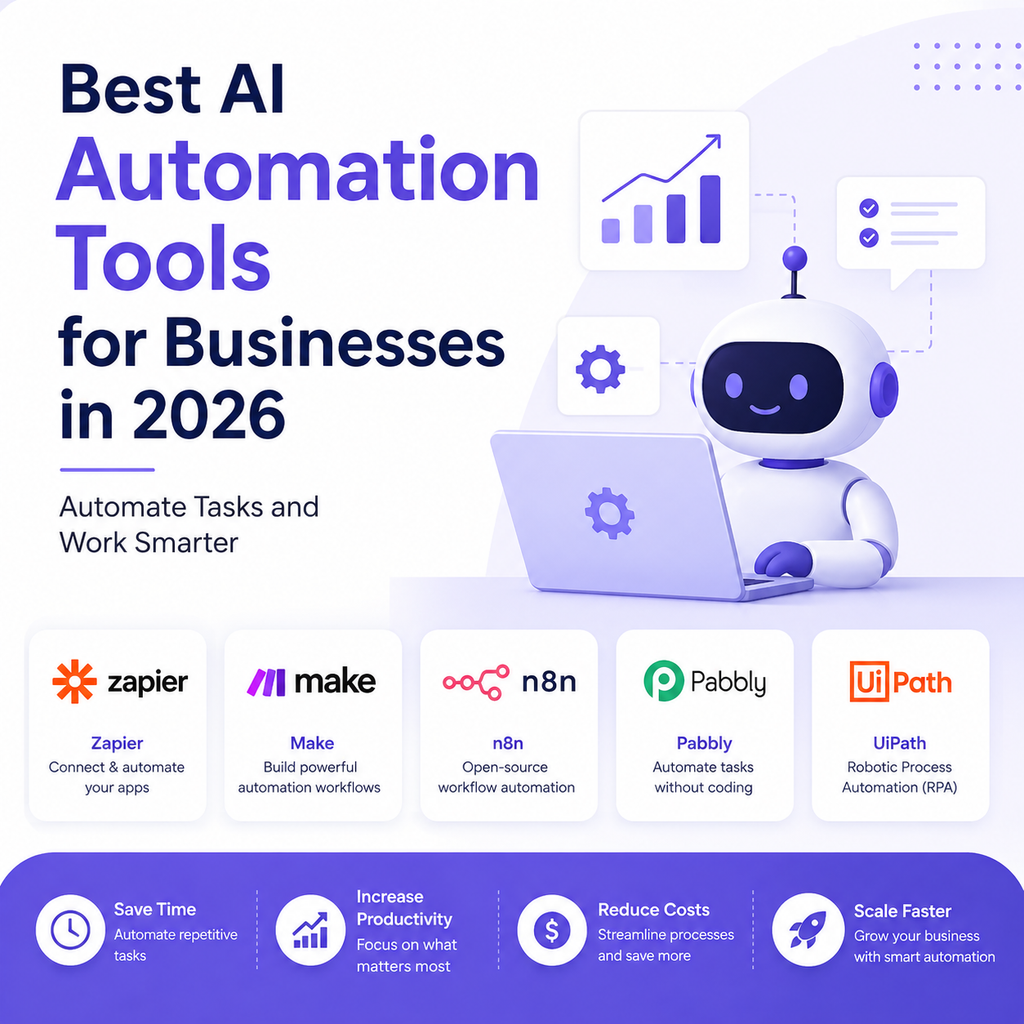
This is where AI business automation tools can help.
Modern AI platforms can automate workflows, analyze information, generate content, qualify leads, respond to customers, organize data, summarize meetings, and connect different business applications.
In 2026, businesses are moving beyond simple automation toward AI-powered workflows and AI agents that can understand requests, make decisions within defined rules, and complete multiple steps.
But which tools are actually worth using?
This guide covers the 15 best AI tools to automate business tasks in 2026, what each tool can automate, who should use it, and how to choose the right automation platform for your business.
Which AI Tools Can Automate Business Tasks?
The best AI automation tool depends on the task you want to automate.
| AI Tool | Best For | Business Tasks It Can Automate |
|---|---|---|
| Zapier | Workflow automation | App connections, data transfer, notifications |
| Make | Advanced workflows | Multi-step business processes |
| HubSpot | Sales & marketing | Leads, CRM, emails & marketing |
| Salesforce Agentforce | Enterprise automation | CRM & customer workflows |
| Microsoft Copilot | Office productivity | Documents, email & business tasks |
| Google Gemini | Google Workspace | Research, writing & productivity |
| ChatGPT | General AI automation | Research, content & analysis |
| ClickUp AI | Project management | Tasks, documents & workflows |
| Notion AI | Knowledge management | Notes, documents & organization |
| UiPath | Enterprise automation | Repetitive digital processes |
| n8n | Custom automation | Developer-focused workflows |
| Power Automate | Microsoft workflows | Business process automation |
| Gorgias AI | Ecommerce support | Customer service & order queries |
| Intercom Fin | Customer support | AI support conversations |
| Mailchimp | Email marketing | Campaigns & customer communication |
For most small businesses, Zapier, Make, HubSpot, Microsoft Copilot, ChatGPT, and Google Gemini are good places to start.
For larger organizations, platforms such as Salesforce Agentforce, UiPath, and Microsoft Power Automate can support more complex workflows.
What Is AI Business Automation?
AI business automation means using artificial intelligence to perform or assist with business processes that would otherwise require manual work.
Traditional automation follows predefined rules.
For example:
New form submission → Send email
AI-powered automation can be more flexible.
For example:
New lead → AI analyzes lead information → determines lead category → updates CRM → drafts personalized email → assigns follow-up task
The AI can interpret information and make decisions within the rules and permissions provided by the business.
Traditional Automation vs AI Automation
Traditional automation generally works best when the process is predictable.
AI automation is useful when the process involves:
- Text
- Documents
- Natural-language requests
- Unstructured information
- Classification
- Summarization
- Content generation
- Decision support
The strongest business workflows often combine both.
Why Should Businesses Automate Tasks With AI?
AI automation can help businesses reduce repetitive work and improve operational efficiency.
Save Employee Time
AI can take care of repetitive activities so employees can focus on more valuable work.
Reduce Manual Data Entry
Automated workflows can transfer information between applications.
Respond Faster
AI can respond to certain customer and employee requests immediately.
Reduce Operational Costs
Automation can reduce the amount of manual effort required for repetitive processes.
Improve Consistency
Automated workflows can follow predefined processes consistently.
Scale Operations
Businesses can potentially handle higher workloads without increasing manual effort at exactly the same rate.
15 Best AI Tools to Automate Business Tasks in 2026
1. Zapier — Best Overall for Business Automation
Zapier is one of the most popular platforms for connecting different business applications.
It allows businesses to create automated workflows between thousands of applications.
What Can Zapier Automate?
Examples include:
- New lead → CRM
- New form → email
- New customer → spreadsheet
- New sale → notification
- New support ticket → team message
- New email → task creation
Best For
- Small businesses
- Entrepreneurs
- Marketing teams
- Sales teams
- Operations
Why Choose Zapier?
Its biggest advantage is accessibility.
You can automate many workflows without building custom software.
2. Make — Best for Advanced Workflow Automation
Make is designed for businesses that need more visual and complex workflows.
What Can Make Automate?
A workflow could look like:
Website form → AI analysis → CRM → database → email → Slack notification
Best For
- Growing businesses
- Agencies
- Operations teams
- Advanced automation users
Why Choose Make?
It provides more granular control over complex workflows and conditional logic.
3. HubSpot — Best for Sales and Marketing Automation
HubSpot combines CRM, marketing, sales, customer service, and automation.
What Can HubSpot Automate?
- Lead capture
- Lead qualification
- Email sequences
- CRM updates
- Marketing campaigns
- Customer segmentation
- Follow-ups
- Sales workflows
Best For
- Small businesses
- Startups
- Growing companies
- Sales teams
- Marketing teams
Why Choose HubSpot?
It is particularly useful when sales and marketing automation need to work from the same customer database.
4. Salesforce Agentforce — Best for Enterprise AI Agents
Salesforce Agentforce is designed to bring AI agents into enterprise CRM and business workflows.
What Can It Automate?
Depending on configuration and permissions, AI agents can assist with:
- Lead management
- Customer service
- Case handling
- CRM tasks
- Customer interactions
- Workflow execution
Best For
- Enterprise companies
- Large sales organizations
- Salesforce customers
Why Choose Agentforce?
Businesses already using Salesforce can integrate AI into existing CRM workflows rather than building an entirely separate system.
5. Microsoft Copilot — Best for Microsoft 365 Automation
Microsoft Copilot can assist businesses using Microsoft’s productivity ecosystem.
What Can It Automate?
Depending on the Microsoft product and configuration, it can assist with:
- Emails
- Documents
- Presentations
- Meetings
- Data analysis
- Business workflows
Best For
- Microsoft 365 users
- Corporate teams
- Business professionals
Why Choose Copilot?
If your business already uses Word, Excel, Outlook, Teams, and other Microsoft products, AI assistance can fit naturally into existing workflows.
6. Google Gemini — Best for Google Workspace Automation
Google Gemini can assist businesses using Google’s productivity ecosystem.
What Can Gemini Help With?
- Email drafting
- Document creation
- Research
- Spreadsheet analysis
- Summaries
- Brainstorming
- Productivity workflows
Best For
- Google Workspace users
- Small businesses
- Startups
- Marketing teams
Why Choose Gemini?
It can be particularly useful when your company already operates heavily inside Gmail, Docs, Sheets, and Drive.
7. ChatGPT — Best for Flexible AI Task Automation
ChatGPT can assist with a wide variety of business tasks.
What Can ChatGPT Help Automate?
Depending on your setup and integrations, it can help with:
- Research
- Content creation
- Data analysis
- Email drafting
- Document processing
- Customer responses
- Business brainstorming
- Workflow assistance
Best For
- Entrepreneurs
- Small businesses
- Marketing teams
- Consultants
- Content teams
Why Choose ChatGPT?
Its flexibility makes it useful across many different departments rather than being limited to one business function.
8. ClickUp AI — Best for Project and Task Automation
ClickUp combines project management with AI capabilities.
What Can ClickUp AI Help Automate?
- Task creation
- Project summaries
- Meeting notes
- Documentation
- Status updates
- Task descriptions
- Project workflows
Best For
- Agencies
- Startups
- Project teams
- Remote businesses
Why Choose ClickUp AI?
It can reduce the administrative work associated with project management.
9. Notion AI — Best for Knowledge and Documentation
Notion provides a workspace for documents, databases, projects, and company information.
What Can Notion AI Help Automate?
- Meeting summaries
- Document drafting
- Knowledge organization
- Content planning
- Information retrieval
- Task organization
Best For
- Startups
- Small teams
- Remote companies
- Entrepreneurs
Why Choose Notion AI?
It can help businesses keep important information organized while using AI to summarize and work with that information.
10. UiPath — Best for Enterprise Process Automation
UiPath is focused on enterprise automation and robotic process automation.
It can help businesses automate repetitive digital processes across applications.
What Can UiPath Automate?
Depending on implementation:
- Data entry
- Document processing
- Business workflows
- Data extraction
- Repetitive application tasks
- Administrative processes
Best For
- Large organizations
- Operations teams
- Finance departments
- Enterprise environments
Why Choose UiPath?
It is designed for organizations that need structured and scalable automation across complex business environments.
11. n8n — Best for Custom AI Workflows
n8n is a workflow automation platform that is particularly attractive to technical users.
What Can n8n Automate?
- API workflows
- Data processing
- AI workflows
- CRM automation
- Notifications
- Database processes
- Custom integrations
Best For
- Developers
- Technical teams
- Startups
- Businesses requiring customization
Why Choose n8n?
It provides greater flexibility for organizations that want to build customized automation rather than relying entirely on pre-built workflows.
12. Microsoft Power Automate — Best for Microsoft-Based Businesses
Power Automate helps organizations automate business processes across Microsoft’s ecosystem and connected services.
What Can Power Automate Automate?
- Approvals
- Notifications
- Data movement
- Documents
- Business workflows
- Repetitive office tasks
Best For
- Microsoft 365 organizations
- Enterprise teams
- Operations departments
Why Choose Power Automate?
Businesses already using Microsoft’s ecosystem may find it easier to build automation without introducing an entirely new platform.
13. Gorgias AI — Best for Ecommerce Automation
Gorgias is designed for ecommerce customer service.
What Can Gorgias AI Automate?
Depending on integrations and configuration:
- Order questions
- Product questions
- Shipping questions
- Returns
- Customer support conversations
Best For
- Shopify businesses
- Ecommerce stores
- Direct-to-consumer brands
Why Choose Gorgias?
It focuses heavily on ecommerce support workflows, making it useful for online stores that receive large volumes of repetitive customer questions.
14. Intercom Fin — Best for Customer Support Automation
Intercom Fin is an AI customer service agent designed to help automate customer conversations.
What Can Fin Help Automate?
- Customer questions
- FAQ responses
- Support conversations
- Knowledge-base answers
- Customer routing
- Human escalation
Best For
- SaaS businesses
- Technology companies
- Digital businesses
- Customer support teams
Why Choose Intercom Fin?
It is particularly useful for businesses that want AI to handle routine customer conversations while escalating more complicated issues to human agents.
15. Mailchimp — Best for Email Marketing Automation
Mailchimp can help businesses automate customer email communication.
What Can Mailchimp Automate?
- Welcome emails
- Promotional campaigns
- Customer segmentation
- Follow-ups
- Customer journeys
- Email notifications
Best For
- Small businesses
- Ecommerce
- Online businesses
- Startups
Why Choose Mailchimp?
It can help businesses maintain customer communication without manually sending every email.
Which Business Tasks Can AI Automate?
AI can automate or assist with a wide variety of business processes.
Sales Tasks
Lead Qualification
AI can evaluate incoming leads according to predefined criteria.
Prospect Research
AI can summarize information about potential customers.
Sales Follow-Ups
AI can draft personalized follow-up emails and create reminders.
CRM Updates
Automation can transfer information into CRM systems.
Marketing Tasks
Content Creation
AI can generate first drafts for blogs, social media, email campaigns, and advertisements.
Social Media
AI can help create content calendars, captions, and variations.
Email Marketing
AI can assist with customer segmentation and campaign content.
SEO
AI can assist with keyword research, content planning, and optimization.
Customer Service Tasks
FAQ Responses
AI can answer common customer questions using approved information.
Ticket Classification
AI can categorize and route support requests.
Conversation Summaries
AI can summarize customer conversations for human agents.
Customer Escalation
AI can identify situations that require human attention based on configured rules.
Administrative Tasks
Data Entry
AI and automation can extract information from documents and move it into business systems.
Document Processing
AI can summarize and classify documents.
Meeting Notes
AI can turn meetings into transcripts, summaries, and action items.
Report Creation
AI can help compile and summarize recurring business reports.
Finance and Operations
Invoice Processing
AI-powered systems can assist with extracting and organizing invoice information.
Expense Management
AI can help categorize transactions and identify unusual entries.
Business Reporting
AI can summarize operational and financial information.
Important financial decisions should still receive appropriate human review.
What Business Tasks Should You Not Fully Automate?
AI automation is powerful, but not every task should be handed over completely.
Important Financial Decisions
AI can assist with analysis, but significant financial decisions require appropriate human oversight.
Legal Decisions
Legal matters should receive qualified professional review where necessary.
Sensitive Employee Decisions
Hiring, termination, compensation, and other high-impact employment decisions require careful human involvement.
Complex Customer Complaints
Customers with sensitive or emotionally difficult issues often need human communication.
Strategic Business Decisions
AI can provide analysis and options, but business owners should remain responsible for strategic decisions.
How to Identify the Best Tasks for AI Automation
A simple framework can help you decide what to automate.
Look for Repetitive Tasks
If employees perform the same activity every day, it may be a strong candidate.
Look for High-Volume Tasks
Processes involving hundreds or thousands of records can benefit from automation.
Look for Rule-Based Processes
Tasks with clear rules are easier to automate reliably.
Look for Time-Consuming Work
If employees spend hours on a low-value process, automation may produce significant savings.
Look for Measurable Results
Choose workflows where you can measure improvement.
AI Automation Examples for Small Businesses
A small business could automate a lead-management workflow.
Example 1: Lead Automation
Website form → AI qualification → CRM → personalized email → sales notification
Example 2: Customer Support
Customer question → AI response → unresolved issue → human agent
Example 3: Content Marketing
Topic → AI research → content draft → human review → social media content
Example 4: Invoice Processing
Invoice received → information extracted → accounting system → approval request
Example 5: Meeting Management
Meeting → transcription → AI summary → action items → task assignment
AI Automation for Ecommerce Businesses
Ecommerce businesses have many repetitive processes that can potentially be automated.
Common Ecommerce Automation Tasks
- Order notifications
- Customer questions
- Product descriptions
- Email campaigns
- Abandoned-cart campaigns
- Customer segmentation
- Review requests
- Support ticket routing
Example Ecommerce Workflow
New order → CRM update → customer email → fulfillment notification → post-purchase campaign
The exact workflow depends on the ecommerce platform and integrations available.
AI Automation for Marketing Agencies
Agencies can use AI automation to reduce repetitive client work.
Common Agency Workflows
- Client reporting
- Content creation
- Social media scheduling
- Lead management
- Meeting summaries
- Project updates
- Proposal drafts
Example
Client data → automated analysis → report draft → human review → client delivery
This allows employees to spend more time on strategy and client relationships.
AI Automation for Sales Teams
Sales teams can automate parts of the sales process.
Lead Workflow
New lead → enrichment → AI scoring → CRM → personalized outreach → follow-up
Meeting Workflow
Sales call → transcript → summary → CRM update → follow-up email
Benefits
This can reduce administrative work and allow salespeople to focus more on customer conversations.
AI Automation for Customer Service
Customer service is one of the most practical areas for AI automation.
Common Support Workflow
Customer question → AI identifies intent → knowledge retrieval → response → human escalation if needed
What Should AI Handle?
Good candidates include:
- FAQs
- Order status
- Business hours
- Product information
- Basic troubleshooting
- Simple account questions
More complicated cases should be escalated to humans.
AI Automation vs Traditional Automation
Both approaches have a place in modern business.
Traditional Automation
Traditional automation works well when:
- Rules are predictable
- Data is structured
- Processes rarely change
- Exact conditions can be defined
AI Automation
AI automation is useful when:
- Information is unstructured
- Text needs to be understood
- Documents need to be summarized
- Classification is required
- Natural language is involved
- Content needs to be generated
Best Approach
Many businesses should combine both.
Traditional automation handles predictable steps + AI handles unstructured information.
How to Choose the Right AI Automation Tool
Choosing the right platform requires more than comparing feature lists.
Check Integrations
Make sure the platform works with the software your business already uses.
Consider Ease of Use
A tool should be usable by the people responsible for managing your workflows.
Evaluate AI Capabilities
Determine whether you need:
- AI generation
- AI classification
- AI agents
- Document processing
- Data analysis
- Natural-language workflows
Check Security
Understand how the platform handles:
- Business information
- Customer data
- Employee data
- Access permissions
- Data retention
Calculate Total Cost
Consider:
Subscription + usage + integrations + implementation + maintenance + human review
Consider Scalability
Choose software that can handle your expected growth.
How to Start Automating Business Tasks With AI
You do not need to automate your entire business immediately.
Step 1: List Repetitive Tasks
Write down everything your team does repeatedly.
Step 2: Estimate Time Spent
Identify which tasks consume the most employee hours.
Step 3: Choose One Workflow
Start with one process that is easy to measure.
Step 4: Select an AI Tool
Choose a platform based on the workflow.
Step 5: Build the Automation
Create the workflow and define what AI can and cannot do.
Step 6: Add Human Review
Keep humans involved in important decisions and customer-facing situations where appropriate.
Step 7: Measure Results
Track:
- Time saved
- Cost reduction
- Errors
- Completion rate
- Customer satisfaction
- Employee productivity
Step 8: Expand Gradually
Once the first workflow works reliably, automate another process.
Common AI Automation Mistakes
Automating Everything
Not every task should be automated.
Choosing Tools Before Problems
Start with the business problem, not the software.
Using Too Many Platforms
Too many tools can create complexity.
Ignoring Human Oversight
AI outputs should be reviewed when accuracy or business impact is important.
Poor Data Quality
Incorrect or outdated information can produce poor AI results.
No Performance Measurement
If you do not measure the results, you cannot determine whether automation is actually helping.
How Much Can AI Automation Save a Business?
There is no universal number.
The potential savings depend on:
- Number of employees
- Task frequency
- Task complexity
- Automation quality
- Software costs
- Human review requirements
For example, if an employee spends five hours every week on a repetitive task and automation reduces that workload to one hour, the business saves approximately four hours per week.
Multiply that across several employees and workflows, and the productivity impact can become significant.
Frequently Asked Questions About AI Business Automation
Which AI tools can automate business tasks?
Popular options include Zapier, Make, HubSpot, Salesforce Agentforce, Microsoft Copilot, Google Gemini, ChatGPT, ClickUp AI, Notion AI, UiPath, n8n, Power Automate, Gorgias AI, Intercom Fin, and Mailchimp.
What is the best AI automation tool for small businesses?
Zapier and Make are strong options for general workflow automation. HubSpot can be useful for sales and marketing automation, while ChatGPT and Gemini can assist with a wide variety of business tasks.
Can AI automate repetitive business tasks?
Yes. AI can automate or assist with tasks such as data entry, email drafting, lead qualification, customer support, document processing, meeting summaries, reporting, and content creation.
What is the difference between AI automation and traditional automation?
Traditional automation generally follows predefined rules. AI automation can interpret text, documents, natural-language requests, and other less-structured information, allowing it to handle more flexible workflows.
Can AI automate a whole business?
AI can automate many individual workflows, but completely automating an entire business is generally neither practical nor desirable. Businesses still need humans for leadership, strategy, relationships, accountability, and complex decisions.
Is AI automation expensive?
Costs vary significantly. Some tools offer free or low-cost plans, while enterprise platforms can cost substantially more. The best approach is to calculate the expected time savings and business value before investing.
What business tasks should I automate first?
Start with repetitive, high-volume, time-consuming tasks that have clear rules and measurable outcomes.
Can AI automation replace employees?
AI can automate certain tasks that employees currently perform, but many businesses use automation to augment employees rather than replace them. The strongest use cases often remove repetitive work and allow employees to focus on higher-value activities.
How do I calculate AI automation ROI?
A simple formula is:
AI Automation ROI = (Time Savings + Cost Savings + Additional Revenue − AI Costs) ÷ AI Costs × 100
Use actual business data whenever possible.
Final Verdict: Which AI Tools Are Best for Business Automation?
The best AI automation tool depends on what you want to automate.
Zapier is an excellent choice for overall workflow automation, connecting apps and automating repetitive business tasks.
Make stands out when you need complex visual workflows with greater control over how automations operate.
HubSpot brings sales, marketing, CRM, and automation together, making it a strong option for growing businesses.
Salesforce Agentforce focuses on enterprise-level AI agents that can support sophisticated CRM and business processes.
Microsoft Copilot and Power Automate work particularly well for organizations already using Microsoft products and services.
Gemini integrates naturally with Google Workspace, helping teams automate and streamline everyday productivity tasks.
ChatGPT offers a flexible AI assistant for content, research, brainstorming, analysis, and many other business workflows.
ClickUp AI can automate and simplify project management, task organization, team collaboration, and productivity workflows.
Notion AI is useful for knowledge management, document organization, internal information, and team workflows.
UiPath provides powerful enterprise process automation for organizations handling large-scale and repetitive business operations.
n8n gives technical teams a highly customizable way to build and control AI-powered automation workflows.
Gorgias AI is designed to automate customer support for ecommerce businesses and help teams handle repetitive questions.
Intercom Fin uses AI to automate customer support conversations and resolve common customer requests.
Mailchimp helps businesses automate email campaigns, customer journeys, audience communication, and marketing workflows.
The smartest approach is to start with one repetitive business task, automate it carefully, measure the results, and then expand.
AI automation should not be about removing humans from every process.
It should be about removing unnecessary manual work so your team can spend more time on customers, creativity, strategy, innovation, and growth.