
Updated Best AI Tools for Business Automation
The best AI tools for business automation help companies reduce repetitive work, connect different applications, process information, and create smarter workflows. Businesses can use AI automation to handle tasks such as lead management, customer support, email processing, data entry, marketing, sales follow-ups, document processing, reporting, and internal operations.
AI for business automation helps companies reduce repetitive tasks, streamline workflows, improve productivity, and make everyday operations more efficient. Businesses can use AI to automate lead management, customer support, email processing, data entry, reporting, sales follow-ups, document processing, marketing workflows, and other routine processes. Unlike traditional automation, AI can also analyze text, classify information, summarize documents, generate content, and support more flexible decision-making. From an SEO, GEO, and AEO perspective, content about AI for business automation should clearly explain how these tools work, which business tasks they can automate, and which solutions are best for different needs. By providing direct answers, practical examples, relevant questions, and clear comparisons, businesses can create useful content that is easier for search engines and AI-powered answer platforms to understand and surface.
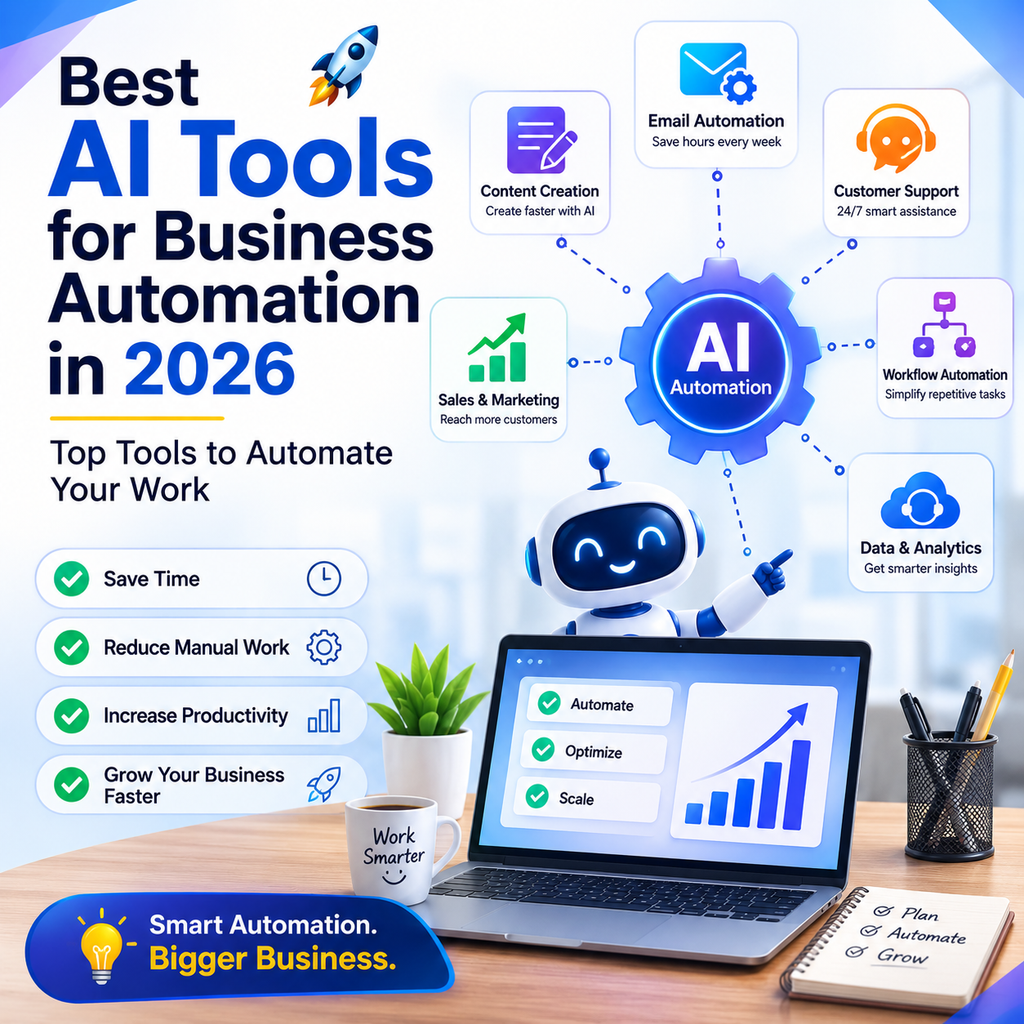
Some automation platforms focus on simplicity, while others are designed for complex workflows, technical teams, enterprise environments, or self-hosted systems. The most popular options in 2026 include Zapier, Make, n8n, Microsoft Power Automate, UiPath, Workato, and other AI-powered automation platforms. Current comparisons show that the right choice depends on factors such as technical skill, integrations, workflow complexity, data requirements, and existing software.
For most businesses, the best approach is:
Identify a repetitive task → automate the workflow → add AI where judgment or content processing is useful → monitor the results.
Which AI Automation Tool Is Best for Business?
There is no single AI automation tool that is best for every business.
Best Overall for Easy Automation
Zapier is a strong choice for businesses that want to connect popular applications and create workflows without extensive technical knowledge. Zapier currently supports more than 9,000 apps and offers AI-powered workflow capabilities.
Best for Visual Complex Workflows
Make is a strong option for businesses that need visual workflow building, branching logic, and more complex automation.
Best for Technical Teams
n8n is a strong choice for technical teams that want advanced workflow control, custom code, AI integrations, or self-hosting.
Best for Microsoft Businesses
Microsoft Power Automate is a natural choice for businesses heavily invested in Microsoft 365 and the Microsoft ecosystem.
Best for Enterprise Automation
Workato is designed for larger organizations that need enterprise workflow orchestration and integrations.
Best for RPA and Legacy Systems
UiPath is useful when businesses need robotic process automation for desktop applications and legacy systems.
Best AI Business Automation Tools at a Glance
| AI Automation Tool | Best For | Ideal User |
|---|---|---|
| Zapier | Easy app automation | Small businesses and beginners |
| Make | Complex visual workflows | Growing businesses |
| n8n | Advanced AI workflows | Technical teams |
| Microsoft Power Automate | Microsoft automation | Microsoft 365 businesses |
| UiPath | RPA and legacy systems | Larger organizations |
| Workato | Enterprise automation | Large businesses |
| HubSpot | Sales and marketing automation | Marketing and sales teams |
| Airtable | Data + workflow automation | Operations teams |
The leading tools serve different purposes, so businesses should select based on their workflow requirements rather than simply choosing the most popular platform.
What Is AI Business Automation?
AI business automation combines traditional workflow automation with artificial intelligence.
Traditional automation generally follows predefined rules:
If X happens → do Y.
AI automation can handle tasks that involve text, documents, classification, summarization, content generation, or more flexible decision-making.
For example:
New customer email → AI identifies the request → classifies it → sends it to the correct department → creates a task.
This makes AI useful for workflows where information is not always structured.
Why Should Businesses Use AI Automation?
Save Time
Automation can reduce the amount of time employees spend on repetitive tasks.
Reduce Manual Data Entry
Instead of copying information between applications, automation can transfer data automatically.
Improve Response Times
AI-powered workflows can process customer enquiries and internal requests faster.
Reduce Human Errors
Automating repetitive data-entry tasks can reduce mistakes caused by manual copying.
Scale Business Operations
Automation allows a business to process more work without increasing every manual step.
Improve Employee Productivity
Employees can spend more time on strategic and creative work instead of repetitive administration.
1. Zapier for Business Automation
Zapier is one of the easiest starting points for businesses that want to connect applications and automate repetitive tasks.
Its workflow model generally works around triggers and actions, while its AI capabilities can be used for tasks such as summarizing, classifying, drafting, and routing information.
Best Uses for Zapier
Businesses can use Zapier for:
- Lead management
- Email automation
- CRM updates
- Customer follow-ups
- Marketing workflows
- Form processing
- Notifications
- Data synchronization
- AI content processing
- Task creation
Example Zapier Workflow
Website form submitted → Create CRM lead → Send notification → Generate follow-up task
Who Should Use Zapier?
Zapier is especially useful for:
- Small businesses
- Freelancers
- Marketing teams
- Agencies
- Startups
- Non-technical users
Why Choose Zapier?
Its major advantage is simplicity and broad app connectivity. Zapier currently describes its platform as connecting 9,000+ apps and supporting no-code, low-code, and more advanced automation options.
2. Make for Business Automation
Make is a visual automation platform designed for workflows that can involve multiple steps, conditions, and branches.
Best Uses for Make
Use Make for:
- Multi-step workflows
- Marketing automation
- Data processing
- CRM workflows
- E-commerce automation
- Lead management
- API-based workflows
- AI content processing
Example Make Workflow
New lead → Check lead source → Analyze lead → Add to CRM → Send personalized email → Notify sales team
Who Should Use Make?
Make is useful for businesses that have outgrown simple one-trigger-one-action workflows and need more visual control over their automation.
Why Choose Make?
Its visual workflow structure makes complex processes easier to map and understand.
3. n8n for Advanced AI Automation
n8n is a strong option for technical teams that need more control over their automation infrastructure.
One of its major advantages is the ability to self-host workflows, which can be important for businesses with specific data-control or technical requirements.
Best Uses for n8n
Use n8n for:
- AI agents
- Complex workflows
- API integrations
- Custom automation
- Data processing
- AI pipelines
- Self-hosted automation
- Developer-focused workflows
Who Should Use n8n?
n8n is best suited to:
- Developers
- Technical teams
- AI engineers
- Startups with technical resources
- Businesses requiring greater infrastructure control
Why Choose n8n?
Its flexibility and self-hosting capabilities make it attractive for advanced automation projects. Current comparisons also highlight its strong AI and agent-oriented workflow capabilities.
4. Microsoft Power Automate
Microsoft Power Automate is a strong option for organizations already using Microsoft products.
Best Uses for Power Automate
Businesses can automate workflows involving:
- Microsoft 365
- Outlook
- Teams
- Excel
- SharePoint
- Power Platform
- Business applications
Example Power Automate Workflow
New Outlook email → Extract information → Update Excel → Notify Teams → Create task
Who Should Use Power Automate?
Power Automate is particularly useful for:
- Microsoft 365 businesses
- Corporate teams
- Operations departments
- IT teams
- Larger organizations
Why Choose Power Automate?
Its biggest advantage is integration with the Microsoft ecosystem. Current automation comparisons consistently identify it as a strong choice for Microsoft-heavy organizations.
5. UiPath for Robotic Process Automation
UiPath focuses heavily on robotic process automation, making it useful for businesses that need software robots to interact with applications and systems.
Best Uses for UiPath
Use it for:
- Data entry
- Legacy software
- Desktop automation
- Document processing
- Repetitive office tasks
- Enterprise RPA
Who Should Use UiPath?
UiPath is more suitable for organizations with complex processes, legacy systems, or large-scale automation requirements.
6. Workato for Enterprise Automation
Workato is designed for enterprise integration and workflow orchestration.
Best Uses for Workato
Businesses can use it for:
- Enterprise integrations
- Business process automation
- Data workflows
- Application integration
- Cross-department automation
Who Should Use Workato?
It is primarily suited to larger organizations with complex technology environments and enterprise automation requirements.
7. HubSpot for Sales and Marketing Automation
Businesses that need sales and marketing automation can use CRM platforms with AI capabilities.
Best Uses
AI-powered CRM workflows can help with:
- Lead management
- Customer follow-ups
- Email marketing
- Sales workflows
- Customer segmentation
- Marketing campaigns
Who Should Use It?
HubSpot can be useful for businesses that want marketing, sales, and customer-management workflows in one platform.
8. Airtable for Data and Workflow Automation
Airtable combines databases, business information, interfaces, and automation.
Best Uses
Use it for:
- Content calendars
- Inventory tracking
- Project management
- Lead tracking
- Business databases
- Internal workflows
Who Should Use Airtable?
Airtable can be useful for operations teams that want structured business data combined with flexible workflows.
Best AI Automation Tools by Business Need
Best AI Tool for Small Business Automation
Zapier
Zapier is a strong starting point because it is designed to connect common business applications and can be used without extensive programming.
Best AI Tool for Complex Automation
Make
Choose Make when your workflow needs multiple branches, conditions, transformations, and visual process control.
Best AI Tool for Developers
n8n
Choose n8n when you need custom logic, advanced AI workflows, APIs, or self-hosting.
Best AI Tool for Microsoft Businesses
Power Automate
Choose Power Automate when Microsoft 365 is already central to your business operations.
Best AI Tool for Enterprise Automation
Workato
Consider Workato for large organizations with complex integration and governance requirements.
Best AI Tool for RPA
UiPath
Choose UiPath when automation needs to interact with desktop applications or legacy systems.
Best AI Tool for Sales Automation
HubSpot
A CRM-centered automation platform can be useful when your main goal is managing leads, sales processes, and customer relationships.
Zapier vs Make vs n8n vs Power Automate
| Feature | Zapier | Make | n8n | Power Automate |
|---|---|---|---|---|
| Ease of use | Excellent | Very good | Moderate | Good |
| Beginner friendly | Excellent | Very good | Moderate | Good |
| Complex workflows | Good | Excellent | Excellent | Excellent |
| AI workflows | Excellent | Very good | Excellent | Excellent |
| Self-hosting | No | No | Yes | No |
| Microsoft ecosystem | Good | Good | Good | Excellent |
| Visual workflow builder | Yes | Yes | Yes | Yes |
| Custom development | Limited | Moderate | Excellent | Excellent |
| Best for small business | Excellent | Excellent | Moderate | Good |
| Best for technical teams | Good | Very good | Excellent | Excellent |
The table is a practical positioning guide rather than a universal ranking. Features and plans can change, so businesses should verify current capabilities before purchasing.
How to Choose the Best AI Automation Tool for Your Business
Start With the Problem
Do not start by choosing an automation platform.
Start by identifying the repetitive process you want to eliminate.
For example:
- Copying leads into a CRM
- Sending repetitive emails
- Creating reports
- Updating spreadsheets
- Assigning customer enquiries
- Moving files
- Generating routine documents
Map the Workflow
Write down:
Trigger → Actions → Conditions → Output
For example:
New enquiry → Read message → Classify enquiry → Assign team → Send response
Choose the Right Level of Complexity
If your workflow is simple, use a beginner-friendly tool.
If you need complex logic, consider Make or n8n.
And your organization uses Microsoft 365 extensively, consider Power Automate.
Check App Integrations
Before choosing a platform, check whether it supports the applications your business already uses.
Consider Data Security
Business automation may involve customer information, financial data, internal documents, or confidential information.
Check:
- Data handling
- Access controls
- User permissions
- Compliance requirements
- Data storage
- Integration permissions
Calculate the ROI
Compare:
Cost of automation vs. time saved + errors reduced + business value created
Do not automate a process simply because you can.
Automate it because it creates measurable value.
How AI Automation Works
A typical AI-powered business workflow looks like this:
Step 1: Trigger
Something happens.
Example:
Customer submits a form.
Step 2: Collect Information
The automation retrieves relevant information.
Step 3: AI Processing
AI can:
- Classify
- Summarize
- Extract
- Generate
- Analyze
- Categorize
Step 4: Apply Business Rules
The workflow decides what should happen next.
Step 5: Take Action
The system can:
- Send an email
- Update a CRM
- Create a task
- Notify an employee
- Add information to a database
Step 6: Human Review
Important decisions can be routed to a person before final action.
Step 7: Track Results
Monitor the workflow for errors, delays, and business outcomes.
Best AI Automation Examples for Businesses
Lead Generation Automation
Website form → AI qualifies lead → CRM → Sales notification → Follow-up
Customer Support Automation
Customer email → AI classifies request → Knowledge search → Draft response → Human approval
Marketing Automation
New blog → AI creates social captions → Content review → Social scheduling
Invoice Automation
Invoice received → Extract data → Validate → Accounting system → Approval
HR Automation
New employee → Create onboarding tasks → Send documents → Notify manager → Schedule training
Meeting Automation
Meeting → Transcription → AI summary → Action items → Task management system
AI Business Automation for Small Businesses
Small businesses can benefit significantly from automation because owners and small teams often handle many repetitive tasks themselves.
Automate Customer Enquiries
Create automated workflows for common questions.
Automate Lead Follow-Ups
When a new lead arrives, automatically create a follow-up task or send an approved message.
Automate Marketing
Turn one piece of content into multiple marketing assets.
Automate Reports
Collect information from different sources and create recurring reports.
Automate Data Entry
Move information automatically between forms, spreadsheets, CRMs, and other systems.
AI Business Automation for Indian Businesses
AI automation can be useful for Indian small businesses, startups, agencies, and service providers.
Automate WhatsApp-Related Workflows
Businesses can connect appropriate business messaging solutions to automation workflows for customer enquiries, notifications, and follow-ups.
Automate Lead Management
For example:
Website enquiry → CRM → Sales notification → Follow-up
Automate E-commerce Operations
AI automation can assist with:
- Order notifications
- Customer communication
- Product information
- Inventory workflows
- Support requests
Automate Marketing
Businesses can create workflows for:
- Social media content
- Email campaigns
- Customer segmentation
- Lead nurturing
- Reporting
For Indian businesses, it is important to check whether the automation platform supports the specific applications and services you already use.
GEO and AEO for AI Business Automation Content
If you are creating content about business automation, your page should answer questions directly and clearly.
What Is the Best AI Tool for Business Automation?
Zapier is a strong option for simple, app-based business automation, while Make is useful for complex visual workflows, n8n for technical and self-hosted automation, and Power Automate for Microsoft-heavy businesses.
What Is the Best AI Automation Tool for Small Businesses?
Zapier is a strong starting point for many small businesses because it is relatively easy to use and connects a large number of business applications.
What Is the Best AI Automation Tool for Developers?
n8n is a strong option for developers and technical teams that need custom logic, advanced AI workflows, APIs, and self-hosting.
What Is the Best Automation Tool for Microsoft 365?
Microsoft Power Automate is the natural choice for businesses that rely heavily on Microsoft 365 and related Microsoft services.
What Is the Best AI Automation Tool for Complex Workflows?
Make and n8n are strong options for complex workflows. The better choice depends on whether you prioritize visual workflow building, technical flexibility, or self-hosting.
Best AI Automation Prompts
Business Automation Audit Prompt
“Analyze my business process and identify repetitive tasks that could potentially be automated. Group the opportunities into sales, marketing, customer service, finance, HR, and operations.”
Workflow Design Prompt
“Design an automation workflow for [process]. Identify the trigger, required data, AI steps, business rules, actions, human approval points, and possible failure points.”
Lead Automation Prompt
“Create a workflow for handling new leads. The workflow should capture the lead, classify the lead based on available information, update the CRM, notify the sales team, and create a follow-up task.”
Customer Support Prompt
“Design an AI-assisted customer support workflow that classifies incoming enquiries, identifies common questions, drafts responses, and routes complex cases to a human employee.”
Marketing Automation Prompt
“Create an automated marketing workflow that turns one blog article into social media posts, email content, short-video ideas, and a content calendar while keeping human approval before publishing.”
Common Business Automation Mistakes
Automating Everything
Not every process should be automated.
Automating a Bad Process
First improve the workflow, then automate it.
Using AI Where Rules Are Better
Simple deterministic tasks often do not need AI.
Removing Human Oversight
High-impact decisions should have appropriate human review.
Ignoring Errors
Every automation needs monitoring and error handling.
Choosing Tools Based Only on Popularity
The most popular tool may not be the best fit for your workflow.
Forgetting Maintenance
APIs, applications, permissions, and business processes can change.
Automation should be reviewed regularly.
How to Measure AI Automation ROI
Time Saved
Measure how many hours employees save each month.
Error Reduction
Track whether manual mistakes decrease.
Faster Response Times
Measure customer or lead response times.
Increased Capacity
Determine whether your team can handle more work without adding equivalent manual effort.
Cost Savings
Compare automation costs with the labor and operational costs avoided.
Revenue Impact
For sales and marketing workflows, track whether automation improves conversion rates or revenue.
Frequently Asked Questions About AI Business Automation
What is the best AI tool for business automation?
There is no universal winner. Zapier is a strong choice for easy app-based automation, Make for complex visual workflows, n8n for technical and self-hosted automation, and Power Automate for Microsoft-heavy organizations.
What is the best AI automation tool for small businesses?
Zapier is a strong starting point for many small businesses because it is designed for relatively simple workflow creation and connects with a large number of applications.
Is Zapier an AI automation tool?
Yes. Zapier supports AI-powered workflow capabilities in addition to traditional trigger-and-action automation. It can connect AI models and use AI steps for tasks such as summarization, classification, drafting, and decision support.
Is Make better than Zapier?
Not necessarily. Make can be better for complex visual workflows and branching logic, while Zapier is often easier for beginners and businesses that prioritize quick setup.
Is n8n better than Zapier?
It depends on your needs. n8n is better suited to technical teams that need self-hosting, custom development, or advanced AI workflows. Zapier is generally easier for non-technical users.
Is Power Automate good for business automation?
Yes. Power Automate is particularly useful for businesses already using Microsoft 365 and Microsoft’s broader business ecosystem.
Can AI automate customer service?
Yes. AI can classify customer requests, search approved information, draft responses, summarize conversations, and route complex issues to employees.
Can AI automate sales?
Yes. AI automation can help capture leads, qualify information, update CRM records, generate follow-up drafts, and create sales tasks.
Can AI automate marketing?
Yes. AI can help automate content workflows, lead nurturing, email marketing, campaign processes, reporting, and content repurposing.
Can AI replace business employees?
AI can automate certain repetitive tasks, but it should not automatically be treated as a replacement for employees. Human judgment, creativity, accountability, relationships, and oversight remain important.
How do I start automating my business?
Choose one repetitive process that happens frequently. Document the current workflow, select an appropriate automation platform, build a small test workflow, monitor it, and expand only after it works reliably.
Final Verdict: What Are the Best AI Tools for Business Automation?
The best AI automation tool depends on the type and complexity of your business workflows.
Best Overall for Beginners
Zapier
A strong option for businesses that want simple, fast, app-based automation.
Best for Visual Complex Workflows
Make
A good choice for businesses that need branching logic and more detailed visual workflow design.
Best for Technical Teams
n8n
A strong choice for developers and businesses that need advanced AI workflows, custom logic, or self-hosting.
Best for Microsoft Businesses
Microsoft Power Automate
A natural fit for organizations deeply invested in Microsoft 365.
Best for Enterprise Automation
Workato
Designed for larger organizations with complex integration and orchestration requirements.
Best for RPA
UiPath
A strong choice for businesses that need robotic automation involving desktop applications and legacy systems.
The smartest automation strategy is not to automate everything.
Instead:
Find repetitive work → simplify the process → choose the right tool → add AI where it helps → keep human oversight where necessary → measure the results.
For most small and medium-sized businesses, starting with one high-value workflow is better than trying to automate the entire company at once.
AI automation should ultimately help your business save time, reduce repetitive work, improve customer experiences, and allow your team to focus on higher-value activities.

Umang Pundir
Umang Pundir creates practical and easy-to-understand content about SEO, digital marketing, AI tools, content marketing, social media and online growth strategies.