
Latest AI Tools to Start Using 2026
Artificial intelligence is no longer only for programmers, developers, or technology experts. Today, beginners can use AI tools to write content, generate ideas, create images, summarize information, improve productivity, learn new skills, and complete everyday tasks. The biggest challenge for beginners is usually not finding an AI tool. It is choosing the right tool. There are now hundreds of AI tools available, and trying too many tools at once can be confusing. The best approach is to start with a few easy-to-use AI tools and learn how they can help with real tasks. This guide explains the best AI tools for beginners in 2026, what they do, who they are best for, and how you can start using them.
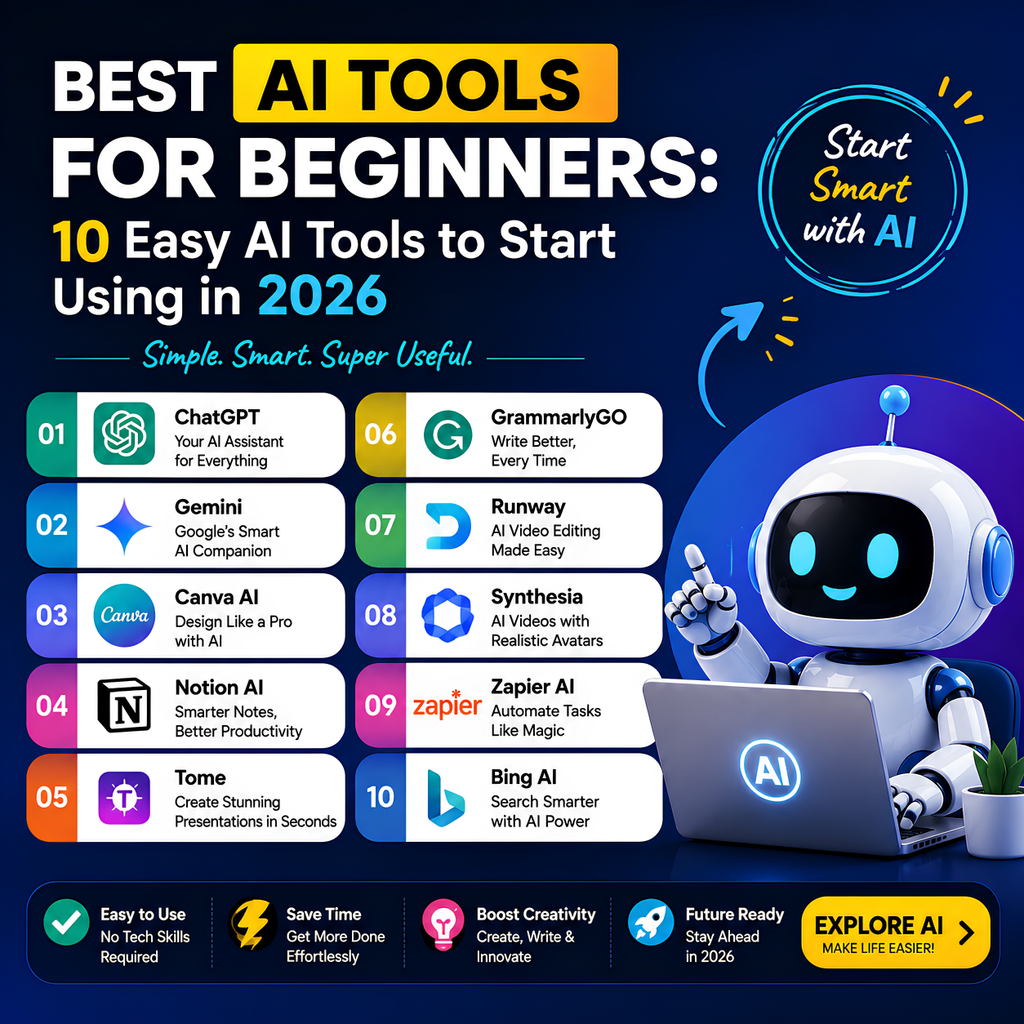
AI tools for beginners make it easier for new users to explore artificial intelligence without needing advanced technical knowledge. From AI writing and research to image creation, productivity, marketing, and everyday tasks, beginner-friendly AI tools can save time and help users work more efficiently. Popular options such as ChatGPT, Gemini, Claude, and other easy-to-use AI platforms can help beginners generate ideas, create content, answer questions, summarize information, and automate simple tasks. If you are new to artificial intelligence, choosing the right AI tools for beginners can help you learn faster, improve productivity, and discover practical ways to use AI for work, study, business, and personal projects.
What Is the Best AI Tool for Beginners?
For most beginners, ChatGPT is one of the easiest AI tools to start with because you can simply type a question or instruction in natural language.
Google Gemini is also a strong choice for beginners, especially for people who already use Google products.
Claude is another useful AI assistant for writing, analysis, learning, and longer conversations.
The best AI tool depends on what you want to do.
- ChatGPT: Best overall for beginners
- Gemini: Best for Google users
- Claude: Best for writing and detailed analysis
- Canva: Best for beginners who want to create designs
- Grammarly: Best for improving writing
OpenAI describes ChatGPT as an AI assistant that can help with tasks such as brainstorming, writing, studying, planning, mathematics, coding, and more. Beginners can start by simply entering a prompt and refining the response through follow-up questions.
What Is an AI Tool?
An AI tool is software that uses artificial intelligence to help users perform tasks.
Depending on the tool, AI can help you:
- Write content
- Answer questions
- Generate ideas
- Create images
- Summarize information
- Improve grammar
- Analyze files
- Plan projects
- Learn new subjects
- Create presentations
Many modern AI tools are designed so beginners can use them without learning programming or coding.
In many cases, you simply explain what you need.
For example:
Explain artificial intelligence in simple language.
or:
Create a weekly study plan for me.
The AI uses your instructions to generate a response.
Why Should Beginners Learn AI Tools?
AI tools can help beginners work more efficiently and learn new skills.
Save Time
AI can help with repetitive tasks such as:
- Writing first drafts
- Summarizing information
- Organizing notes
- Brainstorming ideas
Improve Productivity
AI can help you organize work and focus on important tasks.
Learn Faster
Beginners can ask AI to explain difficult concepts in simple language.
Improve Creativity
AI can provide multiple ideas when you are unsure how to start.
Develop New Skills
You can use AI to learn topics such as:
- Writing
- Marketing
- Coding
- Design
- Business
- Data analysis
10 Best AI Tools for Beginners
1. ChatGPT – Best Overall AI Tool for Beginners
ChatGPT is one of the easiest AI tools for beginners.
You can use it like a conversation. Simply explain what you need and ask follow-up questions.
What Can Beginners Do With ChatGPT?
- Ask questions
- Write content
- Generate ideas
- Create study notes
- Summarize information
- Improve writing
- Learn new topics
- Create plans
- Analyze information
Example Prompt
Explain digital marketing to me like I am a complete beginner.
Why It Is Good for Beginners
You do not need technical knowledge to start.
You can ask questions using everyday language and refine your request by adding more details.
ChatGPT also supports a wider range of workflows, including writing, file and image work, research-related tools, and image creation, depending on the plan and features available.
Best For
Students, beginners, content creators, freelancers, and everyday users.
2. Google Gemini – Best for Google Users
Google Gemini is another beginner-friendly AI assistant.
It can help users brainstorm ideas, create plans, summarize complex topics, and create first drafts of content.
What Can Beginners Do With Gemini?
- Brainstorm ideas
- Create outlines
- Write drafts
- Summarize topics
- Plan tasks
- Learn new concepts
Example Prompt
Create a simple 7-day plan to help me learn the basics of artificial intelligence.
Google’s Gemini Apps are designed to help users brainstorm, develop plans, understand complex topics, and create first drafts such as outlines, emails, and blog posts.
Best For
Beginners who already use Google products and want an easy AI assistant for everyday tasks.
3. Claude – Best for Writing and Detailed Explanations
Claude is an AI assistant developed by Anthropic.
It can help with:
- Writing
- Analysis
- Learning
- Coding
- Summarizing information
- Explaining complex topics
Example Prompt
Explain this topic step by step and use simple examples so that a beginner can understand it.
Anthropic describes Claude as an AI platform that can assist with language, reasoning, analysis, coding, and visual input. Beginners can communicate with Claude using simple conversational prompts.
Best For
Beginners who want detailed explanations, writing assistance, and help understanding complex information.
4. Canva AI – Best AI Tool for Design Beginners
Canva is useful for people who want to create professional-looking designs without advanced graphic design skills.
Beginners can use Canva for:
- Social media graphics
- Presentations
- Posters
- Website graphics
- Marketing materials
Why Beginners Like It
Canva provides templates and visual tools that make design easier.
AI features can also help users generate ideas and speed up creative work.
Best For
Students, social media creators, marketers, and small businesses.
5. Grammarly – Best AI Tool for Improving Writing
Grammarly can help beginners improve written communication.
It can assist with:
- Grammar
- Spelling
- Clarity
- Tone
- Sentence improvement
Example Use
Before sending an important email, you can use an AI writing assistant to review the text and suggest improvements.
Best For
Students, professionals, writers, and beginners who want clearer writing.
6. Notion AI – Best for Organizing Work and Notes
Notion AI can be useful for beginners who want to organize information.
Potential uses include:
- Notes
- Task planning
- Project organization
- Writing assistance
- Summaries
Example Use
You can organize your work into sections and use AI to help summarize or improve information.
Best For
Students, freelancers, and productivity-focused users.
7. Microsoft Copilot – Best for Everyday Productivity
Microsoft Copilot is designed to help users with AI-powered productivity tasks.
Depending on the product and account, AI assistance can support tasks involving writing, searching, summarization, and productivity workflows.
Best For
Beginners who use Microsoft products and want AI assistance in everyday work.
8. Perplexity – Best for Research and Finding Information
Perplexity is an AI-powered research and answer tool.
It can be useful for:
- Researching topics
- Understanding information
- Finding sources
- Exploring questions
Best For
Students, researchers, writers, and beginners who frequently search for information.
Important Tip
Always review sources and verify important facts, statistics, and claims.
9. Otter.ai – Best for Meeting Notes
AI transcription tools can help convert spoken conversations into written notes.
This can be useful for:
- Meetings
- Interviews
- Lectures
- Discussions
Best For
Students, professionals, and people who regularly attend meetings.
10. Gamma – Best for Creating Presentations
Gamma is designed to help users create presentations and documents.
It can be useful for beginners who want to turn an idea or outline into a structured presentation.
Best For
Students, professionals, marketers, and business users.
Best AI Tools for Beginners by Category
Best AI Tool for Writing
ChatGPT and Claude
Both tools can help beginners write, rewrite, brainstorm, and improve content.
Best AI Tool for Learning
ChatGPT and Gemini
Both can explain difficult topics and help create learning plans.
Best AI Tool for Design
Canva
A beginner-friendly choice for creating graphics and visual content.
Best AI Tool for Research
Perplexity and ChatGPT
Useful for exploring topics and organizing research. Important information should always be verified.
Best AI Tool for Presentations
Gamma and Gemini
These tools can help beginners brainstorm presentation ideas and organize information.
How to Choose the Best AI Tool as a Beginner
Choosing an AI tool becomes easier when you start with your goal.
Ask Yourself These Questions
What Do I Want to Use AI For?
For example:
- Writing
- Learning
- Research
- Design
- Productivity
- Business
How Easy Is the Tool to Use?
As a beginner, choose a tool with a simple interface.
Does the Free Version Meet Your Needs?
Try the free version before paying for advanced features.
Does the Tool Work With Your Existing Workflow?
For example:
- Google users may prefer Gemini.
- Microsoft users may prefer Copilot.
- Content creators may prefer ChatGPT.
- Designers may prefer Canva.
How to Start Using AI Tools as a Beginner
Step 1: Choose One AI Tool
Do not try to learn ten tools at once.
Start with one general AI assistant such as ChatGPT, Gemini, or Claude.
Step 2: Start With Simple Questions
For example:
Explain SEO to me like I am a beginner.
or:
Help me create a daily productivity plan.
Step 3: Learn to Ask Better Questions
The quality of the answer often improves when you provide more context.
Instead of:
Write an article about AI.
Try:
Write a beginner-friendly article about AI tools for students. Use simple language and practical examples.
Step 4: Ask Follow-Up Questions
You can continue the conversation.
For example:
Make it shorter.
Give me examples.
Explain this in simpler language.
Create a step-by-step guide.
Step 5: Verify Important Information
AI can make mistakes.
Always verify:
- Statistics
- Dates
- Financial information
- Medical information
- Legal information
- Important facts
Best AI Prompts for Beginners
Learning Prompt
Explain [topic] in simple language for a complete beginner.
Writing Prompt
Help me write a clear and professional article about [topic].
Productivity Prompt
Create a realistic daily productivity plan based on these tasks: [tasks].
Research Prompt
Explain the important concepts I should understand before learning about [topic].
Brainstorming Prompt
Give me 20 beginner-friendly ideas related to [topic].
Skill Learning Prompt
Create a 30-day learning plan for a beginner who wants to learn [skill].
How to Write Better AI Prompts
A prompt is the instruction you give to an AI tool.
Better prompts usually include more useful context.
Include Your Goal
Tell the AI what you want to achieve.
Example
Help me learn the basics of digital marketing.
Define Your Experience Level
Tell the AI that you are a beginner.
Example
Explain this topic for someone with no previous knowledge.
Define the Format
Ask for the format you want.
For example:
- Bullet points
- Step-by-step guide
- Table
- Checklist
- Short summary
Ask for Examples
Examples can make learning easier.
Example
Explain this concept and provide three real-world examples.
AI Tools for Beginners and GEO
Generative Engine Optimization, or GEO, focuses on making information useful and understandable for AI-powered search experiences.
Beginners creating AI-assisted content should focus on:
- Clear headings
- Direct answers
- Simple definitions
- Practical examples
- Step-by-step instructions
- Frequently asked questions
For example:
Question
What Is the Best AI Tool for Beginners?
Direct Answer
ChatGPT is one of the best AI tools for beginners because it allows users to ask questions and give instructions using natural language.
This type of clear structure helps both users and AI-powered systems understand the content.
AI Tools for Beginners and AEO
Answer Engine Optimization, or AEO, focuses on answering user questions clearly and directly.
A beginner-friendly article should answer questions such as:
- What is an AI tool?
- Which AI tool is easiest to use?
- Is ChatGPT good for beginners?
- Which AI tool is free?
- How do beginners start using AI?
- Do I need coding skills to use AI?
Clear answers can improve the overall user experience.
Benefits of Using AI Tools as a Beginner
Save Time
AI can help complete basic tasks faster.
Learn New Skills
You can ask AI to explain topics step by step.
Improve Creativity
AI can provide ideas when you are unsure how to begin.
Improve Writing
AI can help review and improve drafts.
Increase Productivity
AI can help organize tasks and information.
Limitations of AI Tools
AI tools are useful, but they are not always correct.
AI Can Make Mistakes
Generated answers may contain incorrect information.
AI Cannot Replace Human Judgment
Important decisions should not rely entirely on AI.
Some AI Content Can Sound Generic
Add your own knowledge and experience.
Privacy Matters
Avoid sharing confidential or sensitive information unnecessarily.
Frequently Asked Questions About AI Tools for Beginners
What is the easiest AI tool for beginners?
ChatGPT is one of the easiest AI tools for beginners because users can simply type questions and instructions using everyday language. Gemini and Claude are also beginner-friendly options.
Which AI tool should I learn first?
Start with one general-purpose AI assistant such as ChatGPT, Gemini, or Claude. Learn the basics of prompting before exploring specialized AI tools.
Do beginners need coding skills to use AI?
No. Many AI tools are designed for people without coding or technical experience.
Are AI tools free for beginners?
Many AI tools offer free access or free versions with usage limits. Features and limits vary depending on the tool and plan.
Which AI tool is best for students?
ChatGPT and Gemini are strong options for students who want help understanding concepts, brainstorming ideas, and organizing learning.
Which AI tool is best for content creation?
ChatGPT is a strong general-purpose choice for content creation. Canva is useful for visual design, while Grammarly can help improve writing.
Which AI tool is best for productivity?
ChatGPT, Gemini, Notion AI, and Microsoft Copilot can help with different productivity tasks.
Final Verdict: Which Is the Best AI Tool for Beginners?
The best AI tool for beginners depends on what you want to achieve.
However, for most people, starting with a general-purpose AI assistant is the easiest approach.
🏆 Best Overall for Beginners: ChatGPT
A strong starting point for writing, learning, brainstorming, planning, and everyday tasks.
🥇 Best for Google Users: Gemini
A useful option for beginners who already use Google’s ecosystem.
🥇 Best for Detailed Writing: Claude
A strong choice for writing, analysis, and understanding complex topics.
🎨 Best for Design: Canva
A beginner-friendly tool for creating visual content.
✍️ Best for Writing Improvement: Grammarly
Useful for improving grammar, clarity, and writing quality.
Conclusion
AI tools can help beginners learn faster, work more efficiently, and explore new creative ideas.
The most important advice is simple:
Do not try to master every AI tool at once.
Start with one AI assistant, learn how to write better prompts, and use it for real tasks.
Once you understand the basics, you can explore specialized AI tools for writing, design, research, presentations, and productivity.
The best AI tool for beginners is not necessarily the most advanced tool. It is the tool that is easy to understand and helps you solve real problems.

Umang Pundir
Umang Pundir creates practical and easy-to-understand content about SEO, digital marketing, AI tools, content marketing, social media and online growth strategies.