AI Tools for Creating Social Media Content
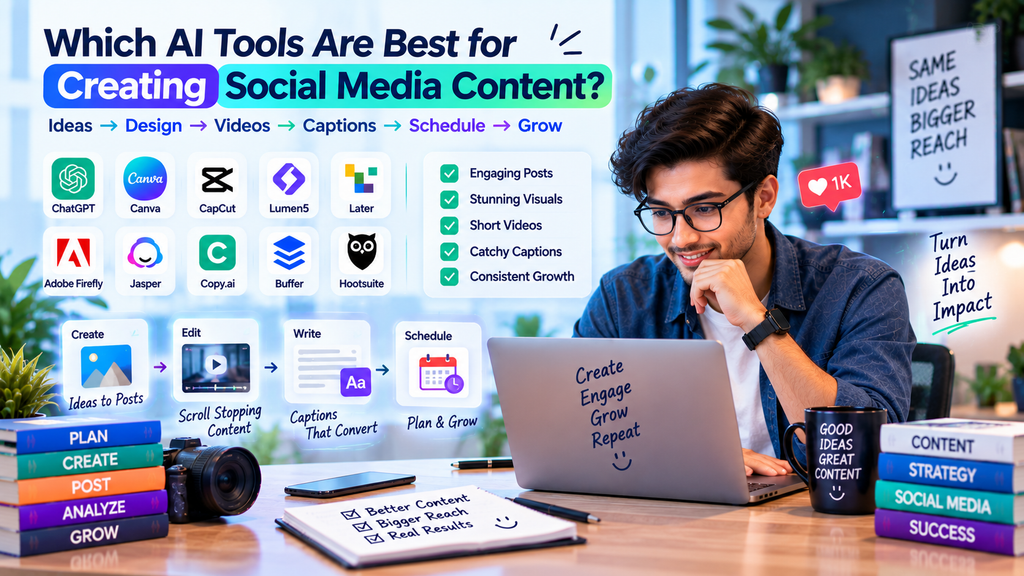
Creating social media content in 2026 involves much more than writing captions. Brands, creators, agencies, and small businesses often need to produce graphics, carousels, short videos, hooks, captions, scripts, thumbnails, stories, promotional posts, product content, and platform-specific variations.Artificial intelligence can make this process much faster. So, which AI tools are best for creating social media content? Some of the most useful options include ChatGPT, Canva, Adobe Express, CapCut, Claude, Google Gemini, Jasper, Descript, Buffer, and Hootsuite.
Each tool serves a different purpose. ChatGPT, Claude, Gemini, and Jasper are useful for writing and ideas. Canva and Adobe Express are strong for visual content. CapCut and Descript can help with video creation and editing. Buffer and Hootsuite can help organize and distribute content after it is created.The best approach is usually not to rely on one tool. A stronger workflow combines AI writing, visual design, video production, repurposing, editing, and scheduling. This complete guide explains the best AI tools for creating social media content in 2026, what each tool is best for, and how to use them for SEO, AEO, GEO, audience growth, and better content production.
AI-powered content optimization helps businesses, bloggers, and marketers improve the quality, relevance, and search performance of their content. AI can analyze keywords, search intent, content structure, readability, and topic coverage to identify opportunities for improvement. It can also suggest headings, related terms, FAQs, and content updates that better match what users are searching for. By combining AI-powered content optimization with human expertise, businesses can create helpful, engaging, and search-friendly content that performs better across search engines and AI-powered search platforms.
Which AI Tools Are Best for Creating Social Media Content?
The best AI tools depend on the type of social media content you want to create.
| AI Tool | Best For |
|---|---|
| ChatGPT | Captions, hooks, scripts and content ideas |
| Canva | Graphics, carousels, stories and visual posts |
| Adobe Express | Branded graphics and quick creative content |
| CapCut | Reels, Shorts and short-form video editing |
| Claude | Content repurposing and long-form-to-social conversion |
| Google Gemini | Research, brainstorming and content ideas |
| Jasper | Brand-focused marketing copy |
| Descript | Video and audio editing |
| Buffer | Content planning and publishing |
| Hootsuite | Social media management and team workflows |
For most creators and businesses, a practical stack is:
ChatGPT for writing + Canva for design + CapCut for video + Buffer for scheduling.
What Are AI Social Media Content Creation Tools?
AI social media content creation tools are platforms that use artificial intelligence to help users create, edit, organize, or repurpose social media content.
What Types of Social Media Content Can AI Create?
AI can help produce:
- Captions
- Hooks
- Social post ideas
- Images
- Graphics
- Carousels
- Short videos
- Video scripts
- Story ideas
- Polls
- CTAs
- Hashtag ideas
- YouTube Shorts
- Instagram Reels
- LinkedIn posts
- Facebook posts
- Promotional content
- Product posts
Can AI Create an Entire Social Media Campaign?
Yes, AI can help create most parts of a campaign.
Human Review Is Still Important
Humans should review:
- Brand voice
- Accuracy
- Visual quality
- Claims
- Platform suitability
- Audience relevance
- Timing
- Final CTA
Why Use AI for Social Media Content Creation?
Social media requires frequent content.
Creating everything manually can take a large amount of time.
Traditional Social Content Workflow
Idea → Writing → Design → Video → Editing → Approval → Publishing
AI-Assisted Workflow
Research → AI Ideas → Caption Draft → Visual Creation → Video Editing → Repurposing → Review → Publish
What Are the Main Benefits?
AI can help improve:
- Speed
- Content volume
- Consistency
- Brainstorming
- Repurposing
- Editing
- Format adaptation
AI Should Support Creativity
The goal is not to remove creativity.
The goal is to spend less time on repetitive tasks and more time on strong ideas.
1. ChatGPT – Best Overall AI Tool for Social Media Content
ChatGPT is one of the most flexible tools for social media content creation.
What Can ChatGPT Create?
It can help with:
- Captions
- Hooks
- Reels scripts
- Shorts scripts
- Carousel copy
- Poll ideas
- CTAs
- Content calendars
- Post ideas
- Campaign concepts
- Comment replies
- Content repurposing
Why Is ChatGPT Useful for Social Media?
You can give it detailed instructions about:
- Audience
- Platform
- Brand tone
- Product
- Goal
- Content type
- Length
- CTA
Example Workflow
Platform → Audience → Goal → Hook → Caption → CTA → Review → Design
2. Canva – Best for Social Media Graphics and Carousels
Canva is one of the most practical tools for creating visual social media content.
What Can You Create With Canva?
Canva can help create:
- Instagram posts
- Carousels
- Stories
- Facebook graphics
- LinkedIn graphics
- Pinterest pins
- YouTube thumbnails
- Infographics
- Short videos
- Promotional posts
Why Is Canva Popular?
It offers templates and easy design tools for users who are not professional graphic designers.
Best Canva Use Case
Use Canva when you need fast, consistent visual content across multiple platforms.
3. Adobe Express – Best for Branded Social Media Creatives
Adobe Express is useful for creating branded graphics and quick marketing assets.
What Can Adobe Express Help With?
It can support:
- Social graphics
- Stories
- Short videos
- Promotional content
- Flyers
- Branded templates
Who Should Use Adobe Express?
It can be useful for:
- Businesses
- Creators
- Designers
- Marketing teams
Adobe Express vs Canva
Both are useful for fast content creation.
Canva is highly template-driven and beginner-friendly.
Adobe Express may appeal to users already working within Adobe’s creative ecosystem.
4. CapCut – Best for Reels, Shorts and Short-Form Video
Video is one of the most important social media formats.
CapCut can help simplify short-form video production.
What Can CapCut Help Create?
It can support:
- Instagram Reels
- YouTube Shorts
- TikTok-style videos
- Captions
- Transitions
- Templates
- Social video edits
- Text overlays
Why Is CapCut Useful?
It is designed around fast video editing for social platforms.
Best CapCut Workflow
Hook → Script → Record or Generate → Edit → Captions → Music → CTA → Export
5. Claude – Best for Content Repurposing
Claude is particularly useful when turning long-form content into shorter social formats.
What Can Claude Repurpose?
Claude can turn:
- Blog posts into LinkedIn posts
- Articles into carousels
- Reports into social threads
- Guides into video scripts
- Long content into short captions
Why Is Repurposing Useful?
It allows one piece of research to create multiple social posts.
Example
One blog article can become:
- 3 LinkedIn posts
- 2 Instagram carousels
- 5 short captions
- 2 Reel scripts
- 1 email newsletter
6. Google Gemini – Best for Social Content Ideas and Research
Gemini can help with brainstorming and topic research.
What Can Gemini Help With?
It can support:
- Post ideas
- Audience questions
- Campaign concepts
- Topic research
- Content themes
- Trend exploration
- Script ideas
When Should You Use Gemini?
Use it during the early planning stage.
Example Workflow
Topic → Audience Questions → Content Angles → Formats → Posting Plan
7. Jasper – Best for Brand-Focused Social Copy
Jasper is designed around marketing content.
What Can Jasper Create?
It can assist with:
- Captions
- Ad copy
- Product promotions
- Campaign messages
- Social post variations
- Brand-focused copy
Who Should Consider Jasper?
It can be useful for:
- Agencies
- Marketing teams
- Ecommerce brands
- Businesses with established brand guidelines
Jasper vs ChatGPT
ChatGPT provides broad flexibility.
Jasper may be more useful for teams focused on structured marketing and brand consistency.
8. Descript – Best for Video and Audio Content Editing
Descript can help creators edit video and audio content more efficiently.
What Can Descript Help With?
It can support:
- Video editing
- Audio editing
- Transcription
- Removing filler content
- Podcast clips
- Social video repurposing
Who Should Use Descript?
It can be useful for:
- Podcasters
- Video creators
- YouTubers
- Marketing teams
Best Use Case
Turn a long video or podcast into shorter social media clips.
9. Buffer – Best for Organizing and Publishing Social Content
Buffer is primarily a social media management and scheduling platform.
It becomes useful once your content is created.
What Can Buffer Help With?
Buffer can support:
- Scheduling
- Publishing
- Content planning
- Caption organization
- Calendar management
- Multi-platform posting
Why Does Scheduling Matter?
Consistency is difficult when posting manually.
Best Workflow
Create → Review → Schedule → Publish → Analyze
10. Hootsuite – Best for Teams and Multi-Platform Management
Hootsuite can help larger teams manage content across multiple social accounts.
What Can Hootsuite Help With?
It can support:
- Scheduling
- Publishing
- Monitoring
- Social listening
- Collaboration
- Analytics
- Multi-account management
Who Should Use Hootsuite?
It may be useful for:
- Agencies
- Marketing departments
- Larger brands
- Multi-account teams
Hootsuite vs Buffer
Buffer is generally simpler.
Hootsuite offers a broader management environment.
Best AI Tools for Different Social Media Content Types
| Content Type | Recommended Tools |
|---|---|
| Captions | ChatGPT, Jasper |
| Hooks | ChatGPT, Claude |
| Instagram Graphics | Canva, Adobe Express |
| Carousels | Canva, ChatGPT |
| Reels | CapCut, ChatGPT |
| YouTube Shorts | CapCut, ChatGPT |
| LinkedIn Posts | Claude, ChatGPT |
| Facebook Posts | ChatGPT, Canva |
| Social Videos | CapCut, Descript |
| Repurposed Content | Claude, ChatGPT |
| Content Ideas | Gemini, ChatGPT |
| Scheduling | Buffer, Hootsuite |
Best AI Tools for Creating Instagram Content
Instagram requires visual and short-form content.
Recommended Instagram Stack
ChatGPT for captions and hooks.
Canva for graphics and carousels.
CapCut for Reels.
Buffer for scheduling.
What Can AI Create for Instagram?
AI can help create:
- Captions
- Hooks
- Reels scripts
- Carousels
- Story ideas
- Polls
- CTA ideas
- Content calendars
Focus on Platform-Native Content
Create content that feels natural on Instagram rather than copying posts from another platform.
Best AI Tools for Creating Facebook Content
Facebook supports a wide range of formats.
Useful Tools
ChatGPT for copy.
Canva for graphics.
CapCut for videos.
Buffer or Hootsuite for publishing.
What Can AI Help Create?
AI can assist with:
- Promotional posts
- Educational posts
- Product updates
- Community questions
- Short videos
- Event posts
Match the Audience
Facebook content should reflect the audience you are actually trying to reach.
Best AI Tools for Creating LinkedIn Content
LinkedIn is useful for professional and B2B content.
Recommended Stack
ChatGPT or Claude for writing.
Canva for carousels.
Buffer for scheduling.
What Types of LinkedIn Content Can AI Help Create?
AI can help produce:
- Thought-leadership posts
- Educational posts
- Industry insights
- Carousels
- Case-study summaries
- Company updates
Add Real Experience
AI can structure the content, but your own experience makes it more credible.
Best AI Tools for Creating Reels and Shorts
Short videos require a strong hook and fast pacing.
Recommended Stack
ChatGPT for scripts.
CapCut for editing.
Canva for thumbnails and supporting visuals.
AI Can Help With
- Hooks
- Scripts
- Storyboards
- Captions
- Titles
- CTAs
Optimize the Opening
The first few seconds should give viewers a reason to continue watching.
Best AI Tools for Creating Social Media Carousels
Carousels are useful for educational and step-by-step content.
Recommended Tools
ChatGPT for structure and slide copy.
Canva for design.
Example Carousel Structure
Opening: Hook
Next: Problem
Key Insight: Main Point
Supporting Insight: Additional Point
Example: Practical Application
Final Step: CTA
Keep Each Slide Simple
Do not overload slides with too much text.
Best AI Tools for Social Media Captions
Captions help explain, persuade, educate, or encourage engagement.
Best Tools
ChatGPT
Claude
Jasper
What Should a Strong Caption Include?
Depending on the platform:
- Hook
- Main message
- Useful information
- CTA
Avoid Generic Captions
Add brand personality and specific details.
Best AI Tools for Creating Social Media Images
Visual content can improve attention and brand recognition.
Useful Tools
Canva
Adobe Express
AI image-generation platforms when appropriate
Types of Social Media Images
You can create:
- Product graphics
- Quote posts
- Infographics
- Promotional graphics
- Educational posts
- Announcement posts
Maintain Brand Consistency
Use consistent:
- Fonts
- Colors
- Logo placement
- Visual style
- Image treatment
Best AI Tools for Creating Social Media Videos
Video production can be time-consuming.
AI tools can simplify editing and repurposing.
Recommended Tools
CapCut
Descript
Canva
What Can AI Help With?
AI can support:
- Scripts
- Captions
- Cutting long videos
- Transcription
- Social formatting
- Clip repurposing
Prioritize Clear Storytelling
Editing effects cannot replace a good idea.
How to Create Social Media Content With AI Step by Step
A structured workflow creates better results.
Step 1: Define the Goal
Choose a primary objective.
Examples:
- Awareness
- Engagement
- Traffic
- Leads
- Sales
Step 2: Understand the Audience
Identify:
- Problems
- Interests
- Needs
- Questions
- Preferred platforms
Step 3: Choose the Content Format
Select:
- Image
- Carousel
- Reel
- Short
- Text post
- Story
- Video
Step 4: Generate Ideas
Use ChatGPT or Gemini.
Step 5: Create the Copy
Use ChatGPT, Claude, or Jasper.
Step 6: Design the Content
Use Canva or Adobe Express.
Step 7: Edit Video if Needed
Use CapCut or Descript.
Step 8: Add a CTA
Examples:
- Comment
- Save
- Share
- Visit
- Learn more
- Buy now
Step 9: Review the Content
Check:
- Accuracy
- Tone
- Branding
- Readability
- Platform fit
Step 10: Schedule and Publish
Use Buffer or Hootsuite when needed.
Full AI Social Content Workflow
Research → Idea → Hook → Copy → Design → Video → Review → Schedule → Publish → Analyze
Use Analytics to Improve Future Content
Do more of what works.
How to Repurpose One Blog Post Into Social Media Content
Repurposing is one of the most useful AI workflows.
Start With a Blog Post
Example:
Best AI Tools for Social Media Marketing
Turn It Into Multiple Formats
AI can help create:
- Instagram carousel
- LinkedIn post
- Facebook post
- Reel script
- YouTube Short
- X thread
- Pinterest graphic
- Email snippet
Why This Saves Time
The research is already complete.
Adapt Each Version
Do not publish identical content everywhere.
How to Create Better Hooks With AI
Hooks help capture attention.
Common Hook Types
Question:
“Are you wasting hours creating social media content manually?”
Problem:
“Your social content may be taking twice as long as necessary.”
Curiosity:
“Three AI tools can turn one blog post into a week of social content.”
Result:
“Create seven social posts from one idea in less time.”
Use AI to Generate Variations
Ask for multiple hook styles.
Choose the Most Relevant Hook
The most dramatic hook is not always the best one.
How to Create Better Social Media CTAs With AI
A CTA tells users what to do next.
Common CTAs
- Follow for more tips
- Save this post
- Share with your team
- Comment your favorite tool
- Visit the website
- Read the full guide
- Try the product
Match CTA to the Goal
Awareness content should not always use a hard sales CTA.
Keep CTAs Clear
One strong action is usually better than several competing actions.
AI Social Media Content for SEO
Social content and SEO are different, but they can support each other.
How Social Content Can Support SEO
Social media can help:
- Distribute blog posts
- Build brand awareness
- Generate referral traffic
- Promote original research
- Earn links indirectly
Repurpose SEO Content
Turn search-focused articles into social content.
Example
SEO Blog → Carousel → Reel → LinkedIn Post → Traffic Back to Blog
AI Social Media Content for AEO
Answer Engine Optimization focuses on clear answers.
Use Question-Based Social Posts
Examples:
- What is AI content creation?
- Which AI tool is best for Instagram?
- Can AI make Reels?
- What is the best AI tool for captions?
Use a Simple Structure
Question → Direct Answer → Supporting Point → CTA
Keep the Answer Clear
Avoid unnecessary filler.
AI Social Media Content for GEO
Generative Engine Optimization focuses on content that can be understood and referenced in AI-driven discovery environments.
How Can Social Content Support GEO?
Social content can help strengthen:
- Brand visibility
- Topic association
- Expertise signals
- Content distribution
Publish Original Information
Share:
- Case studies
- Data
- Experiments
- Unique comparisons
- Expert opinions
Avoid Generic AI Posts
Generic content is unlikely to make your brand distinctive.
Best AI Social Content Stack for Beginners
Beginners do not need many tools.
Recommended Stack
ChatGPT for writing.
Canva for graphics.
CapCut for videos.
Buffer for scheduling.
Why This Stack Works
It covers most basic content needs.
Learn the Workflow Before Adding More Tools
More subscriptions do not automatically create better content.
Best AI Social Content Stack for Small Businesses
Small businesses need efficient tools.
Recommended Setup
Writing: ChatGPT or Claude
Design: Canva
Video: CapCut
Scheduling: Buffer
What This Covers
- Captions
- Graphics
- Videos
- Repurposing
- Scheduling
Keep Costs Under Control
Only add a new tool when it solves a clear problem.
Best AI Social Content Stack for Agencies
Agencies usually need collaboration and scale.
Useful Setup
ChatGPT or Claude
Canva
CapCut or Descript
Buffer or Hootsuite
Agencies May Need
- Multiple accounts
- Approval workflows
- Brand consistency
- Scheduling
- Reporting
Create Reusable Templates
Templates can improve efficiency across clients.
Free vs Paid AI Tools for Social Media Content Creation
Both free and paid tools can be useful.
Free Plans Can Work for Beginners
Free or limited access may be enough for:
- Occasional posts
- Personal brands
- Small accounts
- Testing workflows
Paid Tools Can Support Scale
Paid plans may provide:
- Higher usage limits
- Better collaboration
- More templates
- Advanced editing
- Brand controls
- Analytics
- Scheduling
When Should You Upgrade?
Upgrade when the tool saves enough time or improves output enough to justify the cost.
Avoid Tool Overload
Too many tools can make content creation slower.
Common Mistakes When Creating Social Media Content With AI
AI can create content quickly, but poor strategy still leads to poor results.
Publishing Generic AI Copy
Add personality and specific insights.
Using the Same Content on Every Platform
Adapt each post.
Ignoring Visual Quality
Strong copy still needs good presentation.
Overusing Automation
Human interaction matters.
Creating Without a Goal
Know what each post should achieve.
Ignoring Analytics
Study what your audience responds to.
Using Too Much Text
Especially on visual formats such as carousels.
Forgetting Brand Consistency
Keep tone and visual identity consistent.
Frequently Asked Questions About AI Social Media Content Creation
Which AI Tool Is Best for Creating Social Media Content?
ChatGPT is one of the best all-purpose tools for captions, hooks, scripts, ideas, and repurposing. Canva is better for visual design, while CapCut is useful for short-form video editing.
What Is the Best AI Tool for Instagram Content?
A strong Instagram stack includes ChatGPT for copy, Canva for carousels and graphics, and CapCut for Reels.
What Is the Best AI Tool for Creating Social Media Posts?
ChatGPT and Jasper are useful for copy, while Canva and Adobe Express are strong for visual posts.
Can AI Create Reels?
Yes.
AI can help with Reel ideas, scripts, hooks, captions, visual planning, and editing.
Can AI Create Social Media Images?
Yes.
AI-powered design tools can help create graphics, promotional posts, infographics, and visual concepts.
What Is the Best AI Tool for Social Media Videos?
CapCut is highly useful for short-form social video editing. Descript is useful for editing and repurposing longer video or audio content.
Can ChatGPT Create Social Media Content?
Yes.
ChatGPT can create captions, hooks, scripts, carousels, content calendars, ideas, and CTAs.
Can AI Make a Social Media Content Calendar?
Yes.
AI can create weekly or monthly content calendars based on your audience, goals, platforms, and content pillars.
Should I Publish AI-Generated Social Content Without Editing?
No.
Review AI-generated content for accuracy, tone, branding, and platform suitability.
Will AI Replace Social Media Content Creators?
AI can automate many tasks, but creativity, storytelling, strategy, audience understanding, and brand judgment still require human involvement.
Final Verdict: Which AI Tools Are Best for Creating Social Media Content?
The best AI tools for creating social media content depend on the format you want to produce.
ChatGPT is one of the strongest overall choices for captions, hooks, ideas, scripts, and content planning.
Graphics, carousels, stories, and branded social posts are easy to create with Canva.
Adobe Express is another useful option when you need quick branded visual content.
Reels, Shorts, and other short-form videos can be edited efficiently with CapCut.
Claude can save significant time by turning long articles into multiple social posts.
Research and brainstorming become easier with Gemini, especially when exploring new content angles.
Jasper may suit professional content teams that need brand-focused marketing copy.
Video and podcast content can be repurposed efficiently with Descript.
Buffer provides a simple and practical solution for scheduling and publishing, while Hootsuite offers broader social media management features.
The best workflow in 2026 combines AI efficiency with human creativity.
Start by using AI to generate fresh ideas.
Next, turn those ideas into effective messages with writing tools.
Design and video platforms can then make the content visually engaging.
Finally, sc
Then use analytics and human judgment to improve the next piece of content.
Related AI Marketing Guides
What Are the Best AI Tools for Digital Marketing in 2026?
Explore AI tools for SEO, content marketing, social media, research, design, automation, and digital marketing workflows.
Which AI Tools Are Best for SEO in 2026?
Compare tools for keyword research, technical SEO, content optimization, backlinks, and competitor analysis.
What Are the Best AI Tools for Keyword Research?
Discover tools for finding keyword ideas, search intent, long-tail opportunities, content gaps, and topic clusters.
Which AI Tools Are Best for Content Marketing?
Learn how AI can support research, writing, optimization, design, repurposing, and content distribution.
What Are the Best AI Tools for Writing SEO Blog Posts?
Compare AI tools for content research, outlining, writing, editing, and SEO optimization.
Which AI Tools Can Help Improve Google Rankings?
Explore tools that support keyword strategy, content quality, backlinks, technical SEO, and organic visibility.
What Are the Best AI Tools for Social Media Marketing?
Compare tools for social strategy, content creation, scheduling, video, analytics, and campaign management.
What Are the Best AI Tools for SEO Content Optimization?
Discover tools for improving search intent, topic coverage, content structure, readability, and on-page SEO.
Which AI Tools Are Best for Competitor Analysis?
Learn which AI and marketing tools can reveal competitor keywords, content, backlinks, rankings, and market opportunities.