50+ prompts for LinkedIn
Creating good LinkedIn content consistently takes time. You need ideas. User need a strong opening. User need to organize your thoughts. And most importantly, your posts need to sound like you, not like generic AI-generated content. This is where the right ChatGPT prompts can help.
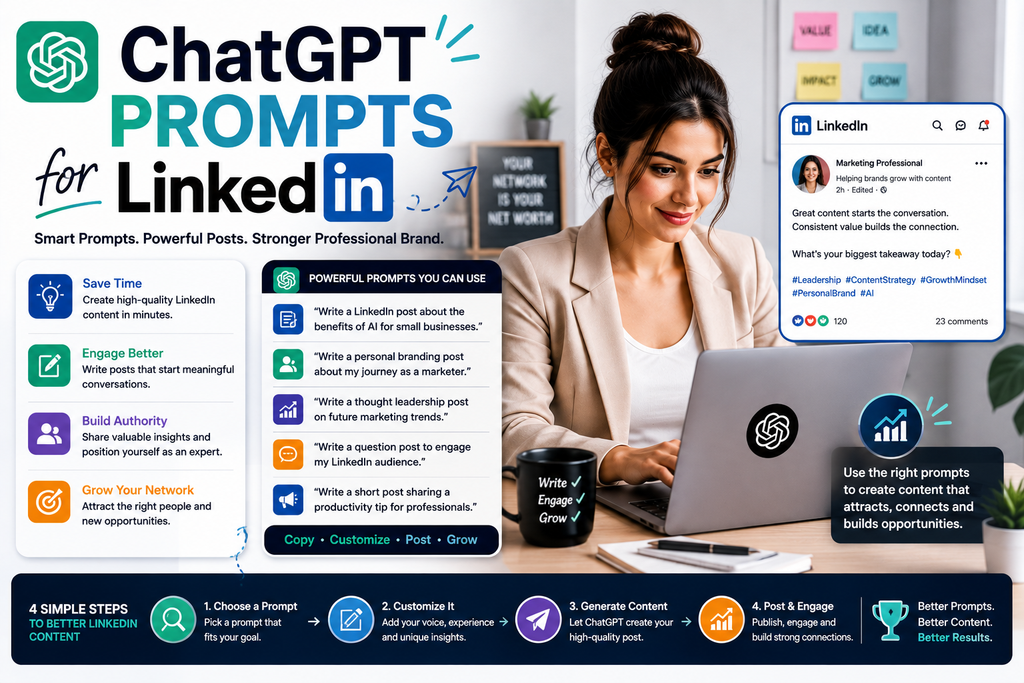
Instead of simply asking ChatGPT:
“Write a LinkedIn post.”
you can give it clear instructions about your audience, expertise, goal, tone, experience, and desired format.
In this guide, you’ll find 50+ ChatGPT prompts for LinkedIn that can help with posts, hooks, content ideas, personal branding, profile optimization, networking, company content, lead generation, repurposing, and content planning.
You can copy these prompts and replace the information inside [brackets] with your own details.
What Are the Best ChatGPT Prompts for LinkedIn?
The best ChatGPT prompts for LinkedIn clearly define your audience, topic, objective, tone, source material, and desired output.
Here’s a useful example:
Act as a LinkedIn content strategist. I work in [INDUSTRY] and my target audience is [AUDIENCE]. I want to create a LinkedIn post about [TOPIC] with the goal of [GOAL]. Give me five hook options, a clear post structure, one complete draft, and three natural CTA options. Use a professional but conversational tone. Do not invent personal experiences, statistics, or results.
A detailed prompt like this gives ChatGPT much more direction than a generic request.
Can You Use ChatGPT for LinkedIn?
Yes.
ChatGPT can assist with many LinkedIn tasks, including:
- LinkedIn post ideas
- Post drafts
- Hooks
- Storytelling
- Educational content
- Personal branding
- Thought-leadership structure
- LinkedIn profile wording
- Headlines
- About sections
- Content calendars
- Company-page ideas
- B2B content
- Networking-message drafts
- Content repurposing
- Editing existing posts
However, ChatGPT should be treated as an assistant rather than an autopilot system.
Your expertise, experience, facts, examples, opinions, and professional judgment should shape the final content.
Why Use ChatGPT Prompts for LinkedIn?
A prompt is simply an instruction you give ChatGPT.
Compare these two examples.
Basic Prompt
Write a LinkedIn post about AI.
This leaves many questions unanswered.
Who is the post for?
What is its main purpose?
Decide which aspect of AI it should cover.
Consider the experience it needs to reference.
Finally, choose the most suitable tone.
Now consider this:
Better Prompt
Write an educational LinkedIn post explaining three practical ways freelancers can use AI to reduce repetitive content tasks. My audience is freelancers who are new to AI. Use simple language and a conversational professional tone. Start with a clear hook, include one practical example for each use case, and finish with a natural question. Do not claim that AI will guarantee income, clients, or productivity improvements.
The second prompt gives ChatGPT much clearer boundaries.
That’s why better prompts generally produce more useful drafts.
A Simple Formula for Better LinkedIn Prompts
Use this framework:
Role + Audience + Topic + Goal + Context + Format + Constraints
For example:
Act as a LinkedIn content strategist.
Audience: Small business owners
Topic: AI for content marketing
Goal: Educate and build authority
Context: My audience has limited AI experience
Format: Educational LinkedIn post
Tone: Professional and conversational
Constraints: No hype, fake statistics, or guaranteed results
You can use this framework for most of the prompts below.
50+ Best ChatGPT Prompts for LinkedIn
ChatGPT Prompts for LinkedIn Post Ideas
1. General LinkedIn Content Ideas
Act as a LinkedIn content strategist. My industry is [INDUSTRY], my expertise is [EXPERTISE], and my target audience is [AUDIENCE]. Generate 20 LinkedIn post ideas based on their questions, problems, goals, mistakes, and decision points. For each idea, provide a topic, hook, content angle, and key takeaway.
2. Beginner-Friendly Ideas
Generate 15 beginner-friendly LinkedIn post ideas about [TOPIC]. Focus on basic questions, misconceptions, common mistakes, simple explanations, and practical first steps.
3. Educational Post Ideas
Generate 20 educational LinkedIn content ideas about [TOPIC] for [AUDIENCE]. Each idea should teach one specific lesson that readers can understand or apply.
4. Problem-Based Ideas
Identify 15 common problems [AUDIENCE] faces with [TOPIC]. Turn each problem into a useful LinkedIn post idea and suggest a clear content angle.
5. FAQ-Based Ideas
Generate 20 questions [AUDIENCE] commonly asks about [TOPIC]. Turn each question into a LinkedIn post idea with a direct-answer angle.
6. Mistakes-Based Ideas
Identify 15 common mistakes people make with [TOPIC]. Turn each mistake into a LinkedIn post concept that explains the problem, why it matters, and a better approach.
7. Myth-Busting Ideas
Generate 10 common myths or misconceptions about [TOPIC]. Turn each one into a LinkedIn post idea that explains the nuance and provides a practical takeaway.
8. Content-Pillar Ideas
My LinkedIn personal brand focuses on [EXPERTISE]. Identify five useful content pillars for my audience and generate 10 LinkedIn post ideas under each pillar.
ChatGPT Prompts for Writing LinkedIn Posts
9. Educational LinkedIn Post
Write a LinkedIn post teaching [TOPIC] to [AUDIENCE]. Start with a clear hook, explain the concept in simple language, include a practical example, and finish with one useful takeaway and a natural CTA.
10. How-To LinkedIn Post
Write a practical LinkedIn post explaining how to [TASK]. Break the process into clear steps. Keep it concise, useful, and easy for [AUDIENCE] to follow.
11. List-Style LinkedIn Post
Write a LinkedIn post about [TOPIC] using a list of five useful points. Explain each point briefly and finish with the most important takeaway.
12. Step-by-Step Post
Turn [PROCESS] into a step-by-step LinkedIn post. Explain each step clearly, mention common mistakes where relevant, and keep the language beginner-friendly.
13. Checklist Post
Create a LinkedIn checklist about [TOPIC] for [AUDIENCE]. Include only practical items readers can use before, during, or after completing [TASK].
14. Framework Post
Turn [TOPIC] into a memorable 3–5 step framework. Give each step a clear name, explain what it means, and show how someone could apply it.
15. Quick-Tip Post
Write a short LinkedIn post sharing one practical tip about [TOPIC]. Start with the problem, explain the tip, give a quick example, and finish with a concise takeaway.
ChatGPT Prompts for LinkedIn Hooks
16. General Hook Generator
Generate 20 LinkedIn hooks about [TOPIC] for [AUDIENCE]. Make them concise, specific, and professional. Use a mix of questions, observations, problems, lessons, and direct statements. Avoid clickbait and fake urgency.
17. Educational Hooks
Generate 10 opening lines for an educational LinkedIn post about [TOPIC]. Each hook should immediately tell the reader why the topic matters.
18. Problem-Based Hooks
Generate 10 LinkedIn hooks addressing this problem: [PROBLEM]. Make the hooks relatable without exaggerating the consequences.
19. Curiosity Hooks
Generate 10 curiosity-driven LinkedIn hooks about [TOPIC]. Create interest without hiding essential context or making misleading promises.
20. Story Hooks
Generate 10 opening lines for a LinkedIn story about [EXPERIENCE]. Keep them natural and avoid overly dramatic language.
ChatGPT Prompts for LinkedIn Storytelling
21. Personal Experience Post
Help me turn this real experience into a LinkedIn post: [EXPERIENCE]. Structure it as situation, challenge, action, result, and lesson. Do not invent any details I haven’t provided.
22. Mistake Story
Turn this real mistake into a LinkedIn story: [MISTAKE]. Explain what happened, why it happened, what I learned, and what I would do differently today.
23. Career Lesson
Turn this career lesson into a professional LinkedIn post: [LESSON]. Add context, explain why the lesson matters, and give readers one practical takeaway.
24. Project Story
Turn this project experience into a LinkedIn post: [PROJECT DETAILS]. Focus on the problem, process, challenge, outcome, and lesson. Use only the facts I provide.
25. Failure-to-Lesson Post
Help me write a LinkedIn post about something that didn’t work: [EXPERIENCE]. Avoid fake inspiration. Focus on what failed, what I learned, and what changed afterward.
ChatGPT Prompts for LinkedIn Personal Branding
26. Personal Brand Strategy
I am a [ROLE] specializing in [EXPERTISE]. My target audience is [AUDIENCE]. Help me create a LinkedIn personal-brand strategy with five content pillars, example topics, suitable post formats, and a sustainable posting approach.
27. Expertise-Based Content
Generate 20 LinkedIn posts I could create around my expertise in [EXPERTISE]. Prioritize educational insights, real experiences, processes, mistakes, frameworks, and frequently asked questions.
28. Authority-Building Content
Generate 15 LinkedIn content ideas that can help me demonstrate knowledge in [TOPIC] without repeatedly claiming that I am an expert. Focus on useful explanations, evidence, examples, and practical experience.
29. Unique Perspective Prompt
My opinion about [TOPIC] is: [OPINION]. Help me develop this into a thoughtful LinkedIn post. Identify assumptions, supporting evidence I should provide, possible counterarguments, and practical implications.
30. Personal Brand Content Calendar
Create a 30-day LinkedIn personal-brand content calendar for a [ROLE] specializing in [TOPIC]. Balance educational content, experiences, opinions, case studies, frameworks, FAQs, and conversations.
ChatGPT Prompts for LinkedIn Thought Leadership
31. Thought-Leadership Post
Help me structure a LinkedIn thought-leadership post around this idea: [IDEA]. Clearly separate my observation, supporting evidence, interpretation, counterargument, and conclusion. Do not invent evidence.
32. Industry Trend Post
Help me write a LinkedIn post about this industry trend: [TREND + SOURCE/NOTES]. Explain what is changing, why it matters to [AUDIENCE], what remains uncertain, and what professionals should consider.
33. Contrarian Post
I disagree with this common belief: [BELIEF]. Help me create a balanced LinkedIn post explaining my perspective. Include reasonable counterarguments and avoid provocative language purely for engagement.
34. Prediction Post
Help me write a LinkedIn post about this prediction: [PREDICTION]. Clearly distinguish known facts from my assumptions and speculation. Explain what evidence would make the prediction more or less likely.
ChatGPT Prompts for LinkedIn Engagement
35. Discussion Post
Create a LinkedIn post about [TOPIC] that explains one useful perspective and finishes with a genuine question professionals can answer from experience.
36. Poll Ideas
Generate 10 LinkedIn poll ideas about [TOPIC]. Each poll should ask a meaningful professional question and include four concise answer options.
37. Conversation Starters
Generate 15 professional conversation starters about [TOPIC] that could be used at the end of LinkedIn posts. Avoid engagement bait.
38. CTA Generator
Generate 20 natural LinkedIn CTAs. Include variations for starting discussions, encouraging saves, sharing a resource, visiting a profile, learning more, and contacting me. Keep them professional and non-pushy.
ChatGPT Prompts for LinkedIn Profile Optimization
39. LinkedIn Headline Prompt
Help me write 10 LinkedIn headline options.
My role: [ROLE]
Expertise: [EXPERTISE]
Audience/customers: [AUDIENCE]
Value I provide: [VALUE]
Keep each headline clear and credible. Avoid buzzwords and unsupported claims.
40. LinkedIn About Section
Write a LinkedIn About section using only the information below:
[BACKGROUND]
[EXPERIENCE]
[SKILLS]
[WHO I HELP]
[VALUE I PROVIDE]
[PROOF/RESULTS]
Use a professional, approachable tone. Do not invent achievements, numbers, employers, clients, or qualifications.
41. LinkedIn Experience Description
Rewrite this LinkedIn Experience description to focus on responsibilities, contributions, outcomes, and relevant skills. Do not invent metrics: [PASTE DESCRIPTION].
42. LinkedIn Skills Suggestions
Based on this role and experience, suggest relevant LinkedIn skills I should consider adding. Separate them into technical skills, industry skills, communication skills, and tools. Do not claim I possess skills not supported by the information provided: [EXPERIENCE].
ChatGPT Prompts for LinkedIn Networking
43. Connection Request
Draft a short LinkedIn connection request to [TYPE OF PERSON]. Context: [HOW I FOUND THEM/WHY I WANT TO CONNECT]. Keep it personal, respectful, and non-salesy.
44. Networking Follow-Up
Draft a short LinkedIn follow-up message to someone I recently connected with. Context: [CONTEXT]. My goal is to [GOAL]. Do not immediately pitch a product or service.
45. Event Follow-Up
Write a LinkedIn message to someone I met at [EVENT]. We discussed [TOPIC]. Keep the message short, mention our conversation naturally, and suggest staying in touch.
46. Thank-You Message
Write a concise LinkedIn thank-you message to [PERSON/ROLE] after [INTERACTION]. Make it warm but professional.
ChatGPT Prompts for LinkedIn Lead Generation
47. Educational Lead-Generation Content
Generate 15 educational LinkedIn post ideas for [AUDIENCE] who may need [PRODUCT/SERVICE]. Focus on solving problems and explaining decision factors before mentioning the offer.
48. Customer Pain-Point Content
Identify 10 problems faced by [AUDIENCE] that my [PRODUCT/SERVICE] addresses. Turn each into an educational LinkedIn post idea without turning every post into a sales pitch.
49. Service-Based Post
Write an educational LinkedIn post explaining [PROBLEM]. Teach readers how to think about the problem first. At the end, briefly explain how my [SERVICE] may help people who need additional support.
50. Case Study Prompt
Turn this real customer case study into a LinkedIn post: [CASE STUDY]. Structure it as problem, approach, result, and lesson. Use only the information supplied and do not exaggerate the result.
ChatGPT Prompts for B2B LinkedIn Content
51. B2B Content Ideas
Generate 20 LinkedIn content ideas for a B2B company offering [PRODUCT/SERVICE] to [AUDIENCE]. Focus on customer problems, buying questions, implementation challenges, industry insights, case studies, and practical education.
52. Decision-Making Content
Generate 10 LinkedIn posts that help [AUDIENCE] evaluate [TYPE OF PRODUCT/SERVICE]. Cover questions to ask, trade-offs, common mistakes, implementation factors, costs to consider, and use cases.
53. Product Education
Write a LinkedIn post explaining how [PRODUCT] helps with [PROBLEM]. Clearly explain what it does, who it is suitable for, and its limitations. Avoid unsupported superiority claims.
ChatGPT Prompts for Repurposing LinkedIn Content
54. Blog to LinkedIn
Turn this blog post into five standalone LinkedIn posts: [PASTE ARTICLE]. Each post should focus on one insight, use a different hook, and provide value without requiring the reader to read the original article.
55. YouTube to LinkedIn
Analyze this video transcript and turn it into five LinkedIn posts: [TRANSCRIPT]. Extract useful lessons and examples without inventing additional information.
56. Podcast to LinkedIn
Turn this podcast transcript into 10 LinkedIn content ideas. Identify key lessons, arguments, examples, questions, and frameworks. Do not reproduce long passages.
57. Newsletter to LinkedIn
Turn this newsletter into three LinkedIn posts. Give each post a different angle: educational, opinion-based, and discussion-based. Preserve the original meaning.
58. One Post Into Five Posts
Take this LinkedIn post and identify five additional standalone content ideas I can create from it. Do not simply rewrite the same post five times: [PASTE POST].
ChatGPT Prompts for LinkedIn Content Calendars
59. Weekly LinkedIn Calendar
Create a five-post weekly LinkedIn content plan for [NICHE]. Include one educational post, one personal experience, one framework, one industry insight, and one discussion post. Give me the topic, hook, objective, and CTA for each.
60. 30-Day LinkedIn Calendar
Create a 30-day LinkedIn content calendar for [ROLE/BRAND] targeting [AUDIENCE]. Balance educational posts, stories, FAQs, mistakes, frameworks, case studies, opinions, and conversation posts. Avoid repeating topics.
61. Three-Month Topic Plan
Create a three-month LinkedIn topic strategy for [NICHE]. Assign one main theme to each month, four weekly subtopics under each theme, and several post ideas for each subtopic.
ChatGPT Prompts for Improving Existing LinkedIn Posts
62. Make a Post More Human
Rewrite this LinkedIn post so it sounds like a knowledgeable person speaking naturally to professional peers. Preserve my meaning and facts. Remove clichés, robotic phrasing, unnecessary dramatic language, and repetitive sentence patterns: [POST].
63. Improve Readability
Edit this LinkedIn post for readability. Use clear paragraphs, simple language, logical transitions, and concise sentences. Preserve my voice and all factual claims: [POST].
64. Remove AI-Sounding Language
Review this LinkedIn post and identify phrases that sound generic, overly polished, clichéd, or AI-like. Suggest more natural alternatives without changing the meaning: [POST].
65. Shorten a LinkedIn Post
Shorten this LinkedIn post while preserving its main argument, strongest example, and CTA. Remove repetition and filler first: [POST].
ChatGPT Prompt for Turning Expertise Into LinkedIn Content
Many professionals think:
“I don’t have anything to post.”
Often, they have plenty of knowledge—they simply haven’t organized it into content yet.
Try this prompt:
Act as a LinkedIn content interviewer. My expertise is [EXPERTISE]. Ask me 15 questions about my experiences, mistakes, processes, customer questions, opinions, lessons, projects, and industry observations. The goal is to uncover original ideas I can turn into LinkedIn posts.
Answer the questions yourself.
Then ask:
Based only on my answers, identify 20 LinkedIn post ideas. For each one, show which part of my answer supports the post.
This approach makes your own knowledge the source material.
ChatGPT Prompt for LinkedIn Thought Leadership
If you want to create thought-leadership content, don’t ask AI to invent opinions for you.
Start with your own point of view.
Use:
Here is my opinion about [TOPIC]:
[YOUR OPINION]
Here is the evidence or experience behind it:
[EVIDENCE/EXPERIENCE]
Help me structure this into a LinkedIn post. Start with the core argument, explain my reasoning, acknowledge an important counterargument, provide evidence or examples, and finish with the practical implication for [AUDIENCE]. Do not invent supporting evidence.
This keeps your thinking at the center of the post.
ChatGPT Prompt for Personal Storytelling on LinkedIn
Stories can be powerful, but authenticity matters.
Try:
Help me turn the following real experience into a LinkedIn story.
What happened: [DETAILS]
What I expected: [EXPECTATION]
What actually happened: [RESULT]
What I learned: [LESSON]
Why it matters to my audience: [RELEVANCE]
Write a concise post using only these facts. Do not invent dialogue, emotions, numbers, or events.
This reduces the risk of AI adding details that never happened.
ChatGPT Prompt for a LinkedIn Content Calendar
For a complete content-planning workflow, use:
Act as my LinkedIn content strategist.
My expertise: [EXPERTISE]
Audience: [AUDIENCE]
Goal: [GOAL]
Posting frequency: [NUMBER] times per week
Create a four-week LinkedIn content calendar.
Use these content pillars:
- Education
- Personal experience
- Industry insights
- Frameworks
- Case studies
- Conversation
For each post provide:
- Topic
- Target reader
- Hook
- Main message
- Content format
- CTA
Avoid repeating the same idea or hook.
How to Make ChatGPT LinkedIn Content Sound Like You
This is one of the most important parts of using AI for LinkedIn.
Don’t try to make ChatGPT invent your personality.
Give it examples of how you actually communicate.
For example:
Below are three LinkedIn posts I wrote myself:
[POST 1]
[POST 2]
[POST 3]
Analyze my writing style for sentence length, vocabulary, structure, level of formality, use of examples, and CTA style. Create a short style guide. Then rewrite my new draft according to that guide without copying phrases from the examples.
This can produce a better starting point than asking ChatGPT to:
“Make it sound human.”
Before and After: Basic vs Better LinkedIn Prompt
Consider this basic prompt:
Write a LinkedIn post about ChatGPT.
It doesn’t provide enough context.
A stronger version would be:
Write an educational LinkedIn post for freelance content writers who are beginning to use ChatGPT. Explain three ways they can use it for brainstorming without outsourcing their judgment to AI. Start with a direct hook, give one practical prompt example, mention one limitation, and finish with a question asking how readers currently use AI. Use a professional but conversational tone.
The second prompt defines:
- Audience
- Topic
- Objective
- Angle
- Example
- Limitation
- CTA
- Tone
That’s why it is likely to produce a more focused draft.
How to Use ChatGPT for LinkedIn Without Losing Your Voice
A simple workflow is:
1. Start with your idea
Write down what you actually want to say.
2. Give ChatGPT context
Explain your audience, goal, experience, and point of view.
3. Ask for structure
Use AI to organize the idea before asking for a complete post.
4. Generate a draft
Ask for a first version based only on the information you’ve supplied.
5. Add your experience
Include examples, stories, screenshots, results, or lessons.
6. Fact-check
Verify statistics, quotations, product details, industry claims, and other factual statements.
7. Rewrite in your voice
Remove anything you wouldn’t naturally say.
8. Publish
The final post should represent your thinking—not simply ChatGPT’s first response.
Common Mistakes When Using ChatGPT Prompts for LinkedIn
1. Using Prompts Without Context
“Write a LinkedIn post” gives ChatGPT very little direction.
Add your audience, topic, objective, and tone.
2. Copying AI Output Word for Word
ChatGPT should give you a starting point.
Your final version should include your perspective.
3. Asking AI to Invent Personal Experiences
Never publish an AI-generated story as if it happened to you.
Use your real experiences.
4. Trusting Statistics Automatically
AI can produce inaccurate numbers or references.
Verify important factual claims before publishing.
5. Overusing Engagement Tricks
Avoid filling posts with artificial phrases designed only to generate comments.
A useful question is usually better.
6. Making Every Post Promotional
If every post ends with:
“Book a call with me.”
your content may become repetitive.
Mix educational, experience-based, opinion, proof, and promotional content.
7. Asking for “Viral LinkedIn Posts”
No prompt can guarantee virality.
Focus on creating content relevant to the people you want to reach.
8. Publishing Too Much Generic AI Content
More content is not automatically better content.
Prioritize useful, distinctive posts.
Frequently Asked Questions
What are ChatGPT prompts for LinkedIn?
ChatGPT prompts for LinkedIn are instructions you give ChatGPT to help with LinkedIn tasks such as generating post ideas, writing drafts, creating hooks, improving profiles, planning content calendars, repurposing content, and drafting networking messages.
What is the best ChatGPT prompt for a LinkedIn post?
A useful prompt should include your topic, target audience, goal, tone, relevant experience or source material, desired format, and any constraints. The more useful context you provide, the easier it is for ChatGPT to produce a focused draft.
Can ChatGPT write LinkedIn posts?
Yes. ChatGPT can create first drafts of LinkedIn posts, but you should review them for accuracy, originality, tone, and relevance before publishing.
Can ChatGPT improve my LinkedIn profile?
Yes. It can help draft or improve headlines, About sections, experience descriptions, and skill suggestions when you provide accurate information about your background.
Can ChatGPT write LinkedIn connection messages?
Yes. Provide context about who you’re contacting, why you want to connect, and your relationship with them. ChatGPT can then help draft a concise message.
Can ChatGPT generate LinkedIn content ideas?
Yes. It can brainstorm ideas based on your expertise, audience, industry, common questions, problems, mistakes, trends, and experiences.
Can ChatGPT create a LinkedIn content calendar?
Yes. Provide your audience, content pillars, goals, and publishing frequency, and ChatGPT can help organize topics into a weekly or monthly calendar.
How do I make ChatGPT LinkedIn posts sound less AI-generated?
Provide examples of your own writing, ask ChatGPT to preserve your tone, remove clichés and hype, and edit the final draft yourself. Adding real experiences and specific examples also makes content more distinctive.
Should I use ChatGPT to automate all my LinkedIn content?
ChatGPT can reduce the time required for brainstorming and drafting, but fully automating your professional voice can make content less personal. Human review and original input remain important.
Best All-in-One ChatGPT Prompt for LinkedIn
Save this reusable prompt:
Act as an experienced LinkedIn content strategist and editor.
My role: [ROLE]
My expertise: [EXPERTISE]
My audience: [AUDIENCE]
Topic: [TOPIC]
Goal: [GOAL]
My real experience/evidence: [DETAILS]
Tone: [TONE]
Create a LinkedIn post based only on the information I provide.
Give me:
- Five hook options
- Three possible content angles
- Recommended structure
- Complete post draft
- Three natural CTA options
- Three follow-up content ideas
Use clear, conversational professional language. Avoid clichés, fake statistics, exaggerated claims, invented personal experiences, generic motivational statements, and engagement bait. If additional factual information is needed, mark it for verification rather than inventing it.
Final Thoughts
The best ChatGPT prompts for LinkedIn don’t simply ask AI to “write something.”
They give ChatGPT enough context to help turn your knowledge into useful content.
A strong workflow looks like this:
Your expertise → Clear prompt → AI-assisted draft → Human editing → Fact-checking → Personal examples → Final LinkedIn post
Use ChatGPT for brainstorming, organizing, drafting, rewriting, and repurposing.
But keep your experience, expertise, opinions, and professional judgment at the center.
The goal isn’t to make ChatGPT your personal brand.
The goal is to use ChatGPT to communicate your personal brand more effectively.
About the Author
Gurudeep Singh writes about artificial intelligence, ChatGPT prompts, AI tools, content creation, and practical ways to use AI at KeyArtificial.