40+ Prompts for Reels
Creating Instagram Reels consistently can be difficult. You may already know your niche, your audience, and the type of content you want to create, but coming up with fresh ideas, hooks, scripts, captions, and CTAs every week still takes time. This is where Google Gemini can help.
With the right prompts, Gemini can support different parts of your Reel workflow, including brainstorming, scripting, repurposing, hook writing, visual planning, caption creation, and content calendars. In this guide, you’ll find 40+ Gemini prompts for Reels that you can copy and customize for Instagram content.
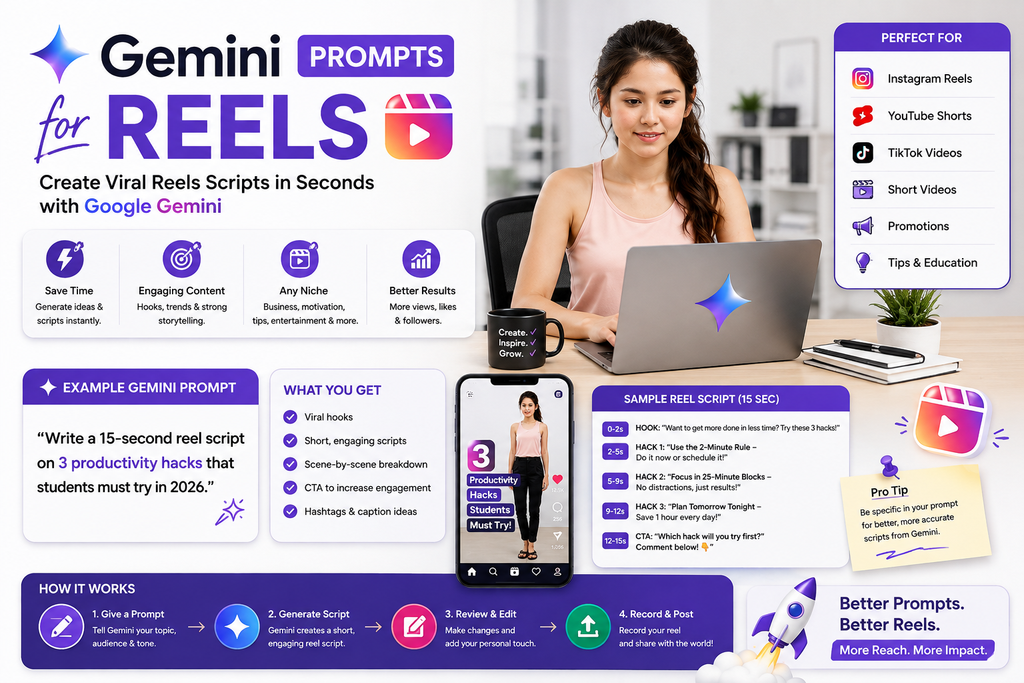
The goal is not to let AI replace your creativity.
The goal is to use Gemini as a practical assistant so you can move from idea to publishable Reel more efficiently.
What Are the Best Gemini Prompts for Reels?
The best Gemini prompts for Reels include your niche, target audience, topic, content goal, video length, tone, and desired output.
For example:
Act as an Instagram Reels content strategist. My niche is [NICHE], and my audience is [AUDIENCE]. Generate 10 Instagram Reel ideas about [TOPIC]. For each idea, provide a hook, 30–45 second script outline, on-screen text, visual suggestion, caption angle, and CTA. Keep the content practical and avoid exaggerated claims.
A prompt like this gives Gemini far more context than simply asking:
Give me Reel ideas.
Can Gemini Help Create Instagram Reels?
Yes.
Gemini can help with many parts of Reel creation, including:
- Reel ideas
- Hooks
- Short-form scripts
- Educational content
- Storytelling
- FAQs
- Myths
- Mistakes
- Lists
- Product content
- Business content
- Personal-brand content
- On-screen text
- B-roll suggestions
- Captions
- CTAs
- Content calendars
- Content repurposing
- Script rewrites
You still need to review the output, add your own experience, verify facts, record the Reel, and edit it for your audience.
Why Use Gemini for Reels?
Reels are short, but creating good short-form content is not always easy.
A short Reel still needs:
Hook → Main Idea → Value → CTA
If the idea is unclear, the Reel can feel rushed or generic.
Gemini can help you organize your content before you record.
For example, if your topic is:
AI for small businesses
Gemini could help you create Reel ideas around:
- One AI mistake small businesses make
- A simple AI workflow
- A useful Gemini prompt
- AI for customer questions
- AI for content planning
- AI myths
- AI limitations
- AI productivity examples
One broad topic can become many short-form videos.
How to Write Better Gemini Prompts for Reels
A useful Reel prompt often includes:
Role + Niche + Audience + Topic + Goal + Length + Output
Use this formula:
Act as a [ROLE]. I create content about [NICHE] for [AUDIENCE]. My Reel topic is [TOPIC]. My goal is [GOAL]. Create a [LENGTH]-second Instagram Reel in a [TONE] tone. Include [OUTPUT].
For example:
Act as a short-form video strategist. I create AI education content for freelancers. Write a 30-second Instagram Reel explaining one practical way freelancers can use Gemini for content planning. Include a hook, spoken script, on-screen text, visual suggestion, and CTA.
The clearer the prompt, the more focused the draft can become.
40+ Best Gemini Prompts for Reels
Replace the text inside [brackets] with your own details.
1. General Reel Ideas Prompt
Act as an Instagram content strategist. My niche is [NICHE], and my target audience is [AUDIENCE]. Generate 20 useful Reel ideas based on their biggest questions, problems, mistakes, and goals. For each idea, provide a hook, key message, and CTA.
2. Beginner Reel Ideas
Generate 15 beginner-friendly Instagram Reel ideas about [TOPIC]. Keep each idea simple enough to explain in 30–45 seconds and avoid unnecessary jargon.
3. Educational Reel Ideas
Create 15 educational Reel ideas about [TOPIC] for [AUDIENCE]. Each Reel should teach one specific lesson and include a clear takeaway.
4. Problem-Solving Reel Ideas
Identify 10 common problems [AUDIENCE] faces with [TOPIC]. Turn each problem into an Instagram Reel concept with a hook, solution angle, and CTA.
5. FAQ Reel Ideas
Generate 20 frequently asked questions about [TOPIC] and turn each question into a short Instagram Reel idea.
6. Mistakes-Based Reels
Identify 15 common mistakes people make with [TOPIC]. Turn each mistake into a Reel idea explaining the problem, why it matters, and what to do instead.
7. Myth-Busting Reels
Generate 10 common myths or misconceptions about [TOPIC]. Turn each one into a short Reel that explains what is more accurate.
8. How-To Reels
Generate 15 how-to Reel ideas related to [TOPIC]. Each Reel should help the viewer complete one small, specific task.
9. Quick-Tip Reels
Generate 20 quick-tip Reel ideas about [TOPIC]. Each tip should be practical enough to explain in under 30 seconds.
10. List-Style Reels
Generate 15 Reel ideas using list formats such as “3 mistakes,” “5 tips,” “4 tools,” or “3 things to know” about [TOPIC].
Gemini Prompts for Reel Scripts
11. 30-Second Reel Script
Write a 30-second Instagram Reel script about [TOPIC]. Structure it as hook, problem, useful point, example, and CTA.
12. 45-Second Reel Script
Create a 45-second Instagram Reel script about [TOPIC] for [AUDIENCE]. Use natural spoken language, short sentences, and one clear takeaway.
13. 60-Second Reel Script
Write a 60-second educational Instagram Reel about [TOPIC]. Keep the explanation focused and avoid trying to cover too many ideas.
14. Beginner Script
Write a beginner-friendly Reel script explaining [TOPIC]. Assume the viewer knows very little and define any important term simply.
15. Tutorial Reel Script
Create a short tutorial Reel showing how to [TASK]. Include the steps, one common mistake, and a CTA.
16. One-Mistake Reel Script
Write a short Reel about one common mistake people make with [TOPIC]. Explain the mistake, why it causes problems, and the better alternative.
17. One-Question Reel Script
Turn this question into a 30–45 second Reel script: [QUESTION]. Give the direct answer first and then one short example.
18. “Do This, Not That” Reel
Create a short “Do This, Not That” Reel about [TOPIC]. Compare one weak approach with one better alternative and explain why.
Gemini Prompts for Reel Hooks
19. General Hook Generator
Generate 20 Instagram Reel hooks about [TOPIC]. Use a mix of questions, problems, mistakes, direct statements, observations, and benefit-focused openings. Avoid misleading clickbait.
20. Problem Hooks
Generate 10 Reel hooks for people struggling with [PROBLEM]. Make each hook specific, concise, and relevant to [AUDIENCE].
21. Curiosity Hooks
Generate 10 curiosity-driven Reel hooks about [TOPIC]. Create interest without hiding essential context or making exaggerated promises.
22. Educational Hooks
Generate 10 opening lines for an educational Reel about [TOPIC]. Make it clear what the viewer will learn.
23. Demonstration Hooks
Generate 10 Reel hooks that introduce a practical demonstration of [TASK/TOOL]. Make the viewer understand what they are about to see.
Gemini Prompts for Storytelling Reels
24. Personal Story Reel
Turn this real experience into a short Instagram Reel: [EXPERIENCE]. Structure it as situation, challenge, action, result, and lesson. Do not invent any details.
25. Mistake Story Reel
Turn this real mistake into a 45-second Reel. Explain what happened, what I learned, and what I would do differently now.
26. Before-and-After Reel
Create a before-and-after Reel script using these real details: [DETAILS]. Clearly explain the starting point, change, outcome, and lesson without exaggerating the result.
27. Lesson-Learned Reel
Write a short Reel about this lesson I learned: [LESSON]. Add context, the turning point, and one practical takeaway for my audience.
Gemini Prompts for Business Reels
28. Small Business Reels
Generate 20 Instagram Reel ideas for a [TYPE OF BUSINESS] targeting [AUDIENCE]. Mix educational, FAQ, behind-the-scenes, problem-solving, trust-building, and product or service content.
29. Product Reel
Create a Reel script for [PRODUCT]. Explain one problem it solves, show one practical use case, and finish with a natural CTA. Avoid unsupported claims.
30. Service Reel
Write a short Reel explaining [SERVICE] to [AUDIENCE]. Focus on the problem, how the service works, who it may help, and the next step.
31. B2B Reel
Create a professional B2B Reel about [TOPIC] for [DECISION-MAKER]. Focus on one business problem, one insight, and one actionable takeaway.
Gemini Prompts for Personal Branding Reels
32. Personal Brand Ideas
I am building a personal brand around [EXPERTISE]. Generate 20 Instagram Reel ideas that help me demonstrate knowledge, share lessons, show experience, and build trust without making every Reel promotional.
33. Expertise Reel
Write a Reel script that teaches one useful insight from my expertise in [TOPIC]. Use this real example or experience: [DETAILS].
34. Opinion Reel
Help me turn this opinion into a thoughtful Instagram Reel: [OPINION]. Explain the point clearly, acknowledge one possible counterargument, and finish with a useful takeaway.
35. Behind-the-Scenes Reel
Generate 10 behind-the-scenes Reel ideas showing how I work as a [ROLE]. Focus on processes, tools, decision-making, and practical lessons.
Gemini Prompts for Captions and CTAs
36. Reel Caption Prompt
Write five Instagram caption options for a Reel about [TOPIC]. Add useful context that does not simply repeat the video. Keep the tone natural and finish with a relevant CTA.
37. CTA Generator
Generate 20 natural CTAs for Instagram Reels. Include options for comments, saves, shares, follows, website visits, and direct messages. Avoid aggressive engagement bait.
38. On-Screen Text Prompt
Create concise on-screen text for a [LENGTH]-second Reel about [TOPIC]. Break the text into short phrases that are easy to read while the video plays.
39. B-Roll Prompt
Suggest realistic B-roll or visual ideas for each section of this Reel script:
[PASTE SCRIPT]
Prioritize visuals a solo creator can record or capture easily.
Gemini Prompts for Content Repurposing
40. Blog to Reels
Turn this blog article into 10 standalone Instagram Reel ideas. Each Reel should focus on one useful concept and include a hook, key point, and CTA.
[PASTE BLOG]
41. YouTube Video to Reels
Analyze this YouTube transcript and create 10 standalone Instagram Reels from the strongest lessons, examples, questions, and mistakes.
[PASTE TRANSCRIPT]
42. Podcast to Reels
Turn this podcast transcript into 10 short Reel ideas. Use only information from the transcript and avoid inventing new claims.
[PASTE TRANSCRIPT]
43. One Topic Into 20 Reels
My main topic is [TOPIC]. Turn it into 20 Instagram Reels using tutorials, mistakes, FAQs, myths, comparisons, stories, checklists, quick tips, examples, and opinions.
44. Long Reel Into Series
Turn this topic into a five-part Reel series: [TOPIC]. Each part should work independently but also connect naturally to the next one.
Gemini Prompt for a 30-Day Reels Calendar
Use this when you want a more consistent publishing plan:
Act as an Instagram Reels strategist.
My niche: [NICHE]
Audience: [AUDIENCE]
Goal: [GOAL]
Create a 30-day Reel content calendar.
Use a balanced mix of:
- Educational content
- Quick tips
- FAQs
- Mistakes
- Myths
- Tutorials
- Personal stories
- Case studies
- Comparisons
- Behind-the-scenes content
For each day provide:
- Reel topic
- Hook
- Main takeaway
- Format
- CTA
Avoid repeating the same topic or hook style.
Best All-in-One Gemini Prompt for Reels
Save this reusable prompt:
Act as an experienced Instagram Reels strategist and short-form scriptwriter.
My niche: [NICHE]
Target audience: [AUDIENCE]
Topic: [TOPIC]
Goal: [EDUCATE / ENGAGE / BUILD TRUST / GENERATE LEADS]
Video length: [30 / 45 / 60 SECONDS]
Tone: [TONE]
Create an Instagram Reel and provide:
- Five hook options
- Recommended Reel angle
- Complete spoken script
- On-screen text
- B-roll or visual suggestions
- Caption
- Three CTA options
- Three follow-up Reel ideas
Keep the content clear, conversational, useful, and easy to speak. Avoid filler, clichés, fake statistics, misleading clickbait, exaggerated promises, and unsupported claims. Clearly mark anything that should be verified before publishing.
Example: Creating a Reel With Gemini
Suppose your topic is:
How to write a better AI prompt.
A weak prompt might be:
Write a Reel about AI prompts.
A better prompt would be:
Create a 30-second Instagram Reel for beginners explaining why vague AI prompts often produce generic answers. Show one weak prompt and one improved version. Use a clear hook, short spoken sentences, on-screen text, and a CTA asking viewers to save the example.
A possible structure could be:
Hook
“If your AI answers feel generic, your prompt might be the problem.”
Example 1
Weak:
Write a social media post.
Example 2
Better:
Write a 100-word LinkedIn post for small business owners explaining three practical ways AI can save time on content planning.
Main Lesson
The second prompt gives the AI more context about:
- Platform
- Audience
- Topic
- Format
CTA
“Save this before writing your next AI prompt.”
This is simple, specific, and practical.
How to Make Gemini Reel Scripts Sound More Human
AI-generated scripts can sometimes sound too polished or repetitive.
Common phrases may include:
- “Unlock the power of”
- “Game changer”
- “In today’s fast-paced world”
- “Revolutionize your strategy”
- “Let’s dive in”
- “Here’s what nobody tells you”
You do not need to avoid every common phrase, but your content should sound like something you would naturally say.
Use:
Rewrite this Reel script so it sounds like an experienced creator speaking naturally to one person. Use short sentences, specific examples, simple vocabulary, and natural transitions. Remove hype, clichés, unnecessary filler, and robotic phrasing.
Then read it aloud before recording.
If a sentence feels awkward to say, rewrite it.
Write Reels for Speaking, Not Reading
A Reel script should be easy to say out loud.
Compare these examples.
Written Style
Artificial intelligence tools can be utilized to streamline content planning and improve ideation efficiency across multiple social media platforms.
Spoken Style
AI can make content planning easier. You can use it to brainstorm ideas, organize topics, and create a weekly plan.
The second version is easier to follow in a short video.
Ask Gemini:
Rewrite this Reel specifically for spoken delivery. Use shorter sentences and remove wording that sounds more suitable for an article than a video.
Use Gemini to Create Better Reel Hooks
A strong Reel hook should make the topic clear quickly.
Useful hook types include:
Problem Hook
“If you’re struggling with [PROBLEM], try this.”
Mistake Hook
“One mistake beginners make with [TOPIC] is this.”
Question Hook
“Why does [PROBLEM] keep happening?”
Benefit Hook
“Here’s a simpler way to [GOAL].”
Demonstration Hook
“Watch what changes when I rewrite this prompt.”
Direct-Answer Hook
“Yes, Gemini can help create Reels—but your prompt matters.”
You can ask:
Generate 20 accurate Reel hooks about [TOPIC] using problem, question, mistake, benefit, demonstration, and direct-answer formats.
How to Turn One Topic Into Multiple Reels
You do not need a completely new idea every day.
Suppose your main topic is:
Gemini for Content Creation
You could create Reels about:
- Gemini for Content Ideas
- Gemini for Blog Outlines
- Gemini for Video Scripts
- Gemini for Reels
- Gemini for YouTube Scripts
- Gemini Prompting Mistakes
- Gemini for Research
- Gemini for Content Calendars
- Gemini for Repurposing Content
- How to Improve Gemini Responses
This creates a content cluster instead of isolated posts.
Gemini Prompts for Reels by Goal
Education
Create a 30–45 second Reel teaching [TOPIC] to [AUDIENCE]. Focus on one useful lesson and one example.
Awareness
Write a beginner-friendly Reel introducing [TOPIC]. Explain what it is, why it matters, and one thing viewers should know next.
Engagement
Create a Reel about [TOPIC] that teaches one useful point and ends with a thoughtful question viewers can answer from experience.
Trust Building
Write a Reel that demonstrates my expertise in [TOPIC] using this real example: [DETAILS]. Avoid generic self-promotion.
Lead Generation
Create an educational Reel about [PROBLEM] for [AUDIENCE]. Teach something useful first, then include a subtle CTA explaining how my [PRODUCT/SERVICE] may help.
Gemini Prompts for Reels by Niche
AI and Technology
Generate 15 Reel ideas about [AI/TECH TOPIC]. Focus on practical use cases, beginner explanations, limitations, demos, and common mistakes.
Digital Marketing
Create 15 Instagram Reel ideas about digital marketing for [AUDIENCE]. Cover SEO, content, social media, paid ads, analytics, email, and AI.
Small Business
Generate 15 Reel ideas for small business owners about [TOPIC]. Focus on practical problems, time-saving workflows, customer questions, and useful tips.
Personal Branding
Generate 15 Reel ideas for someone building a personal brand around [EXPERTISE]. Mix education, stories, opinions, behind-the-scenes content, and lessons.
Career
Generate 15 educational Reel ideas about [CAREER TOPIC]. Focus on practical guidance and avoid guaranteeing job or salary outcomes.
E-Commerce
Generate 15 Reel ideas for an e-commerce brand selling [PRODUCT TYPE]. Mix product education, FAQs, use cases, behind-the-scenes content, comparisons, and customer questions.
Common Mistakes When Using Gemini for Reels
1. Using Very Vague Prompts
“Give me Reels” does not provide enough direction.
Add your audience, topic, goal, and format.
2. Copying the First Draft
Use Gemini’s output as a starting point.
Edit it before recording.
3. Asking for “Viral Reels”
No AI tool can guarantee virality.
Focus on relevance, clarity, usefulness, and presentation.
4. Using Too Many Ideas in One Reel
A short Reel should usually communicate one clear idea.
5. Ignoring Your Own Voice
Generic AI content can sound repetitive.
Add your own wording, examples, and perspective.
6. Trusting Every Fact
Verify statistics, product features, dates, and technical claims.
7. Using Misleading Hooks
Your hook should accurately match what the Reel delivers.
8. Forgetting Visuals
A short script is only part of a Reel.
Think about:
- Screen recordings
- B-roll
- Demonstrations
- On-screen text
- Graphics
- Camera changes
9. Making Every Reel Promotional
A useful content mix should include education, stories, questions, examples, and proof—not only sales content.
Frequently Asked Questions
Can Gemini create Instagram Reel ideas?
Yes. Gemini can brainstorm Reel ideas based on your niche, audience, topic, goals, and preferred content style.
Can Gemini write Reel scripts?
Yes. You can ask Gemini to create 30-, 45-, or 60-second scripts with hooks, explanations, examples, CTAs, and visual suggestions.
What is the best Gemini prompt for Reels?
A useful prompt includes the topic, target audience, content goal, video length, tone, format, and desired output such as hooks, scripts, captions, and on-screen text.
Can Gemini create Reel hooks?
Yes. You can ask Gemini for several hook styles around the same topic, including problem, question, mistake, benefit, and demonstration hooks.
Can Gemini write Instagram captions?
Yes. Provide the Reel topic or script and ask Gemini to create caption variations with additional context and a natural CTA.
Can Gemini create a Reels content calendar?
Yes. Give Gemini your niche, audience, content pillars, publishing frequency, and goals, and it can help create a weekly or monthly plan.
Can Gemini turn a blog post into Reels?
Yes. You can provide a blog article and ask Gemini to identify standalone lessons or examples that can become short-form videos.
Can Gemini turn YouTube videos into Reels?
Yes. You can provide a transcript and ask Gemini to extract sections that work independently as short videos.
Should I publish Gemini-generated Reel scripts exactly as written?
Usually, no. Review them for accuracy, natural wording, pacing, audience relevance, and your own voice before recording.
Gemini Reels Workflow
A practical workflow looks like this:
1. Pick one clear topic
Know what the Reel should communicate.
2. Define the audience
Decide who the Reel is for.
3. Generate several hooks
Choose one that accurately represents the content.
4. Create a short outline
Keep the Reel focused.
5. Generate the script
Use natural spoken language.
6. Add your own example
Make the content more specific.
7. Verify factual claims
Do not assume everything Gemini generates is correct.
8. Plan visuals
Decide what viewers should see.
9. Read the script aloud
Remove awkward sentences.
10. Record and edit
Adjust based on your delivery style.
The process is:
Idea → Hook → Script → Human Edit → Fact Check → Visuals → Record → Publish
Final Thoughts
Gemini can make Reel creation easier when you give it clear instructions.
Instead of asking:
“Give me Instagram Reels.”
tell Gemini:
what your topic is, who your audience is, what the Reel should accomplish, how long it should be, and what output you need.
Use Gemini for:
Ideas → Hooks → Scripts → Captions → Visuals → Repurposing → Content Planning
Then add your own:
Experience → Examples → Personality → Judgment → Creativity
The goal is not to let Gemini become your content creator.
The goal is to use Gemini to make your Reel creation process faster, clearer, and more organized.
About the Author
Gurudeep Singh writes about artificial intelligence, Gemini, ChatGPT, Claude, AI prompts, content creation, and practical AI workflows at KeyArtificial.