40+ Prompts of Gemini
Writing a video script can take more time than expected. You may already know the topic you want to cover, but turning that topic into a clear hook, logical structure, engaging explanation, and strong ending can still be difficult. This is where Google Gemini can help.
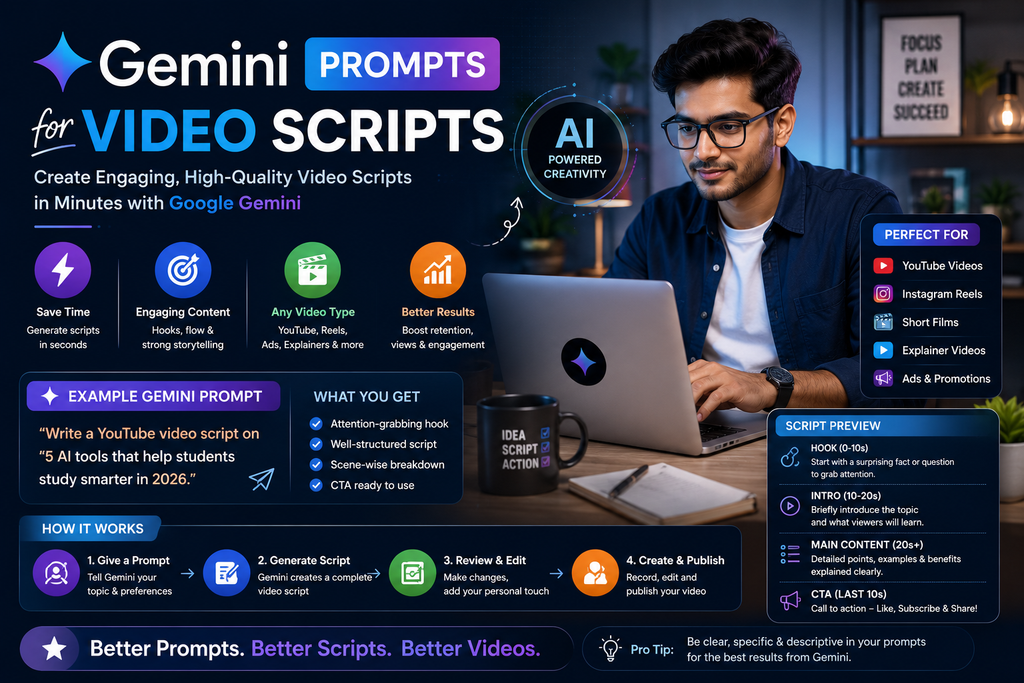
With the right instructions, you can use Gemini to brainstorm script angles, create outlines, draft hooks, simplify complex ideas, write short-form scripts, improve pacing, and repurpose existing content into video scripts.
In this guide, you’ll find 40+ Gemini prompts for video scripts that you can copy, customize, and use for YouTube videos, Instagram Reels, YouTube Shorts, educational videos, tutorials, product explainers, business content, and more.
The goal is not to let AI replace your voice.
The goal is to use Gemini to help you move from an idea to a strong first draft faster.
What Are the Best Gemini Prompts for Video Scripts?
The best Gemini prompts for video scripts include your topic, target audience, platform, video length, tone, goal, and desired structure.
For example:
Act as an experienced video scriptwriter. Create a 5-minute YouTube script about [TOPIC] for [AUDIENCE]. Start with a clear hook, explain why the topic matters, organize the main content into 3–5 sections, include practical examples, and finish with a natural CTA. Keep the tone conversational and avoid exaggerated claims or unsupported statistics.
A detailed prompt gives Gemini more context and usually produces a more focused first draft.
Can Gemini Write Video Scripts?
Yes.
Gemini can help with different stages of video scripting, including:
- Video ideas
- Hooks
- Script outlines
- Full video scripts
- YouTube scripts
- Shorts scripts
- Reel scripts
- Educational videos
- Tutorials
- Product explainers
- Storytelling videos
- Business videos
- Voiceover scripts
- Calls to action
- Script rewrites
- Content repurposing
It can also help you generate several script variations from the same topic.
However, the final script should still be reviewed and edited by you.
Why Use Gemini for Video Scripts?
A good video script needs more than words.
It needs structure.
A typical video may include:
Hook → Problem → Explanation → Example → Solution → CTA
Without a clear structure, even useful information can feel difficult to follow.
Gemini can help you organize your ideas into a sequence that is easier for viewers to understand.
For example, if your topic is:
“How to use AI for content planning”
Gemini could help you structure the script around:
- Why content planning takes time
- Where AI can help
- How to provide better context
- A practical prompt
- A real example
- Common mistakes
- Final takeaway
This can save you from staring at a blank document wondering how to begin.
How to Write Better Gemini Prompts for Video Scripts
A useful prompt usually includes seven elements:
Role + Topic + Audience + Platform + Goal + Length + Output
Use this formula:
Act as a [ROLE]. Create a [VIDEO LENGTH] video script about [TOPIC] for [AUDIENCE] on [PLATFORM]. My goal is [GOAL]. Use a [TONE] tone. Structure the script as [STRUCTURE]. Include [OUTPUT REQUIREMENTS].
For example:
Act as a YouTube scriptwriter. Create a 6-minute beginner-friendly YouTube script explaining prompt engineering to small business owners. Start with a strong but accurate hook, explain the concept simply, include two practical examples, mention one limitation, and finish with a CTA inviting viewers to try the prompt themselves.
Specific prompts are usually more useful than:
Write a video script about AI.
40+ Best Gemini Prompts for Video Scripts
Replace the information inside [brackets] with your own details.
1. General Video Script Prompt
Act as an experienced video scriptwriter. Write a video script about [TOPIC] for [AUDIENCE]. The video should be approximately [LENGTH]. Start with a clear hook, explain the topic logically, include useful examples, and finish with a natural CTA.
2. YouTube Script Prompt
Write a [LENGTH]-minute YouTube script about [TOPIC]. My audience is [AUDIENCE]. Use a conversational tone and structure the video as hook, introduction, main sections, examples, summary, and CTA.
3. Beginner YouTube Script
Create a beginner-friendly YouTube script explaining [TOPIC]. Assume the viewer has little prior knowledge. Define important terms, avoid unnecessary jargon, and use simple examples.
4. Educational Video Script
Write an educational video script about [TOPIC] for [AUDIENCE]. Divide the explanation into clear sections and make each section answer one important question.
5. Tutorial Video Script
Create a step-by-step tutorial video script showing how to [TASK]. Include an introduction, required preparation, each step, common mistakes, troubleshooting tips, and a conclusion.
6. How-To Video Script
Write a practical how-to video script about [TASK]. Make the instructions easy to follow and include what viewers should expect at each stage.
7. Explainer Video Script
Explain [TOPIC] in a simple video script for [AUDIENCE]. Start with a direct definition, explain why it matters, give an example, and summarize the key takeaway.
8. Short Explainer Script
Write a 60-second explainer video about [TOPIC]. Use simple language and structure it as hook, explanation, example, and takeaway.
9. YouTube Shorts Script
Create a YouTube Shorts script about [TOPIC] that can be delivered in under 60 seconds. Include a strong opening line, one main idea, one example, and a concise CTA.
10. Instagram Reels Script
Write a 30–45 second Instagram Reel script about [TOPIC] for [AUDIENCE]. Use short spoken sentences, on-screen text suggestions, and a natural CTA.
11. TikTok-Style Short Video Script
Create a short-form vertical video script about [TOPIC] for [AUDIENCE]. Start immediately with the most interesting point, keep the pacing fast, and avoid unnecessary introduction.
12. Video Hook Generator
Generate 20 video hooks for a video about [TOPIC]. Use a mix of questions, direct statements, mistakes, problems, surprising observations, and benefit-focused hooks. Avoid misleading clickbait.
13. YouTube Intro Prompt
Write five YouTube introduction options for a video about [TOPIC]. Each intro should quickly explain what the viewer will learn and why it matters.
14. Video Outro Prompt
Generate 10 natural video outro options for a video about [TOPIC]. Include summary-based, discussion-based, subscribe-based, and next-video CTA variations.
15. Script Outline Prompt
Create a detailed video script outline about [TOPIC] for a [LENGTH]-minute video. Include hook, introduction, section headings, main talking points, examples, transitions, summary, and CTA.
Gemini Prompts for YouTube Video Scripts
16. Long-Form YouTube Script
Create a comprehensive 10-minute YouTube script about [TOPIC]. My audience is [AUDIENCE]. Break the script into clear chapters, include examples and practical steps, and keep the language conversational.
17. Search-Focused YouTube Script
Write a YouTube script that directly answers the question: “[QUESTION].” Start with a concise answer, then explain the topic in more depth with examples, common mistakes, and next steps.
18. List-Style YouTube Script
Create a YouTube script about “[NUMBER] [TIPS/TOOLS/MISTAKES] for [TOPIC].” Give each point a short explanation, practical example, and transition to the next point.
19. Comparison Video Script
Write a balanced YouTube comparison script for [OPTION A] vs [OPTION B]. Compare them by features, strengths, limitations, use cases, and who each option may suit. Avoid declaring one universally better unless the evidence supports it.
20. Review Video Script
Create a review video script for [PRODUCT/TOOL]. Organize it into what it is, key features, strengths, limitations, who it may suit, who it may not suit, and final considerations. Avoid unsupported claims.
21. Case Study Video Script
Write a case study video script based on this information: [DETAILS]. Structure it as situation, problem, approach, result, lesson, and takeaway. Use only the facts provided.
22. FAQ Video Script
Generate a video script answering the 10 most important questions about [TOPIC]. Answer each question clearly before adding extra context.
23. Myth-Busting Video Script
Write a video script covering five common myths about [TOPIC]. For each myth, explain what people commonly believe, what is more accurate, and the practical takeaway.
24. Mistakes Video Script
Create a video script about seven common mistakes people make with [TOPIC]. Explain why each mistake happens, why it matters, and what viewers should do instead.
25. Beginner Guide Video Script
Write a complete beginner guide video script about [TOPIC]. Cover what it is, why it matters, how to get started, common mistakes, useful tools or methods, and next steps.
Gemini Prompts for Short-Form Video Scripts
26. 30-Second Script
Write a 30-second video script about [TOPIC]. Use this structure: 3-second hook, 20-second explanation, 5-second example, and 2-second CTA.
27. 45-Second Script
Create a 45-second short-form video about [TOPIC]. Make the script easy to speak naturally and include on-screen text suggestions.
28. 60-Second Script
Write a 60-second educational video about [TOPIC]. Focus on one main takeaway rather than trying to cover everything.
29. Quick Tips Script
Write a short video script sharing three quick tips about [TOPIC]. Give each tip one sentence of explanation and keep the entire script under 60 seconds.
30. One-Mistake Script
Create a short-form video script explaining one common mistake related to [TOPIC]. Start with the mistake, explain why it causes problems, and give a better approach.
31. One-Question Script
Turn this question into a 30–60 second video script: [QUESTION]. Give the direct answer first, followed by one explanation and one example.
32. “Do This, Not That” Script
Write a short video script using a “Do This, Not That” format for [TOPIC]. Compare one weak approach with one better alternative and explain why.
Gemini Prompts for Storytelling Video Scripts
33. Personal Story Script
Turn this real experience into a video script: [EXPERIENCE]. Structure it as situation, challenge, action, outcome, and lesson. Do not invent dialogue, facts, or results.
34. Brand Story Video
Write a brand-story video script using the following verified information: [DETAILS]. Explain why the brand started, the problem it addresses, what it stands for, and what viewers should know.
35. Failure-and-Lesson Script
Turn this real failure or mistake into a useful video script: [DETAILS]. Focus on what happened, why it happened, what changed, and the lesson others can apply.
36. Transformation Story Script
Create a before-and-after storytelling script using these real details: [DETAILS]. Clearly separate the starting point, process, outcome, and lesson. Do not exaggerate the result.
Gemini Prompts for Business Video Scripts
37. Product Explainer Script
Write a product explainer video script for [PRODUCT]. Explain what it does, what problem it solves, how it works, who it is for, and any important limitations.
38. Service Explainer Script
Create a video script explaining my [SERVICE] to [AUDIENCE]. Focus on the problem, process, expected value, who the service is suitable for, and a natural next step.
39. Small Business Video Script
Write a short educational video script for a [TYPE OF BUSINESS]. The topic is [TOPIC], and the target customer is [AUDIENCE]. Make the content useful first and promotional second.
40. B2B Video Script
Create a B2B video script explaining [TOPIC/PRODUCT] to [DECISION-MAKER]. Focus on business problems, use cases, implementation considerations, limitations, and decision factors.
41. Customer FAQ Video
Write a video script answering this customer question: [QUESTION]. Start with a direct answer, explain any conditions or limitations, and finish with the next step a customer can take.
Gemini Prompts for Voiceover Scripts
42. Voiceover Script
Write a voiceover script about [TOPIC] for a [LENGTH]-minute video. Use natural spoken language and mark optional pauses where useful.
43. B-Roll Voiceover Script
Create a voiceover script for a video using B-roll footage about [TOPIC]. Divide the script into scenes and suggest what viewers could see during each section.
44. Faceless Video Script
Write a faceless video script about [TOPIC]. Include narration, on-screen text, suggested visuals, screen recordings, and B-roll ideas for each section.
Gemini Prompts for Improving Existing Video Scripts
45. Make a Script More Conversational
Rewrite this video script so it sounds natural when spoken aloud. Use shorter sentences, conversational transitions, and simple language. Preserve all factual information.
[PASTE SCRIPT]
46. Remove Filler
Edit this video script to remove filler, repeated ideas, unnecessary introductions, and overly long explanations. Keep the strongest information and preserve the original meaning.
[PASTE SCRIPT]
47. Improve the Hook
Review this video script and create 10 stronger opening-hook options. Each hook should accurately represent what the video delivers.
[PASTE SCRIPT]
48. Improve Pacing
Review this video script for pacing. Identify sections that are too slow, repetitive, or overloaded with information. Suggest where to shorten, split, or add examples.
[PASTE SCRIPT]
49. Simplify Technical Language
Rewrite this script for a beginner audience. Explain technical terms simply and preserve important details. Do not remove necessary nuance.
[PASTE SCRIPT]
50. Script Fact-Check Checklist
Review this video script and identify every factual claim, statistic, quotation, product feature, date, or technical statement that should be verified before publishing. Do not assume uncertain claims are correct.
[PASTE SCRIPT]
Best All-in-One Gemini Prompt for Video Scripts
If you want one reusable prompt, save this:
Act as an experienced video content strategist and scriptwriter.
Topic: [TOPIC]
Platform: [YOUTUBE / REELS / SHORTS / TIKTOK / OTHER]
Target audience: [AUDIENCE]
Audience level: [BEGINNER / INTERMEDIATE / ADVANCED]
Video length: [LENGTH]
Goal: [EDUCATE / ENGAGE / EXPLAIN / GENERATE LEADS / BUILD TRUST]
Tone: [TONE]
Create a complete video script with:
- Five hook options
- Recommended video angle
- Opening
- Main sections
- Practical examples
- Smooth transitions
- On-screen text suggestions
- B-roll or visual suggestions
- Summary
- Natural CTA
- Three possible video titles
- Three follow-up video ideas
Use clear, conversational language. Avoid filler, clichés, fake statistics, unsupported claims, exaggerated promises, and unnecessary repetition. Clearly mark information that should be verified before publication.
Example: Creating a Video Script With Gemini
Suppose your topic is:
How to write better AI prompts.
Instead of asking:
Write a video script about AI prompts.
Try:
Create a 3-minute YouTube script teaching beginners how to write better AI prompts. Explain why vague prompts often produce vague answers. Use one weak prompt and one improved prompt as examples. Structure the script as hook, problem, simple framework, example, common mistake, and CTA. Keep the tone conversational.
This gives Gemini much more direction.
A possible structure could look like:
Hook
“If your AI answers feel generic, your prompt may be too generic too.”
Problem
Explain that tools need context to understand what kind of answer you want.
Framework
Use:
Goal + Context + Audience + Format + Constraints
Example
Weak:
Write a marketing post.
Better:
Write a 150-word LinkedIn post for local business owners explaining three beginner-friendly ways to use AI for content planning. Use simple language and avoid exaggerated claims.
Mistake
Trying to make one prompt do too many unrelated tasks.
CTA
Invite the viewer to test the framework with their own topic.
This is more structured and easier to turn into an actual video.
How to Make Gemini Video Scripts Sound More Human
AI-generated scripts can sometimes sound overly polished or generic.
You may see phrases such as:
- “In today’s fast-paced world”
- “Unlock the power of”
- “Game-changing”
- “Revolutionize your workflow”
- “Without further ado”
- “Let’s dive right in”
These phrases are not always wrong, but repeating them can make scripts sound less natural.
Use this prompt:
Rewrite this script like an experienced creator speaking naturally to one viewer. Use simple sentences, contractions where appropriate, specific examples, and conversational transitions. Remove clichés, hype, generic motivational language, and unnecessary filler.
Then read the script aloud.
If a sentence feels awkward to say, change it.
Write for Speaking, Not Just Reading
A video script should sound natural when spoken.
Written content can handle longer sentences.
Spoken content usually benefits from shorter ones.
For example:
Written Style
Artificial intelligence tools can significantly assist content creators by helping them streamline their ideation, research, drafting, and editing workflows.
More Natural Spoken Style
AI can help at several stages of content creation. You can use it for ideas, research, first drafts, or editing.
The meaning is similar.
The second version is easier to say and easier to follow.
You can ask Gemini:
Rewrite this script specifically for spoken delivery. Break long sentences into shorter ones and remove phrases that sound natural in an article but awkward in a video.
Use Gemini to Create Better Video Hooks
A hook should give viewers a reason to continue watching.
But a strong hook does not need to be misleading.
Useful hook styles include:
Problem Hook
“If you’re struggling with [PROBLEM], try this.”
Question Hook
“Why does [PROBLEM] keep happening?”
Mistake Hook
“This is one mistake beginners make with [TOPIC].”
Benefit Hook
“Here’s a simpler way to [GOAL].”
Demonstration Hook
“Watch what happens when I change just one part of this prompt.”
Direct-Answer Hook
“Yes, Gemini can help write video scripts—but your prompt matters.”
Ask:
Generate 20 accurate video hooks for [TOPIC]. Mix problem, question, mistake, benefit, demonstration, and direct-answer formats. Avoid clickbait.
How to Turn One Script Into Multiple Videos
You don’t always need a new topic.
Suppose you create a long video:
How to Use Gemini for Content Creation
You could repurpose it into:
- Gemini for Video Ideas
- Gemini for YouTube Scripts
- Gemini Prompts for Reels
- Gemini for Blog Outlines
- Gemini for Social Media Ideas
- Gemini Prompting Mistakes
- Gemini for Content Calendars
- How to Improve Gemini Prompts
- Gemini for Repurposing Content
- Gemini for Beginners
One long-form idea can become a complete content cluster.
Use Gemini to Repurpose Existing Content Into Video Scripts
If you already have an article, podcast, webinar, or newsletter, you can use it as source material.
Blog to Video
Turn this blog article into a YouTube script. Preserve the main ideas, remove sections that do not work well in video, add natural transitions, and suggest visuals where useful.
[PASTE ARTICLE]
Podcast to Video
Analyze this podcast transcript and create three standalone video scripts from the strongest lessons. Do not invent information not present in the transcript.
[PASTE TRANSCRIPT]
Newsletter to Short Video
Turn this newsletter into five 30–60 second educational video scripts. Each video should communicate one standalone lesson.
[PASTE NEWSLETTER]
Long Video to Shorts
Analyze this long-form video transcript and identify 10 sections that could become standalone Shorts. For each one, provide a hook, 30–60 second script, and CTA.
[PASTE TRANSCRIPT]
This can make your existing content much more useful.
Gemini Prompts for Video Scripts by Goal
Educational Videos
Create a video script that teaches [TOPIC] to [AUDIENCE]. Focus on clarity, practical examples, and one actionable takeaway.
Awareness Videos
Write a beginner-friendly video introducing [TOPIC]. Explain what it is, why someone might care about it, and what they should learn next.
Trust-Building Videos
Create a video script about [TOPIC] that demonstrates expertise through useful explanations, real examples I provide, and balanced discussion of limitations.
Lead Generation Videos
Write an educational video script about [PROBLEM] for [AUDIENCE]. Teach the viewer how to understand the problem first, then include a subtle CTA explaining how my [PRODUCT/SERVICE] may help.
Engagement Videos
Create a video script about [TOPIC] that teaches one clear point and ends with a thoughtful question viewers can answer from experience.
Gemini Prompts for Video Scripts by Niche
AI and Technology
Write a beginner-friendly video script explaining [AI/TECH TOPIC]. Define unfamiliar terms, include a real-world example, mention important limitations, and avoid exaggerated claims.
Digital Marketing
Create a video script teaching [DIGITAL MARKETING TOPIC] to small business owners. Use practical examples and avoid unnecessary jargon.
Business
Write an educational video script about [BUSINESS TOPIC] for [AUDIENCE]. Explain the problem, decision factors, possible approaches, and practical next steps.
Personal Branding
Create a video script about [PERSONAL BRANDING TOPIC]. Focus on practical advice, realistic expectations, examples, and common mistakes.
Career
Write a career-focused educational video about [TOPIC]. Use general guidance, avoid guaranteeing job outcomes, and include practical steps viewers can evaluate for themselves.
Finance Education
Create a general educational video explaining [FINANCE TOPIC]. Clearly distinguish educational information from personalized financial advice and avoid guaranteed outcome claims.
Common Mistakes When Using Gemini for Video Scripts
1. Using Vague Prompts
A prompt such as:
Write a YouTube script.
does not provide enough context.
Tell Gemini the topic, audience, length, platform, and goal.
2. Copying the First Draft
The first output should usually be treated as a starting point.
Review it and make it sound like you.
3. Asking for “Viral” Scripts
No AI can guarantee that a video will go viral.
Focus on useful content, strong hooks, clear delivery, and audience relevance.
4. Using Unsupported Statistics
If Gemini includes a number or claim you did not provide, verify it before recording.
5. Writing Like a Blog
Video content should sound natural when spoken.
Shorten complicated sentences.
6. Trying to Cover Too Much
A short video should usually focus on one clear idea.
Trying to cover 10 topics in 30 seconds creates a confusing script.
7. Ignoring Visuals
A video script is only part of the content.
Think about:
- Screen recordings
- Demonstrations
- B-roll
- On-screen text
- Graphics
- Examples
- Camera changes
8. Losing Your Own Voice
If every script sounds like generic AI writing, your content may become less distinctive.
Add your own opinions, examples, observations, and speaking style.
Frequently Asked Questions
Can Gemini write video scripts?
Yes. Gemini can help draft video scripts for YouTube, Shorts, Reels, educational videos, tutorials, explainers, business content, and other formats when you provide enough context.
What is the best Gemini prompt for a video script?
A useful prompt should include the topic, target audience, platform, video length, goal, tone, structure, and any examples or constraints you want Gemini to follow.
Can Gemini write YouTube scripts?
Yes. You can ask Gemini to create YouTube script outlines, hooks, full scripts, chapter structures, intros, outros, and CTAs.
Can Gemini write scripts for YouTube Shorts?
Yes. Tell Gemini the approximate duration and ask it to focus on one clear idea with a fast hook and concise explanation.
Can Gemini write Instagram Reel scripts?
Yes. You can ask for short spoken scripts along with hooks, on-screen text, CTA ideas, and visual suggestions.
Can Gemini create script hooks?
Yes. Ask it to generate multiple hook styles for the same topic and choose one that accurately reflects the video.
Can Gemini turn a blog post into a video script?
Yes. Provide the article as source material and ask Gemini to convert it into a video-friendly structure while preserving the original meaning.
Can Gemini improve an existing video script?
Yes. You can ask it to improve clarity, pacing, hooks, spoken language, transitions, structure, or conciseness.
Should I use Gemini-generated scripts without editing?
Usually, no. Review the script for accuracy, natural language, your personal voice, examples, pacing, and factual claims before recording.
Best Gemini Video Script Workflow
A simple workflow is:
1. Choose the topic
Decide exactly what the video should answer.
2. Define the audience
Know who should benefit from the video.
3. Select the format
YouTube, Shorts, Reels, tutorial, explainer, or another format.
4. Generate an outline
Ask Gemini to organize the idea before drafting.
5. Write the first draft
Use the outline as the foundation.
6. Add real examples
Include your own demonstrations, experiences, and observations.
7. Improve spoken delivery
Remove anything that sounds unnatural aloud.
8. Verify claims
Check statistics, technical details, product features, and other factual information.
9. Plan visuals
Decide what viewers will see while listening.
10. Record and refine
Your delivery may reveal sentences that still need rewriting.
The best workflow is:
Idea → Outline → Script → Human Edit → Fact Check → Visual Plan → Record
Final Thoughts
Gemini can be a useful tool for video scripting when you give it clear instructions.
Instead of asking:
“Write a video script.”
provide context about:
Topic + Audience + Platform + Goal + Length + Tone + Structure
Then treat the output as a first draft.
Use Gemini to help with:
Hooks → Outlines → Scripts → Rewrites → Repurposing → Variations
But keep the final video grounded in your own expertise, experience, examples, and personality.
A strong AI-assisted script should still sound like something you would naturally say.
The goal is not to let Gemini become the creator.
The goal is to use Gemini to help you create better videos more efficiently.
About the Author
Gurudeep Singh writes about artificial intelligence, Gemini prompts, ChatGPT, Claude, AI tools, content creation, and practical AI workflows at KeyArtificial.