Resume Writing Guide
Writing a resume can be frustrating. You know your experience, skills, and achievements—but turning them into clear, professional resume content is not always easy.
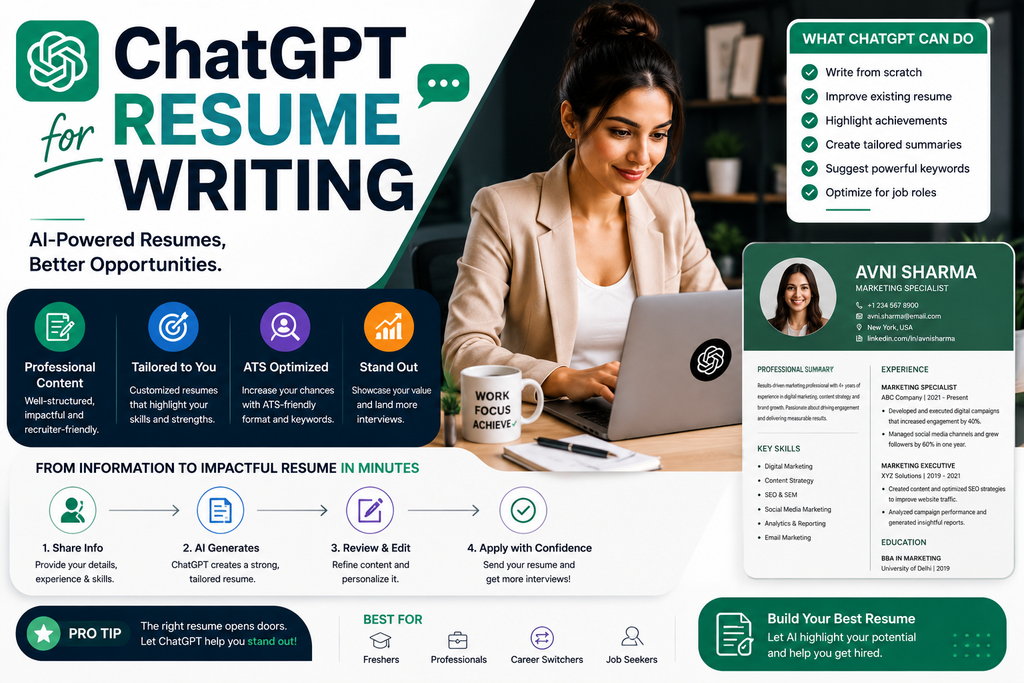
You might struggle with questions such as:
- What should I include in my resume?
- How should I describe my work experience?
- How can I improve weak bullet points?
- How do I tailor my resume to a job description?
- What keywords should I consider?
- How can I make my resume concise without removing important information?
This is where ChatGPT can help.
ChatGPT can assist with brainstorming, organizing, rewriting, tailoring, and proofreading resume content. It can also help you identify information that is missing from your draft.
However, there is one important rule:
ChatGPT should help present your real qualifications—not invent qualifications for you.
In this guide, you’ll learn how to use ChatGPT for resume writing, with step-by-step instructions, ready-to-use prompts, examples, common mistakes, and practical tips for creating a stronger resume.
Can ChatGPT Write a Resume?
Yes. ChatGPT can help you write and improve a resume using information you provide about your experience, education, skills, achievements, and target job.
For example, you can use this prompt:
Act as a professional resume-writing assistant. I am applying for a [JOB TITLE] position. Using only the information I provide below, help me create a clear, concise resume tailored to the role. Highlight relevant experience, skills, and measurable achievements where I have supplied evidence. Do not invent employers, dates, responsibilities, qualifications, certifications, skills, or metrics. If important information is missing, identify what I should add instead of making it up.
My information:
[PASTE YOUR DETAILS]
Job description:
[PASTE JOB DESCRIPTION]
The more accurate information you provide, the more useful the draft can be.
What Is ChatGPT Resume Writing?
ChatGPT resume writing means using ChatGPT as an assistant during the resume creation or editing process.
It can help you:
- Create a resume outline
- Improve resume bullet points
- Write a professional summary
- Organize work experience
- Highlight relevant skills
- Tailor content to a job description
- Identify potential keywords
- Rewrite unclear sentences
- Make bullet points more concise
- Proofread grammar and wording
- Generate questions to uncover achievements
- Prepare multiple role-specific versions
The final resume should still be reviewed carefully by you.
Your resume represents your professional history, so every claim should be accurate.
Is ChatGPT Good for Resume Writing?
ChatGPT can be useful for resume writing, especially when you already have the underlying information but need help presenting it clearly.
For example, imagine your original bullet says:
Responsible for social media.
That doesn’t tell a recruiter much.
You could give ChatGPT additional context:
I managed Instagram and Facebook for a local business. I planned the weekly content calendar, wrote captions, coordinated creative assets, and reviewed monthly performance reports.
Then ask:
Turn this information into two concise resume bullet points. Use strong action verbs and do not invent metrics.
The resulting draft could be closer to:
- Managed weekly Instagram and Facebook content planning, caption writing, and creative coordination for a local business.
- Reviewed monthly social media performance reports to identify content trends and inform future planning.
The AI helps with presentation.
The experience remains yours.
What Can ChatGPT Help With on a Resume?
ChatGPT can assist with different sections of your resume.
Contact Information
ChatGPT usually isn’t necessary for this section.
You generally provide the relevant professional contact details yourself.
Professional Summary
ChatGPT can help turn your experience into a concise introduction.
Work Experience
It can help rewrite responsibilities and achievements into clearer bullet points.
Skills
It can compare your real skills with the skills mentioned in a job description.
Education
It can help format education information consistently.
Certifications
It can organize certifications you actually hold.
Projects
It can turn project details into concise, outcome-focused descriptions.
Additional Sections
Depending on your background, these might include:
- Publications
- Languages
- Volunteer experience
- Awards
- Professional memberships
- Technical skills
- Relevant training
Only include sections that make sense for your experience and target role.
How to Use ChatGPT for Resume Writing Step by Step
Step 1: Gather Your Career Information
Before asking ChatGPT to write anything, collect accurate information about your background.
Useful details include:
- Job titles
- Employers
- Employment dates
- Responsibilities
- Projects
- Achievements
- Skills
- Tools and technologies
- Education
- Certifications
- Awards
- Relevant training
Don’t worry about perfect wording yet.
Start with facts.
Step 2: Gather the Target Job Description
If you’re applying for a specific position, copy the job description.
The job description can help you understand:
- Required skills
- Preferred qualifications
- Responsibilities
- Tools
- Industry terminology
- Experience requirements
You can then ask ChatGPT to compare your background with those requirements.
Step 3: Ask ChatGPT to Analyze the Job Description
Use:
Analyze the following job description. Identify:
- Main responsibilities
- Required skills
- Preferred skills
- Tools or technologies mentioned
- Experience requirements
- Important recurring terms
- Qualifications that appear essential
Do not add requirements that are not present in the job description.
Job description:
[PASTE JOB DESCRIPTION]
This gives you a clearer picture of what the employer is asking for.
Step 4: Compare Your Experience With the Job
Next, provide your actual experience.
Use:
Compare my background with the job description below.
Create three categories:
Strong matches: Requirements clearly supported by my experience.
Possible matches: Relevant experience that may need clearer wording or more evidence.
Gaps: Requirements that are not supported by the information I’ve provided.
Do not assume I have skills or experience that I haven’t mentioned.
My background:
[PASTE EXPERIENCE]
Job description:
[PASTE JOB DESCRIPTION]
This is particularly useful because it helps separate genuine matches from missing qualifications.
Step 5: Create or Improve Your Resume
Once the information is organized, ask ChatGPT to create a draft.
Using only my verified information, create a resume draft tailored to the following position.
Prioritize the experience and skills most relevant to the role.
Keep the wording concise and professional.
Do not invent achievements, metrics, job titles, dates, skills, employers, certifications, or qualifications.
My information:
[PASTE INFORMATION]
Job description:
[PASTE JOB DESCRIPTION]
Then review every line yourself.
25+ Best ChatGPT Prompts for Resume Writing
Here are reusable prompts for different stages of the process.
1. Complete Resume Prompt
Act as a professional resume-writing assistant. Create a resume for a [TARGET ROLE] using only the information below. Organize it into appropriate sections and prioritize relevant experience. Do not invent missing details. Flag any information I should add.
[PASTE DETAILS]
2. Resume Summary Prompt
Write five professional-summary options for my resume based only on the experience below. Each summary should be concise and relevant to a [TARGET ROLE]. Do not invent years of experience, skills, or achievements.
[PASTE EXPERIENCE]
3. Resume Objective Prompt
Write three concise resume-objective options for a candidate seeking a [TARGET ROLE]. Base them only on my education, skills, projects, and goals below.
[PASTE DETAILS]
4. Work Experience Prompt
Rewrite the following work experience into concise resume bullet points. Start each bullet with a strong action verb where natural. Preserve all facts and do not add metrics or responsibilities I haven’t provided.
[PASTE EXPERIENCE]
5. Achievement Bullet Prompt
Help me turn the following achievement into a strong resume bullet. Use the structure action + task + outcome. Use only the numbers and results I provide.
[PASTE ACHIEVEMENT]
6. Weak Bullet Improvement Prompt
Improve these resume bullet points for clarity, specificity, and impact. Keep every factual claim unchanged. Do not invent numbers or results.
[PASTE BULLETS]
7. Resume Action Verbs Prompt
Suggest stronger action verbs for the following resume bullet points. Keep the meaning accurate and avoid exaggerated verbs.
[PASTE BULLETS]
8. Quantification Interview Prompt
Ask me questions that could help identify measurable details behind the following work experience, such as volume, frequency, time saved, team size, project size, revenue influenced, costs reduced, or process improvements. Do not invent numbers.
[PASTE EXPERIENCE]
This is a particularly useful prompt.
Instead of telling ChatGPT to “add metrics,” ask it to help you discover real metrics.
ChatGPT Prompts for Tailoring a Resume
9. Tailor Resume to Job Description
Tailor my resume to the job description below. Reorder and rewrite existing information to emphasize genuine matches. Do not add skills, experience, qualifications, or keywords that are not supported by my resume.
Resume:
[PASTE RESUME]
Job description:
[PASTE JOB DESCRIPTION]
10. Keyword Comparison Prompt
Compare my resume with this job description. Identify important job-related terms that appear in the job description and indicate whether each term is supported by my actual experience. Separate them into:
- Already present in my resume
- Supported by my experience but missing from my resume
- Not supported by my experience
Do not recommend adding unsupported keywords.
[PASTE RESUME + JOB DESCRIPTION]
11. Skills Match Prompt
Compare my verified skills with the skills requested in this job description. Show exact matches, related skills, and missing skills. Do not assume proficiency.
My skills:
[SKILLS]
Job description:
[JOB DESCRIPTION]
12. Relevant Experience Prompt
Review my work history and identify which experiences are most relevant to a [TARGET ROLE]. Explain why each is relevant and suggest how I could prioritize them on my resume without changing the facts.
[WORK HISTORY]
ChatGPT Prompts for Resume Bullet Points
13. STAR-Based Resume Bullet Prompt
Using only the information below, turn this experience into concise resume bullet points based on Situation, Task, Action, and Result. The final bullet does not need to explicitly label each STAR element.
[DETAILS]
14. Responsibility-to-Achievement Prompt
Review these responsibilities and ask me follow-up questions that could uncover genuine accomplishments, improvements, outcomes, or examples worth mentioning on my resume.
[RESPONSIBILITIES]
15. Technical Resume Bullet Prompt
Rewrite these technical responsibilities as concise resume bullet points for a [TARGET TECHNICAL ROLE]. Preserve exact technologies and facts. Do not invent performance improvements or metrics.
[DETAILS]
16. Leadership Bullet Prompt
Turn the following real leadership experience into professional resume bullet points. Highlight team coordination, decision-making, mentoring, project ownership, or outcomes only where supported by my information.
[DETAILS]
ChatGPT Prompts for Different Career Levels
17. Resume Prompt for Freshers
Help me create a resume for an entry-level [TARGET ROLE]. I have limited professional experience. Use my education, projects, internships, coursework, certifications, and verified skills to highlight relevant potential. Do not invent work experience.
[DETAILS]
18. Resume Prompt for Students
Create a student resume based on the information below. Prioritize education, projects, internships, relevant coursework, extracurricular activities, volunteer experience, and skills that relate to [TARGET OPPORTUNITY].
[DETAILS]
19. Resume Prompt for Career Changers
I am moving from [CURRENT FIELD] to [TARGET FIELD]. Analyze my experience and identify transferable skills that are genuinely relevant to [TARGET ROLE]. Suggest how to present them clearly without pretending I have experience I don’t have.
[DETAILS]
20. Resume Prompt for Experienced Professionals
Help me condense my experience for a [TARGET ROLE]. Prioritize leadership, relevant accomplishments, strategic responsibilities, and recent experience. Identify older or less relevant details that could potentially be shortened.
[DETAILS]
ChatGPT Prompts for Resume Sections
21. Skills Section Prompt
Based only on my verified experience below, organize my skills into logical resume categories. Do not add skills I haven’t demonstrated or explicitly listed.
[DETAILS]
22. Projects Section Prompt
Turn these project details into concise resume entries. For each project, include the project name, purpose, my contribution, technologies or skills used, and verified outcome where available.
[PROJECT DETAILS]
23. Education Section Prompt
Format the following education information into a clean resume section. Do not add honors, coursework, grades, or achievements that aren’t provided.
[EDUCATION]
24. Certification Section Prompt
Organize these certifications into a concise resume section. Preserve the official certification names, issuing organizations, and dates exactly as provided.
[CERTIFICATIONS]
25. Volunteer Experience Prompt
Rewrite my volunteer experience for a professional resume. Highlight relevant responsibilities, skills, and outcomes without exaggerating the role.
[VOLUNTEER EXPERIENCE]
ChatGPT Prompts for Resume Editing
26. Resume Proofreading Prompt
Proofread the following resume for grammar, spelling, punctuation, consistency, unclear wording, and unnecessary repetition. List factual statements that may need verification separately. Do not alter factual details.
[PASTE RESUME]
27. Concise Resume Prompt
Make this resume more concise while preserving important achievements, responsibilities, skills, and qualifications relevant to [TARGET ROLE]. Explain what you shortened or removed and why.
[PASTE RESUME]
28. Consistency Check Prompt
Review my resume for consistency in verb tense, dates, punctuation, capitalization, bullet style, job titles, and section formatting. Identify inconsistencies before suggesting corrections.
[PASTE RESUME]
29. Jargon Reduction Prompt
Rewrite unclear or overly complicated phrases in my resume using straightforward professional language. Preserve necessary industry terminology.
[PASTE CONTENT]
30. Final Resume Audit Prompt
Audit my resume against this job description. Evaluate relevance, clarity, evidence, organization, missing information, unsupported claims, and readability. Do not rewrite it yet. Give me a prioritized list of improvements.
Resume:
[RESUME]
Job description:
[JOB DESCRIPTION]
Best ChatGPT Prompt for Resume Writing
If you want one reusable prompt, use this:
Act as a professional resume-writing assistant.
I am applying for:
Target job: [JOB TITLE]
Industry: [INDUSTRY]
Experience level: [ENTRY / MID / SENIOR]
My verified professional information:
[PASTE YOUR EXPERIENCE, EDUCATION, SKILLS, PROJECTS, AND ACHIEVEMENTS]
Job description:
[PASTE JOB DESCRIPTION]
Create a tailored resume draft using only the information I’ve supplied.
Please:
- Create a concise professional summary.
- Prioritize relevant experience.
- Improve bullet points using clear action-oriented language.
- Include verified achievements and metrics where available.
- Organize relevant skills clearly.
- Use terminology from the job description only when it accurately describes my experience.
- Keep the wording concise and professional.
- Flag missing information that could strengthen the resume.
Do not invent employers, dates, job titles, education, certifications, skills, projects, responsibilities, achievements, metrics, or qualifications.
Example: Using ChatGPT to Improve a Resume Bullet
Consider this weak bullet:
Helped with marketing.
It doesn’t explain what you actually did.
Suppose the real details are:
I helped create weekly email campaigns, wrote social media captions, updated website content, and prepared monthly marketing reports.
Now ask ChatGPT:
Turn this into two concise marketing resume bullets. Use only the information provided and do not invent metrics.
A possible result is:
- Supported weekly email campaigns by preparing campaign content and coordinating marketing materials.
- Wrote social media captions, updated website content, and prepared monthly marketing reports.
Now imagine you also know a verified result:
The email campaign’s average click-through rate increased from 2.1% to 2.8% during the six-month period I supported it.
That measurable detail may strengthen the bullet—but only because you actually have evidence for it.
The lesson is simple:
Don’t ask ChatGPT to invent numbers. Give it real numbers and ask it to communicate them clearly.
ChatGPT for Resume Keywords
Keywords can matter because employers and recruiting systems may look for job-related terminology.
However, this does not mean you should copy every phrase from a job description into your resume.
A better approach is to find terms that genuinely match your background.
Use:
Extract important skills, tools, responsibilities, qualifications, and role-specific terminology from this job description. Compare them with my resume. Tell me which terms I can accurately incorporate based on evidence already present in my experience. Do not recommend unsupported keywords.
Job description:
[JOB DESCRIPTION]
Resume:
[RESUME]
This helps you tailor your language without misrepresenting your qualifications.
ChatGPT and ATS-Friendly Resumes
You may hear the term ATS, which stands for Applicant Tracking System.
Organizations can use applicant tracking systems to manage job applications and recruiting workflows.
Because employers and systems differ, there is no single magic “ATS-proof” resume format that guarantees success.
However, clarity is generally a sensible goal.
A straightforward resume typically benefits from:
- Clear section headings
- Consistent formatting
- Accurate job titles and dates
- Relevant terminology
- Concise bullet points
- Standard professional language
- Logical organization
You can ask ChatGPT:
Review the text of my resume for clarity and straightforward organization. Identify vague headings, inconsistent terminology, unclear bullet points, and unnecessary wording. Do not claim that any change guarantees ATS performance.
Be cautious of anyone promising a guaranteed “ATS score” or guaranteed interview outcome.
How to Use ChatGPT to Tailor a Resume to a Job Description
One of the most useful applications of ChatGPT is comparison.
Use this workflow:
1. Paste the Job Description
Ask ChatGPT to identify key requirements.
2. Paste Your Resume
Ask it to identify genuine matches.
3. Find Missing Information
Some relevant experience may simply be poorly described.
4. Identify Real Gaps
If a job requires a skill you don’t have, don’t add it.
5. Reorder Content
Move the most relevant information higher where appropriate.
6. Rewrite Bullet Points
Use terminology that accurately reflects both your experience and the role.
7. Review the Final Version
Check every statement before submitting.
How to Use ChatGPT for a Resume With No Experience
If you’re a student or fresher, don’t ask ChatGPT to manufacture work history.
Instead, focus on what you genuinely have.
This might include:
- Education
- Academic projects
- Personal projects
- Internships
- Volunteer work
- Relevant coursework
- Certifications
- Technical skills
- Extracurricular activities
- Leadership roles
Use:
I am applying for an entry-level [JOB TITLE] position and don’t have full-time professional experience. Based only on my information below, identify the strongest projects, education, skills, internships, volunteer work, or activities I can use to demonstrate relevant ability.
[DETAILS]
Lack of experience should be handled with honest positioning—not fictional experience.
How to Use ChatGPT for a Career Change Resume
Career changers often have relevant experience that uses different terminology.
Suppose you’re moving from:
Customer Service → Digital Marketing
You may already have experience with:
- Customer communication
- Problem-solving
- Reporting
- CRM systems
- Customer insights
- Cross-team collaboration
ChatGPT can help identify transferable skills.
Use:
I am changing careers from [CURRENT FIELD] to [TARGET FIELD]. Analyze my actual work experience below and identify transferable skills relevant to [TARGET ROLE]. Explain how I can describe those skills accurately without implying direct experience I don’t have.
[EXPERIENCE]
This is more useful than asking AI to make your old role “sound like” a completely different job.
How to Make a ChatGPT Resume Sound More Natural
AI-generated resume language can sometimes become exaggerated.
For example:
“Dynamic visionary professional with an unparalleled passion for driving transformative excellence.”
That may sound impressive, but it says very little.
Prefer specific information.
Instead of:
“Results-driven marketing professional.”
you might say:
“Digital marketer experienced in SEO, content planning, email campaigns, and social media management.”
The second version communicates actual information.
You can use:
Rewrite my resume using direct, specific professional language. Remove generic phrases such as “dynamic professional,” “results-driven,” “go-getter,” and other clichés unless they communicate something concrete. Prioritize skills, responsibilities, and verified outcomes.
Information You Should Never Ask ChatGPT to Invent
A resume should accurately represent your professional background.
Never ask AI to invent:
- Employers
- Job titles
- Employment dates
- Degrees
- Universities
- Certifications
- Technical skills
- Clients
- Projects
- Awards
- Responsibilities
- Revenue figures
- Performance improvements
- Team sizes
- Years of experience
- Languages
- Security clearances
- Professional licenses
If you don’t have a qualification, leave it out.
A polished false claim is still a false claim.
Privacy Tips When Using ChatGPT for Resume Writing
Resumes can contain personal information.
Before pasting a resume into any AI service, consider removing information that isn’t necessary for the writing task.
For example, you may not need to include:
- Full home address
- Personal phone number
- Personal email address
- Government identification numbers
- Account numbers
- Passwords
- Sensitive employer information
- Confidential customer information
- Proprietary business data
For many editing tasks, placeholders work perfectly well.
For example:
[PHONE NUMBER]
[EMAIL]
[COMPANY NAME]
[CLIENT NAME]
The AI usually doesn’t need those details to improve your bullet points.
Common Mistakes When Using ChatGPT for Resume Writing
1. Asking ChatGPT to Write Everything Without Context
A generic prompt produces a generic resume.
Provide accurate information about your background and target role.
2. Inventing Metrics
Don’t write:
“Increased sales by 47%”
unless you can support that figure.
Ask ChatGPT to help identify metrics you might actually have instead.
3. Copying Job Descriptions
Your resume should describe your experience—not repeat the employer’s advertisement.
4. Keyword Stuffing
Adding every keyword from a job posting can make a resume inaccurate and difficult to read.
Use relevant terminology only when it matches your experience.
5. Making the Resume Too Long
More words do not necessarily make a stronger resume.
Prioritize relevance and evidence.
6. Using Generic AI Language
Remove vague phrases and replace them with specific information.
7. Forgetting to Proofread
AI can make mistakes.
Review names, dates, numbers, job titles, technical terms, grammar, and formatting.
8. Using One Resume for Every Job
When practical, adjust the emphasis of your resume for the specific role.
The underlying facts should stay the same.
A Practical ChatGPT Resume Workflow
Here is a simple process you can follow:
Step 1: Collect your verified career information.
Step 2: Copy the target job description.
Step 3: Ask ChatGPT to summarize the job requirements.
Step 4: Compare the requirements with your background.
Step 5: Identify genuine matches and gaps.
Step 6: Ask ChatGPT to improve relevant bullet points.
Step 7: Create or revise the professional summary.
Step 8: Organize relevant skills.
Step 9: Remove unnecessary information.
Step 10: Check every factual claim.
Step 11: Proofread manually.
Step 12: Save a role-specific version for your application.
The important principle is:
Facts first. AI-assisted writing second.
Frequently Asked Questions
Can ChatGPT write my resume?
Yes. ChatGPT can help draft a resume from information you provide about your experience, education, skills, projects, and achievements. You should review every statement before using the final resume.
Is ChatGPT good for resume writing?
ChatGPT can be useful for brainstorming, rewriting bullet points, creating summaries, comparing a resume with a job description, identifying relevant terminology, and improving clarity. The quality of the result depends on the accuracy and detail of your input.
How do I ask ChatGPT to write my resume?
Provide your target role, verified work experience, education, skills, projects, achievements, and—when available—the job description. Tell ChatGPT not to invent missing information.
Can ChatGPT make my resume ATS-friendly?
ChatGPT can help make resume text clearer, more consistent, and better aligned with relevant terminology from a job description. However, no AI tool can guarantee that a resume will pass every applicant tracking system or lead to an interview.
Can ChatGPT tailor my resume to a job description?
Yes. ChatGPT can compare your resume with a job description and help emphasize relevant experience. It should only add terminology when that terminology accurately reflects your background.
Can ChatGPT improve resume bullet points?
Yes. Provide the original bullet points and any supporting details, then ask ChatGPT to make them clearer, more concise, and more specific without inventing outcomes.
Can ChatGPT create a resume for a fresher?
Yes. It can help entry-level candidates organize education, internships, projects, coursework, certifications, volunteer work, and verified skills without creating fictional professional experience.
Can ChatGPT write a resume summary?
Yes. Give ChatGPT your actual experience, strongest skills, target role, and relevant achievements and ask it to produce several concise summary options.
Should I put AI-generated content directly into my resume?
Review and edit it first. Confirm that every statement is accurate and that the wording reflects your actual experience.
Should I give ChatGPT my full personal information?
Only provide information necessary for the task. For many resume-writing requests, you can replace contact details and sensitive information with placeholders.
Best All-in-One ChatGPT Resume Prompt
Copy and customize this prompt:
Act as a professional resume-writing and editing assistant.
I am applying for:
Job title: [JOB TITLE]
Industry: [INDUSTRY]
Experience level: [LEVEL]
Target employer, if relevant: [EMPLOYER]
Here is my verified professional information:
[PASTE EXPERIENCE, EDUCATION, SKILLS, PROJECTS, CERTIFICATIONS, AND ACHIEVEMENTS]
Here is the job description:
[PASTE JOB DESCRIPTION]
First, identify the most important requirements in the job description.
Next, compare those requirements with my verified experience.
Then create a tailored resume draft that:
- Uses only facts I provided.
- Prioritizes my most relevant experience.
- Includes a concise professional summary.
- Uses clear action-oriented bullet points.
- Includes measurable results only when I supplied the numbers.
- Uses relevant job terminology only when it accurately describes my experience.
- Organizes my skills clearly.
- Removes unnecessary repetition.
- Uses concise professional language.
- Flags missing information that I may want to provide.
Never invent employers, dates, job titles, skills, degrees, certifications, responsibilities, projects, achievements, or metrics.
At the end, provide a short list titled “Information to Verify” containing any statement I should double-check before submitting the resume.
Final Thoughts
ChatGPT can make resume writing easier, especially when you know what you’ve done but struggle to describe it clearly.
It can help you:
Analyze → Organize → Tailor → Rewrite → Edit → Proofread
But the underlying professional history must remain yours.
A strong approach is:
Your real experience + Target job requirements + Clear prompting + AI-assisted editing + Human verification
Use ChatGPT to communicate your qualifications more clearly—not to create qualifications you don’t have.
Before sending any resume, ask yourself one final question:
“Can I confidently explain and support every statement on this page in an interview?”
If the answer is yes, you’re on much stronger ground.
About the Author
Gurudeep Singh writes about artificial intelligence, ChatGPT prompts, AI tools, career-focused AI workflows, and practical ways to use AI at KeyArtificial.