35+ Powerful Prompts for SEO
SEO involves much more than adding keywords to a page. You need to understand search intent, research topics, organize keywords, create useful content, improve existing pages, develop internal links, analyze competitors, and monitor performance. Google Gemini can help with many of these tasks. With the right Gemini prompts for SEO, you can brainstorm keyword ideas, build topic clusters, create content briefs, generate outlines, analyze supplied data, improve on-page content, develop schema ideas, and organize your SEO strategy.
The best AI SEO tools for marketers in 2026 help simplify keyword research, content optimization, competitor analysis, and search performance tracking. These tools can generate content ideas, identify search opportunities, improve on-page SEO, and support AEO and GEO strategies. AI-powered SEO platforms also help marketers understand user intent and create content that is useful, relevant, and search-friendly. Choosing the right AI SEO tool depends on your marketing goals, budget, and workflow. With the right tools, marketers can save time, improve content quality, and strengthen their online visibility.
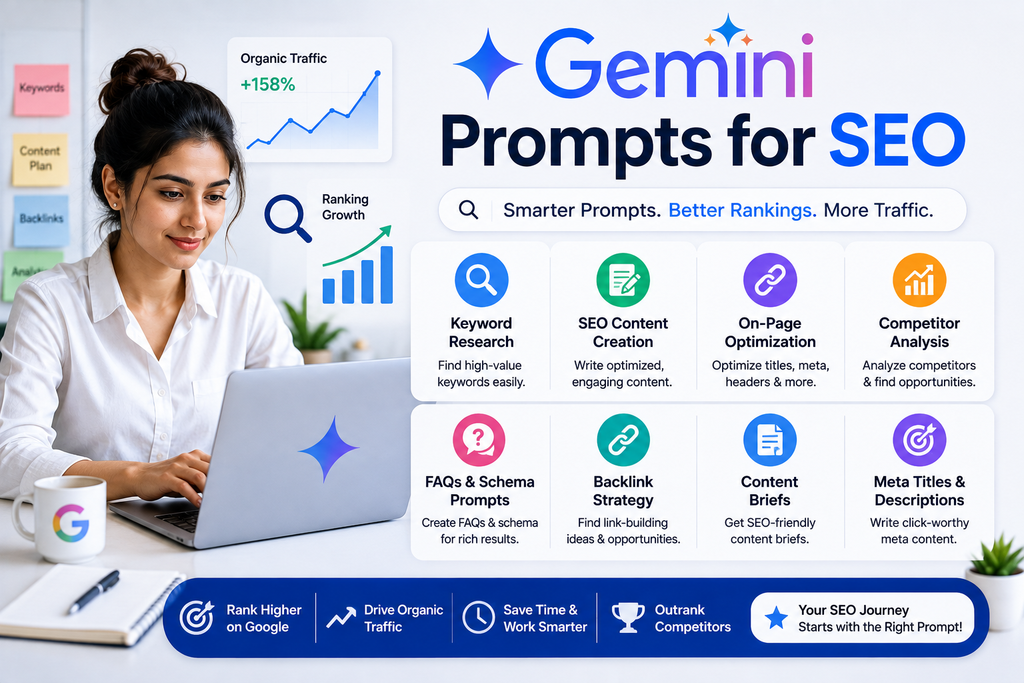
Hi, I’m Gurudeep Singh, and in this guide, I’ll share practical Gemini prompts you can customize for different SEO tasks. The goal isn’t to automate SEO completely. It is to use Gemini as an assistant while keeping human judgment, reliable data, and user value at the center of your strategy.
How Can You Use Gemini for SEO?
You can use Gemini for SEO to help with keyword brainstorming, search-intent analysis, topic clusters, content briefs, article outlines, on-page optimization, internal linking, competitor-analysis frameworks, schema ideas, content refreshes, and SEO planning.
For example:
Prompt:
“Act as an experienced SEO strategist. I run a [website type] about [topic] for [target audience]. My primary goal is [goal]. Create an SEO content strategy containing topic clusters, likely search intent, content ideas, internal-link opportunities, and a 90-day publishing plan. Clearly label assumptions and do not invent search volume, keyword difficulty, rankings, or traffic data.”
Gemini becomes more useful when you provide clear context and specify exactly what output you need.
What Are Gemini Prompts for SEO?
Gemini prompts for SEO are instructions you give Google Gemini to help complete or organize search engine optimization tasks.
For example, a basic prompt might be:
“Give me SEO keywords.”
A stronger prompt would be:
“Generate keyword ideas around ‘email marketing for small businesses.’ Group them by informational, commercial, and transactional intent. Create logical topic clusters and suggest potential article angles. Do not invent search volume or keyword difficulty.”
The second prompt provides:
- Main topic
- Search intent requirements
- Desired structure
- Output expectations
- Data limitations
That makes the response much easier to use.
Can Gemini Help With SEO?
Yes.
Gemini can assist with many parts of an SEO workflow, particularly tasks involving brainstorming, classification, summarization, organization, and drafting.
You can use Gemini to help with:
- Keyword ideas
- Long-tail keyword brainstorming
- Search intent
- Topic clustering
- Content planning
- Article outlines
- Content briefs
- Title ideas
- Meta descriptions
- Internal linking
- FAQ ideas
- Schema planning
- Content audits
- Competitor research frameworks
- SEO reporting
- Content refreshes
However, AI-generated suggestions should not automatically be treated as verified SEO data.
For metrics such as search volume, keyword difficulty, rankings, backlinks, traffic, and current search results, use appropriate current data sources.
35+ Best Gemini Prompts for SEO
Replace anything inside [brackets] with your website, topic, keyword, audience, or other relevant information.
1. Create a Complete SEO Strategy
Prompt:
“Act as a senior SEO strategist. Create a 90-day SEO strategy for [website/business] targeting [audience] in [market]. Our primary objective is [goal]. Include technical SEO priorities, content strategy, keyword research process, topic clusters, on-page optimization, internal linking, authority-building ideas, measurement, and weekly priorities.”
Best for: Creating an overall SEO roadmap.
2. Generate Keyword Ideas
Prompt:
“Generate keyword ideas related to [topic] for [audience]. Group them by informational, commercial, transactional, and navigational intent. Include broad topics and long-tail variations. Do not invent search-volume or keyword-difficulty numbers.”
3. Generate Long-Tail Keywords
Prompt:
“Generate 30 long-tail keyword ideas around [main keyword]. Group them by problem, question, comparison, how-to, use case, and buying intent.”
Long-tail ideas can be useful for discovering more specific audience needs.
4. Classify Keywords by Search Intent
Prompt:
“Classify the following keywords into informational, commercial investigation, transactional, or navigational intent. Explain your reasoning briefly and flag keywords where intent could be mixed: [keyword list].”
5. Group Keywords Into Clusters
Prompt:
“Group these keywords into logical SEO topic clusters based on meaning and likely search intent: [keywords]. Suggest a primary page for each cluster and supporting content where appropriate. Avoid creating separate pages for keywords that appear to have the same intent.”
6. Create a Topic Cluster
Prompt:
“Create an SEO topic cluster around [topic]. Suggest one pillar page and 20 supporting articles. For each supporting article, provide the likely search intent, reader problem, unique angle, and internal-link relationship to the pillar page.”
7. Find Blog Topic Ideas
Prompt:
“Generate 30 useful blog post ideas about [topic] for [audience]. Group them by beginner, intermediate, commercial, comparison, and problem-solving intent. Avoid ideas that substantially overlap.”
8. Generate Question Keywords
Prompt:
“Generate 30 questions a user might ask about [topic]. Group them into what, why, how, when, can, should, and comparison questions. Identify which questions could potentially be answered directly in an FAQ.”
9. Create an SEO Content Brief
Prompt:
“Create an SEO content brief for the keyphrase [keyword]. Include likely search intent, target audience, reader goal, important subtopics, recommended H2/H3 structure, related concepts and entities, FAQ ideas, internal-link opportunities, and facts that should be verified using authoritative sources.”
10. Create an SEO Blog Outline
Prompt:
“Create a comprehensive but non-repetitive blog outline for [keyword]. The target reader is [audience]. Begin with the likely search intent, then create a logical H1, H2, and H3 structure that answers the user’s main question efficiently.”
11. Generate SEO Titles
Prompt:
“Generate 15 SEO-friendly title options for an article targeting [keyphrase]. Keep the key topic clear, match [search intent], and create useful, accurate titles without clickbait.”
12. Generate Meta Descriptions
Prompt:
“Write 10 natural meta-description options for a page targeting [keyphrase]. Clearly communicate what the page provides and give users a reason to visit. Avoid keyword stuffing and unsupported claims.”
13. Improve an Introduction
Prompt:
“Review this article introduction for search intent, clarity, unnecessary filler, and relevance. Rewrite it so the reader understands the problem, value, and article purpose quickly without keyword stuffing: [introduction].”
14. Optimize Existing Content
Prompt:
“Review the following article for search intent, helpfulness, clarity, structure, repetition, topic coverage, and unanswered reader questions. Identify improvements first. Do not add keywords simply to increase keyword frequency: [article].”
15. Find Content Gaps
Prompt:
“Using only the following list of topics from my website and competitors, identify potential content gaps: [data]. Group opportunities by audience problem, search intent, funnel stage, and topical relevance. Clearly distinguish observations from assumptions.”
16. Create a Content Refresh Plan
Prompt:
“Review this existing article: [content]. Create a content-refresh plan covering outdated sections, missing questions, unclear explanations, unnecessary content, opportunities for original value, internal links, and facts that need current verification.”
17. Improve Content for Search Intent
Prompt:
“My target query is [query], and here is my article: [content]. Analyze whether the article appears to satisfy informational, commercial, transactional, or mixed intent. Identify mismatches and recommend specific improvements.”
18. Generate Featured Snippet Answers
Prompt:
“Create concise answer candidates for the question [question]. Start with a direct answer, then provide supporting detail. Keep the wording natural and useful. Do not claim that the content will earn a featured snippet.”
19. Create AEO-Friendly Questions
Prompt:
“Generate 20 specific questions users may ask about [topic]. Prioritize questions that can be answered clearly and directly. Group them into beginner questions, how-to questions, comparisons, troubleshooting, and purchase-related questions.”
20. Create an FAQ Section
Prompt:
“Create 10 useful FAQ questions for an article about [topic] targeting [audience]. Answer each question directly in simple language. Avoid repeating information unnecessarily and do not invent facts.”
21. Find Internal Linking Opportunities
Prompt:
“Here is a list of pages on my website: [URLs/titles]. Create an internal-linking plan based on topical relevance and user usefulness. For each recommendation, provide source page, destination page, suggested anchor-text concept, and why the link helps the reader.”
22. Suggest Anchor Text
Prompt:
“Generate natural anchor-text ideas for an internal link from a page about [source topic] to a page about [destination topic]. Create descriptive variations and avoid repetitive exact-match anchors.”
23. Build a Website Content Silo
Prompt:
“Organize these topics into a logical website content architecture: [topics]. Create primary categories, pillar pages, supporting articles, and internal-link relationships. Prioritize simple navigation and clear topical relationships.”
24. Generate Image Alt Text
Prompt:
“Write concise, descriptive alt-text suggestions for these images: [image descriptions]. Describe the meaningful visual content and purpose. Do not force SEO keywords into alt text when they are not relevant.”
25. Generate Schema Markup Ideas
Prompt:
“Review this page type and content summary: [details]. Identify which structured-data types, if any, may be relevant. Explain why each could apply and what required information I would need. Do not assume that structured data guarantees rich results.”
Always check current Google Search documentation before implementing structured data.
26. Create FAQ Schema Content
Prompt:
“Based on the following article, identify genuine question-and-answer pairs that could form a useful FAQ section: [article]. Keep answers accurate to the article. Separately tell me whether I should verify current search-engine eligibility before implementing FAQ structured data.”
27. Generate Product SEO Ideas
Prompt:
“Create an SEO improvement checklist for this product page: [details]. Review title, description, user questions, product information, images, internal links, trust information, structured-data considerations, and unique value.”
28. Optimize a Category Page
Prompt:
“Create an SEO content plan for an e-commerce category page about [category]. Include user intent, useful introductory content, filters, product information, FAQs, internal links, and ways to avoid generic or duplicated copy.”
29. Create Local SEO Content Ideas
Prompt:
“Generate useful local content ideas for a [business type] serving [location]. Focus on genuine customer questions, services, location-specific information, FAQs, and useful resources. Avoid creating thin pages simply by swapping city names.”
30. Create a Competitor SEO Analysis Framework
Prompt:
“Create an SEO competitor-analysis framework for [industry]. Include content coverage, keyword themes, search intent, site structure, internal linking, backlinks, content quality, SERP presence, technical factors, and differentiation. Mark which areas require current external data.”
31. Analyze Competitor Content
Prompt:
“Using only the competitor information I provide below, compare their content strategies. Identify common topics, unique angles, apparent gaps, content formats, audience segments, and potential opportunities for differentiation: [data].”
32. Create an SEO Audit Checklist
Prompt:
“Create a comprehensive SEO audit checklist for [website type]. Divide it into crawlability, indexing, site architecture, on-page SEO, content quality, internal linking, structured data, performance, mobile usability, backlinks, and measurement.”
33. Analyze Google Search Console Data
Prompt:
“Analyze the following Google Search Console data: [paste/export data]. Identify pages or queries with meaningful changes, high impressions but relatively low clicks, ranking opportunities, potential cannibalization patterns, and areas requiring further investigation. Separate observations from hypotheses.”
34. Create SEO KPIs
Prompt:
“Recommend SEO KPIs for a [business type] whose primary objective is [goal]. Separate leading indicators from business outcomes and explain what each metric can and cannot tell us.”
35. Create an SEO Content Calendar
Prompt:
“Create a 3-month SEO content calendar for [website] targeting [audience]. We can publish [number] high-quality articles per month. Organize topics into clusters and include target intent, funnel stage, article purpose, internal-link target, and priority.”
36. Create a Content Pruning Framework
Prompt:
“Create a framework for deciding whether existing website content should be kept, updated, consolidated, redirected, or removed. Include traffic, conversions, backlinks, relevance, content quality, duplication, freshness, and user value as considerations.”
37. Diagnose a Traffic Drop
Prompt:
“Create a diagnostic process for investigating an organic traffic decline. Do not assume the cause. Include tracking errors, seasonality, indexing, technical issues, ranking changes, competitor changes, content changes, algorithmic changes, and query-demand changes.”
Best Gemini Prompt for SEO
If you want one reusable SEO prompt, try this:
Prompt:
“Act as a senior SEO strategist.
Website: [website/business]
Industry: [industry]
Target audience: [audience]
Primary market: [location]
Main product/service: [offer]
Primary SEO goal: [goal]
Current situation: [context]
Available resources: [team/budget/content capacity]
Create a practical SEO strategy covering:
- Audience search needs
- Keyword research process
- Search intent
- Topic clusters
- Content opportunities
- On-page optimization
- Internal linking
- Technical SEO priorities
- Authority-building opportunities
- Measurement
- 90-day action plan
- Potential risks and assumptions
Do not invent search volume, traffic, rankings, backlinks, keyword difficulty, or competitor data.
Clearly identify recommendations that require current external research or website data.”
This prompt gives Gemini enough context to act as an SEO planning assistant without encouraging it to invent metrics.
How to Write Better Gemini Prompts for SEO
A useful formula is:
Role + Website + Audience + Goal + Data + Task + Constraints + Output
Role
Define the perspective.
Example:
“Act as an SEO content strategist.”
Website
Explain what your website does.
Example:
“I run a website that teaches beginners how to use AI tools.”
Audience
Specify who you want to reach.
Example:
“My audience includes beginners, marketers, content creators, and small business owners.”
Goal
Define what you want SEO to accomplish.
Examples:
- Increase relevant organic traffic
- Generate qualified leads
- Build topical authority
- Improve product discovery
- Increase sales
- Reach local customers
Data
Provide real information whenever possible.
For example:
- Search Console exports
- Keyword research
- Existing URLs
- Analytics
- Competitor pages
- Customer questions
Task
Tell Gemini exactly what you need.
For example:
“Group these keywords into topic clusters.”
Constraints
Tell Gemini what not to invent.
For example:
“Do not create fake search-volume or keyword-difficulty metrics.”
Output
Define the desired format.
For example:
“Create a table containing keyword, cluster, search intent, page type, and priority.”
How to Use Gemini for SEO Step by Step
Step 1: Define the SEO Goal
Don’t start by generating hundreds of keywords.
First determine what you want SEO to achieve.
Your goal might be:
- Traffic
- Leads
- Sales
- Brand visibility
- Product discovery
- Local customers
Step 2: Understand Your Audience
Ask:
Which problems are they trying to solve?
Consider the questions they commonly ask.
Identify the information they need before making a decision.
SEO should begin with people, not just keywords.
Step 3: Collect Reliable SEO Data
Use appropriate sources to collect information such as:
- Search queries
- Current rankings
- Organic clicks
- Impressions
- Website performance
- Competitor pages
- Keyword metrics
Gemini can help organize and analyze data you provide.
Step 4: Use Gemini to Find Patterns
For example, paste an appropriate keyword list and ask Gemini to cluster it by intent.
Or provide Search Console data and ask it to identify areas worth investigating.
Step 5: Create Useful Content
Use Gemini to help create:
- Briefs
- Outlines
- Question lists
- Content structures
- Examples
- Drafts
But make sure the final content provides genuine value beyond generic AI-generated text.
Step 6: Optimize for Users First
A page should solve the user’s problem.
Avoid adding sections simply because an AI tool suggests more keywords.
Ask:
“Does this information genuinely help the reader?”
Step 7: Add Internal Links
Connect related content naturally.
Internal links can help users discover useful related pages while also helping search engines understand relationships between your content.
Step 8: Verify Important Facts
Check:
- Statistics
- Quotes
- Product information
- Current policies
- Search-engine documentation
- Technical recommendations
Step 9: Publish and Measure
SEO does not end when the article is published.
Monitor real performance using appropriate analytics and search-performance data.
Step 10: Improve Based on Evidence
Update pages based on:
- User needs
- Search performance
- Outdated information
- New developments
- Content gaps
- Conversion performance
Gemini for Keyword Research: What Can It Do?
Gemini can be useful during the brainstorming and organization stages of keyword research.
For example, it can help:
- Generate seed ideas
- Expand topics
- Create question variations
- Group keywords
- Classify intent
- Build clusters
- Identify semantic relationships
However, there is an important distinction:
Keyword ideas are not the same as keyword data.
If Gemini suggests a keyword, that does not automatically tell you:
- Search volume
- Difficulty
- CPC
- Current ranking
- Traffic potential
- SERP competition
Use appropriate current data sources when those metrics matter.
Gemini for SEO Content Creation
Gemini can help you create:
- Content briefs
- Article outlines
- Definitions
- Examples
- FAQ ideas
- Title variations
- Meta-description drafts
- Content-refresh recommendations
But publishing large amounts of generic AI-generated content simply to target search queries is not a sustainable SEO strategy.
Your content should provide genuine value.
That can come from:
- First-hand experience
- Original examples
- Expert analysis
- Unique data
- Research
- Screenshots
- Testing
- Clear explanations
- Useful comparisons
- Practical workflows
AI should help you create better content, not simply more content.
Gemini for On-Page SEO
Gemini can help review individual pages for:
- Search intent
- Headings
- Clarity
- Repetition
- Missing questions
- Internal links
- Titles
- Meta descriptions
- Image descriptions
- Content organization
Avoid treating on-page SEO as a keyword-density exercise.
Natural, useful content is more important than repeatedly inserting the exact same phrase.
Gemini for Technical SEO
Gemini can also help explain technical SEO concepts and create troubleshooting frameworks for:
- Crawling
- Indexing
- Canonicals
- Redirects
- Robots.txt
- XML sitemaps
- Structured data
- Core Web Vitals
- JavaScript SEO
- Duplicate content
Technical implementation should still be checked against current official documentation and your actual website configuration.
Gemini for AEO
AEO, or Answer Engine Optimization, generally focuses on making content easy to understand and useful for question-based discovery and answer experiences.
Useful practices include:
- Answering important questions directly
- Using descriptive headings
- Providing concise definitions
- Creating logical step-by-step instructions
- Including relevant FAQs
- Supporting factual claims
- Keeping information current
- Making pages easy to navigate
Do not sacrifice depth or usefulness simply to make every paragraph extremely short.
Gemini for GEO
GEO is commonly used to describe optimization for generative AI and AI-powered discovery experiences.
There is no magic prompt that guarantees your website will be cited or surfaced by an AI system.
A more durable approach is to create content that is:
- Useful
- Original
- Clear
- Accurate
- Well structured
- Easy to access
- Supported by reliable evidence
- Written for real users
For important topics, demonstrate why readers should trust the information.
SEO vs AEO vs GEO
SEO focuses on making useful content discoverable through search engines.
AEO emphasizes answering user questions clearly and directly.
GEO generally focuses on making useful information understandable and potentially useful within generative AI discovery experiences.
These approaches overlap significantly.
You do not need three completely separate articles for the same query.
A strong page can serve all three by providing original, useful, well-structured, trustworthy information.
Common Mistakes When Using Gemini for SEO
1. Asking Gemini to Invent Keyword Metrics
Avoid treating AI-generated search volumes or difficulty scores as factual data.
2. Creating Hundreds of Thin Pages
More pages do not automatically mean more traffic.
Prioritize useful content.
3. Ignoring Search Intent
A keyword is only part of the picture.
Understand what the user actually wants.
4. Keyword Stuffing
Do not repeat keywords unnaturally simply because you want to rank for them.
5. Copying Competitors
Competitor research should help you understand the market, not encourage you to reproduce someone else’s content.
6. Publishing Without Fact-Checking
Verify factual claims and current information.
7. Ignoring Internal Links
Related pages should be connected when those links genuinely help readers.
8. Creating Generic AI Content
Add original value rather than publishing a lightly edited version of the first AI response.
9. Assuming Structured Data Guarantees Visibility
Structured data can help search engines understand eligible content, but it does not guarantee rich results or rankings.
10. Optimizing for AI Instead of People
SEO, AEO, and GEO should still begin with useful content for actual users.
Frequently Asked Questions
Is Gemini good for SEO?
Yes. Gemini can assist with keyword brainstorming, search-intent classification, topic clustering, content briefs, outlines, internal-link planning, SEO analysis, and other workflow tasks. Important SEO data should still come from reliable current sources.
How do I use Gemini for SEO?
Give Gemini information about your website, audience, SEO goal, target topic, and available data. Then request a specific task such as clustering keywords, creating a content brief, reviewing an article, or analyzing supplied Search Console data.
What are the best Gemini prompts for SEO?
The best Gemini SEO prompts clearly specify the website, audience, goal, task, available data, limitations, and desired output. They should also tell Gemini not to invent SEO metrics.
Can Gemini do keyword research?
Gemini can help brainstorm, expand, classify, and cluster keyword ideas. For current search volume, keyword difficulty, rankings, and other metrics, use appropriate SEO data sources.
Can Gemini write SEO content?
Yes. Gemini can assist with briefs, outlines, drafts, FAQs, titles, and meta descriptions. The final content should be reviewed for originality, accuracy, usefulness, and search intent.
Can Gemini improve existing content?
Yes. You can provide existing content and ask Gemini to identify unclear sections, repetition, missing questions, search-intent gaps, outdated information, and opportunities for improvement.
Can Gemini help with technical SEO?
Yes. Gemini can explain technical SEO concepts, create audit checklists, review supplied information, and help troubleshoot issues. Important implementation decisions should be verified against current official documentation.
Can Gemini analyze Google Search Console data?
Gemini can help analyze data you provide from Google Search Console by identifying patterns and potential opportunities. Conclusions should be checked against the underlying data and broader context.
Can Gemini improve Google rankings?
Gemini can assist your SEO workflow, but using Gemini does not guarantee higher rankings. Search performance depends on many factors, including content quality, relevance, accessibility, competition, website health, and user needs.
Is AI-generated content good for SEO?
AI-assisted content can be useful when it provides genuine value to users. Simply generating large volumes of low-value pages for search visibility can create quality problems. Human review, accuracy, originality, and usefulness remain important.
Final Thoughts
The right Gemini prompts for SEO can make many SEO workflows faster and easier to organize.
You can use Gemini for:
- Keyword brainstorming
- Search intent
- Topic clusters
- Content briefs
- Article outlines
- On-page reviews
- Internal linking
- FAQ ideas
- SEO audits
- Competitor-analysis frameworks
- Search Console analysis
- Content refreshes
But Gemini should not replace reliable SEO data, human judgment, or a genuine understanding of your audience.
A better workflow is:
Define your goal → Collect reliable data → Give Gemini context → Generate ideas → Review → Verify → Implement → Measure → Improve
For SEO, AEO, and GEO, focus on creating information that deserves to be discovered rather than searching for shortcuts.
Use the prompts in this guide as templates and customize them with your own website, audience, data, and goals.