AI Tools for Social Media Marketing
Social media marketing in 2026 is more demanding than simply posting a few images every week. Brands now need to create platform-specific content, write stronger hooks, design visuals, produce short videos, schedule posts, respond to audiences, analyze performance, repurpose content, and maintain a consistent brand voice across multiple channels. Artificial intelligence can help make this process faster.So, what are the best AI tools for social media marketing?Some of the most useful AI tools include ChatGPT, Canva, Buffer, Hootsuite, Adobe Express, Jasper, Claude, Google Gemini, CapCut, and HubSpot.
Each tool serves a different purpose. ChatGPT, Claude, and Gemini can help with ideas, captions, hooks, and scripts. Canva and Adobe Express help create visuals. CapCut supports short-form video production. Buffer and Hootsuite help with scheduling and social media management, while HubSpot can connect social activity with broader marketing and CRM workflows. The best social media strategy does not depend on one tool. It combines content creation, design, scheduling, audience understanding, automation, and performance analysis. This guide explains the best AI tools for social media marketing in 2026, what each tool is best for, and how to build an effective AI-assisted social media workflow.
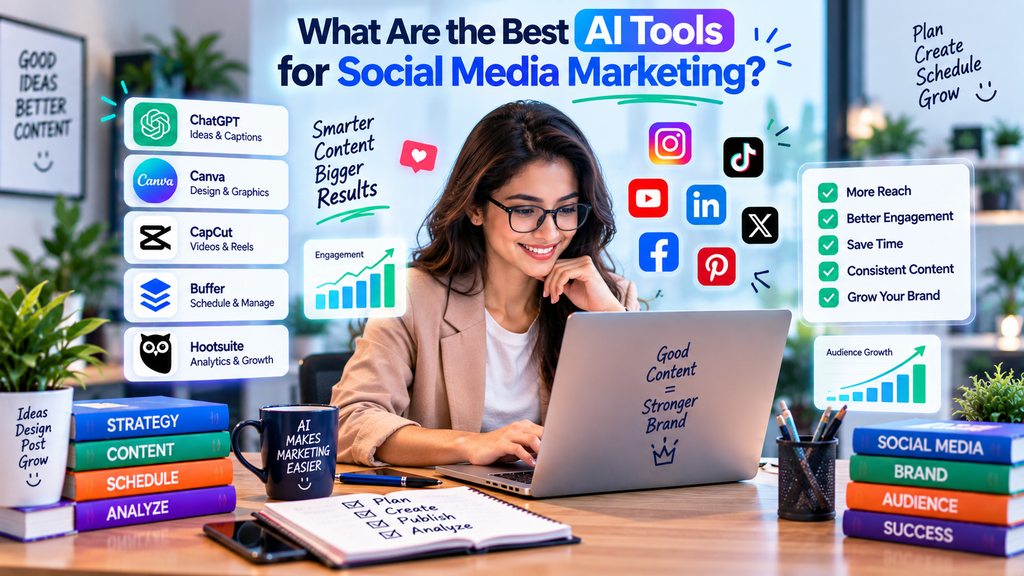
What Are the Best AI Tools for Social Media Marketing?
The best AI tools depend on the social media task you want to improve.
| AI Tool | Best For |
|---|---|
| ChatGPT | Social media ideas, captions, hooks and scripts |
| Canva | Social graphics, carousels and visual content |
| Buffer | Scheduling, planning and publishing |
| Hootsuite | Social media management and monitoring |
| Adobe Express | Branded social graphics and quick creative work |
| Jasper | Marketing copy and brand-focused content |
| Claude | Long-form planning and content repurposing |
| Google Gemini | Research, brainstorming and topic exploration |
| CapCut | Short-form video creation and editing |
| HubSpot | Social media marketing connected to CRM and campaigns |
For most businesses, the strongest approach is to combine a writing assistant, a design or video tool, and a social media management platform.
AI keyword optimization helps businesses create more relevant content by analyzing search intent, related keywords, user questions, and content trends. AI tools can identify valuable keyword opportunities, improve content structure, and suggest natural keyword placement without unnecessary repetition. This approach supports SEO by improving search visibility, AEO by targeting question-based searches, and GEO by creating clear, context-rich content for AI-powered search platforms. A smart AI keyword optimization strategy can increase organic traffic, relevance, and long-term online visibility.
What Are AI Social Media Marketing Tools?
AI social media marketing tools are software platforms that use artificial intelligence, automation, machine learning, or generative features to help marketers create, manage, analyze, and distribute social content.
What Can AI Social Media Tools Do?
AI can help with:
- Content ideas
- Social captions
- Hooks
- Hashtag ideas
- Video scripts
- Carousel copy
- Image creation
- Graphic design
- Short-form video editing
- Content calendars
- Post scheduling
- Repurposing
- Engagement analysis
- Performance summaries
- Campaign brainstorming
Can AI Fully Automate Social Media Marketing?
AI can automate many repetitive tasks, but complete automation is usually not the best strategy.
Where Human Input Still Matters
Humans should remain responsible for:
- Brand voice
- Creative judgment
- Community engagement
- Cultural awareness
- Customer responses
- Crisis communication
- Campaign strategy
Why Use AI for Social Media Marketing in 2026?
Social media teams often need to produce large amounts of content for multiple platforms.
This creates a significant workload.
Traditional Social Media Workflow
Idea → Caption → Design → Approval → Scheduling → Publishing → Engagement → Reporting
AI-Assisted Workflow
Research → AI Idea Generation → Caption Draft → Visual Creation → Scheduling → Repurposing → Performance Analysis
What Makes AI Useful?
AI can save time on repetitive work.
Best Use of AI
Use AI to improve speed and consistency while keeping creative direction and audience understanding human-led.
1. ChatGPT – Best Overall AI Assistant for Social Media Marketing
ChatGPT is one of the most flexible AI tools for social media marketers.
What Can ChatGPT Do for Social Media?
It can help create:
- Post ideas
- Captions
- Hooks
- Calls to action
- Carousel outlines
- Video scripts
- Poll ideas
- Campaign concepts
- Content calendars
- Comment reply drafts
- Content repurposing plans
Why Is ChatGPT Useful?
You can provide detailed context.
For example:
- Target audience
- Platform
- Brand tone
- Product
- Campaign goal
- Content format
Best ChatGPT Workflow
Audience → Platform → Content Goal → Hook → Caption → CTA → Review → Publish
2. Canva – Best for Social Media Graphics and Carousels
Canva is one of the most useful design platforms for social media content.
What Can You Create With Canva?
Marketers can create:
- Instagram posts
- Carousels
- Facebook graphics
- LinkedIn posts
- Pinterest pins
- YouTube thumbnails
- Story graphics
- Short videos
- Promotional banners
Why Is Canva Good for Small Businesses?
It makes professional-looking design more accessible.
Best Canva Workflow
Message → Template → Brand Style → Edit → Resize → Publish
3. Buffer – Best for Social Media Scheduling
Buffer helps marketers plan and publish social content.
What Can Buffer Help With?
Buffer can support:
- Post scheduling
- Content calendars
- Publishing
- Caption workflows
- Multi-platform planning
- Basic performance tracking
Who Should Use Buffer?
Buffer can be useful for:
- Creators
- Freelancers
- Small businesses
- Agencies
- Social media managers
Why Scheduling Matters
Scheduling helps maintain consistency without requiring manual posting every day.
4. Hootsuite – Best for Social Media Management and Monitoring
Hootsuite is a broader social media management platform.
What Can Hootsuite Help With?
It can support:
- Scheduling
- Social listening
- Monitoring
- Team workflows
- Publishing
- Performance analysis
- Campaign management
Who Is Hootsuite Best For?
It is often more suitable for:
- Larger teams
- Agencies
- Brands managing multiple channels
- Organizations needing monitoring and collaboration
Hootsuite vs Buffer
Buffer is generally simpler.
Hootsuite provides broader management and monitoring features.
The best option depends on your team size and workflow.
5. Adobe Express – Best for Fast Branded Social Content
Adobe Express is useful for quickly creating visual marketing assets.
What Can Adobe Express Create?
It can help with:
- Social posts
- Stories
- Reels
- Flyers
- Promotional graphics
- Brand templates
Why Is It Useful?
It can help marketers quickly produce polished visual content.
Best Use Case
Use Adobe Express when you need fast, brand-consistent creative work without a complex design process.
6. Jasper – Best for Brand-Focused Social Copy
Jasper focuses on marketing-oriented writing.
What Can Jasper Help With?
It can support:
- Social captions
- Ad copy
- Campaign messaging
- Product promotions
- Brand-focused posts
- Content variations
Who Should Consider Jasper?
Jasper can be useful for marketing teams that want more control over brand style.
Jasper vs ChatGPT
ChatGPT is highly flexible.
Jasper may be more suitable when structured marketing workflows and brand consistency are priorities.
7. Claude – Best for Social Strategy and Content Repurposing
Claude can be useful when working with longer marketing documents and campaigns.
What Can Claude Help With?
Claude can assist with:
- Social strategy
- Campaign planning
- Content repurposing
- Long-form-to-short-form conversion
- Caption variations
- Content calendars
Best Claude Use Case
Give Claude a long blog post or report and ask it to turn the content into:
- LinkedIn posts
- Instagram carousels
- Short-video scripts
- Email snippets
- Social captions
Why Repurposing Matters
It allows marketers to get more value from one piece of research.
8. Google Gemini – Best for Research and Topic Discovery
Gemini is useful for research and brainstorming.
What Can Gemini Help With?
Gemini can assist with:
- Trend research
- Topic ideas
- Audience questions
- Campaign concepts
- Content themes
- Research summaries
When Should You Use Gemini?
Use it when you need fresh angles or broader context around a topic.
Example Workflow
Topic → Audience Questions → Content Angles → Social Formats → Campaign Plan
9. CapCut – Best for Short-Form Video Content
Short-form video remains one of the most important formats in social media marketing.
CapCut can help create and edit videos for social platforms.
What Can CapCut Help With?
It can support:
- Reels
- Shorts
- TikTok-style videos
- Captions
- Templates
- Transitions
- Basic AI-assisted editing
- Social video formatting
Who Should Use CapCut?
CapCut can be useful for:
- Creators
- Small businesses
- Social media managers
- Video marketers
Best Video Workflow
Idea → Script → Record or Generate → Edit → Caption → Hook → CTA → Publish
10. HubSpot – Best for Social Media Connected to CRM
HubSpot can connect social media activity with broader marketing, sales, and customer workflows.
What Can HubSpot Help With?
Depending on the product and plan, it can support:
- Campaign tracking
- Social publishing
- Lead management
- CRM
- Marketing automation
- Reporting
Why Is CRM Integration Useful?
Social content can generate leads.
Example
Social Post → Landing Page → Lead Form → CRM → Email Follow-Up → Sales Action
Best AI Tools for Different Social Media Marketing Tasks
| Social Media Task | Recommended Tools |
|---|---|
| Content Ideas | ChatGPT, Gemini |
| Caption Writing | ChatGPT, Jasper |
| Social Graphics | Canva, Adobe Express |
| Short-Form Video | CapCut, Canva |
| Content Scheduling | Buffer, Hootsuite |
| Social Strategy | ChatGPT, Claude |
| Content Repurposing | Claude, ChatGPT |
| Campaign Planning | ChatGPT, Gemini |
| CRM Integration | HubSpot |
| Team Management | Hootsuite |
| Content Calendars | ChatGPT, Buffer |
| Brand Copy | Jasper |
Best AI Tools for Instagram Marketing
Instagram requires strong visual content and consistent publishing.
Recommended Instagram Stack
ChatGPT for captions and hooks.
Canva for posts and carousels.
CapCut for Reels.
Buffer or Hootsuite for scheduling.
What Can AI Help Create for Instagram?
AI can help create:
- Reels scripts
- Carousel copy
- Captions
- Hooks
- CTA ideas
- Story questions
- Content calendars
Best Instagram Strategy
Focus on useful, visual, platform-native content rather than simply reposting content from other platforms.
Best AI Tools for Facebook Marketing
Facebook can support organic content, communities, business pages, and paid marketing.
Useful Tools
ChatGPT for copy.
Canva or Adobe Express for graphics.
Buffer or Hootsuite for scheduling.
HubSpot for lead workflows.
What Types of Facebook Content Can AI Help With?
AI can create:
- Promotional posts
- Educational posts
- Short videos
- Event posts
- Community questions
- Ad copy
Keep the Content Audience-Specific
Facebook audiences may behave differently from Instagram, LinkedIn, or TikTok audiences.
Best AI Tools for LinkedIn Marketing
LinkedIn is useful for professional, B2B, and thought-leadership content.
Recommended Tools
ChatGPT or Claude for writing.
Canva for carousels and graphics.
Buffer or Hootsuite for scheduling.
What Can AI Create for LinkedIn?
AI can assist with:
- Thought-leadership posts
- Educational posts
- Case studies
- Carousels
- Professional hooks
- Comment replies
Add Real Expertise
LinkedIn content performs better when it includes authentic experience and opinions.
Best AI Tools for YouTube Shorts and Short Videos
Short-form video marketing requires fast idea generation and editing.
Recommended Stack
ChatGPT for scripts.
CapCut for editing.
Canva for thumbnails and graphics.
What Can AI Help With?
AI can support:
- Hooks
- Scripts
- Titles
- Descriptions
- Captions
- Storyboarding
- CTA ideas
First Seconds Matter
Strong short-form content should communicate the value quickly.
Best AI Tools for Social Media Content Creation
Content creation is the most common AI use case in social media.
AI Can Create
- Captions
- Images
- Videos
- Scripts
- Carousels
- Polls
- Stories
- Headlines
- CTAs
Recommended Content Stack
Writing: ChatGPT or Claude
Design: Canva or Adobe Express
Video: CapCut
Keep Brand Consistency
Create clear guidelines for:
- Tone
- Fonts
- Colors
- Messaging
- CTA style
How to Create a Social Media Content Calendar With AI
AI can make content planning much faster.
Step 1: Define Your Goal
Examples:
- Awareness
- Engagement
- Traffic
- Leads
- Sales
Step 2: Define Content Pillars
Examples:
- Education
- Product
- Tips
- Case studies
- Behind the scenes
- Entertainment
Step 3: Choose Platforms
Select where your audience is active.
Step 4: Generate Ideas
Use ChatGPT or Gemini.
Step 5: Assign Formats
Choose:
- Image
- Carousel
- Reel
- Video
- Poll
- Story
Step 6: Schedule
Use Buffer or Hootsuite.
Example Weekly Calendar
Monday: Educational post
Tuesday: Reel
Wednesday: Carousel
Thursday: Engagement post
Friday: Product or service post
Keep the Calendar Flexible
Do not make your schedule so rigid that you cannot react to timely opportunities.
How to Repurpose Content for Social Media With AI
Repurposing is one of the best ways to increase content output without starting from zero.
Example
Take one blog post and turn it into:
- LinkedIn post
- Instagram carousel
- Reel script
- Facebook post
- Short video
- X thread
- Email snippet
Which AI Tools Are Best?
ChatGPT and Claude are especially useful.
Adapt the Format
Do not simply copy the same text.
Each platform needs a different hook, length, and style.
How to Use AI for Social Media Captions
AI can generate large numbers of caption ideas quickly.
Give the AI Context
Include:
- Platform
- Audience
- Goal
- Tone
- Product
- CTA
Example Prompt Structure
Platform + Audience + Goal + Offer + Tone + Length + CTA
Review Every Caption
AI may produce generic or repetitive copy.
Add brand personality.
How to Use AI for Social Media Hooks
The hook is the first line or opening idea.
Good Hooks Can
- Ask a question
- Create curiosity
- Challenge an assumption
- Promise a useful result
- Highlight a problem
Example
Weak:
“Here are some AI marketing tips.”
Better:
“You may be wasting hours every week on social media tasks AI can automate.”
Avoid Misleading Hooks
Curiosity should not become clickbait.
How to Use AI for Social Media Videos
AI can support the full video process.
Planning
Use ChatGPT, Claude, or Gemini.
Design and Production
Use Canva or another video creation platform.
Editing
Use CapCut.
Distribution
Use Buffer or Hootsuite.
Complete Workflow
Idea → Hook → Script → Visuals → Edit → Caption → Schedule → Analyze
Optimize for the Platform
Use the correct size, pacing, captions, and length.
How to Use AI for Social Media Ads
AI can help develop advertising creative.
AI Can Generate
- Ad headlines
- Primary copy
- CTA ideas
- Audience pain points
- Creative concepts
- Variations
What Should Humans Review?
Always review:
- Accuracy
- Brand claims
- Offer details
- Compliance
- Targeting strategy
Test Multiple Variations
Use AI for faster experimentation rather than assuming the first output will perform best.
AI Social Media Marketing for AEO
AEO is not limited to traditional websites.
Clear social content can also help audiences quickly understand a brand or topic.
Create Answer-Focused Posts
Use:
Question → Direct Answer → Example → CTA
Example
Question:
What is the best AI tool for social media marketing?
Answer:
ChatGPT is a flexible choice for ideas and captions, while Canva is better for visuals and Buffer is better for scheduling.
Keep Answers Easy to Understand
Clear content performs better for users and machine interpretation.
AI Social Media Marketing for GEO
GEO focuses on creating information that is useful in generative search and AI discovery environments.
How Can Social Content Support GEO?
Social platforms can help strengthen:
- Brand visibility
- Topic presence
- Entity recognition
- Audience engagement
- Content distribution
Create Consistent Brand Information
Keep important business details consistent.
Publish Original Insights
Original opinions, research, examples, and case studies are more valuable than generic AI-generated posts.
How to Build an AI Social Media Marketing Workflow
A structured workflow improves speed and consistency.
Step 1: Research the Audience
Understand:
- Problems
- Goals
- Interests
- Preferred platforms
Step 2: Define Content Pillars
Choose 3 to 5 main content themes.
Step 3: Generate Ideas
Use AI for brainstorming.
Step 4: Write Captions and Scripts
Use ChatGPT, Claude, or Jasper.
Step 5: Create Visuals
Use Canva or Adobe Express.
Step 6: Create Videos
Use CapCut or your preferred editor.
Step 7: Schedule Content
Use Buffer or Hootsuite.
Step 8: Engage With Users
Respond manually where appropriate.
Step 9: Analyze Performance
Track what works.
Full Workflow
Research → Ideas → Copy → Design → Video → Schedule → Engage → Analyze → Improve
AI Should Support the Workflow
Do not let the tool become the strategy.
Best AI Social Media Stack for Beginners
Beginners should keep things simple.
Suggested Stack
ChatGPT for ideas and captions.
Canva for design.
Buffer for scheduling.
CapCut for short videos.
Why This Works
It covers most basic social media needs.
Add More Tools Later
Upgrade when your workflow becomes more complex.
Best AI Social Media Stack for Small Businesses
Small businesses need affordable and flexible tools.
Recommended Stack
Content: ChatGPT
Design: Canva
Video: CapCut
Scheduling: Buffer
CRM: HubSpot when needed
Benefits
This setup can support:
- Content creation
- Visual design
- Video marketing
- Scheduling
- Lead management
Avoid Unnecessary Subscriptions
Choose tools based on real business needs.
Best AI Social Media Stack for Agencies
Agencies usually manage multiple clients and platforms.
Suggested Stack
ChatGPT or Claude
Canva
Hootsuite or Buffer
CapCut
HubSpot or another CRM
Agencies Need
- Collaboration
- Multiple accounts
- Scheduling
- Approval workflows
- Reporting
Build Repeatable Processes
Reusable systems save time.
Free vs Paid AI Social Media Tools
Both can be useful.
Free Tools
Free or limited plans may work for:
- Beginners
- Creators
- Small businesses
- Testing workflows
Paid Tools
Paid plans can offer:
- More AI usage
- Better scheduling
- Team collaboration
- Brand tools
- Advanced analytics
- More integrations
When Should You Upgrade?
Upgrade when a tool consistently saves time or supports measurable results.
Measure ROI
Do not pay simply because a tool has more features.
Common Mistakes When Using AI for Social Media Marketing
AI can help create more content, but more content is not always better.
Posting Generic AI Content
Generic posts rarely build a strong brand.
Using the Same Post Everywhere
Each platform is different.
Ignoring Brand Voice
Your posts should still sound like your brand.
Over-Automating Engagement
Automated replies can feel impersonal.
Creating Content Without a Goal
Every post should support awareness, engagement, traffic, leads, or another objective.
Ignoring Analytics
Track what performs.
Using Too Many Tools
Complexity can reduce productivity.
Frequently Asked Questions About AI Social Media Marketing
What Is the Best AI Tool for Social Media Marketing?
There is no single best tool. ChatGPT is strong for writing and ideas, Canva for design, CapCut for video, and Buffer or Hootsuite for scheduling.
What Is the Best AI Tool for Social Media Content Creation?
A combination usually works best. Use ChatGPT for copy, Canva for graphics, and CapCut for short-form videos.
Can AI Create Social Media Posts?
Yes.
AI can help create captions, hooks, scripts, visuals, carousels, and content calendars.
Can AI Manage Social Media Automatically?
AI can automate scheduling, writing, and parts of reporting, but human engagement and strategy are still important.
What Is the Best AI Tool for Instagram?
ChatGPT, Canva, CapCut, and Buffer form a practical Instagram marketing stack.
What Is the Best AI Tool for Social Media Videos?
CapCut is useful for short-form editing, while Canva can also support simple video creation.
Can ChatGPT Create Social Media Content?
Yes.
ChatGPT can create captions, hooks, scripts, ideas, calendars, and campaign concepts.
Is Canva Good for Social Media Marketing?
Yes.
Canva is highly useful for creating branded social graphics, carousels, presentations, and short videos.
Can AI Improve Social Media Engagement?
AI can help create stronger content and improve consistency, but engagement also depends on audience relevance, creativity, timing, community interaction, and platform behavior.
Will AI Replace Social Media Managers?
AI can automate many repetitive tasks, but strategy, creativity, communication, and community management still require human judgment.
Final Verdict: What Are the Best AI Tools for Social Media Marketing?
The best AI tools for social media marketing depend on the part of the workflow you want to improve.
ChatGPT is a strong overall option for ideas, captions, hooks, scripts, and content planning.
Social graphics and carousels can be created efficiently with Canva, making it one of the most practical choices.
CapCut is highly useful when editing Reels, Shorts, and other short-form videos.
Scheduling and publishing become easier with Buffer, while Hootsuite provides broader social media management capabilities.
Brand-focused marketing copy is an area where Jasper can be useful.
Claude works well for longer strategy tasks and repurposing existing content into new formats.
Topic research and brainstorming can be supported by Gemini when planning future content.
HubSpot connects social activity with broader CRM, marketing, and sales workflows.
The best social media strategy in 2026 is not to automate everything.
Start with AI to speed up repetitive and creative tasks.
Maintain brand consistency through reliable design tools.
Next, streamline publishing with an effective scheduling platform.
Finally, let analytics guide future content and marketing decisions.
And use human creativity and audience understanding to make the content worth following.
Related AI Marketing Guides
What Are the Best AI Tools for Digital Marketing in 2026?
Explore AI tools for SEO, content marketing, social media, research, design, automation, and broader digital marketing workflows.
Which AI Tools Are Best for SEO in 2026?
Compare AI tools for keyword research, content optimization, technical SEO, backlinks, and competitor analysis.
What Are the Best AI Tools for Keyword Research?
Discover tools for keyword ideas, search intent, long-tail opportunities, content gaps, and topic clusters.
Which AI Tools Are Best for Content Marketing?
Explore AI platforms for research, writing, optimization, design, repurposing, and content distribution.
What Are the Best AI Tools for Writing SEO Blog Posts?
Learn which AI tools can help with research, outlines, SEO writing, editing, and content optimization.
Which AI Tools Can Help Improve Google Rankings?
Explore AI and SEO tools that can support content quality, technical SEO, backlinks, keyword strategy, and organic visibility.
Which AI Tools Are Best for Creating Social Media Content?
Compare tools for captions, images, videos, carousels, scripts, hooks, and content calendars.
What Are the Best AI Tools for SEO Content Optimization?
Discover platforms that can help improve search intent, topic coverage, readability, structure, and on-page SEO.
Which AI Tools Are Best for Competitor Analysis?
Learn how AI and marketing tools can reveal competitor content, keywords, backlinks, rankings, and market opportunities.